|
|
|
|
|
|
| |
| |
|
|
|
|
| |
| |
|
|
Chris Colefax's Lens Effect include file has a few disadvantages: sometimes it
substracts color from the background instead of adding to it, and you need a
high max_trace_level for it to work properly.

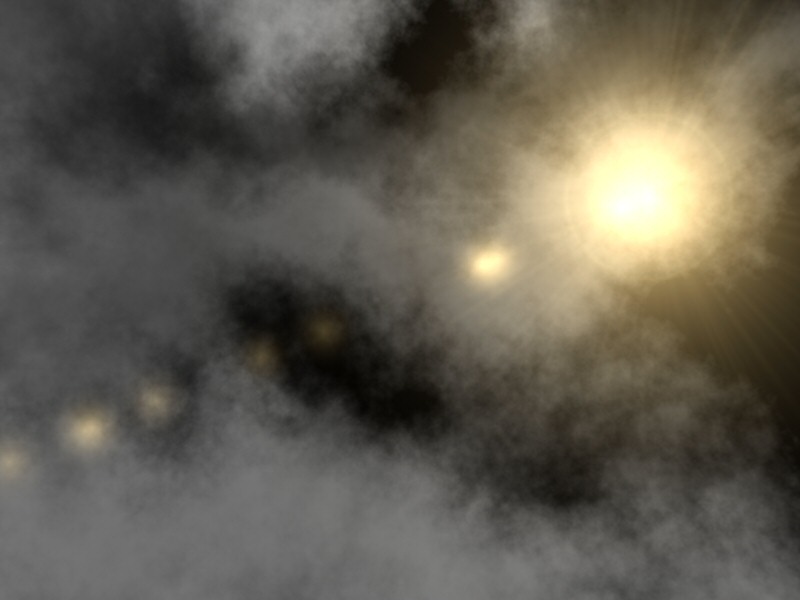
I tried to make my own lensflare-system to compensate for this problems. First I
tried with functions, but that seemed to be way too slow. This is a test with
averaging pigments. The lensflare itself consists only of 1 plane directly in
front of the camera (using screen.inc :)), with only 1 texture. There is only
one, quite big, problem with this technique: multi-colored lensflares are
impossible, because the colors average to gray :-/

It's a TIP, but again a useless TIP in most cases.  Is there a fast way to
combine pigments in an additive way?  (already found an addictive way though)

cu!
--
camera{location-z*3}#macro G(b,e)b+(e-b)*(C/50)#end#macro L(b,e,k,l)#local C=0
;#while(C<50)sphere{G(b,e),.1pigment{rgb G(k,l)}finish{ambient 1}}#local C=C+1
;#end#end L(y-x,y,x,x+y)L(y,-x-y,x+y,y)L(-x-y,-y,y,y+z)L(-y,y,y+z,x+y)L(0,x+y,
<.5,1,.5>,x)L(0,x-y,<.5,1,.5>,x)                 // ZK http://www.povplace.com
Post a reply to this message
Attachments:
Download 'lensflare.jpg' (50 KB)
Preview of image 'lensflare.jpg'
|
|
| |
| |
|
|
|
|
| |
| |
|
|
> Is there a fast way to
> combine pigments in an additive way?

See my post "Additive transparency" in povray.binaries.scene-files,
2/3/2005.

 - Slime
 [ http://www.slimeland.com/ ]
Post a reply to this message
|
|
| |
| |
|
|
|
|
| |
| |
|
|
Very nice !

--
Dark Skull Software
http://www.darkskull.net

A+
Post a reply to this message
|
|
| |
| |
|
|
|
|
| |
| |
|
|
Zeger Knaepen wrote:
> Is there a fast way to combine pigments in an additive way?

As fast as average. Use average, while multiplying all colors (or
alternatively the ambient and diffuse values) with the number of pigments
being averaged.

Rune
--
3D images and anims, include files, tutorials and more:
rune|vision:  http://runevision.com
POV-Ray Ring: http://webring.povray.co.uk
Post a reply to this message
|
|
| |
| |
|
|
|
|
| |
| |
|
|
"Slime" <fak### [at] email address> wrote in message news:428be629$1@news.povray.org...
> > Is there a fast way to
> > combine pigments in an additive way?
>
> See my post "Additive transparency" in povray.binaries.scene-files,
> 2/3/2005.
aha! that worked! thanks a lot! :)
uhm, I can use that for my lensflare-system, can't I? :)
cu!
--
camera{location-z*3}#macro G(b,e)b+(e-b)*(C/50)#end#macro L(b,e,k,l)#local C=0
;#while(C<50)sphere{G(b,e),.1pigment{rgb G(k,l)}finish{ambient 1}}#local C=C+1
;#end#end L(y-x,y,x,x+y)L(y,-x-y,x+y,y)L(-x-y,-y,y,y+z)L(-y,y,y+z,x+y)L(0,x+y,
<.5,1,.5>,x)L(0,x-y,<.5,1,.5>,x) // ZK http://www.povplace.com address> wrote in message news:428be629$1@news.povray.org...
> > Is there a fast way to
> > combine pigments in an additive way?
>
> See my post "Additive transparency" in povray.binaries.scene-files,
> 2/3/2005.
aha! that worked! thanks a lot! :)
uhm, I can use that for my lensflare-system, can't I? :)
cu!
--
camera{location-z*3}#macro G(b,e)b+(e-b)*(C/50)#end#macro L(b,e,k,l)#local C=0
;#while(C<50)sphere{G(b,e),.1pigment{rgb G(k,l)}finish{ambient 1}}#local C=C+1
;#end#end L(y-x,y,x,x+y)L(y,-x-y,x+y,y)L(-x-y,-y,y,y+z)L(-y,y,y+z,x+y)L(0,x+y,
<.5,1,.5>,x)L(0,x-y,<.5,1,.5>,x) // ZK http://www.povplace.com
Post a reply to this message
|
|
| |
| |
|
|
|
|
| |
| |
|
|
"Marneus Calgar" <nos### [at] pleasecom> wrote in message
news:428c3a77$1@news.povray.org...
> Very nice !

thank you!

I hope I finish this one, some day :)

cu!
--
camera{location-z*3}#macro G(b,e)b+(e-b)*(C/50)#end#macro L(b,e,k,l)#local C=0
;#while(C<50)sphere{G(b,e),.1pigment{rgb G(k,l)}finish{ambient 1}}#local C=C+1
;#end#end L(y-x,y,x,x+y)L(y,-x-y,x+y,y)L(-x-y,-y,y,y+z)L(-y,y,y+z,x+y)L(0,x+y,
<.5,1,.5>,x)L(0,x-y,<.5,1,.5>,x)                 // ZK http://www.povplace.com
Post a reply to this message
|
|
| |
| |
|
|
|
|
| |
| |
|
|
"Rune" <run### [at] runevisioncom> wrote in message
news:428c3e26$1@news.povray.org...
> Zeger Knaepen wrote:
> > Is there a fast way to combine pigments in an additive way?
>
> As fast as average. Use average, while multiplying all colors (or
> alternatively the ambient and diffuse values) with the number of pigments
> being averaged.

That's how I did it, but it results in different shades of gray when I used more
than one hue.  But Slime's macro worked, so maybe this will become a fully
functional lensflare-system, someday :)

cu!
--
camera{location-z*3}#macro G(b,e)b+(e-b)*(C/50)#end#macro L(b,e,k,l)#local C=0
;#while(C<50)sphere{G(b,e),.1pigment{rgb G(k,l)}finish{ambient 1}}#local C=C+1
;#end#end L(y-x,y,x,x+y)L(y,-x-y,x+y,y)L(-x-y,-y,y,y+z)L(-y,y,y+z,x+y)L(0,x+y,
<.5,1,.5>,x)L(0,x-y,<.5,1,.5>,x)                 // ZK http://www.povplace.com
Post a reply to this message
|
|
| |
| |
|
|
|
|
| |
| |
|
|
Zeger Knaepen wrote:
> "Rune" <run### [at] runevisioncom> wrote in message
> news:428c3e26$1@news.povray.org...
>> Zeger Knaepen wrote:
>>> Is there a fast way to combine pigments in an additive way?
>>
>> As fast as average. Use average, while multiplying all colors (or
>> alternatively the ambient and diffuse values) with the number of
>> pigments being averaged.
>
> That's how I did it, but it results in different shades of gray when
> I used more than one hue. But Slime's macro worked, so maybe this
> will become a fully functional lensflare-system, someday :)

Slime's macro can be used for creating pigments that are added to what is
*behind* the object surface. But if you want to also add several of these
pigments to *each other*, while still using one object surface only, then
you can still use an average where you multiply all colors (or ambient and
diffuse values) with the number of pigments being averaged.

So if you use both Slime's macro for the colors *and* the average trick,
then you can have several pigments that are additive *both* to the
background *and* to each other. :)

Example:

plane {-z, 0
   pigment {checker rgb 0.3, rgb 0.7}
   finish {ambient 1 diffuse 0}
   translate 10*z
}
plane {-z, 0
   pigment {
      average
      pigment_map {
         [1, spherical color_map {[0 transmit 0.99][0.3,rgbt <1,0,0,0.99>]}
translate < 0.6, 0.0,0>]
         [1, spherical color_map {[0 transmit 0.99][0.3,rgbt <0,1,0,0.99>]}
translate <-0.3, 0.5,0>]
         [1, spherical color_map {[0 transmit 0.99][0.3,rgbt <0,0,1,0.99>]}
translate <-0.3,-0.5,0>]
      }
   }
   finish {ambient 100*3 diffuse 0}
   translate 3*z
}

Rune
--
3D images and anims, include files, tutorials and more:
rune|vision:  http://runevision.com
POV-Ray Ring: http://webring.povray.co.uk
Post a reply to this message
|
|
| |
| |
|
|
|
|
| |
| |
|
|
"Rune" <run### [at] runevisioncom> wrote in message
news:428cbb92@news.povray.org...
> Slime's macro can be used for creating pigments that are added to what is
> *behind* the object surface. But if you want to also add several of these
> pigments to *each other*, while still using one object surface only, then
> you can still use an average where you multiply all colors (or ambient and
> diffuse values) with the number of pigments being averaged.
>
> So if you use both Slime's macro for the colors *and* the average trick,
> then you can have several pigments that are additive *both* to the
> background *and* to each other. :)

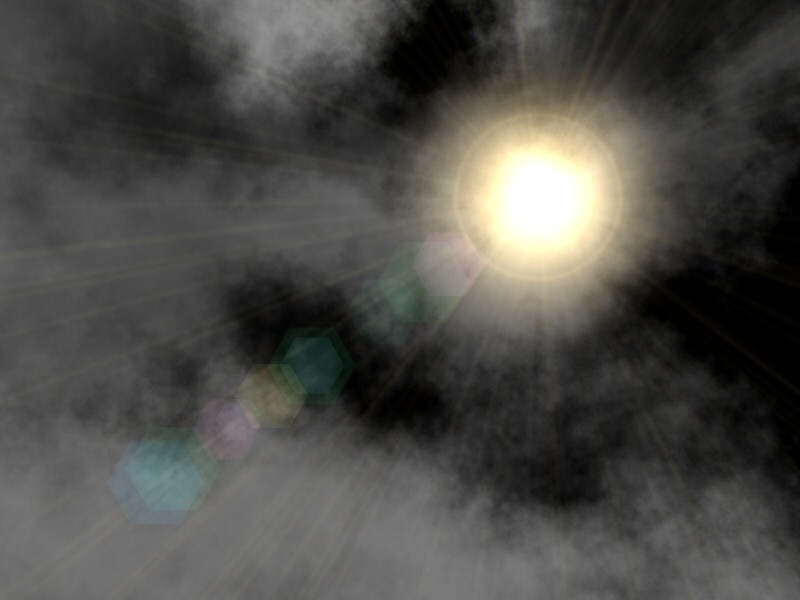
yep, that's what I'm using now :) (see attachment)

only problem now: Additive_Blend(Color, 1, 0) on a given background-color, is
brighter than the background-color + Color.


cu!
--
camera{location-z*3}#macro G(b,e)b+(e-b)*(C/50)#end#macro L(b,e,k,l)#local C=0
;#while(C<50)sphere{G(b,e),.1pigment{rgb G(k,l)}finish{ambient 1}}#local C=C+1
;#end#end L(y-x,y,x,x+y)L(y,-x-y,x+y,y)L(-x-y,-y,y,y+z)L(-y,y,y+z,x+y)L(0,x+y,
<.5,1,.5>,x)L(0,x-y,<.5,1,.5>,x)                 // ZK http://www.povplace.com
Post a reply to this message
Attachments:
Download 'lensflare2.jpg' (53 KB)
Preview of image 'lensflare2.jpg'
|
|
| |
| |
|
|
|
|
| |
| |
|
|
> aha! that worked! thanks a lot! :)
>
> uhm, I can use that for my lensflare-system, can't I? :)


Yes =)

 - Slime
 [ http://www.slimeland.com/ ]
Post a reply to this message
|
|
| |
| |
|
|
|
|
| |
| |
|
|
> only problem now: Additive_Blend(Color, 1, 0) on a given background-color,
is
> brighter than the background-color + Color.


Hmm, are you mixing it with colors like rgb 0? After some experimentation,
it looks like the usual interpolation of colors between additive and
non-additive colors doesn't work well (because of the trick the macro uses).
Try using only additive colors in your color map: if you need black, use
Additive_Blend(0,1,0)

> Slime's macro can be used for creating pigments that are added to what is
> *behind* the object surface. But if you want to also add several of these
> pigments to *each other*, while still using one object surface only, then
> you can still use an average where you multiply all colors (or ambient and
> diffuse values) with the number of pigments being averaged.

You should be able to use a layered texture or pigment map as usual.

 - Slime
 [ http://www.slimeland.com/ ]
Post a reply to this message
|
|
| |
| |
|
|
|
|
| |
| |
|
|
"Slime" <fak### [at] emailaddress> wrote in message news:428ccf2d$1@news.povray.org...
> > aha! that worked! thanks a lot! :)
> >
> > uhm, I can use that for my lensflare-system, can't I? :)
>
> Yes =)

thank you :)

cu!
--
camera{location-z*3}#macro G(b,e)b+(e-b)*(C/50)#end#macro L(b,e,k,l)#local C=0
;#while(C<50)sphere{G(b,e),.1pigment{rgb G(k,l)}finish{ambient 1}}#local C=C+1
;#end#end L(y-x,y,x,x+y)L(y,-x-y,x+y,y)L(-x-y,-y,y,y+z)L(-y,y,y+z,x+y)L(0,x+y,
<.5,1,.5>,x)L(0,x-y,<.5,1,.5>,x)                 // ZK http://www.povplace.com
Post a reply to this message
|
|
| |
| |
|
|
|
|
| |
| |
|
|
"Slime" <fak### [at] emailaddress> wrote in message news:428ccfee$1@news.povray.org...
> > only problem now: Additive_Blend(Color, 1, 0) on a given background-color,
> is
> > brighter than the background-color + Color.
>
> Hmm, are you mixing it with colors like rgb 0? After some experimentation,
> it looks like the usual interpolation of colors between additive and
> non-additive colors doesn't work well (because of the trick the macro uses).
> Try using only additive colors in your color map: if you need black, use
> Additive_Blend(0,1,0)

as far as I know, everything except the background uses
Additive_Blend(something,1,0)

cu!
--
camera{location-z*3}#macro G(b,e)b+(e-b)*(C/50)#end#macro L(b,e,k,l)#local C=0
;#while(C<50)sphere{G(b,e),.1pigment{rgb G(k,l)}finish{ambient 1}}#local C=C+1
;#end#end L(y-x,y,x,x+y)L(y,-x-y,x+y,y)L(-x-y,-y,y,y+z)L(-y,y,y+z,x+y)L(0,x+y,
<.5,1,.5>,x)L(0,x-y,<.5,1,.5>,x)                 // ZK http://www.povplace.com
Post a reply to this message
|
|
| |
| |
|
|
|
|
| |
| |
|
|
Another way to do additive transparancy is used in NKFlare (really old but
fun lens flare system written by yours truly
http://www.nathan.kopp.com/nkflare.htm).  The technique works like this:

1) use the color you want, but set transmit to 0.5
2) use "ambient 2" (instead of "ambient 1")
3) use "refraction 2.0" (instead of "refraction on")

It's this last bit... the "refraction 2.0", combined with the 0.5 transmit,
yeilds a 100% transmission.  Then, then "ambient 2", coupled with the 50%
that's left over from the transmit component, gives you the 100% of whatever
color you specify, which is added to the 100% transmission.

-Nathan


"Slime" <fak### [at] emailaddress> wrote...
> > Is there a fast way to
> > combine pigments in an additive way?
>
> See my post "Additive transparency" in povray.binaries.scene-files,
> 2/3/2005.
>
>  - Slime
>  [ http://www.slimeland.com/ ]
>
>
Post a reply to this message
|
|
| |
| |
|
|
|
|
| |
| |
|
|
Nathan Kopp wrote:
> Another way to do additive transparancy is used in NKFlare (really
> old but fun lens flare system written by yours truly
> http://www.nathan.kopp.com/nkflare.htm).  The technique works like
> this:
>
> 1) use the color you want, but set transmit to 0.5
> 2) use "ambient 2" (instead of "ambient 1")
> 3) use "refraction 2.0" (instead of "refraction on")

Very curious using a currently undocumented feature! The refraction keyword
is obsolete though (except for photons, but that's unrelated), so who knows
if it will be supported in future versions of POV-Ray?

I wonder how it was described back when it was documented? Was it mentioned
that you could use a float rather than an on-off value? I always thought
refraction was related to the bending of rays only (in conjunction with
ior), not how much light passed through...

Rune
--
3D images and anims, include files, tutorials and more:
rune|vision:  http://runevision.com
POV-Ray Ring: http://webring.povray.co.uk
Post a reply to this message
|
|
| |
| |
|
|
|
|
| |
| |
|
|
"Nathan Kopp" <pov### [at] nkoppmailshellcom> wrote in message
news:428d6510$1@news.povray.org...
> Another way to do additive transparancy is used in NKFlare (really old but
> fun lens flare system written by yours truly
> http://www.nathan.kopp.com/nkflare.htm).  The technique works like this:
>
> 1) use the color you want, but set transmit to 0.5
> 2) use "ambient 2" (instead of "ambient 1")
> 3) use "refraction 2.0" (instead of "refraction on")
>
> It's this last bit... the "refraction 2.0", combined with the 0.5 transmit,
> yeilds a 100% transmission.  Then, then "ambient 2", coupled with the 50%
> that's left over from the transmit component, gives you the 100% of whatever
> color you specify, which is added to the 100% transmission.
>
> -Nathan

Ah, yes, that seems to work also :)

Maybe I should do some testing as to find out which technique is the fastest.

cu!
--
camera{location-z*3}#macro G(b,e)b+(e-b)*(C/50)#end#macro L(b,e,k,l)#local C=0
;#while(C<50)sphere{G(b,e),.1pigment{rgb G(k,l)}finish{ambient 1}}#local C=C+1
;#end#end L(y-x,y,x,x+y)L(y,-x-y,x+y,y)L(-x-y,-y,y,y+z)L(-y,y,y+z,x+y)L(0,x+y,
<.5,1,.5>,x)L(0,x-y,<.5,1,.5>,x)                 // ZK http://www.povplace.com
Post a reply to this message
|
|
| |
| |
|
|
|
|
| |
| |
|
|
Zeger Knaepen wrote:
> Ah, yes, that seems to work also :)
>
> Maybe I should do some testing as to find out which
> technique is the fastest.

With 5100 pigments averaged together giving a render time of about 6
minutes, I can't measure any difference. And indeed, why would there be one?
All the same calculations are there (refraction is 1.0 per default) they
just use different values.

Rune
--
3D images and anims, include files, tutorials and more:
rune|vision:  http://runevision.com
POV-Ray Ring: http://webring.povray.co.uk
Post a reply to this message
|
|
| |
| |
|
|
|
|
| |
| |
|
|
"Rune" <run### [at] runevisioncom> wrote in message
news:428dd5de@news.povray.org...
> Zeger Knaepen wrote:
> > Ah, yes, that seems to work also :)
> >
> > Maybe I should do some testing as to find out which
> > technique is the fastest.
>
> With 5100 pigments averaged together giving a render time of about 6
> minutes, I can't measure any difference. And indeed, why would there be one?
> All the same calculations are there (refraction is 1.0 per default) they
> just use different values.

true

In that case, I think I'll go for Slime's solution, because it doesn't use any
undocumented features that might dissapear.

cu!
--
camera{location-z*3}#macro G(b,e)b+(e-b)*(C/50)#end#macro L(b,e,k,l)#local C=0
;#while(C<50)sphere{G(b,e),.1pigment{rgb G(k,l)}finish{ambient 1}}#local C=C+1
;#end#end L(y-x,y,x,x+y)L(y,-x-y,x+y,y)L(-x-y,-y,y,y+z)L(-y,y,y+z,x+y)L(0,x+y,
<.5,1,.5>,x)L(0,x-y,<.5,1,.5>,x)                 // ZK http://www.povplace.com
Post a reply to this message
|
|
| |
| |
|
|
|
|
| |
|
|