 |
|
|
|
|
|
| |
| |
|
|
|
|
| |
| |
|
|
Hallo,

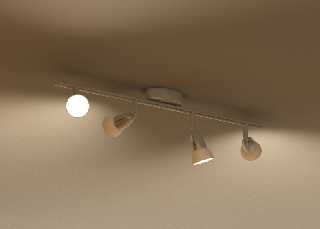
I'm trying to model my room in POV-Ray (again ?). I'm still at the beginning, but the
lamp turned out so nice, I thought, I'd share
it.

Manuel
Post a reply to this message
Attachments:
Download 'Lamp.jpg' (91 KB)
Preview of image 'Lamp.jpg'
|
|
| |
| |
|
|
|
|
| |
| |
|
|
kas### [at] gmx de news:41694c03@news.povray.org
> I'm trying to model my room in POV-Ray (again ?). I'm still at the
> beginning, but the lamp turned out so nice, I thought, I'd share it.
Very nice lamp :)
Btw, such scenes always can benefit from lightsources with fade_distance 2
and perhaps exposure (MegaPov)
--
http://www.raf256.com/3d/
Rafal Maj 'Raf256', home page - http://www.raf256.com/me/
Computer Graphics de news:41694c03@news.povray.org
> I'm trying to model my room in POV-Ray (again ?). I'm still at the
> beginning, but the lamp turned out so nice, I thought, I'd share it.
Very nice lamp :)
Btw, such scenes always can benefit from lightsources with fade_distance 2
and perhaps exposure (MegaPov)
--
http://www.raf256.com/3d/
Rafal Maj 'Raf256', home page - http://www.raf256.com/me/
Computer Graphics
Post a reply to this message
|
|
| |
| |
|
|
|
|
| |
| |
|
|
>> I'm trying to model my room in POV-Ray (again ?). I'm still at the
>> beginning, but the lamp turned out so nice, I thought, I'd share it.
>
> Very nice lamp :)

Thanks.


> Btw, such scenes always can benefit from lightsources with fade_distance 2
> and perhaps exposure (MegaPov)

As far as I understood, fade_power controlls the falloff charactristic (it's set to 2
already) and fade_distance only controls the
brightness? But I could have mixed it up.

Manuel
Post a reply to this message
|
|
| |
| |
|
|
|
|
| |
| |
|
|
"Manuel Kasten" <kas### [at] gmxde> a écrit dans le message de news:
416993ec@news.povray.org...
>
> As far as I understood, fade_power controlls the falloff charactristic
(it's set to 2 already) and fade_distance only controls the
> brightness? But I could have mixed it up.
>
Yes  fade_distance tells to POV at which distance the light has the
intensity given by the color specification of the light
see doc 3.3.7.9  Light Fading

Marc
Post a reply to this message
|
|
| |
| |
|
|
|
|
| |
| |
|
|
Manuel Kasten wrote:
> Hallo,
>
> I'm trying to model my room in POV-Ray (again ?). I'm still at the beginning, but
the lamp turned out so nice, I thought, I'd share
> it.
>
> Manuel
>
>
>
Gosh, that almost looks like mine. Care to share the source for that part?
Post a reply to this message
|
|
| |
| |
|
|
|
|
| |
| |
|
|
"Manuel Kasten" <kas### [at] gmxde> wrote:
> but the lamp turned out so nice, I thought, I'd share it.

The model is good, but I'm especially impressed by the overall shading.  I'd
really like to take a look at your radiosity/finish/light_source settings
for the concerned elements ;-)  My current #1 project (like, for the next
three years ...) is also a room.

--
jussi.kantola
Post a reply to this message
|
|
| |
| |
|
|
|
|
| |
| |
|
|
> Gosh, that almost looks like mine. Care to share the source for that part?

It's in p.t.s-f .  Have fun!
Post a reply to this message
|
|
| |
| |
|
|
|
|
| |
| |
|
|
> The model is good, but I'm especially impressed by the overall shading.  I'd
> really like to take a look at your radiosity/finish/light_source settings
> for the concerned elements ;-)

No problem. But it's nothing special....

You can see the settings for the lamp and light_sources in p.t.s-f .

The ceiling:
    pigment { rgb 1 }
    normal { crackle .2 scale .5}

Radiosity:
    #include "rad_def.inc"
    global_settings {
        radiosity { Rad_Settings(Radiosity_Normal, off, off) recursion_limit 2
brightness 3.0}
        //radiosity { Rad_Settings(Radiosity_Fast, off, off) recursion_limit 2
brightness 3.0}
        //radiosity { Rad_Settings(Radiosity_Debug, off, off) recursion_limit 2
brightness 3.0}
    }

The couloring comes from the environment, its mostly wood. I guess it will change a
lot, once I put my sofa in (it's blue).

Manuel
Post a reply to this message
|
|
| |
| |
|
|
|
|
| |
| |
|
|
kas### [at] gmxde news:416b8296@news.povray.org

> recursion_limit 2 brightness 3.0}

Uhm, I'm afraid ushc settings are totaly psychical incorrect - surfaces
diffuse up to x3 times more light then their get.

If You would set higher quality (i.e. recursion_limit 5) probably entire
scene will be totaly white / overlighted, since walls will recive about
3*3*3*3*3 * 1 RGB light

--
http://www.raf256.com/3d/
Rafal Maj 'Raf256', home page - http://www.raf256.com/me/
Computer Graphics
Post a reply to this message
|
|
| |
| |
|
|
|
|
| |
| |
|
|
Rafal 'Raf256' Maj wrote:

>>recursion_limit 2 brightness 3.0}
>
>
> Uhm, I'm afraid ushc settings are totaly psychical incorrect - surfaces
> diffuse up to x3 times more light then their get.

Remember that Pov-RAY tries not to simulate reality but to produce
(photo)realistic images. There are many limitations that might cause one
to use higher brightness than 1. For example, sometimes it is not
feasible to set the lightsource ambient value more than 1 as it might
get clipped. Then the only way to get enough illumination is to increase
brightness value. Megapov's exposure setting might help with this -
haven't tried it though.

This is all about getting the desired result, not about actual values
being used. You are seriously limiting yourself by allways using just
brightness 1 (and fade_power 2 etc.).

> If You would set higher quality (i.e. recursion_limit 5) probably entire
> scene will be totaly white / overlighted, since walls will recive about
> 3*3*3*3*3 * 1 RGB light

It all depends. Usually increasing the recursion limit beyond a certain
value doesn't affect the result almost at all. When diffuse
inter-reflections are calculated, the intensity gets smaller and smaller
at every iteration (depending on the surface color, diffuse, ambient
etc. values) and finally has no influence on total radiosity value. I
think there aren't many "normal" scenes that look practically any
different with recursion_limit 10 or 20.

Severi
Post a reply to this message
|
|
| |
| |
|
|
|
|
| |
| |
|
|
"Rafal 'Raf256' Maj" <spa### [at] raf256com> wrote:
> kas### [at] gmxde news:416b8296@news.povray.org
>
> > recursion_limit 2 brightness 3.0}
>
> Uhm, I'm afraid ushc settings are totaly psychical incorrect - surfaces
> diffuse up to x3 times more light then their get.

Even as ray tracing is a pretty snappy algorithm and POV-Ray does it very
well indeed, it seems to me (from my own experience and the works of
others) that the best results often are obtained with a little bit of
'un-physical' modelling.  There are so many approximations that have do be
done that this is not really surprising either.  For example, see this post
for a convincing example:

http://news.povray.org/415b0865%40news.povray.org

In my rad room I stil have recursion_limit > 5 (I plan to decrease though)
with brightness in the 2+ range.  Unphysical?  Could be, but I get the
pictures I want.

--
jussi.kantola
Post a reply to this message
|
|
| |
| |
|
|
|
|
| |
| |
|
|
>> recursion_limit 2 brightness 3.0}
>
> Uhm, I'm afraid ushc settings are totaly psychical incorrect - surfaces
> diffuse up to x3 times more light then their get.
>
> If You would set higher quality (i.e. recursion_limit 5) probably entire
> scene will be totaly white / overlighted, since walls will recive about
> 3*3*3*3*3 * 1 RGB light

If I want my 4 spotlights to light the entire room, without overexposing the
places they point at, I have no choice but to reduce light intensity and to
increase radiosity brighness. Or have I? I do not plan to use higher
recursion_limits, it will slow down the whole thing to much. For the final
renders I'll choose :

radiosity { Rad_Settings(Radiosity_Final, off, off) recursion_limit 2 brightness 3.0}

The lighting is how I want it to be, and Radiosity_Final will make sure that no
artifacts are left...

Manuel
Post a reply to this message
|
|
| |
| |
|
|
|
|
| |
| |
|
|
kas### [at] gmxde news:416bd648@news.povray.org

> t 2 brightness 3.0}
>>
>> Uhm, I'm afraid ushc settings are totaly psychical incorrect -
>> surfaces diffuse up to x3 times more light then their get.
>>
>> If You would set higher quality (i.e. recursion_limit 5) probably
>> entire scene will be totaly white / overlighted, since walls will
>> recive about 3*3*3*3*3 * 1 RGB light
>
> If I want my 4 spotlights to light the entire room, without
> overexposing the places they point at, I have no choice but to reduce
> light intensity and to increase radiosity brighness. Or have I?

I think that increasng light intensity _and_ using
light_exposure should give good efect, it is what it's designed for AFAIK
;)

--
http://www.raf256.com/3d/
Rafal Maj 'Raf256', home page - http://www.raf256.com/me/
Computer Graphics
Post a reply to this message
|
|
| |
| |
|
|
|
|
| |
| |
|
|
OMG, please stop posting photographs!

But seriously, this is darn cool! The only thing I don't like is that
pure white interior of the lamp facing the camera. Either put a light
bulb in there, or something else, lens-flares (don't think it would look
good) or scattering media in the whole room, so that it's not simply a
white lamp-interior, but a beam of light.

Florian
--
camera{look_at-y*10location<8,-3,-8>*10}#local a=0;#while(a<999)sphere{
#local _=.01*a-4.99;#local p=a*.01-5;#local c=.01*a-4.995;<sin(p*pi)*5p
*10pow(p,5)*.01>sin(c*c*c*.1)+1pigment{rgb 3}}#local a=a+1;#end
/******** http://www.torfbold.com ******** http://www.imp.org ********/
Post a reply to this message
|
|
| |
| |
|
|
|
|
| |
| |
|
|
> But seriously, this is darn cool! The only thing I don't like is that
> pure white interior of the lamp facing the camera. Either put a light
> bulb in there, or something else, lens-flares (don't think it would look
> good) or scattering media in the whole room, so that it's not simply a
> white lamp-interior, but a beam of light.

The light bulb might actually be there but you can't see it as everything is
totally white. Megapov's exposure feature might help to get it visible.

Severi
Post a reply to this message
|
|
| |
| |
|
|
|
|
| |
| |
|
|
> OMG, please stop posting photographs!

Thank you!

> But seriously, this is darn cool! The only thing I don't like is that pure white
interior of the lamp facing the camera. Either
> put a light bulb in there, or something else, lens-flares (don't think it would look
good) or scattering media in the whole room,
> so that it's not simply a white lamp-interior, but a beam of light.

Yes, I know what you mean. However, the lamp wasn't meant to be
the scene, it was meant to be part of a much bigger scene. If it were
just for the lamp, I'd agree with you. To see a very WIP of my scene,
look at:

http://home.arcor.de/mad_onion/002%20rund%20-%20lighting.jpg

It's an ultra-wide-angle camera in order to make all the walls visible.

Manuel
Post a reply to this message
|
|
| |
| |
|
|
|
|
| |
| |
|
|
>> If I want my 4 spotlights to light the entire room, without
>> overexposing the places they point at, I have no choice but to reduce
>> light intensity and to increase radiosity brighness. Or have I?
>
> I think that increasng light intensity _and_ using
> light_exposure should give good efect, it is what it's designed for AFAIK

OK, maybe you're right. But as long as I can achieve what I want in pure POV3.6.1 I'll
stick to that.

Manuel
Post a reply to this message
|
|
| |
| |
|
|
|
|
| |
| |
|
|
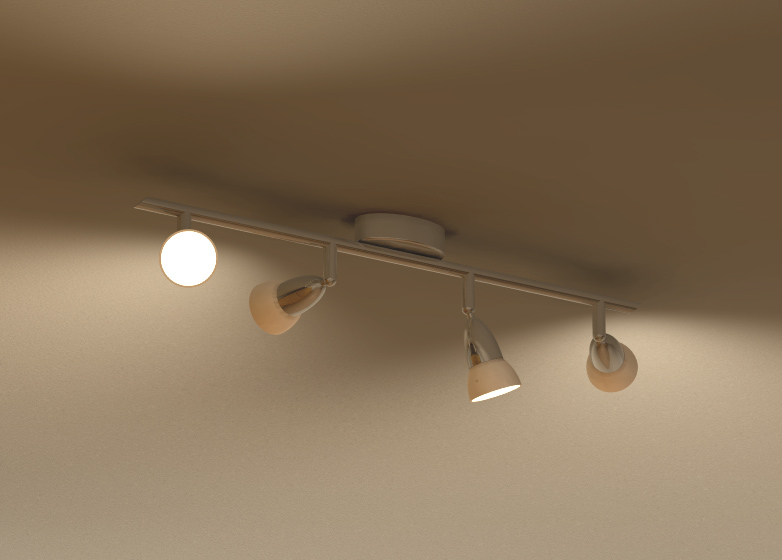
Another lamp, from
http://www.rubygarden.org/ruby?FractalLifeEngine/LampTutorial

In retrospect, I think I picked the deep red to fit that site's "Ruby"
theme.

--
  Phlip
  http://industrialxp.org/community/bin/view/Main/TestFirstUserInterfaces
Post a reply to this message
Attachments:
Download 'treeLampDetail[1].png' (466 KB)
Preview of image 'treeLampDetail[1].png'
![treeLampDetail[1].png](/povray.binaries.images/attachment/%3C416dfe3c%40news.povray.org%3E/treeLampDetail%5B1%5D.png?ttop=448279&toff=6250&preview=1)
|
|
| |
| |
|
|
|
|
| |






![treeLampDetail[1].png](/povray.binaries.images/attachment/%3C416dfe3c%40news.povray.org%3E/treeLampDetail%5B1%5D.png?ttop=448279&toff=6250)