|
|
|
|
|
|
| |
| |
|
|
|
|
| |
| |
|
|
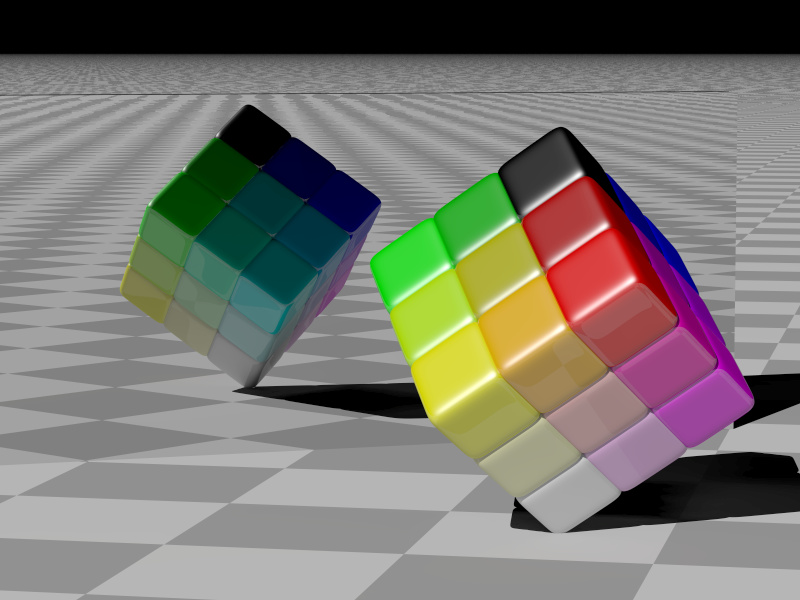
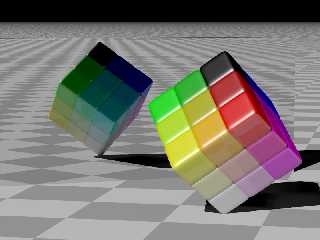
A quick sketch of an idea I had. If I end up developing it I hope to
replace the ugly checkered floor with something else (either texture or
objects placed on it) that can illustrate the slightly reflective
texture of the cubes. I'll need to replace the mirror with something
more...natural, or else just add a second cube to the image.
Post a reply to this message
Attachments:
Download 'color-cube.jpg' (115 KB)
Preview of image 'color-cube.jpg'
|
|
| |
| |
|
|
|
|
| |
| |
|
|
Nice.  I really like this.  It makes me think of Alain's marble bowling
animations.  Do you think you could animate this and have the individual
cubes slide apart and fall to the floor and bounce around a little bit like
dice till they came to a stop?  Since these aren't spheres that might be
harder to do... then again maybe not.  Personally I think I'd leave the
mirror.  The animation would make it clear that we were looking at one cube
and a mirror and not two cubes.  The mirror could also serve as a wall the
cubes could bounce into.  As is it took me a little while to figure out what
the black line running across the top of the scene was.   Maybe it would
look better with a frame around the mirror.  Still very nice.  I like the
subject.

Carl
Post a reply to this message
|
|
| |
| |
|
|
|
|
| |
| |
|
|
Could you post the "finish" you used on the cubes. I love that look!
"Edward Coffey" <eco### [at] swiftdsl comau> wrote in message
news:402b3806@news.povray.org...
> A quick sketch of an idea I had. If I end up developing it I hope to
> replace the ugly checkered floor with something else (either texture or
> objects placed on it) that can illustrate the slightly reflective
> texture of the cubes. I'll need to replace the mirror with something
> more...natural, or else just add a second cube to the image.
>
----------------------------------------------------------------------------
---- comau> wrote in message
news:402b3806@news.povray.org...
> A quick sketch of an idea I had. If I end up developing it I hope to
> replace the ugly checkered floor with something else (either texture or
> objects placed on it) that can illustrate the slightly reflective
> texture of the cubes. I'll need to replace the mirror with something
> more...natural, or else just add a second cube to the image.
>
----------------------------------------------------------------------------
----
Post a reply to this message
|
|
| |
| |
|
|
|
|
| |
| |
|
|
> Do you think you could animate this and have the individual
> cubes slide apart and fall to the floor and bounce around a little bit like
> dice till they came to a stop?  Since these aren't spheres that might be
> harder to do... then again maybe not.

Should be pretty easy using Christoph Hormann's SimPOV or MegaPOV 1.0
which has the SimPOV-patch included.

SimPOV Homepage:
http://www-public.tu-bs.de:8080/~y0013390/simpov/index.html

MegaPOV Homepage:
http://megapov.inetart.net/

HTH,
Florian
Post a reply to this message
|
|
| |
| |
|
|
|
|
| |
| |
|
|
"Edward Coffey" <eco### [at] swiftdslcomau> wrote in message
news:402b3806@news.povray.org...
> A quick sketch of an idea I had. If I end up developing it I hope to
> replace the ugly checkered floor with something else (either texture or
> objects placed on it) that can illustrate the slightly reflective
> texture of the cubes. I'll need to replace the mirror with something
> more...natural, or else just add a second cube to the image.

Looks cool! That one cube on the corner seems black and out of place -- was
that intentional?
Post a reply to this message
|
|
| |
| |
|
|
|
|
| |
| |
|
|
Florian Brucker wrote:
>
>> Do you think you could animate this and have the individual
>> cubes slide apart and fall to the floor and bounce around a little bit
>> like
>> dice till they came to a stop?  Since these aren't spheres that might be
>> harder to do... then again maybe not.
>
>
> Should be pretty easy using Christoph Hormann's SimPOV or MegaPOV 1.0
> which has the SimPOV-patch included.

I'll have to have a look at that. My computer might as well be rendering
an animation at the moment, there's something wrong with the graphics
adaptor which makes it crash randomly when used in anything other than
text-mode :?(
Post a reply to this message
|
|
| |
| |
|
|
|
|
| |
| |
|
|
Felbrigg wrote:
> Could you post the "finish" you used on the cubes.  I love that look!

Sure, the texture is just a simple solid pigment and the following
finish settings:

specular 1
roughness 0.03
reflection 0.1

It's really very simple - I think it's partly the radiosity (especially
in the image reflected in the mirror) and partly the scale and position
of the checker pattern (I tweaked it specifically to show off the
"reflection 0.1" aspect of the finish) that make this finish look okay.

I should probably give it angle dependant reflection one day.
Post a reply to this message
|
|
| |
| |
|
|
|
|
| |
| |
|
|
Dan P wrote:
> Looks cool! That one cube on the corner seems black and out of place -- was
> that intentional?

I'd like it to fit in more, but it definitely is supposed to be black.
The cube represents a simplified RGB colorspace, each axis of the cube
represents one of the three primary colors - Red, Green and Blue. The
cube at the top is obviously color <0,0,0>, the one at the bottom is
<1,1,1>, the other 6 corner cubes are <1,0,0>, <1,1,0>, <0,1,0>,
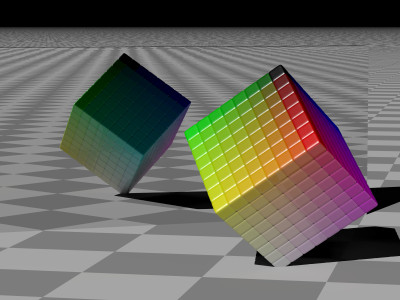
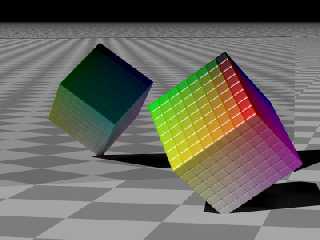
<0,1,1>, <0,0,1> and <1,0,1>. I built it to be configurable, so you can
just plug in the number of cubes you want along each edge. Here's one
rendered with 8x8x8 cubes (well, superellipsoids actually, which makes
it hard to know exactly where in the y axis to place the object to get
it to stand on its end - I rendered this one with the same translation
as the 3x3x3 version so the white superellipsoid sticks through the floor):
Post a reply to this message
Attachments:
Download 'color-cube8.jpg' (33 KB)
Preview of image 'color-cube8.jpg'
|
|
| |
| |
|
|
|
|
| |
| |
|
|
Among other things, Edward Coffey wrote:

> (well, superellipsoids actually, which makes
> it hard to know exactly where in the y axis to place the object to get
> it to stand on its end - I rendered this one with the same translation
> as the 3x3x3 version so the white superellipsoid sticks through the
> floor):

The function/macro "trace" could be useful for that.

--
light_source{9+9*x,1}camera{orthographic look_at(1-y)/4angle 30location
9/4-z*4}light_source{-9*z,1}union{box{.9-z.1+x clipped_by{plane{2+y-4*x
0}}}box{z-y-.1.1+z}box{-.1.1+x}box{.1z-.1}pigment{rgb<.8.2,1>}}//Jellby
Post a reply to this message
|
|
| |
| |
|
|
|
|
| |
| |
|
|
"Edward Coffey" <eco### [at] swiftdslcomau> wrote in message
news:402be6ff@news.povray.org...
> Dan P wrote:
> > Looks cool! That one cube on the corner seems black and out of place --
was
> > that intentional?
>
> I'd like it to fit in more, but it definitely is supposed to be black.
> The cube represents a simplified RGB colorspace, each axis of the cube
> represents one of the three primary colors - Red, Green and Blue. The
> cube at the top is obviously color <0,0,0>, the one at the bottom is
> <1,1,1>, the other 6 corner cubes are <1,0,0>, <1,1,0>, <0,1,0>,
> <0,1,1>, <0,0,1> and <1,0,1>. I built it to be configurable, so you can
> just plug in the number of cubes you want along each edge. Here's one
> rendered with 8x8x8 cubes (well, superellipsoids actually, which makes
> it hard to know exactly where in the y axis to place the object to get
> it to stand on its end - I rendered this one with the same translation
> as the 3x3x3 version so the white superellipsoid sticks through the
floor):
>
Ah, got it! This picture just makes me want to grab it and start spinning
parts of it :-)

Great concept!!! If you render the cubes so that you can see all sides, you
could make money off a poster for artists. I can totally see this on a
designer's wall!!!!!
Post a reply to this message
|
|
| |
| |
|
|
|
|
| |
| |
|
|
> rendered with 8x8x8 cubes (well, superellipsoids actually, which makes
> it hard to know exactly where in the y axis to place the object to get
> it to stand on its end - I rendered this one with the same translation
> as the 3x3x3 version so the white superellipsoid sticks through the floor):

You may want to use the macro Round_Box_Union() (Or Round_Box_Merge)
from shapes.inc. It'll look (almost) the same, and you'll always know
exactly how large the shape is.

HTH,
Florian
Post a reply to this message
|
|
| |
| |
|
|
|
|
| |
| |
|
|
"Florian Brucker" <tor### [at] torfboldcom> wrote in message
news:402d1dcb@news.povray.org...
> > rendered with 8x8x8 cubes (well, superellipsoids actually, which makes
> > it hard to know exactly where in the y axis to place the object to get
> > it to stand on its end - I rendered this one with the same translation
> > as the 3x3x3 version so the white superellipsoid sticks through the
floor):
>
> You may want to use the macro Round_Box_Union() (Or Round_Box_Merge)
> from shapes.inc. It'll look (almost) the same, and you'll always know
> exactly how large the shape is.

In your case, you'll want to use Round_Box_Union. The difference between
Union and Merge is:

Union: Will group the objects together but each object will still retain its
surface.
Merge: Will "melt" the objects together and remove surfaces.

Think of "union" as a grouping tool and "merging" as a melting tool. If all
of your objects are opaque, as they are in your case, you can use "union"
because you won't see the surfaces of the cylinder, spheres, and boxes that
make up the cube. However, if your cube was made of glass, you would see the
cylinder, spheres, and boxes that make up the cube unless you chose to melt
them together using "merge".

Note that, as you probably guessed, merge takes longer to render because of
the extra work it has to do. So, use union whenever you can get away with
it.
Post a reply to this message
|
|
| |
| |
|
|
|
|
| |
| |
|
|
I had an attempt at making an RGB colour cube out of cubes, too. This
one is 64*64*64 boxes. I would have tried it larger, except I ran out of
memory.

Rohan _e_ii
Post a reply to this message
Attachments:
Download 'boxtest2.png' (34 KB)
Preview of image 'boxtest2.png'
|
|
| |
| |
|
|
|
|
| |
| |
|
|
On Mon, 16 Feb 2004 17:29:10 +1100, Rohan <rox### [at] yahoocom> wrote:

> I had an attempt at making an RGB colour cube out of cubes, too. This
> one is 64*64*64 boxes. I would have tried it larger, except I ran out of
> memory.

Have you thought of removing the cubes inside your colorcube, since the
only visible small cubes are the outermost. For the whole cube 64*64*64 =
262.144 small cubes, but with the outer shell only 6*63*63 = 23.814, and
you perhaps won't ran out of memory (unless you already have done this).

--
light_source{20*y,1}#macro _(M,X,Y,P)#macro L(N,D)#if(N)#declare
P=P+D;box{-
0.5,0.5translate z*mod(9*P.gray,4)pigment{rgb P}rotate 45*x+clock*y
translate
P}L(N-1,D)#end#end#if(M)L(mod(M,8)<mod(X,3)mod(Y,3)1>-1)_(div(M,8)div(X,3)div
(Y,3)P)#end#end _(2301603551,12850,60365,20*z-5*x)plane{y,-9pigment{rgb 1}}
Post a reply to this message
|
|
| |
| |
|
|
|
|
| |
| |
|
|
The best would be a mesh, I guess. I did
a very similar thing for LiveGraphics3D demo
on color spaces

(see http://www.iro.umontreal.ca/~pigeon/colorspaces/colorspaces.html )

The meshes are mathematica meshes (which can be converted
to pov rather easily)

Best,

    S.

--
Steven Pigeon, Ph. D.
pig### [at] iroumontrealca

"Rohan" <rox### [at] yahoocom> wrote in message
news:40306350@news.povray.org...
> I had an attempt at making an RGB colour cube out of cubes, too. This
> one is 64*64*64 boxes. I would have tried it larger, except I ran out of
> memory.
>
> Rohan _e_ii
>


----------------------------------------------------------------------------
----
Post a reply to this message
|
|
| |
| |
|
|
|
|
| |
| |
|
|
In article <40306350@news.povray.org>, Rohan <rox### [at] yahoocom>
wrote:

> I had an attempt at making an RGB colour cube out of cubes, too. This
> one is 64*64*64 boxes. I would have tried it larger, except I ran out of
> memory.

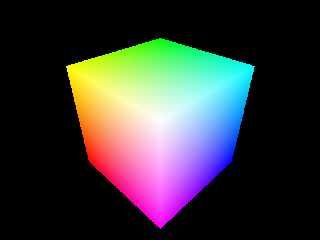
Given that you can only see 3 sides, you could remove the vast majority
of the boxes. Or you could do it with one box and an average pigment:

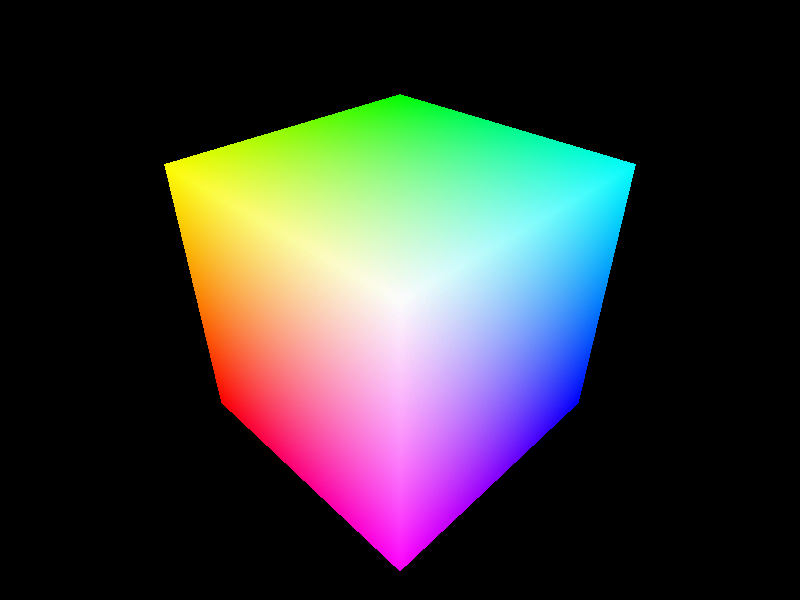
box {0.001, 0.999
    texture {
        pigment {average
            pigment_map {
                [1 gradient x color_map {[0 rgb 0][1 blue 1]}]
                [1 gradient y color_map {[0 rgb 0][1 green 1]}]
                [1 gradient -z color_map {[0 rgb 0][1 red 1]}]
            }
        }
        finish {diffuse 0 ambient 1}
    }
    translate -0.5 scale 2
}

Peak memory used:           266864 bytes

--
Christopher James Huff <cja### [at] earthlinknet>
http://home.earthlink.net/~cjameshuff/
POV-Ray TAG: <chr### [at] tagpovrayorg>
http://tag.povray.org/
Post a reply to this message
Attachments:
Download 'colorcube.jpg' (14 KB)
Preview of image 'colorcube.jpg'

|
|
| |
| |
|
|
|
|
| |
| |
|
|
High!

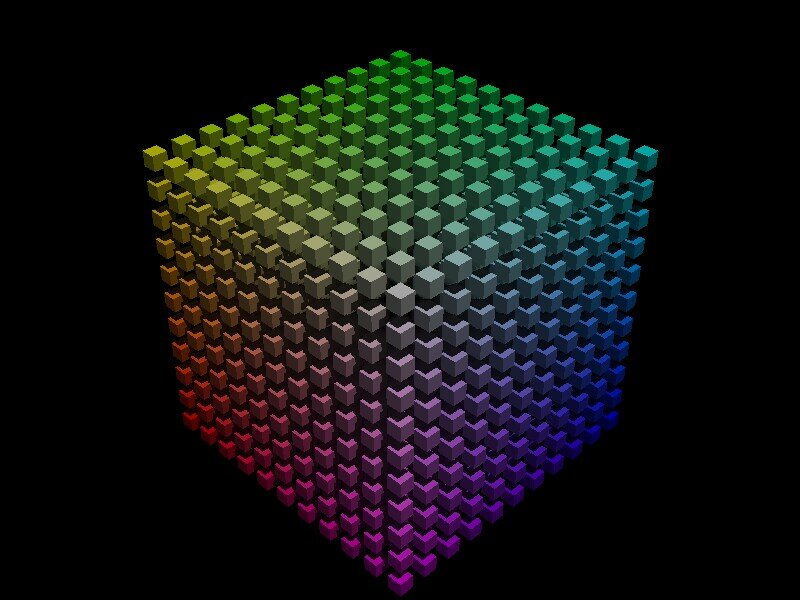
Rohan schrieb:

> I had an attempt at making an RGB colour cube out of cubes, too. This
> one is 64*64*64 boxes. I would have tried it larger, except I ran out of
> memory.

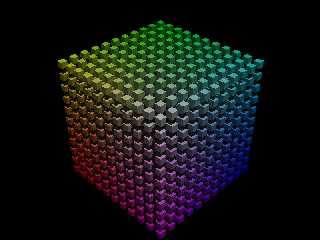
Back in 2000 when I (after strictly avoiding dealing with pure POV for years,
instead relying on those klickibunti toys like Moray...) first experimented
with
#while loops, I also rendered an RGB cube... only 11 x 11 x 11 boxes, but
I think it has potential... such as making them semi-transparent, connecting
them with glass tubes - and finally rendering an animated flight through these

cubes and tubes!

See you in Khyberspace!

Yadgar
Post a reply to this message
Attachments:
Download 'rgb.jpg' (82 KB)
Preview of image 'rgb.jpg'
|
|
| |
| |
|
|
|
|
| |
| |
|
|
Jörg 'Yadgar' Bleimann wrote:
> I also rendered an RGB cube... only 11 x 11 x 11 boxes, but
> I think it has potential... such as making them semi-transparent, connecting
> them with glass tubes - and finally rendering an animated flight through these
>
> cubes and tubes!
>
> See you in Khyberspace!
>
> Yadgar
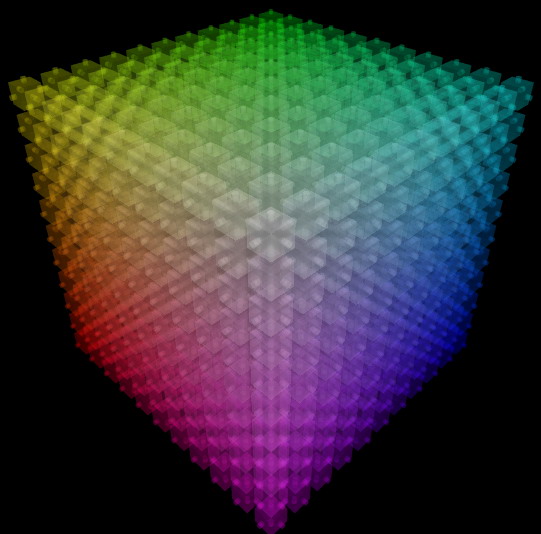
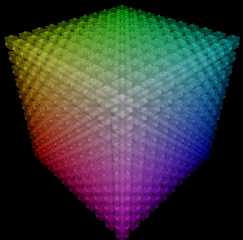
i was somehow inspired by this ideo, so i made a rgb-cube with 11*11*11
boxes as well, but with transparency and connecting tubes :) the code
will soon be available in p.t.s-f (scalable rgb-cube with transparency)
it includes some splines for an animation, but they are not that good
and far from complete

bye,
	Marc

---------------------------------
and god said: let there be a light_source { location SUN look_at EARTH,
rgb SUNLIGHT }
Post a reply to this message
Attachments:
Download 'rgb_cube.jpg' (59 KB)
Preview of image 'rgb_cube.jpg'
|
|
| |
| |
|
|
|
|
| |
| |
|
|
"Marc Roth" <mar### [at] rothconsultcom> wrote in message
news:40394422@news.povray.org...
> Jörg 'Yadgar' Bleimann wrote:
> > I also rendered an RGB cube... only 11 x 11 x 11 boxes, but
> > I think it has potential... such as making them semi-transparent,
connecting
> > them with glass tubes - and finally rendering an animated flight through
these

Wow, that really turned out cool!!!!!
Post a reply to this message
|
|
| |
| |
|
|
|
|
| |
| |
|
|
Dan P wrote:

> "Marc Roth" <mar### [at] rothconsultcom> wrote in message
> news:40394422@news.povray.org...
>
>>Jörg 'Yadgar' Bleimann wrote:
>>
>>>I also rendered an RGB cube... only 11 x 11 x 11 boxes, but
>>>I think it has potential... such as making them semi-transparent,
>
> connecting
>
>>>them with glass tubes - and finally rendering an animated flight through
>
> these
>
> Wow, that really turned out cool!!!!!
>
>
thx, took about 20min to render with AA0.3 but no radiosity... the only
problem is the max_trace_level which has to be really high to give it a
realistic look... i think for this render it was at 220. i set it to
20*dim where dim is the number of cubes per side to get through all the
layers...
bye
	Marc

--
---------------------------------
and god said: let there be a light_source { location SUN look_at EARTH,
rgb SUNLIGHT }
Post a reply to this message
|
|
| |
| |
|
|
|
|
| |