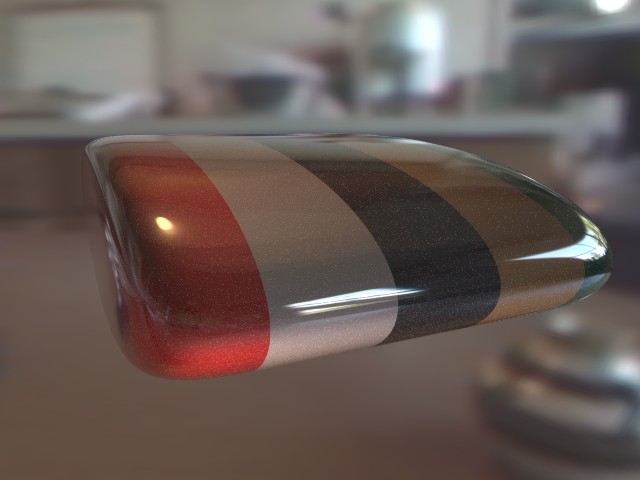
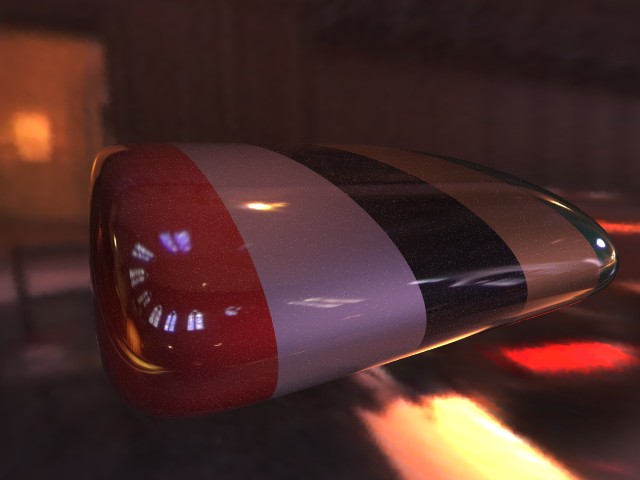
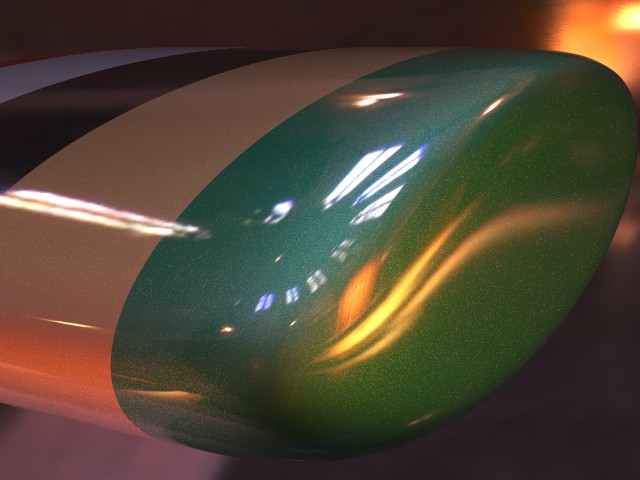
|
|
|
|
|
|
| |
| |
|
|
|
|
| |
| |
|
|
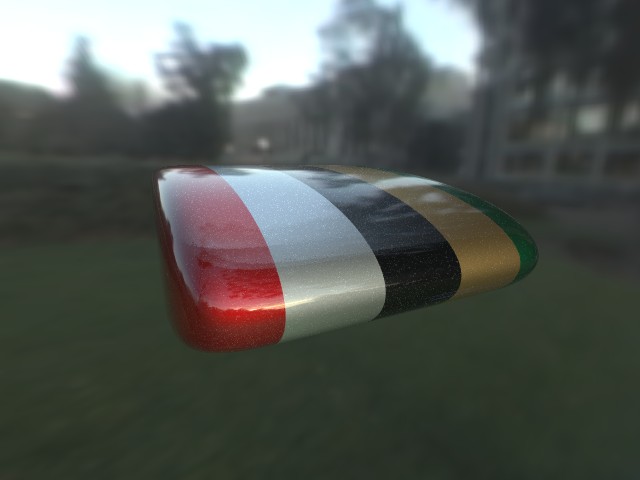
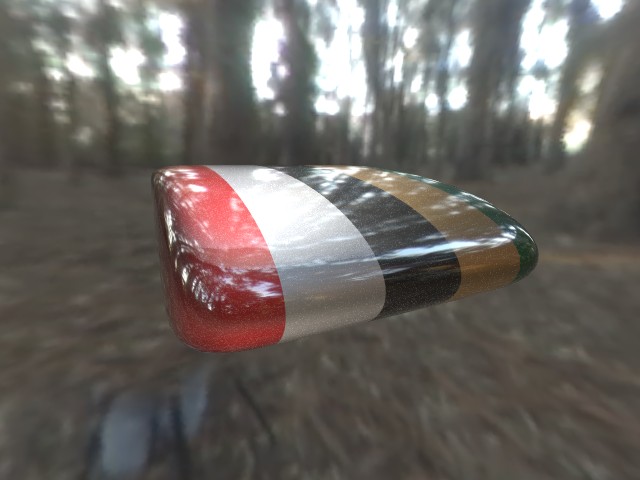
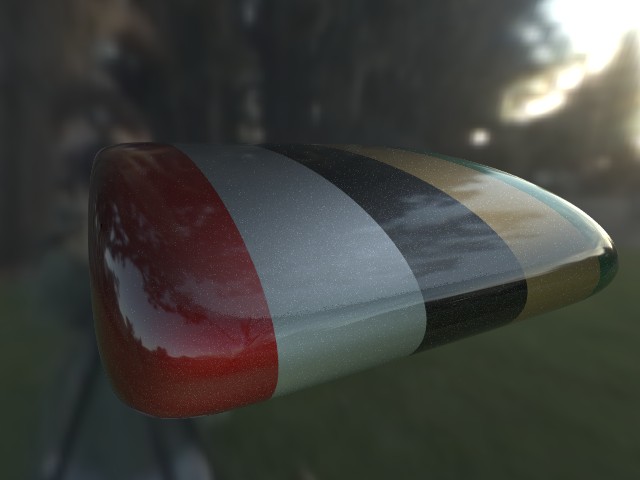
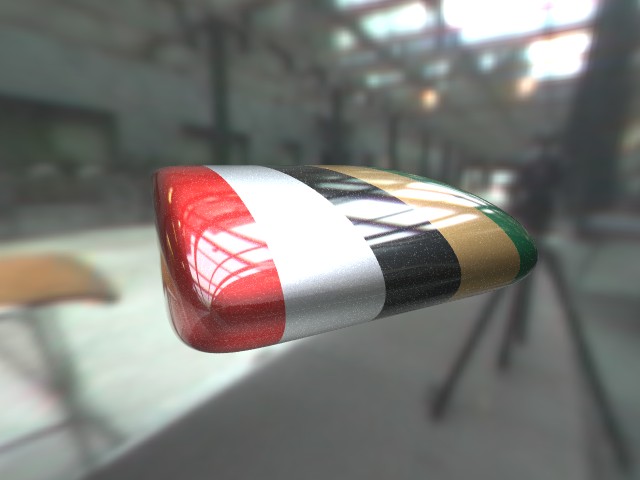
For anyone who hasn't been following the other thread: I can't illuminate my
metallic paint using only radiosity, as it relies on specular highlights, which
meant I couldn't light it using HDR...

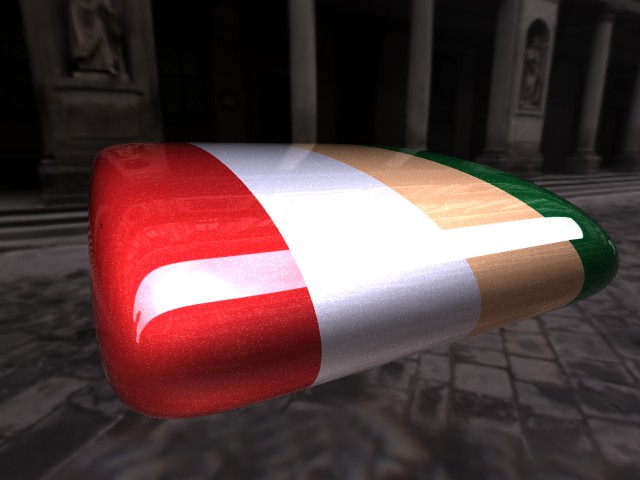
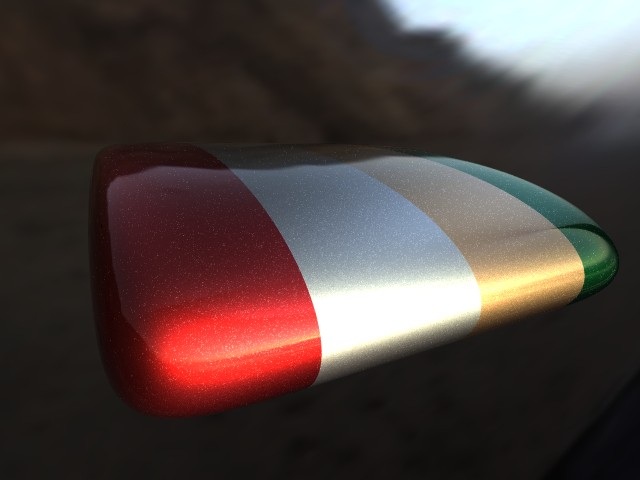
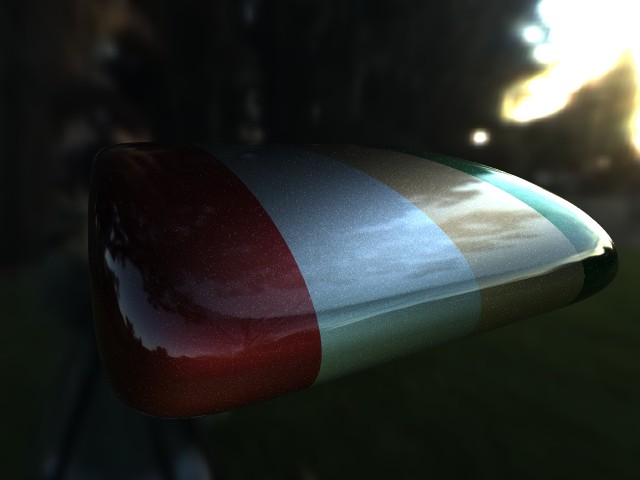
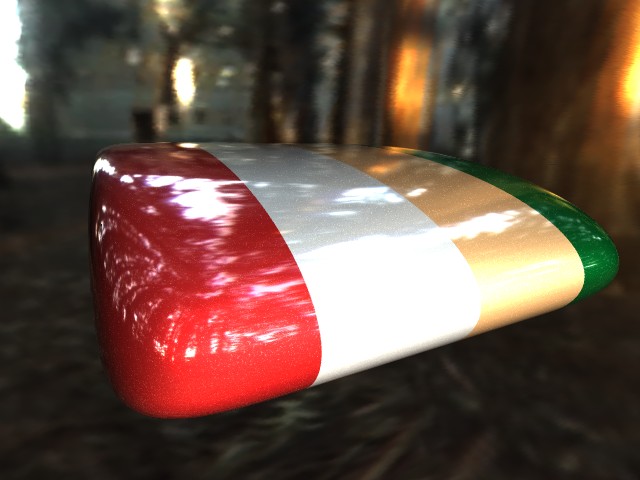
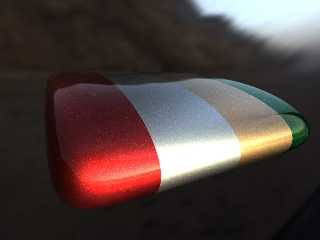
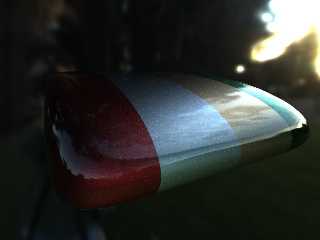
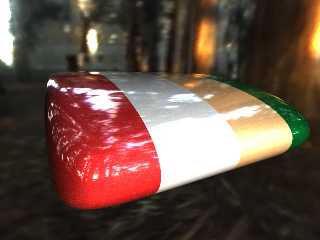
...but now I've found a way round it: Here the object is lit by a set of light
sources distributed round a sphere, with their colours sampled from the HDR
image. It's very effective and it means I can just change the HDR and it looks
right. I've not used radiosity, but I guess to combine this with radiosity you'd
need to turn off the HDR sky sphere and save the radiosity, then turn it back on
for the final render, otherwise the light sources will combine with radiosity
from the sky sphere and cause twice the illumination in the scene.

Anyway, the pictures show the paint in a variety of HDR environments, and the
beach and campus pictures are using a much more metallic type of paint (90%
metallic, compared to 60% in the other pictures).

The metallic paint is the same code used for the other picture, which is on
p.b.s-f. I can provide the source code for the light dome trick if anyone wants
it, but it's pretty straighforwards and my version is a little messy.

You like? :)

--
Tek
http://www.evilsuperbrain.com
Post a reply to this message
Attachments:
Download 'metal hdr uffizi.jpg' (48 KB)
Download 'metal hdr beach.jpg' (38 KB)
Download 'metal hdr campus.jpg' (36 KB)
Download 'metal hdr forest.jpg' (53 KB)
Preview of image 'metal hdr uffizi.jpg'
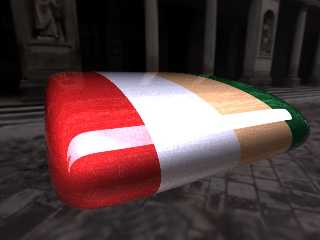
Preview of image 'metal hdr beach.jpg'
Preview of image 'metal hdr campus.jpg'
Preview of image 'metal hdr forest.jpg'
|
|
| |
| |
|
|
|
|
| |
| |
|
|
the third image looks the most realistic to me, but the others are good as
well.
"Tek" <tek### [at] evilsuperbrain com> wrote in message
news:3ec2d3a3@news.povray.org...
> For anyone who hasn't been following the other thread: I can't illuminate
my
> metallic paint using only radiosity, as it relies on specular highlights,
which
> meant I couldn't light it using HDR...
>
> ...but now I've found a way round it: Here the object is lit by a set of
light
> sources distributed round a sphere, with their colours sampled from the
HDR
> image. It's very effective and it means I can just change the HDR and it
looks
> right. I've not used radiosity, but I guess to combine this with radiosity
you'd
> need to turn off the HDR sky sphere and save the radiosity, then turn it
back on
> for the final render, otherwise the light sources will combine with
radiosity
> from the sky sphere and cause twice the illumination in the scene.
>
> Anyway, the pictures show the paint in a variety of HDR environments, and
the
> beach and campus pictures are using a much more metallic type of paint
(90%
> metallic, compared to 60% in the other pictures).
>
> The metallic paint is the same code used for the other picture, which is
on
> p.b.s-f. I can provide the source code for the light dome trick if anyone
wants
> it, but it's pretty straighforwards and my version is a little messy.
>
> You like? :)
>
> --
> Tek
> http://www.evilsuperbrain.com
>
>
> com> wrote in message
news:3ec2d3a3@news.povray.org...
> For anyone who hasn't been following the other thread: I can't illuminate
my
> metallic paint using only radiosity, as it relies on specular highlights,
which
> meant I couldn't light it using HDR...
>
> ...but now I've found a way round it: Here the object is lit by a set of
light
> sources distributed round a sphere, with their colours sampled from the
HDR
> image. It's very effective and it means I can just change the HDR and it
looks
> right. I've not used radiosity, but I guess to combine this with radiosity
you'd
> need to turn off the HDR sky sphere and save the radiosity, then turn it
back on
> for the final render, otherwise the light sources will combine with
radiosity
> from the sky sphere and cause twice the illumination in the scene.
>
> Anyway, the pictures show the paint in a variety of HDR environments, and
the
> beach and campus pictures are using a much more metallic type of paint
(90%
> metallic, compared to 60% in the other pictures).
>
> The metallic paint is the same code used for the other picture, which is
on
> p.b.s-f. I can provide the source code for the light dome trick if anyone
wants
> it, but it's pretty straighforwards and my version is a little messy.
>
> You like? :)
>
> --
> Tek
> http://www.evilsuperbrain.com
>
>
>
Post a reply to this message
|
|
| |
| |
|
|
|
|
| |
| |
|
|
Number 3 is very realistic. I think it is due to the colour saturation
levels.

Nice Work

:)
Post a reply to this message
|
|
| |
| |
|
|
|
|
| |
| |
|
|
Very realistic, especially the last two. But I suspect that the other
ones are realistic too, sometimes it's just that reality doesn't look
realistic ... :-)

Great job !

JC

Tek wrote:
> For anyone who hasn't been following the other thread: I can't illuminate my
> metallic paint using only radiosity, as it relies on specular highlights, which
> meant I couldn't light it using HDR...
>
> ...but now I've found a way round it: Here the object is lit by a set of light
> sources distributed round a sphere, with their colours sampled from the HDR
> image. It's very effective and it means I can just change the HDR and it looks
> right. I've not used radiosity, but I guess to combine this with radiosity you'd
> need to turn off the HDR sky sphere and save the radiosity, then turn it back on
> for the final render, otherwise the light sources will combine with radiosity
> from the sky sphere and cause twice the illumination in the scene.
>
> Anyway, the pictures show the paint in a variety of HDR environments, and the
> beach and campus pictures are using a much more metallic type of paint (90%
> metallic, compared to 60% in the other pictures).
>
> The metallic paint is the same code used for the other picture, which is on
> p.b.s-f. I can provide the source code for the light dome trick if anyone wants
> it, but it's pretty straighforwards and my version is a little messy.
>
> You like? :)
>
> --
> Tek
> http://www.evilsuperbrain.com
>
>
>
Post a reply to this message
|
|
| |
| |
|
|
|
|
| |
| |
|
|
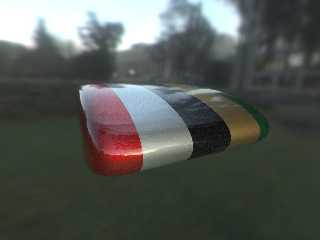
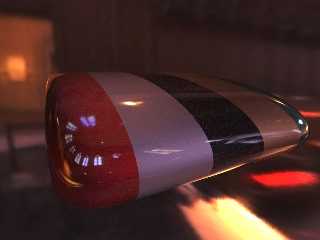
I discovered HDR looks a *lot* better with assumed_gamma 1, so I've rendered a
few more versions. With this gamma setting there's not so much saturation on the
bright points, so we can have light and dark things in the same scene more
realistically.

--
Tek
http://www.evilsuperbrain.com
Post a reply to this message
Attachments:
Download 'metal hdr campus2.jpg' (31 KB)
Download 'metal hdr forest2.jpg' (49 KB)
Download 'metal hdr campus.jpg' (36 KB)
Download 'metal hdr building.jpg' (39 KB)
Download 'metal hdr kitchen.jpg' (39 KB)
Download 'metal hdr grace.jpg' (40 KB)
Preview of image 'metal hdr campus2.jpg'
Preview of image 'metal hdr forest2.jpg'
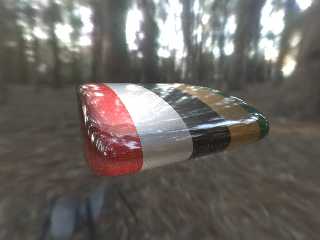
Preview of image 'metal hdr campus.jpg'
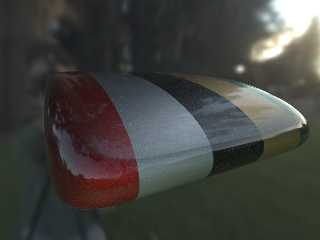
Preview of image 'metal hdr building.jpg'
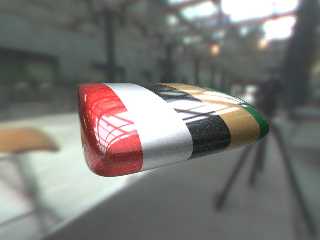
Preview of image 'metal hdr kitchen.jpg'
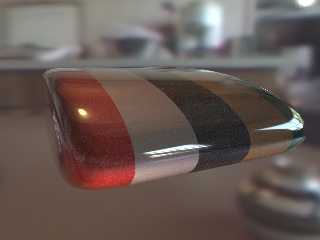
Preview of image 'metal hdr grace.jpg'
|
|
| |
| |
|
|
|
|
| |
| |
|
|
"Tek" <tek### [at] evilsuperbraincom> wrote in message
news:3ec40598@news.povray.org...

   Ooooo....  To me, *very* nice Tek! They all work for me.

     ~Steve~


> Tek
Post a reply to this message
|
|
| |
| |
|
|
|
|
| |
| |
|
|
I think you should leave out the glitter on the black part of the object.


"Tek" <tek### [at] evilsuperbraincom> wrote in message
news:3ec40598@news.povray.org...
> I discovered HDR looks a *lot* better with assumed_gamma 1, so I've
rendered a
> few more versions. With this gamma setting there's not so much saturation
on the
> bright points, so we can have light and dark things in the same scene more
> realistically.
>
> --
> Tek
> http://www.evilsuperbrain.com
>
>
>
Post a reply to this message
|
|
| |
| |
|
|
|
|
| |
| |
|
|
"JWV" <jwv|at|planet.nl> wrote in message news:3ec494d3@news.povray.org...
> I think you should leave out the glitter on the black part of the object.

I agree, that occured because I created the glitter effect with only one light
source, but now it's surrounded by a dome of lights the glitter appears all over
the surface. It should be possible to refine it without making it look less
glittery.

--
Tek
http://www.evilsuperbrain.com
Post a reply to this message
|
|
| |
| |
|
|
|
|
| |
| |
|
|
very great work tek! i'm blown away!
maybe this is a little off topic, but how did you make the environment? they
look realy nice and add a pic part to the paint.
sorry if this is mentioned somewhere else, but i have not enough time to
read everything closely.
regards
lenx


"Tek" <tek### [at] evilsuperbraincom> schreef in bericht
news:3ec2d3a3@news.povray.org...
> For anyone who hasn't been following the other thread: I can't illuminate
my
> metallic paint using only radiosity, as it relies on specular highlights,
which
> meant I couldn't light it using HDR...
>
> ...but now I've found a way round it: Here the object is lit by a set of
light
> sources distributed round a sphere, with their colours sampled from the
HDR
> image. It's very effective and it means I can just change the HDR and it
looks
> right. I've not used radiosity, but I guess to combine this with radiosity
you'd
> need to turn off the HDR sky sphere and save the radiosity, then turn it
back on
> for the final render, otherwise the light sources will combine with
radiosity
> from the sky sphere and cause twice the illumination in the scene.
>
> Anyway, the pictures show the paint in a variety of HDR environments, and
the
> beach and campus pictures are using a much more metallic type of paint
(90%
> metallic, compared to 60% in the other pictures).
>
> The metallic paint is the same code used for the other picture, which is
on
> p.b.s-f. I can provide the source code for the light dome trick if anyone
wants
> it, but it's pretty straighforwards and my version is a little messy.
>
> You like? :)
>
> --
> Tek
> http://www.evilsuperbrain.com
>
>
>
Post a reply to this message
|
|
| |
| |
|
|
|
|
| |
| |
|
|
The backgrounds are HDR (high dynamic range) photos from Paul Debevec's site:
http://www.debevec.org/Probes/

They're rendered using MLpov, a modified version of POV3.5 which has support for
HDR: http://pov.monde.free.fr/mael/mlpov081eng.html

I started using HDR just the other day, but it's taken me only a couple of
evenings to get these kinds of results.

--
Tek
http://www.evilsuperbrain.com


"Lenx" <len### [at] pandorabe> wrote in message news:3ec54f01$1@news.povray.org...
> very great work tek! i'm blown away!
> maybe this is a little off topic, but how did you make the environment? they
> look realy nice and add a pic part to the paint.
> sorry if this is mentioned somewhere else, but i have not enough time to
> read everything closely.
> regards
> lenx
>
>
> "Tek" <tek### [at] evilsuperbraincom> schreef in bericht
> news:3ec2d3a3@news.povray.org...
> > For anyone who hasn't been following the other thread: I can't illuminate
> my
> > metallic paint using only radiosity, as it relies on specular highlights,
> which
> > meant I couldn't light it using HDR...
> >
> > ...but now I've found a way round it: Here the object is lit by a set of
> light
> > sources distributed round a sphere, with their colours sampled from the
> HDR
> > image. It's very effective and it means I can just change the HDR and it
> looks
> > right. I've not used radiosity, but I guess to combine this with radiosity
> you'd
> > need to turn off the HDR sky sphere and save the radiosity, then turn it
> back on
> > for the final render, otherwise the light sources will combine with
> radiosity
> > from the sky sphere and cause twice the illumination in the scene.
> >
> > Anyway, the pictures show the paint in a variety of HDR environments, and
> the
> > beach and campus pictures are using a much more metallic type of paint
> (90%
> > metallic, compared to 60% in the other pictures).
> >
> > The metallic paint is the same code used for the other picture, which is
> on
> > p.b.s-f. I can provide the source code for the light dome trick if anyone
> wants
> > it, but it's pretty straighforwards and my version is a little messy.
> >
> > You like? :)
> >
> > --
> > Tek
> > http://www.evilsuperbrain.com
> >
> >
> >
>
>
Post a reply to this message
|
|
| |
| |
|
|
|
|
| |
| |
|
|
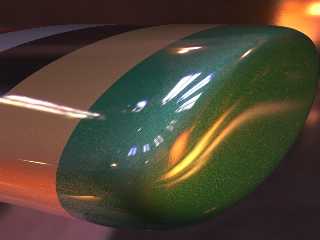
Here's a much improved glitter effect, you can see that it only occurs near the
reflections of bright objects, and is the colour of those objects.

For anyone who's curious, I've acheived this effect using a dome of 50
lightsources sampled from teh HDR image, with a higher probability of
lightsources occuring in the brightest areas of the dome (otherwise I need about
300 to get a similar result).

--
Tek
http://www.evilsuperbrain.com


"Tek" <tek### [at] evilsuperbraincom> wrote in message
news:3ec5217c$1@news.povray.org...
> "JWV" <jwv|at|planet.nl> wrote in message news:3ec494d3@news.povray.org...
> > I think you should leave out the glitter on the black part of the object.
>
> I agree, that occured because I created the glitter effect with only one light
> source, but now it's surrounded by a dome of lights the glitter appears all
over
> the surface. It should be possible to refine it without making it look less
> glittery.
>
> --
> Tek
> http://www.evilsuperbrain.com
>
>
Post a reply to this message
Attachments:
Download 'metal hdr glitter.jpg' (58 KB)
Preview of image 'metal hdr glitter.jpg'
|
|
| |
| |
|
|
|
|
| |
| |
|
|
Hold on, did you mean the black part or the dark part? I thought you meant the
dark part, i.e. the bit in shadow, but I just realised maybe you mean the bit
that's painted black! Doh! Sorry I should pay more attention :)

--
Tek
http://www.evilsuperbrain.com

"Tek" <tek### [at] evilsuperbraincom> wrote in message
news:3ec5217c$1@news.povray.org...
> "JWV" <jwv|at|planet.nl> wrote in message news:3ec494d3@news.povray.org...
> > I think you should leave out the glitter on the black part of the object.
>
> I agree, that occured because I created the glitter effect with only one light
> source, but now it's surrounded by a dome of lights the glitter appears all
over
> the surface. It should be possible to refine it without making it look less
> glittery.
>
> --
> Tek
> http://www.evilsuperbrain.com
>
>
Post a reply to this message
|
|
| |
| |
|
|
|
|
| |
| |
|
|
Wow......


BTW, What is HDR?

Gary

"Tek" <tek### [at] evilsuperbraincom> wrote in message
news:3ec40598@news.povray.org...
> I discovered HDR looks a *lot* better with assumed_gamma 1, so I've
rendered a
> few more versions. With this gamma setting there's not so much saturation
on the
> bright points, so we can have light and dark things in the same scene more
> realistically.
>
> --
> Tek
> http://www.evilsuperbrain.com
>
>
>
Post a reply to this message
|
|
| |
| |
|
|
|
|
| |
| |
|
|
"Ace" <ble### [at] icefognet> wrote in message news:3ec5875a@news.povray.org...
> BTW, What is HDR?

High Dynamic Range, it's a way of representing true light values within a
picture. There's more info here: http://www.debevec.org/Research/HDR/

--
Tek
http://www.evilsuperbrain.com
Post a reply to this message
|
|
| |
| |
|
|
|
|
| |
| |
|
|
i meant the part wich is painted black :-).


"Tek" <tek### [at] evilsuperbraincom> wrote in message
news:3ec558a8@news.povray.org...
> Hold on, did you mean the black part or the dark part? I thought you meant
the
> dark part, i.e. the bit in shadow, but I just realised maybe you mean the
bit
> that's painted black! Doh! Sorry I should pay more attention :)
>
> --
> Tek
> http://www.evilsuperbrain.com
>
> "Tek" <tek### [at] evilsuperbraincom> wrote in message
> news:3ec5217c$1@news.povray.org...
> > "JWV" <jwv|at|planet.nl> wrote in message
news:3ec494d3@news.povray.org...
> > > I think you should leave out the glitter on the black part of the
object.
> >
> > I agree, that occured because I created the glitter effect with only one
light
> > source, but now it's surrounded by a dome of lights the glitter appears
all
> over
> > the surface. It should be possible to refine it without making it look
less
> > glittery.
> >
> > --
> > Tek
> > http://www.evilsuperbrain.com
> >
> >
>
>
Post a reply to this message
|
|
| |
| |
|
|
|
|
| |
| |
|
|
"JWV" <jwv|at|planet.nl> wrote in message news:3ec5ec23@news.povray.org...
> i meant the part wich is painted black :-).

Doh! Well I agree that metallic black looks wierd, but I did it because it was
requested. Anyway your suggestion made me realise that the glitter didn't seem
to be related to the lighting in the right way, and that's prompted me to make
it even better so thank you anyway :)

--
Tek
http://www.evilsuperbrain.com
Post a reply to this message
|
|
| |
| |
|
|
|
|
| |
| |
|
|
thank you!
i will have a look at this
keep up the good work


"Tek" <tek### [at] evilsuperbraincom> schreef in bericht
news:3ec5538e$1@news.povray.org...
> The backgrounds are HDR (high dynamic range) photos from Paul Debevec's
site:
> http://www.debevec.org/Probes/
>
> They're rendered using MLpov, a modified version of POV3.5 which has
support for
> HDR: http://pov.monde.free.fr/mael/mlpov081eng.html
>
> I started using HDR just the other day, but it's taken me only a couple of
> evenings to get these kinds of results.
>
> --
> Tek
> http://www.evilsuperbrain.com
>
>
> "Lenx" <len### [at] pandorabe> wrote in message
news:3ec54f01$1@news.povray.org...
> > very great work tek! i'm blown away!
> > maybe this is a little off topic, but how did you make the environment?
they
> > look realy nice and add a pic part to the paint.
> > sorry if this is mentioned somewhere else, but i have not enough time to
> > read everything closely.
> > regards
> > lenx
> >
> >
> > "Tek" <tek### [at] evilsuperbraincom> schreef in bericht
> > news:3ec2d3a3@news.povray.org...
> > > For anyone who hasn't been following the other thread: I can't
illuminate
> > my
> > > metallic paint using only radiosity, as it relies on specular
highlights,
> > which
> > > meant I couldn't light it using HDR...
> > >
> > > ...but now I've found a way round it: Here the object is lit by a set
of
> > light
> > > sources distributed round a sphere, with their colours sampled from
the
> > HDR
> > > image. It's very effective and it means I can just change the HDR and
it
> > looks
> > > right. I've not used radiosity, but I guess to combine this with
radiosity
> > you'd
> > > need to turn off the HDR sky sphere and save the radiosity, then turn
it
> > back on
> > > for the final render, otherwise the light sources will combine with
> > radiosity
> > > from the sky sphere and cause twice the illumination in the scene.
> > >
> > > Anyway, the pictures show the paint in a variety of HDR environments,
and
> > the
> > > beach and campus pictures are using a much more metallic type of paint
> > (90%
> > > metallic, compared to 60% in the other pictures).
> > >
> > > The metallic paint is the same code used for the other picture, which
is
> > on
> > > p.b.s-f. I can provide the source code for the light dome trick if
anyone
> > wants
> > > it, but it's pretty straighforwards and my version is a little messy.
> > >
> > > You like? :)
> > >
> > > --
> > > Tek
> > > http://www.evilsuperbrain.com
> > >
> > >
> > >
> >
> >
>
>
Post a reply to this message
|
|
| |
| |
|
|
|
|
| |
| |
|
|
Ahhhh... Thanks!

Gary

"Tek" <tek### [at] evilsuperbraincom> wrote in message
news:3ec59556$1@news.povray.org...
> "Ace" <ble### [at] icefognet> wrote in message
news:3ec5875a@news.povray.org...
> > BTW, What is HDR?
>
> High Dynamic Range, it's a way of representing true light values within a
> picture. There's more info here: http://www.debevec.org/Research/HDR/
>
> --
> Tek
> http://www.evilsuperbrain.com
>
>
Post a reply to this message
|
|
| |
| |
|
|
|
|
| |