|
|
|
|
|
|
| |
| |
|
|
|
|
| |
| |
|
|
Hi,

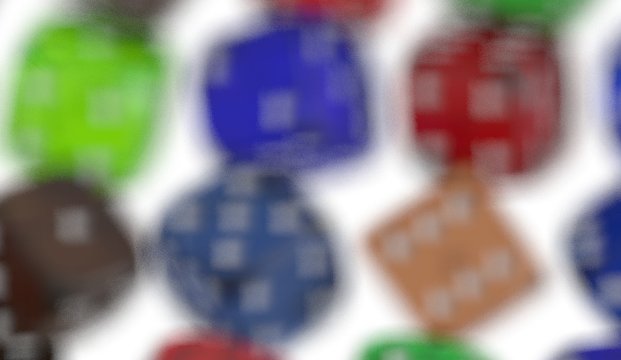
Currently I am rendering a large version of a dice image. The dice points
really get angularly. Does anyone know why?

Thanx,
Rene

--
Rene Schwietzke
r.schwietzke<at>reneschwietzke.de
Post a reply to this message
Attachments:
Download 'blur.jpg' (24 KB)
Preview of image 'blur.jpg'
|
|
| |
| |
|
|
|
|
| |
| |
|
|
Rene Schwietzke wrote:

> Hi,
>
> Currently I am rendering a large version of a dice image. The dice points
> really get angularly. Does anyone know why?


Dive in the source code (unless it is documented ?),
the blur code as some magic values on blur_sample IIRC which
use an hexagonal grid instead of square grid. At least, it was
in 3.1 ...

Other solution might be to increase the blur_sample,
or reduce the variance or increase the confidence.

 Go read section 6.4.3 of the help (pov 3.5)
Post a reply to this message
|
|
| |
| |
|
|
From: Rene Schwietzke
Subject: Re: Odd blur effect: squared spheres
Date: 27 Aug 2002 08:29:14
Message: <3d6b709a@news.povray.org>
|
|
|
| |
| |
|
|
I found three constants in the help about Hex_Blur, might be related but the
camera SDL does not allow any additional settings.
Hex_Blur1 = 7
Hex_Blur2 = 19
Hex_Blur3 = 37
My settings are:
blur_samples 150
variance 0
confidence 0.9999999
Any ideas? Your assumption seems to be right...
Rene
"Le Forgeron" <jgr### [at] free fr> wrote in message
news:3D6### [at] freefr...
> Dive in the source code (unless it is documented ?),
> the blur code as some magic values on blur_sample IIRC which
> use an hexagonal grid instead of square grid. At least, it was
> in 3.1 ...
>
> Other solution might be to increase the blur_sample,
> or reduce the variance or increase the confidence.
>
> Go read section 6.4.3 of the help (pov 3.5)
> fr> wrote in message
news:3D6### [at] freefr...
> Dive in the source code (unless it is documented ?),
> the blur code as some magic values on blur_sample IIRC which
> use an hexagonal grid instead of square grid. At least, it was
> in 3.1 ...
>
> Other solution might be to increase the blur_sample,
> or reduce the variance or increase the confidence.
>
> Go read section 6.4.3 of the help (pov 3.5)
>
Post a reply to this message
|
|
| |
| |
|
|
|
|
| |
| |
|
|
AFAIK the focal blur is achieved by scattering the camera location
point in a rectangular area, while maintaining the focal point the
same. The size of this area is determined by the aperature keyword.
Post a reply to this message
|
|
| |
| |
|
|
|
|
| |
| |
|
|
> AFAIK the focal blur is achieved by scattering the camera location
> point in a rectangular area, while maintaining the focal point the
> same. The size of this area is determined by the aperature keyword.

Shouldn't it be a circular area for realism?

 - Slime
[ http://www.slimeland.com/ ]
Post a reply to this message
|
|
| |
| |
|
|
|
|
| |
| |
|
|
"Slime" <slm### [at] slimelandcom>
> > AFAIK the focal blur is achieved by scattering the camera location
> > point in a rectangular area, while maintaining the focal point the
> > same. The size of this area is determined by the aperature keyword.
>
> Shouldn't it be a circular area for realism?
  ^^^^^^
correct ...

either that or you can start modelling complex shapes for a
probability model. Meaning, you support a greyscale bitmap
where black says "no here won't get a ray shooten from" and
white means that from here will get a ray shooten with the
highest probability.

This would allow you to form flare shapes as they sometimes
appear in photography; think of hexagonal or triangular ones.

The problem would be, that it will even slower to determine
the point.
Post a reply to this message
|
|
| |
| |
|
|
|
|
| |
| |
|
|
"Rene Schwietzke" <ren### [at] reneschwietzkede> a écrit dans le message de
news: 3d6b4d0b@news.povray.org...

> Currently I am rendering a large version of a dice image. The dice points
> really get angularly. Does anyone know why?
>

See this page
http://www.kenrockwell.com/tech/bokeh.htm

There's a patch that implements this in POV-Ray that is currently being
ported to 3.5 (it's under testing and not available yet). From what I heard
it's faster that the regular focal_blur but I have not verified this myself.

G.


--
**********************
http://www.oyonale.com
**********************
- Graphic experiments
- POV-Ray and Poser computer images
- Posters
Post a reply to this message
|
|
| |
| |
|
|
|
|
| |
| |
|
|
> > Shouldn't it be a circular area for realism?
>   ^^^^^^
> correct ...
I don't think that's correct actually...

> either that or you can start modelling complex shapes for a
> probability model. Meaning, you support a greyscale bitmap
> where black says "no here won't get a ray shooten from" and
> white means that from here will get a ray shooten with the
> highest probability.
>
> This would allow you to form flare shapes as they sometimes
> appear in photography; think of hexagonal or triangular ones.
>
> The problem would be, that it will even slower to determine
> the point.
True, but I would be happy with the possibility to choose between a circular
area and an area in the shape of a regular polygon.

I was trying to do focalblur by averaging different renders earlier this day.  I
came up with the following formula to scatter points inside a regular polygon:

  #declare Seed=seed(whatever);
  #declare angles=<insert number of angles here>;
  #declare Rot=360*rand(Seed);
  #declare X=pow(rand(Seed),.5);
  #declare Rot2=Rot/(360/angles);
  #declare fraqrot=Rot2-int(Rot2);
  #declare fraqrot2=abs(fraqrot-.5);
  #declare fraqrot3=pow(fraqrot2*2,.5);
  #declare Location=vrotate(x*X*(.8+.2*fraqrot3),Rot*z);

This produces a random point within a regular polygon inside a circle with
radius 1 (I think, could be that it's a bit outside that circle...) (more or
less, it's not a perfect polygon, and it needs more than 3 angles to look like a
polygon)

cu!
--
camera{location-z*3}#macro G(b,e)b+(e-b)*(C/50)#end#macro L(b,e,k,l)#local C=0
;#while(C<50)sphere{G(b,e),.1pigment{rgb G(k,l)}finish{ambient 1}}#local C=C+1
;#end#end L(y-x,y,x,x+y)L(y,-x-y,x+y,y)L(-x-y,-y,y,y+z)L(-y,y,y+z,x+y)L(0,x+y,
<.5,1,.5>,x)L(0,x-y,<.5,1,.5>,x)               // ZK http://www.povplace.be.tf
Post a reply to this message
|
|
| |
| |
|
|
|
|
| |
| |
|
|
"Zeger Knaepen" wrote:
> I was trying to do focalblur by averaging different renders earlier this day.  I
> came up with the following formula to scatter points inside a regular polygon:
>
>   #declare Seed=seed(whatever);
>   #declare angles=<insert number of angles here>;
>   #declare Rot=360*rand(Seed);
>   #declare X=pow(rand(Seed),.5);
>   #declare Rot2=Rot/(360/angles);
>   #declare fraqrot=Rot2-int(Rot2);
>   #declare fraqrot2=abs(fraqrot-.5);
>   #declare fraqrot3=pow(fraqrot2*2,.5);
>   #declare Location=vrotate(x*X*(.8+.2*fraqrot3),Rot*z);

probably right....
but please compare these lines to the simple way of determing a single point
in an rectangle concerning the time it takes to compute it ...

... and then take into account, that this has to been done multiple times
per pixel ... Maybe its ok to precompute ~2^10 such values and store them
in a table, so you can reuse them later ... but I'm not sure this will help
Post a reply to this message
|
|
| |
| |
|
|
|
|
| |
| |
|
|
> > I was trying to do focalblur by averaging different renders earlier this
day.  I
> > came up with the following formula to scatter points inside a regular
polygon:
> >
> >   #declare Seed=seed(whatever);
> >   #declare angles=<insert number of angles here>;
> >   #declare Rot=360*rand(Seed);
> >   #declare X=pow(rand(Seed),.5);
> >   #declare Rot2=Rot/(360/angles);
> >   #declare fraqrot=Rot2-int(Rot2);
> >   #declare fraqrot2=abs(fraqrot-.5);
> >   #declare fraqrot3=pow(fraqrot2*2,.5);
> >   #declare Location=vrotate(x*X*(.8+.2*fraqrot3),Rot*z);
>
> probably right....
> but please compare these lines to the simple way of determing a single point
> in an rectangle concerning the time it takes to compute it ...
>
> ... and then take into account, that this has to been done multiple times
> per pixel ... Maybe its ok to precompute ~2^10 such values and store them
> in a table, so you can reuse them later ... but I'm not sure this will help
Yes, a rectangle, or a circle, will be faster, that's why you should have the
option to use a circle (or a rectangle, but I don't think that would give
realistic results actually).

cu!
--
camera{location-z*3}#macro G(b,e)b+(e-b)*(C/50)#end#macro L(b,e,k,l)#local C=0
;#while(C<50)sphere{G(b,e),.1pigment{rgb G(k,l)}finish{ambient 1}}#local C=C+1
;#end#end L(y-x,y,x,x+y)L(y,-x-y,x+y,y)L(-x-y,-y,y,y+z)L(-y,y,y+z,x+y)L(0,x+y,
<.5,1,.5>,x)L(0,x-y,<.5,1,.5>,x)               // ZK http://www.povplace.be.tf
Post a reply to this message
|
|
| |
| |
|
|
|
|
| |
| |
|
|
"Zeger Knaepen" <zeg### [at] studentkuleuvenacbe> schrieb im Newsbeitrag
news:3d6bde5e@news.povray.org...
> > > I was trying to do focalblur by averaging different renders earlier this
> day.  I
> > > came up with the following formula to scatter points inside a regular
> polygon:
> > >
> > >   #declare Seed=seed(whatever);
> > >   #declare angles=<insert number of angles here>;
> > >   #declare Rot=360*rand(Seed);
> > >   #declare X=pow(rand(Seed),.5);
> > >   #declare Rot2=Rot/(360/angles);
> > >   #declare fraqrot=Rot2-int(Rot2);
> > >   #declare fraqrot2=abs(fraqrot-.5);
> > >   #declare fraqrot3=pow(fraqrot2*2,.5);
> > >   #declare Location=vrotate(x*X*(.8+.2*fraqrot3),Rot*z);
> >
> > probably right....
> > but please compare these lines to the simple way of determing a single
point
> > in an rectangle concerning the time it takes to compute it ...
> >
> > ... and then take into account, that this has to been done multiple times
> > per pixel ... Maybe its ok to precompute ~2^10 such values and store them
> > in a table, so you can reuse them later ... but I'm not sure this will
help
> Yes, a rectangle, or a circle, will be faster, that's why you should have
the
> option to use a circle (or a rectangle, but I don't think that would give
> realistic results actually).
>
Hi,

why not just make a circular pattern by generating the Points like before
in a rectangular area and then testing  [x^2+y^2 > Radius] for the Point
to find out if it lies in the Circle. If the Condition is True, just generate
another Point until it's inside the Circle. This is a common and fast way to
get circular Points.

Greetings,
Thies
Post a reply to this message
|
|
| |
| |
|
|
|
|
| |
| |
|
|
> Hi,
>
> why not just make a circular pattern by generating the Points like before
> in a rectangular area and then testing  [x^2+y^2 > Radius] for the Point
> to find out if it lies in the Circle. If the Condition is True, just generate
> another Point until it's inside the Circle. This is a common and fast way to
> get circular Points.
Because in real life, it aren't perfect circles, but regular polygons.  So it
would be better if POV-Ray had an option to use regular polygons instead of
perfect circles.  That in combination with non-clipped focal blur, would allow
us to create realistic focal-blurred images.

cu!
--
camera{location-z*3}#macro G(b,e)b+(e-b)*(C/50)#end#macro L(b,e,k,l)#local C=0
;#while(C<50)sphere{G(b,e),.1pigment{rgb G(k,l)}finish{ambient 1}}#local C=C+1
;#end#end L(y-x,y,x,x+y)L(y,-x-y,x+y,y)L(-x-y,-y,y,y+z)L(-y,y,y+z,x+y)L(0,x+y,
<.5,1,.5>,x)L(0,x-y,<.5,1,.5>,x)               // ZK http://www.povplace.be.tf
Post a reply to this message
|
|
| |
| |
|
|
|
|
| |
| |
|
|
On Tue, 27 Aug 2002 21:10:30 +0200, "Gilles Tran" <git### [at] wanadoofr> wrote:
> There's a patch that implements this in POV-Ray that is currently being
> ported to 3.5 (it's under testing and not available yet).

Who does it ? French community again ?

ABX
Post a reply to this message
|
|
| |
| |
|
|
|
|
| |
| |
|
|
Interesting. Please keep us updated.

Rene

"Gilles Tran" <git### [at] wanadoofr> wrote in message
news:3d6bcead@news.povray.org...
>
> There's a patch that implements this in POV-Ray that is currently being
> ported to 3.5 (it's under testing and not available yet). From what I
heard
> it's faster that the regular focal_blur but I have not verified this
myself.
Post a reply to this message
|
|
| |
| |
|
|
|
|
| |
| |
|
|
"ABX" <abx### [at] abxartpl> a écrit dans le message de news:
j8pomug7b9itfc8scj99fka5vko9gdfnf3@4ax.com...
> On Tue, 27 Aug 2002 21:10:30 +0200, "Gilles Tran" <git### [at] wanadoofr>
wrote:
> > There's a patch that implements this in POV-Ray that is currently being
> > ported to 3.5 (it's under testing and not available yet).
>
> Who does it ? French community again ?

Yes, it's the patch by Mael (it also contains finish maps, HDRI support and
a whole lot of goodies). Unfortunately he has removed it from its location
but when he has something clean to show he'll tell us.

G.


--
**********************
http://www.oyonale.com
**********************
- Graphic experiments
- POV-Ray and Poser computer images
- Posters
Post a reply to this message
|
|
| |
| |
|
|
From: Christoph Hormann
Subject: Re: Odd blur effect: squared spheres
Date: 28 Aug 2002 05:20:25
Message: <3D6C95D9.F79F18BF@gmx.de>
|
|
|
| |
| |
|
|
Gilles Tran wrote:
>
> [...]
>
> Yes, it's the patch by Mael (it also contains finish maps, HDRI support and
> a whole lot of goodies). Unfortunately he has removed it from its location
> but when he has something clean to show he'll tell us.

I really wonder why, most of the patches were already in a previous
version so i suppose they are quite well tested.  The projection pattern
looked really interesting.

Christoph

--
POV-Ray tutorials, IsoWood include,
TransSkin and more: http://www.tu-bs.de/~y0013390/
Last updated 13 Aug. 2002 _____./\/^>_*_<^\/\.______
Post a reply to this message
|
|
| |
| |
|
|
|
|
| |
| |
|
|
> I really wonder why, most of the patches were already in a previous
> version so i suppose they are quite well tested.

they were in a previous version but not really tested (and they still are not
:)
for those who want to try my current patched pov3.5 you can download this file
:
http://195.221.122.126/tmp/mlpov08.zip (1.7 Mo, windows exe only, compiled
with vc6 so probably slower than official version)
extract in your pov3.5 directory and run the mlpov.exe
for documentation (in french) click the mlpov button next to 'irtc site'
button

this version includes :
-aoi : new pattern , angle between incident ray and normal
-projection : new pattern, projection of an object
-shadow_pigment : to colorize shadows
-bokeh_pigment : for a customizable focal blur
-synthese : to create a new image_map from a sample image
-finish maps : to specify a function for finish parameters

don't forget to add
#version unofficial mlpov 0.8;
in your scene to test the patches.

M
Post a reply to this message
|
|
| |
| |
|
|
From: Christoph Hormann
Subject: Re: Odd blur effect: squared spheres
Date: 28 Aug 2002 08:52:00
Message: <3D6CC770.BD2FAEC6@gmx.de>
|
|
|
| |
| |
|
|
Mael wrote:
>
> > I really wonder why, most of the patches were already in a previous
> > version so i suppose they are quite well tested.
>
> they were in a previous version but not really tested (and they still are not
> :)
> for those who want to try my current patched pov3.5 you can download this file
> :
> http://195.221.122.126/tmp/mlpov08.zip (1.7 Mo, windows exe only, compiled
> with vc6 so probably slower than official version)
> extract in your pov3.5 directory and run the mlpov.exe
> for documentation (in french) click the mlpov button next to 'irtc site'
> button
> [...]

I have already downloaded this, but it would be much better if i was able
to use it on my linux box.  Also if you supply the source code it would be
likely that possible problems with the implementation are discovered in
case you don't have the time to test it in detail.

Christoph

--
POV-Ray tutorials, IsoWood include,
TransSkin and more: http://www.tu-bs.de/~y0013390/
Last updated 13 Aug. 2002 _____./\/^>_*_<^\/\.______
Post a reply to this message
|
|
| |
| |
|
|
|
|
| |
| |
|
|
> I have already downloaded this, but it would be much better if i was able
> to use it on my linux box.  Also if you supply the source code it would be
> likely that possible problems with the implementation are discovered in
> case you don't have the time to test it in detail.

i'm still doing some experimentations with the code, but may be later i will
try to compile a version for linux
you can download the modified sources here
http://195.221.122.126/tmp/sources08.zip
(if you're not too afraid to look at my ugly code :)

M
Post a reply to this message
|
|
| |
| |
|
|
|
|
| |
| |
|
|
in news:3d6cc1ac$1@news.povray.org Mael wrote:

> -synthese : to create a new image_map from a sample image
>

Mael,

Thanks for the patch, I'm especialy facinated with the sythese and
ofcourse I want always more. Would it be possible to use that kind of
algorithem in 3D-space? Randomly picking small cubes from a unit cube
and build a new pattern from there, in SDL something like:

pigment {
    	bozo
    	warp {synthese, BlockSizeVector, RandomStream}
}


Ingo

p.s. Good documentation!
Would have been even nicer if it was in dutch ;)
Post a reply to this message
|
|
| |
| |
|
|
|
|
| |
| |
|
|
> Thanks for the patch, I'm especialy facinated with the sythese and
> ofcourse I want always more. Would it be possible to use that kind of
> algorithem in 3D-space? Randomly picking small cubes from a unit cube
> and build a new pattern from there, in SDL something like:

the current synthese algorithm needs to build the entire new image_map before
using it, You have to tell you want a 500x500 new image, it computes it, and
then uses it. This algorithm can't find a value at a random (x,y) point
directly. (And the construction is quite slow so if you want to use it it's
better to create the image, save it, and use it as a normal image_map)
so in 3D it would be possible but the result would be pre-computed values on a
3D grid (voxels) of a given size

> p.s. Good documentation!

thanks, i writed it in docbook xml format and used some modified .xsl to try
to match the povray documentation :)

> Would have been even nicer if it was in dutch ;)

:))

M
Post a reply to this message
|
|
| |
| |
|
|
From: Christoph Hormann
Subject: Re: Odd blur effect: squared spheres
Date: 28 Aug 2002 10:05:37
Message: <3D6CD8B1.BA46A08B@gmx.de>
|
|
|
| |
| |
|
|
Mael wrote:
>
> [...]
>
> i'm still doing some experimentations with the code, but may be later i will
> try to compile a version for linux
> you can download the modified sources here
> http://195.221.122.126/tmp/sources08.zip
> (if you're not too afraid to look at my ugly code :)

Thanks, that should be perfectly sufficient, no need for a compiled
version, like most linux users i prefer doing my own compile anyway.

BTW, what's 'BRDF_PATCH', is it not in the compiled windows version or is
it just not documented yet?

Christoph

--
POV-Ray tutorials, IsoWood include,
TransSkin and more: http://www.tu-bs.de/~y0013390/
Last updated 13 Aug. 2002 _____./\/^>_*_<^\/\.______
Post a reply to this message
|
|
| |
| |
|
|
From: Christoph Hormann
Subject: Re: Odd blur effect: squared spheres
Date: 28 Aug 2002 10:06:48
Message: <3D6CD8F0.DFADBAA@gmx.de>
|
|
|
| |
| |
|
|
Mael wrote:
>
> [...]
>
> thanks, i writed it in docbook xml format and used some modified .xsl to try
> to match the povray documentation :)

Sounds interesting and might be suited for a general patch documentation
system (i suppose it does not require tools that are not freely
available).

If you could write some short tutorial about the steps used to generate it
that would be great.

Christoph

--
POV-Ray tutorials, IsoWood include,
TransSkin and more: http://www.tu-bs.de/~y0013390/
Last updated 13 Aug. 2002 _____./\/^>_*_<^\/\.______
Post a reply to this message
|
|
| |
| |
|
|
|
|
| |
| |
|
|
in news:3d6cd3b2$1@news.povray.org Mael wrote:

> so in 3D it would be possible but the result would be pre-computed
> values on a 3D grid (voxels) of a given size
>

Was afraid that that would be the awnser,

Thanks,

Ingo
Post a reply to this message
|
|
| |
| |
|
|
|
|
| |
| |
|
|
> Thanks, that should be perfectly sufficient, no need for a compiled
> version, like most linux users i prefer doing my own compile anyway.
>
> BTW, what's 'BRDF_PATCH', is it not in the compiled windows version or is
> it just not documented yet?

it's not in the compiled windows version because it's a work in progress, i'm
doing some tests writing BRDF stuff (for anisotropic highlights for example,
or to give a local micro-geometry and computes the resulting BRDF) (it really
needs lot of work...)

M
Post a reply to this message
|
|
| |
| |
|
|
|
|
| |
|
|