|
|
|
|
|
|
| |
| |
|
|
|
|
| |
| |
|
|
I've been messing around with the crackle pigment, and got a couple of good
effects :)

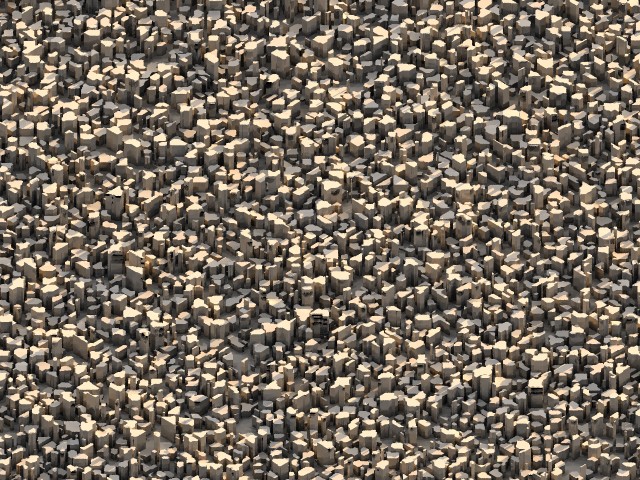
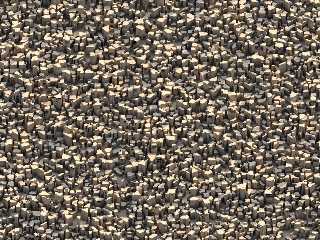
The first one's an iso surface that looks a bit like a city. It looks more
city-like from a low camera angle, but I did this orthographic view to use a s a
desktop backdrop :) BTW, this one took nearly 24 hours to render!! I'm gonna
have to find a way to speed it up.

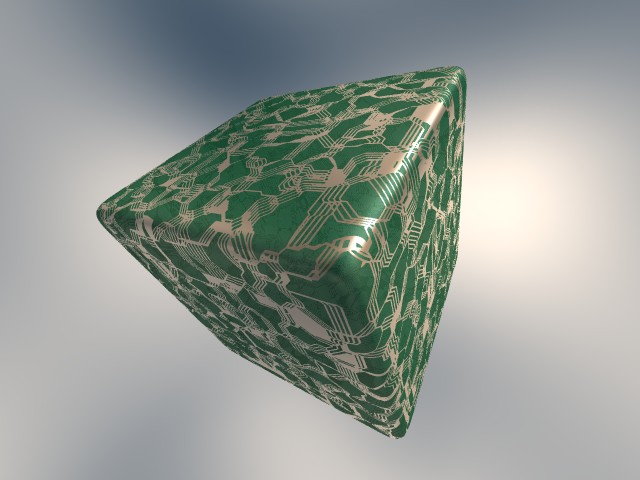
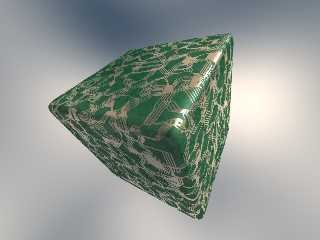
The other picture's a circuit board pigment effect I dreamt up a couple of hours
ago. Both use crackle with metric 1 to get that nice angular effect.

What do you think?

--
Tek
http://www.evilsuperbrain.com
Post a reply to this message
Attachments:
Download 'crackscape.jpg' (173 KB)
Download 'crackcircuit.jpg' (54 KB)
Preview of image 'crackscape.jpg'
Preview of image 'crackcircuit.jpg'
|
|
| |
| |
|
|
|
|
| |
| |
|
|
Hi Tek, I especially like the circuit board and I have no idea how you made
it with crackle patterns! I would have needed a bitmap.. But you know, if
you send electricity through this, you'll get nothing but shortcuts.. Can
this be avoided / improved? Good work, anyway.

Regards,
Hugo
Post a reply to this message
|
|
| |
| |
|
|
|
|
| |
| |
|
|
I think you mean 'short circuits', not 'shortcuts'. Of course, from an
electron's point of view, it's the same thing.. but you weren't talking from
an electron's perspective.. *walks away muttering*
"Hugo" <hua### [at] post3 teledk> wrote in message
news:3c8bc3a4$1@news.povray.org...
> Hi Tek, I especially like the circuit board and I have no idea how you
made
> it with crackle patterns! I would have needed a bitmap.. But you know, if
> you send electricity through this, you'll get nothing but shortcuts.. Can
> this be avoided / improved? Good work, anyway.
>
> Regards,
> Hugo
>
> teledk> wrote in message
news:3c8bc3a4$1@news.povray.org...
> Hi Tek, I especially like the circuit board and I have no idea how you
made
> it with crackle patterns! I would have needed a bitmap.. But you know, if
> you send electricity through this, you'll get nothing but shortcuts.. Can
> this be avoided / improved? Good work, anyway.
>
> Regards,
> Hugo
>
>
Post a reply to this message
|
|
| |
| |
|
|
|
|
| |
| |
|
|
> I think you mean 'short circuits', not 'shortcuts'.

?? Sorry hmm.. I really thought this was the proper way to say it in
english. Then how to say "when something short circuits" ...you don't say
that, or?
Post a reply to this message
|
|
| |
| |
|
|
|
|
| |
| |
|
|
I like the first one best, a desktop for one day. After more than a day, my
eyes will probably start to malfunction.
It makes me think of  a kind of rock call basalt (at lease in Dutch, I am
not sure what it is in English).
Post a reply to this message
|
|
| |
| |
|
|
|
|
| |
| |
|
|
Tek wrote:
> I've been messing around with the crackle pigment, and got a couple
> of good effects :)

Very nice, both of them. Any chance of getting the source?

--
          /"\                           |    iki.
          \ /     ASCII Ribbon Campaign |    fi/
           X      Against HTML Mail     |    zds
          / \
Post a reply to this message
|
|
| |
| |
|
|
|
|
| |
| |
|
|
Theo said
> It makes me think of  a kind of rock call basalt (at lease in Dutch, I
> am not sure what it is in English).
>

Same thing.
--
Gis poste, Arto.
Post a reply to this message
|
|
| |
| |
|
|
|
|
| |
| |
|
|
Tek wrote:
>
> I've been messing around with the crackle pigment, and got a couple of good
> effects :)
>
> The first one's an iso surface that looks a bit like a city. It looks more
> city-like from a low camera angle, but I did this orthographic view to use a s a
> desktop backdrop :) BTW, this one took nearly 24 hours to render!! I'm gonna
> have to find a way to speed it up.

You will always have serious problems with such infinite gradient
functions.  There are no strongly visible artefacts at this scale, but in
a more detailed view you will surely see them.

Using conventional objects instead, preferably meshes, would be much more
efficient.

See for example:

http://www.interq.or.jp/blue/kawashu/include/i04.html

http://news.povray.org/povray.binaries.images/12339/

Christoph

--
POV-Ray tutorials, IsoWood include,
TransSkin and more: http://www.tu-bs.de/~y0013390/
Last updated 21 Feb. 2002 _____./\/^>_*_<^\/\.______
Post a reply to this message
|
|
| |
| |
|
|
|
|
| |
| |
|
|
In article <3c8bcda8@news.povray.org>,
 Theo <Theo <the### [at] kabelfoonnl>> wrote:

> I like the first one best, a desktop for one day. After more than a day, my
> eyes will probably start to malfunction.
> It makes me think of  a kind of rock call basalt (at lease in Dutch, I am
> not sure what it is in English).

It is called basalt in English as well. However, it usually takes the
form of hexagonal pillars, these are too irregular. This looks like more
of an organic phenomenon.

--
Christopher James Huff <chr### [at] maccom>
POV-Ray TAG e-mail: chr### [at] tagpovrayorg
TAG web site: http://tag.povray.org/
Post a reply to this message
|
|
| |
| |
|
|
|
|
| |
| |
|
|
Christoph Hormann schrieb in Nachricht <3C8BD3C2.7F80B4CE@gmx.de>...

>You will always have serious problems with such infinite gradient
>functions.  There are no strongly visible artefacts at this scale, but in
>a more detailed view you will surely see them.


Hi Christoph,

Of course I have limited experience, but the problem seems not that big as
it first appears. There is that adaptive gradient method R. Suzuki mentioned
once (where? Don't know - had something to do with the old "eval" IIRC.) and
functions like min(min(abs(x),abs(y)),abs(z))) work quite well with there
infinite gradient and even with low max_gradient settings.
There are problems with the gradient of course and using pigments or
functions in isosurfaces will sometimes need some high max_gradient
settings. But I use them all the time and I had no problems, I could not
solve with some decent settings - even with the really 'evil' brick-pattern,
which is hard to use in isosurfaces.

Perhaps your experience is different, but IMHO pattern/pigment-functions are
very suitable esp. for isosurface beginners.

Greetings,

Marc-Hendrik
Post a reply to this message
|
|
| |
| |
|
|
|
|
| |
| |
|
|
You could use a sample of a pattern and apply it to hexagon pillars...
that would give a height for each and they would be much more like actual
basalt, if that was what you were aiming for.  For the centerpoint of each
column, grab a value from one of the patterns like bumps.
    Hmm, gives me an idea.

Cheers!

Chip Shults
My robotics, space and CGI web page - http://home.cfl.rr.com/aichip
Post a reply to this message
|
|
| |
| |
|
|
|
|
| |
| |
|
|
You might be able to speed things up by using a hightfield with a
pigment function. They render fairly fast.

Josh English
eng### [at] spiritonecom
http://www.spiritone.com/~english

Tek wrote:
>
> I've been messing around with the crackle pigment, and got a couple of good
> effects :)
>
> The first one's an iso surface that looks a bit like a city. It looks more
> city-like from a low camera angle, but I did this orthographic view to use a s a
> desktop backdrop :) BTW, this one took nearly 24 hours to render!! I'm gonna
> have to find a way to speed it up.
>
> The other picture's a circuit board pigment effect I dreamt up a couple of hours
> ago. Both use crackle with metric 1 to get that nice angular effect.
>
> What do you think?
>
> --
> Tek
> http://www.evilsuperbrain.com
>
>  [Image]
>
>  [Image]
Post a reply to this message
|
|
| |
| |
|
|
|
|
| |
| |
|
|
"Josh English" wrote:
> You might be able to speed things up by using a hightfield
> with a pigment function. They render fairly fast.

That won't work well. Completely and almost completely vertical surfaces in
height fields look horrible. And no, it won't help much using a higher
resolution for the height field.

Rune
--
3D images and anims, include files, tutorials and more:
Rune's World:    http://rsj.mobilixnet.dk (updated Feb 16)
POV-Ray Users:   http://rsj.mobilixnet.dk/povrayusers/
POV-Ray Webring: http://webring.povray.co.uk
Post a reply to this message
|
|
| |
| |
|
|
|
|
| |
| |
|
|
On Sun, 10 Mar 2002 19:29:40 -0000, Tek wrote:

> What do you think?

Source me:-)

--
%HAV-A-NICEDAY                    email mailto:ste### [at] zeroppsuklinuxnet
Steve                                web http://www.zeropps.uklinux.net/
                                             or http://start.at/zero-pps
  7:47pm  up 4 days, 21:44,  1 user,  load average: 1.19, 1.10, 1.03
Post a reply to this message
|
|
| |
| |
|
|
|
|
| |
| |
|
|
> You will always have serious problems with such infinite gradient
> functions.  There are no strongly visible artefacts at this scale, but in
> a more detailed view you will surely see them.

You're right there. I started out rendering from gound level and had to play
with the max_gradient and accuracy settings to reduce the artefacts to an
acceptable level, though from those low angles things rendered a lot quicker so
I could afford some more accuracy.

> Using conventional objects instead, preferably meshes, would be much more
> efficient.
>
> See for example:
>
> http://www.interq.or.jp/blue/kawashu/include/i04.html
>
> http://news.povray.org/povray.binaries.images/12339/

Thanks! I'd had a go at doing something like that, but my results weren't any
quicker to draw than the isosurface! The only problem with this is trying to
imitate the shapes I get using a metric of 1.

--
Tek
http://www.evilsuperbrain.com


Christoph Hormann <chr### [at] gmxde> wrote in message
news:3C8BD3C2.7F80B4CE@gmx.de...
>
>
> Tek wrote:
> >
> > I've been messing around with the crackle pigment, and got a couple of good
> > effects :)
> >
> > The first one's an iso surface that looks a bit like a city. It looks more
> > city-like from a low camera angle, but I did this orthographic view to use a
s a
> > desktop backdrop :) BTW, this one took nearly 24 hours to render!! I'm gonna
> > have to find a way to speed it up.
>
> You will always have serious problems with such infinite gradient
> functions.  There are no strongly visible artefacts at this scale, but in
> a more detailed view you will surely see them.
>
> Using conventional objects instead, preferably meshes, would be much more
> efficient.
>
> See for example:
>
> http://www.interq.or.jp/blue/kawashu/include/i04.html
>
> http://news.povray.org/povray.binaries.images/12339/
>
> Christoph
>
> --
> POV-Ray tutorials, IsoWood include,
> TransSkin and more: http://www.tu-bs.de/~y0013390/
> Last updated 21 Feb. 2002 _____./\/^>_*_<^\/\.______
Post a reply to this message
|
|
| |
| |
|
|
From: Tek
Subject: Re: the power of crackle - BIG circuit picture (597k)
Date: 10 Mar 2002 19:03:33
Message: <3c8bf455@news.povray.org>
|
|
|
| |
| |
|
|
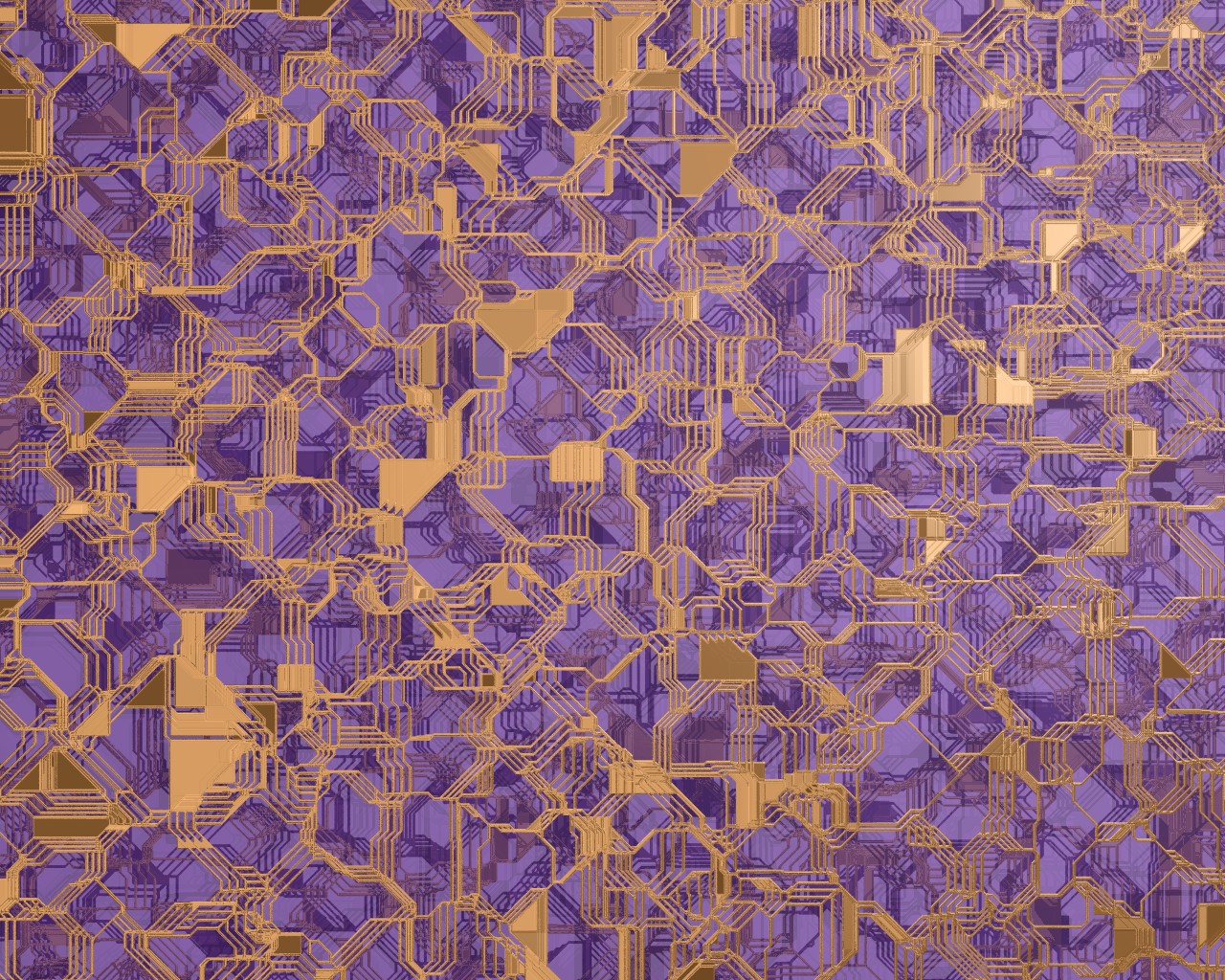
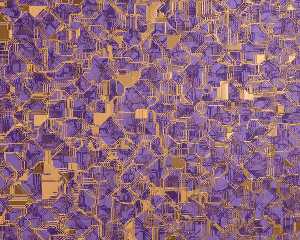
Here's a biiig backdrop render I've done. The colours are loosely based on
photos I saw once of a CPU... but who cares it looks cool :)

--
Tek
http://www.evilsuperbrain.com


Tek <tek### [at] evilsuperbraincom> wrote in message news:3c8bb4ff@news.povray.org...
> I've been messing around with the crackle pigment, and got a couple of good
> effects :)
>
> The first one's an iso surface that looks a bit like a city. It looks more
> city-like from a low camera angle, but I did this orthographic view to use a s
a
> desktop backdrop :) BTW, this one took nearly 24 hours to render!! I'm gonna
> have to find a way to speed it up.
>
> The other picture's a circuit board pigment effect I dreamt up a couple of
hours
> ago. Both use crackle with metric 1 to get that nice angular effect.
>
> What do you think?
>
> --
> Tek
> http://www.evilsuperbrain.com
>
>
>
>
Post a reply to this message
Attachments:
Download 'crackcircuit2.jpg' (597 KB)
Preview of image 'crackcircuit2.jpg'
|
|
| |
| |
|
|
|
|
| |
| |
|
|
By popular demand, source is now in p.b.s-f :)

--
Tek
http://www.evilsuperbrain.com


Tek <tek### [at] evilsuperbraincom> wrote in message news:3c8bb4ff@news.povray.org...
> I've been messing around with the crackle pigment, and got a couple of good
> effects :)
>
> The first one's an iso surface that looks a bit like a city. It looks more
> city-like from a low camera angle, but I did this orthographic view to use a s
a
> desktop backdrop :) BTW, this one took nearly 24 hours to render!! I'm gonna
> have to find a way to speed it up.
>
> The other picture's a circuit board pigment effect I dreamt up a couple of
hours
> ago. Both use crackle with metric 1 to get that nice angular effect.
>
> What do you think?
>
> --
> Tek
> http://www.evilsuperbrain.com
>
>
>
>
Post a reply to this message
|
|
| |
| |
|
|
|
|
| |
| |
|
|
Marc-Hendrik Bremer wrote:
>
> [...]
>
> Of course I have limited experience, but the problem seems not that big as
> it first appears. There is that adaptive gradient method R. Suzuki mentioned
> once (where? Don't know - had something to do with the old "eval" IIRC.) and
> functions like min(min(abs(x),abs(y)),abs(z))) work quite well with there
> infinite gradient and even with low max_gradient settings.

This function does not have an infinite gradient, it should render
perfectly with max_gradient 2.  However it does have non-continuous
derivatives, but this is no problem for isosurfaces.

> There are problems with the gradient of course and using pigments or
> functions in isosurfaces will sometimes need some high max_gradient
> settings. But I use them all the time and I had no problems, I could not
> solve with some decent settings - even with the really 'evil' brick-pattern,
> which is hard to use in isosurfaces.
>
> Perhaps your experience is different, but IMHO pattern/pigment-functions are
> very suitable esp. for isosurface beginners.

Pigment and pattern functions are generally suited for isosurfaces as long
as they are continuous.  brick, checker, cells, etc. are not.  You may
have successfully used them,  but every time you change the geometry or
the viewpoint there can be artefacts occuring and it will be unnecessarily
slow so i can only advise against it.

Christoph

--
POV-Ray tutorials, IsoWood include,
TransSkin and more: http://www.tu-bs.de/~y0013390/
Last updated 21 Feb. 2002 _____./\/^>_*_<^\/\.______
Post a reply to this message
|
|
| |
| |
|
|
|
|
| |
| |
|
|
On Sun, 10 Mar 2002 19:29:40 -0000, "Tek" <tek### [at] evilsuperbraincom> wrote:
> BTW, this one took nearly 24 hours to render!! I'm gonna
> have to find a way to speed it up.

Oh, man! 24 hours ?! Speed it up ?!
My failed "shortest code contest" entry at this moment has status line:
"165:16:47 Rendering line  159 of  600 supersampled 467 times."
(and there are only 2 flat isosurfaces) so you should be happy.

ABX
Post a reply to this message
|
|
| |
| |
|
|
|
|
| |
| |
|
|
Very cool for just a few lines of code. You really should find a way to make
this into a mesh.

 -Shay

Tek <tek### [at] evilsuperbraincom> wrote in message
news:3c8bb4ff@news.povray.org...
Post a reply to this message
|
|
| |
| |
|
|
|
|
| |
| |
|
|
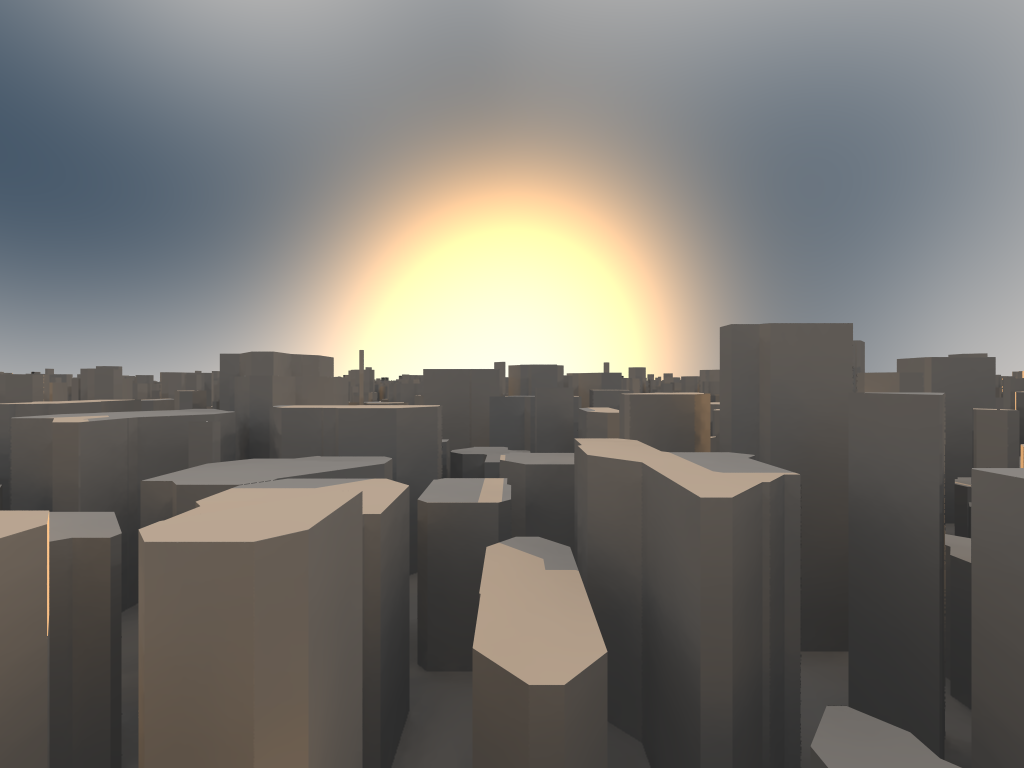
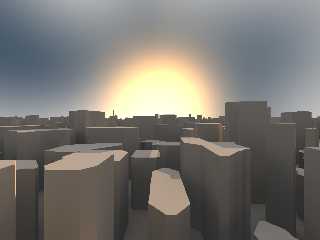
I took the perspective view of the cityscape, moved the camera upwards a
bit, increased the radiosity detail from Fast to Normal, and then rendered
in 1024x768 AA 0.3 +AM2 +R3.  I'm now using this image as my desktop.

If you could figure out how to create a building texture and road texture,
it would just be killer.  I'm not good enough with POV to figure out how to
do it.

-DJ
Post a reply to this message
Attachments:
Download 'crackscape.png' (259 KB)
Preview of image 'crackscape.png'
|
|
| |
| |
|
|
|
|
| |
| |
|
|
Oh yeah.  It took about 12 hours to render on my 1 Ghz Pentium III, in case
anyone was curious.

-DJ

--
Remove the TRIMBRAKES to reply.
"DJ Wiza" <Kil### [at] TRIMBRAKESyahoocom> wrote in message
news:3c8f0377@news.povray.org...
> I took the perspective view of the cityscape, moved the camera upwards a
> bit, increased the radiosity detail from Fast to Normal, and then rendered
> in 1024x768 AA 0.3 +AM2 +R3.  I'm now using this image as my desktop.
>
> If you could figure out how to create a building texture and road texture,
> it would just be killer.  I'm not good enough with POV to figure out how
to
> do it.
>
> -DJ
>
>
>
Post a reply to this message
|
|
| |
| |
|
|
|
|
| |
| |
|
|
DJ Wiza wrote:
>
> I took the perspective view of the cityscape, moved the camera upwards a
> bit, increased the radiosity detail from Fast to Normal, and then rendered
> in 1024x768 AA 0.3 +AM2 +R3.  I'm now using this image as my desktop.
>

That's interesting, i can hardly see any artefacts.  What settings did you
use for max_gradient and accuracy?

Christoph

--
POV-Ray tutorials, IsoWood include,
TransSkin and more: http://www.tu-bs.de/~y0013390/
Last updated 21 Feb. 2002 _____./\/^>_*_<^\/\.______
Post a reply to this message
|
|
| |
| |
|
|
|
|
| |
| |
|
|
max_gradient is 8 and accuracy is 0.0001.

-DJ

--
Remove the TRIMBRAKES to reply.

"Christoph Hormann" <chr### [at] gmxde> wrote in message
news:3C8F15C7.237C5951@gmx.de...
>
> That's interesting, i can hardly see any artefacts.  What settings did you
> use for max_gradient and accuracy?
>
> Christoph
>
> --
> POV-Ray tutorials, IsoWood include,
> TransSkin and more: http://www.tu-bs.de/~y0013390/
> Last updated 21 Feb. 2002 _____./\/^>_*_<^\/\.______
Post a reply to this message
|
|
| |
| |
|
|
|
|
| |
| |
|
|
Cool pic! I just put the smaller one on my BG at work, but I'll replace it with
this render :)

BTW, I find it renders much quicker from the low camera angle, because it has
lots of sky and the anti-aliasing can do far fewer samples.

I really like the higher camera position, some of the distant buildings are
really nice. In fact, you've motivated me to try texturing it! I'll post the
results if I get anything good.

--
Tek
http://www.evilsuperbrain.com


DJ Wiza <Kil### [at] TRIMBRAKESyahoocom> wrote in message
news:3c8f0658@news.povray.org...
> Oh yeah.  It took about 12 hours to render on my 1 Ghz Pentium III, in case
> anyone was curious.
>
> -DJ
>
> --
> Remove the TRIMBRAKES to reply.
> "DJ Wiza" <Kil### [at] TRIMBRAKESyahoocom> wrote in message
> news:3c8f0377@news.povray.org...
> > I took the perspective view of the cityscape, moved the camera upwards a
> > bit, increased the radiosity detail from Fast to Normal, and then rendered
> > in 1024x768 AA 0.3 +AM2 +R3.  I'm now using this image as my desktop.
> >
> > If you could figure out how to create a building texture and road texture,
> > it would just be killer.  I'm not good enough with POV to figure out how
> to
> > do it.
> >
> > -DJ
> >
> >
> >
>
>
Post a reply to this message
|
|
| |
| |
|
|
|
|
| |
| |
|
|
Christopher James Huff wrote:
> It is called basalt in English as well. However, it usually
> takes the form of hexagonal pillars, these are too irregular.

crackle metric 2 (the default) would fit it better.

--
Anton Sherwood, http://www.ogre.nu/
Post a reply to this message
|
|
| |
| |
|
|
|
|
| |
| |
|
|
Tek wrote:
> Both use crackle with metric 1 to get that nice angular effect.

Ah, so the bug in metric 1 has been corrected.  (Which version of pov?)


--
Anton Sherwood, http://www.ogre.nu/
Post a reply to this message
|
|
| |
| |
|
|
|
|
| |
| |
|
|
Anton Sherwood <bro### [at] poboxcom> wrote in message
news:3CB0A898.3311CB02@pobox.com...
> Ah, so the bug in metric 1 has been corrected.  (Which version of pov?)

It was rendered with 3.5 beta 13 I think.

--
Tek
http://www.evilsuperbrain.com
Post a reply to this message
|
|
| |
| |
|
|
|
|
| |