|
|
|
|
|
|
| |
| |
|
|
|
|
| |
| |
|
|
Hi there,

long time no see, long time no trace.
Unfortunately I didn't have much time "to POV" but finally I could manage to
do some major improvements to the fern macro.
First of all I made a whole wing as a single mesh. This increases slightly
parsing time (since I have to transform a lot of triangles "manually") but
has a huge advantage that I can save a whole fern wing as an auto-generated
include file. This speeds up parsing time dramatically when including the
generated file instead of re-computing it each time.
Additionally there are now two models of fern-wings: "standing" and
"hanging" ones. The first style is used for ferns growing on an mostly flat
ground, whereas the second style is used for ferns growing on a hill or
stone (free hanging wings).
Both styles are now controlled via the "wing age" instead of the number of
leaves on them (this is calculated automatically).
Several preview modes are supported to adjust the wings and camera quickly.
The small leaves can be controlled in their "level of detail" (LOD) which
reduces the number of mesh triangles of the leaf and it's middle stem and
simplifies the texture to speed up rendering.
For a wing you may define a "center of interest" which will control the LOD
of the leaves automatically. Objects near to this point will have more
details than objects farther away.

I think this will be the last fern images for a while since I will
concentrate now on the other participants of my scene.
Therefore I post this few pictures demonstrating the fern macro features.
Please note that there is still no complete -fern- macro but only a -wing-
and -leaf- macro. Anyway I already have some scenes building up a fern where
the usage can easily be seen.

Thank you very much for your interest and feedback!
As soon as I have some viewable results of the other objects I will (of
course)  post them here to get your opinion, so stay tuned :-) I really
enjoy the discussion here.

Ok, lets get to the pictures.

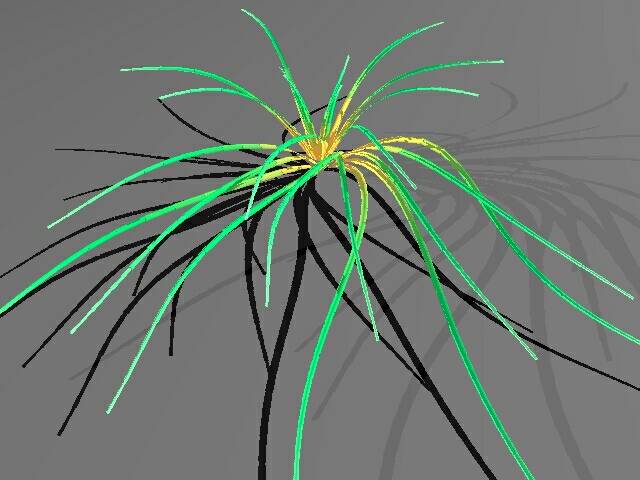
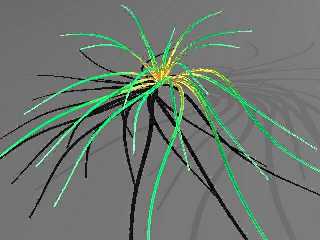
This one is a rough preview (preview mode 2) showing only the stems of the
wings (thickness is 3 times exaggregated)
The colour of the stems is twice as bright as usual to make them visible
even in dark scenes (ambient 1, diffuse 1)
This mode is very useful to adjust the stems in general.

Processing time: 2'19" (both, parse and trace) (No AA)
Post a reply to this message
Attachments:
Download 'fern_p1.jpg' (35 KB)
Preview of image 'fern_p1.jpg'
|
|
| |
| |
|
|
|
|
| |
| |
|
|
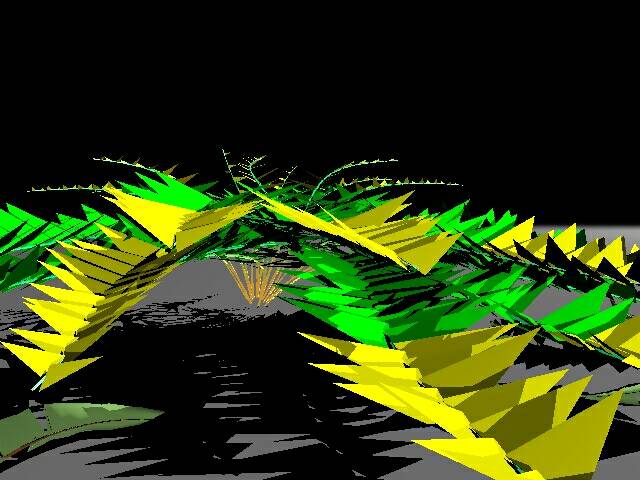
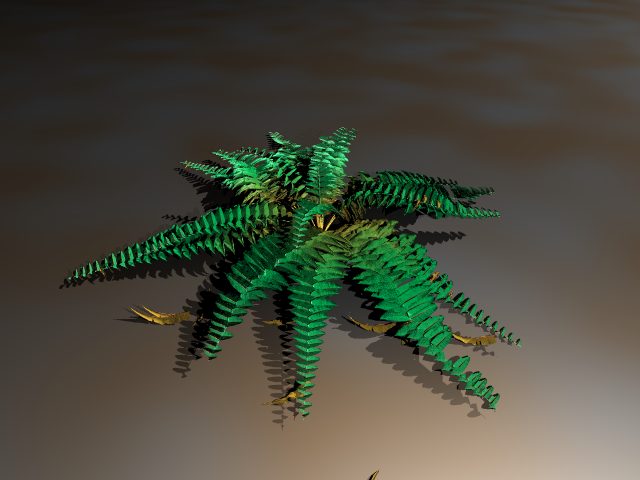
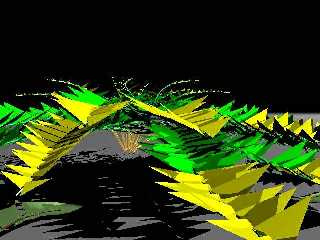
The second mode uses normal stems and adds already some kind of "leaf". The
preview leaves are flattened cones but already similar to the final leaves
(according to angle and size).
I changed the camera position to peek underneath the fern. The wing
arrangement is identical to the previous picture.
Note the dead leaf lying on the ground in the lower left corner.

Processing time: 1'55" parsing, 1'53" tracing (No AA)
Post a reply to this message
Attachments:
Download 'fern_p2.jpg' (49 KB)
Preview of image 'fern_p2.jpg'
|
|
| |
| |
|
|
|
|
| |
| |
|
|
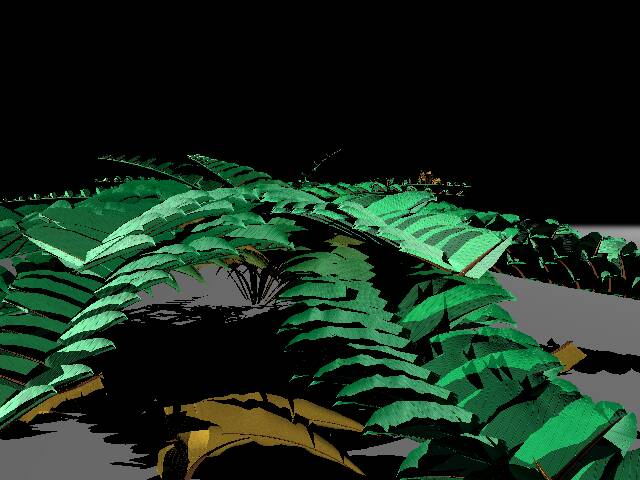
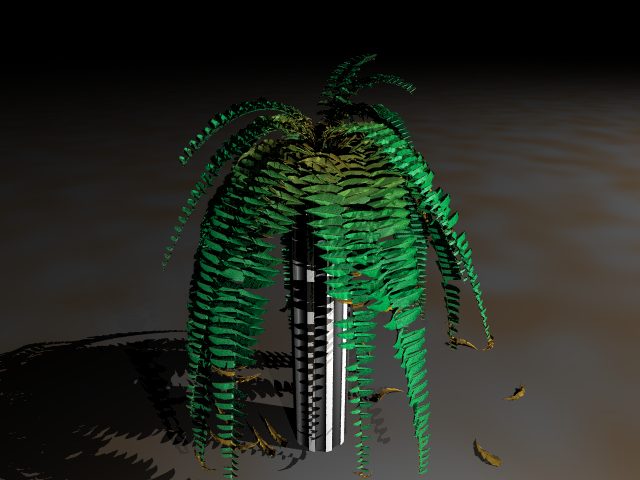
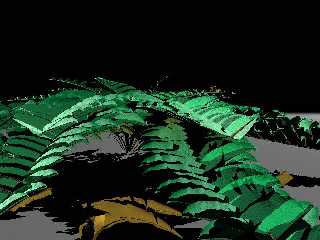
This picture is a final trace showing a lot of different features at a time.
The camera position is like in the last preview so you can easily compare
them. (please note that the dead leaves are contrrolled randomly and vary
between the pictures).

Feat1: the two wings in the middle of the picture (almost pointing out of
the pic) are cut off. This can be simulated easily by the so-called shape
parameters which control the size of the small leaves as they get placed
along the wing's stem.
Feat2: auto-LOD. You can see a differnce in the level of detail between the
left and the right hand side wings. This is due a misplacement of the LOD
center from the camera position (to make it noticeable)
Feat3: leaf age. The ded leaves on the ground were created with the same
macro as all the others leaves were created. just the aging parameters were
different
Feat4: leaf age. compare the ripples of the small leaves between the lower
and upper wings. lower wings are older and have therefore older leaves.
Feat5: damage of the leaves. note the small scratches in some leaves. easily
controllable by giving a probability for this effect.
Feat6: lost leaves. there are some missing leaves in some wings but this
can't be seen easily here.

Processing time: 26'33" parsing (first time parse, creation of include
file), 23' 09" tracing (No AA)
Post a reply to this message
Attachments:
Download 'fern_full1.jpg' (46 KB)
Preview of image 'fern_full1.jpg'
|
|
| |
| |
|
|
|
|
| |
| |
|
|
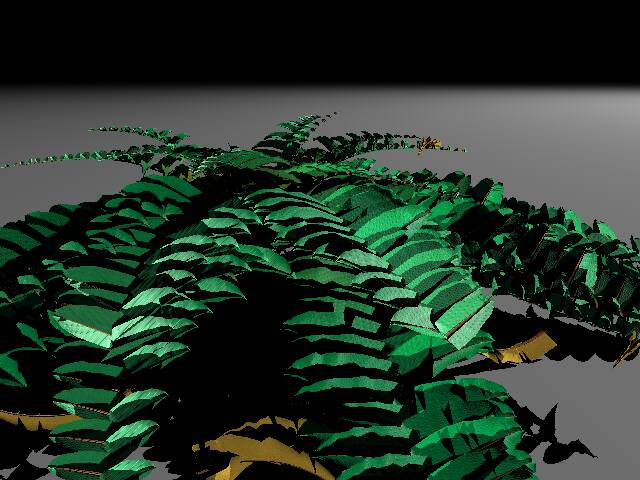
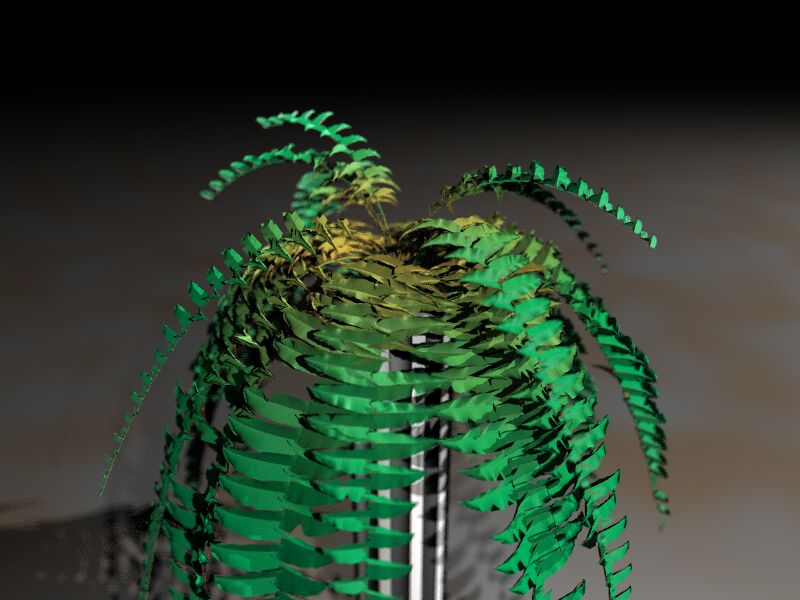
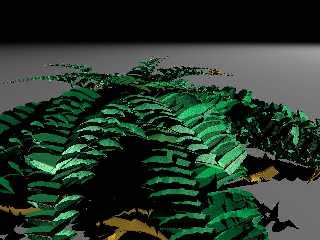
The second final trace using the include file created in the step before.
I changed the camera position again. You can see the difference in the level
of detail clearly.

Procesing time: 3'04" parsing, 5'33" tracing (No AA)

of course, any feedback is welcome!

best regards
SY
Post a reply to this message
Attachments:
Download 'fern_full2.jpg' (51 KB)
Preview of image 'fern_full2.jpg'
|
|
| |
| |
|
|
|
|
| |
| |
|
|
It looks great! I like it a loot, congratulations. Perhaps the camera is too
close to the fern? I would like to see how it looks a bit farther away...

Very good work!

Fernando.
Post a reply to this message
|
|
| |
| |
|
|
|
|
| |
| |
|
|
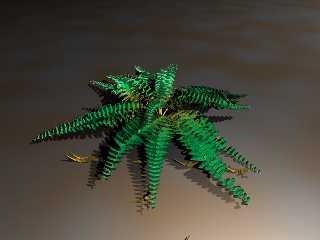
You are right, the camera was really close. I wanted to check the details,
especially the LOD settings.
Here's another picture showing the whole thing.

best regards
SY
Post a reply to this message
Attachments:
Download 'fern2.jpg' (33 KB)
Preview of image 'fern2.jpg'
|
|
| |
| |
|
|
|
|
| |
| |
|
|
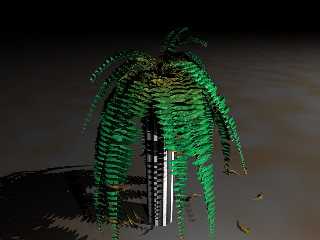
Here it is.

regards
SY
Post a reply to this message
Attachments:
Download 'fern3.jpg' (40 KB)
Preview of image 'fern3.jpg'
|
|
| |
| |
|
|
|
|
| |
| |
|
|
It looks VERY realistic. Congratulations, it is beautiful.

Very good work!

Fernando.
Post a reply to this message
|
|
| |
| |
|
|
|
|
| |
| |
|
|
This would be quite convincing in a scene!
--
David Fontaine <dav### [at] faricy net> ICQ 55354965
My raytracing gallery: http://davidf.faricy.net/ net> ICQ 55354965
My raytracing gallery: http://davidf.faricy.net/
Post a reply to this message
|
|
| |
| |
|
|
|
|
| |
| |
|
|
> This would be quite convincing in a scene!

Yes, I'm working on it. But for now the fern is the only thing already
finished. As you can see I am not satisfied easily with my own work so this
will take some time :-)

But if anyone would like to add a fern to his scene I can provide the latest
code for the macro together with a small description.

regards
SY
Post a reply to this message
|
|
| |
| |
|
|
|
|
| |
| |
|
|
> It looks VERY realistic. Congratulations, it is beautiful.
>
> Very good work!

Thank's a lot!
I spent much effort in it so I'm glad that it looks realistic.
Anyway, yesterday I found some bugs in it, improved the little scratches in
the leaves, improved the randomisation of too mathematiclly "clean"
behaviours of the wings and greatly decreased the number of triangles
depending on the LOD by the factor of sometimes up to 1:5(!) which speeds up
parsing and tracing.
Right now I think it is finished (beside the fact that there is still no
complete fern macro but this shouldn't be a problem since I already have the
code in a scene, as you see).
I will do a last test render and post it here since I think it looks now
even more realistic!

regards
SY
Post a reply to this message
|
|
| |
| |
|
|
|
|
| |
| |
|
|
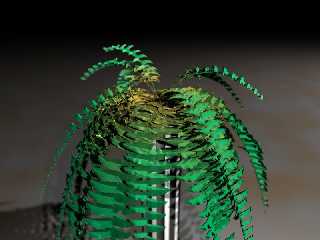
Hi again,

the last fern render (with some focal blur to add depth) after my latest
bugfixes.
From my point of view this fern is finished. Maybe I'll make a fern macro
but for now it's enough :)

BTW: the triangle reduction did good work. The last version created an 106MB
(!) include file for the complete hanging fern, the reduced version did the
same job with 16MB :-))

Have fun!
I'll concentrate now on a snail.

regards
SY
Post a reply to this message
Attachments:
Download 'fern2.jpg' (58 KB)
Preview of image 'fern2.jpg'
|
|
| |
| |
|
|
|
|
| |
| |
|
|
looks more like one of the fake plastic ferns - a very good one mind..
perhaps its just the setting


--

Rick

Kitty5 WebDesign - http://Kitty5.com
POV-Ray News & Resources - http://Povray.co.uk
TEL : +44 (01270) 501101 - FAX : +44 (01270) 251105 - ICQ : 15776037

PGP Public Key
http://pgpkeys.mit.edu:11371/pks/lookup?op=get&search=0x231E1CEA
Post a reply to this message
|
|
| |
| |
|
|
|
|
| |
| |
|
|
Jürgen,

  The fern model is fantastic, very close to the real one I have. But I
think the green color seems a bit artificial, and that's why someone
complained about plastic-looking.  Mine has a more yellowish tone.

  Nothing important for your great modelling effort, tough.


--
Jaime Vives Piqueres

La Persistencia de la Ignorancia
http://www.ignorancia.org
Post a reply to this message
|
|
| |
| |
|
|
|
|
| |
| |
|
|
Hi,

>   The fern model is fantastic, very close to the real one I have. But I
> think the green color seems a bit artificial, and that's why someone
> complained about plastic-looking.  Mine has a more yellowish tone.

Thank you very much!
Indeed the texturing turned out to be more complex than expected.
Additionally I noticed that on different monitors the pics look quite
different from mine. Obviously has my monitor a bit dark overall brightness
(drakness :-) ) and a pretty strong gamma setting. I played a bit with the
assumed_gamma settings but didn't really put much effort in it yet.

Especially for the last picture you are right: it looks a bit plastic. This
is due to the focal_blur which removes the small reflections caused by small
ripples of the leaf. Instead of the detail it creates larger, unsharp
highlight areas which give this plastic look (beside the too dark greenish
colour). I want to use focal blur in the final image but in a smaller scale.
The final image will have only one or two "wings" of the fern and not the
whole thing.

>   Nothing important for your great modelling effort, tough.

I think it IS important. A good modelling can be destroyed easily with a
wrong texture. I am aware of one major defect of the leaves which also
explaines why real leaves are more yellowish:
The leaves are not transparent. A real leaf of a fern acts like a emitting
media if lightened from the background. Like a milky glass it emits light
but you can't see through it. In case of this back-lighting it is almost
yellowish. I tried to emulate this but I failed. The results were always a
transparent thing (through which you could see the leaves usually hidden by
others) or it didn't emit light or it -always- emitted light independently
og the lighting situation.
Anyway, I will have to change the texture. The difficult thing is that the
colour is computed according to the leave's age. I have to model new
formulas....

regards,
SY
Post a reply to this message
|
|
| |
| |
|
|
|
|
| |