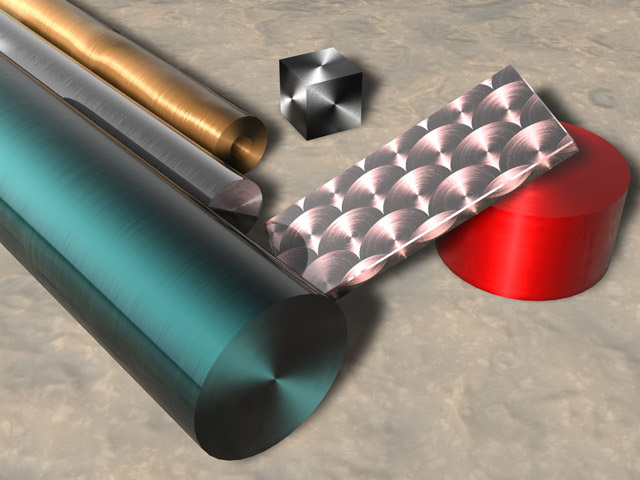
How can I get this effect in POV?
Post a reply to this message
Attachments: Download 'anisotropic.jpg' (81 KB)
Preview of image 'anisotropic.jpg'
You can get something siilar by playing with the surface normals. Rune has a
cool trick for doing brushed metal that looks kinda like that on his website:

http://rsj.mobilixnet.dk/3d/goodies/goodies.html

--
Tek
http://www.evilsuperbrain.com

Simon <sim### [at] surfeude> wrote in message
news:3b9ba30e@news.povray.org...
> How can I get this effect in POV?
>
>
>
>
>
>
You could look at http://www.aetec.ee/fv/vkhomep.nsf/pages/povman2
a patched version that lets you program how the surfaces are shaded.

Simon wrote:
>
> How can I get this effect in POV?
>
>  [Image]
> You could look at http://www.aetec.ee/fv/vkhomep.nsf/pages/povman2
> a patched version that lets you program how the surfaces are shaded.
I used this patched version before 3.5 came out.







 de> wrote in message
news:
de> wrote in message
news: