|
|
|
|
|
|
| |
| |
|
|
|
|
| |
| |
|
|
It's just as I thought..... and I should have done it in the first
place! The solution was obvious..... why hasn't it been done before? At
least I learned a few things from my blob fiasco.
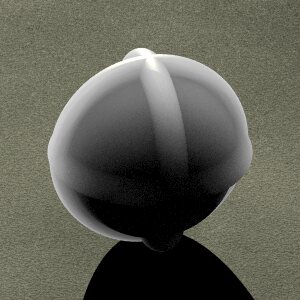
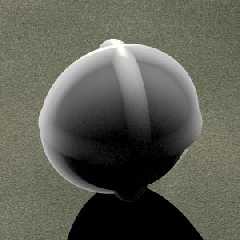
What I'm talking about is the fact that subsurface scattering is 20
times more easy to implement in mlPOV than the official version. The
results are slightly faster and smoother, too. The image you see was
created by the code below:
#declare lpos1=<.5,1,3.25>*100000;
light_source{lpos1,<1.6 1.6 1.1> }
plane{y,-6.75 pigment{bumps scale 25 turbulence .5 lambda 3 poly_wave
.6} normal{granite .2}}
#declare obj=
union{
torus{6,1}
torus{6,1 rotate z*90}
torus{6,1 rotate x*90}
sphere{0,6}
}
object{
obj
pigment{ average
pigment_map{
#local V=0;
#while(V<100)
[1 projection obj ,lpos1 blur .2,10
translate<rand(R)-rand(R),rand(R)-rand(R),rand(R)-rand(R)>*2
color_map { [0 rgb 1][1 rgb 0] }
]
#local V=V+1;
#end
}
}
finish{diffuse 0 ambient 1
specular .5 roughness .05
}
}
--
Samuel Benge
stb### [at] hotmail com
See my website@: http://www.goldrush.com/~abenge/Top/index.html com
See my website@: http://www.goldrush.com/~abenge/Top/index.html
Post a reply to this message
Attachments:
Download 'mlpov_sss.jpg' (19 KB)
Preview of image 'mlpov_sss.jpg'
|
|
| |
| |
|
|
|
|
| |
| |
|
|
Beautiful effect.
Post a reply to this message
|
|
| |
| |
|
|
|
|
| |
| |
|
|
The object itself looks great. Except it has me looking for a shadow that
matches the translucency. At first I thought maybe an area light could
suffice, somewhat so; but it might not be able to create the right effect
for anything but a simple sphere, for example, I guess.

Bob H.
Post a reply to this message
|
|
| |
| |
|
|
|
|
| |
| |
|
|
The bad thing about combining radiosity with averaged samples is that
the radiosity calculation uses each and every one of the samples,
thereby dramatically slowing the rendering process. An area_light would
be an easier fix.

Hughes, B. wrote:

> The object itself looks great. Except it has me looking for a shadow that
> matches the translucency. At first I thought maybe an area light could
> suffice, somewhat so; but it might not be able to create the right effect
> for anything but a simple sphere, for example, I guess.
>
> Bob H.
>
>
>


--
Samuel Benge

stb### [at] hotmailcom
See my website@: http://www.goldrush.com/~abenge/Top/index.html
Post a reply to this message
|
|
| |
| |
|
|
|
|
| |
| |
|
|
I think I prefer the POV 3.5 examples you gave. I think I'll try my
candle again now, I had tried with media but I hope it will be easier
your way.

JC

Samuel Benge wrote:
> It's just as I thought..... and I should have done it in the first
> place! The solution was obvious..... why hasn't it been done before? At
> least I learned a few things from my blob fiasco.
>
> What I'm talking about is the fact that subsurface scattering is 20
> times more easy to implement in mlPOV than the official version. The
> results are slightly faster and smoother, too. The image you see was
> created by the code below:
>
> #declare lpos1=<.5,1,3.25>*100000;
>
> light_source{lpos1,<1.6 1.6 1.1> }
>
> plane{y,-6.75 pigment{bumps scale 25 turbulence .5 lambda 3 poly_wave
> .6} normal{granite .2}}
>
> #declare obj=
>  union{
>   torus{6,1}
>   torus{6,1 rotate z*90}
>   torus{6,1 rotate x*90}
>   sphere{0,6}
>  }
>
> object{
>  obj
>  pigment{ average
>   pigment_map{
>    #local V=0;
>    #while(V<100)
>     [1 projection obj ,lpos1 blur .2,10
>      translate<rand(R)-rand(R),rand(R)-rand(R),rand(R)-rand(R)>*2
>      color_map { [0 rgb 1][1 rgb 0] }
>     ]
>     #local V=V+1;
>    #end
>   }
>  }
>  finish{diffuse 0 ambient 1
>   specular .5 roughness .05
>  }
> }
>
>
> ------------------------------------------------------------------------
>
Post a reply to this message
|
|
| |
| |
|
|
|
|
| |
| |
|
|
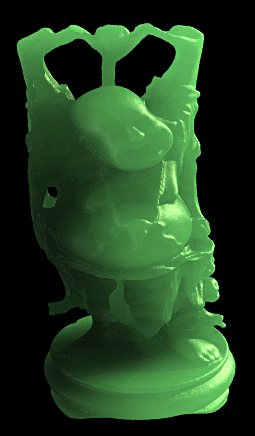
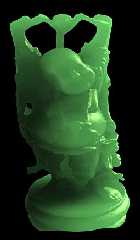
Cool effect ! I had to try it on the happy buddha :)

M
Post a reply to this message
Attachments:
Download 'sss_buddha.jpg' (17 KB)
Preview of image 'sss_buddha.jpg'
|
|
| |
| |
|
|
|
|
| |
| |
|
|
On Thu, 27 Nov 2003 18:57:05 +0100, "Mael" <mae### [at] hotmailcom> wrote:
> Cool effect ! I had to try it on the happy buddha :)

Indeed, there is no end of fun in good old POV-Ray ;-)

ABX
Post a reply to this message
|
|
| |
| |
|
|
|
|
| |
| |
|
|
This is the mlPOV technique, yes? Whatever you did, it looks really
good! That buddha statue was just itching to be rendered this way!

Mael wrote:

> Cool effect ! I had to try it on the happy buddha :)
>
> M
>
>
>


--
Samuel Benge

stb### [at] hotmailcom
See my website@: http://www.goldrush.com/~abenge/Top/index.html
Post a reply to this message
|
|
| |
| |
|
|
|
|
| |
| |
|
|
Mael wrote:
>Cool effect ! I had to try it on the happy buddha :)
>
>M
>

indeed.
my first thought was that this could be used to simulate
a translucent jade.
this is way beyond me so i have a couple of questions ...

am i to understand that this particular method of samual's
requires mlpov? i haven't been able to run it with ver 3.5.
and ...
i have been trying to obtain this 'happy buddha'
file but see that it is in "lv" and some other format.
how is it possible to convert these to POV?
or is there somewhere i can find them converted ...
to what ... 'mesh' ?

tia for any leads and help.

ts
Post a reply to this message
|
|
| |
| |
|
|
|
|
| |
| |
|
|
ts wrote:

> am i to understand that this particular method of samual's
> requires mlpov? i haven't been able to run it with ver 3.5.
> and ... <break>


There are currently two versions of this technique I have posted to the
newsgroups. The official 3.5 version is in povray.binaries.scenes-files.
The mlPOV version is the one residing in the body of text at the
beginning of this thread.

--
Samuel Benge

stb### [at] hotmailcom
See my website@: http://www.goldrush.com/~abenge/Top/index.html
Post a reply to this message
|
|
| |
| |
|
|
|
|
| |
| |
|
|
Looks fantastic. I have been trying to do something similar to another mesh2 object I
have
(outputted from Silo), but I can't figure out how to apply the code to the mesh2
object. It's
like a chicken and egg situation that I can't get my head around: The mesh2 object
requires a
texture in its list, but the SSS method refers to the object (my mesh) in the texture
definition. Does that make sense?

Could you post how you applied the SSS to the buddha Mael?

TIA,

Andy Cocker


"Mael" <mae### [at] hotmailcom> wrote in message news:3fc63af3@news.povray.org...
> Cool effect ! I had to try it on the happy buddha :)
>
> M
>
>
>
Post a reply to this message
|
|
| |
| |
|
|
|
|
| |
| |
|
|
> Could you post how you applied the SSS to the buddha Mael?

#declare buddha = object { #include "../models/buddha_r2.inc" rotate 120*y
scale <35,35,35> translate -3*y }

object {
  buddha

  pigment{ average
   pigment_map{
    #local V=0;
    #while(V<100)
     [1 projection buddha , lpos1 blur .2,10
      translate<rand(R)-rand(R),rand(R)-rand(R),rand(R)-rand(R)>*1.5
      color_map { [0 rgb <.5,1,.5>][1 rgb 0] }
     ]
     #local V=V+1;
    #end
   }
  }

  finish { diffuse .2 ambient .9 specular .5 roughness .05 }
}
Post a reply to this message
|
|
| |
| |
|
|
|
|
| |
| |
|
|
> i have been trying to obtain this 'happy buddha'
> file but see that it is in "lv" and some other format.
> how is it possible to convert these to POV?

I downloaded it, a long time ago, from
http://www.cc.gatech.edu/projects/large_models/ and converted the ply format
to a mesh2 (AFAIR the conversion was quite straightforward)

M
Post a reply to this message
|
|
| |
| |
|
|
|
|
| |
| |
|
|
Hi Mael,

Thanks for your prompt reply. Unfortunately I'm still having the same problem in that
the only
texture showing up on the model is that which is specified in the mesh2 texture_list:

texture_list {
  1,
  texture { Material0 }
  }

I don't know how to overide this texture and make it use the SSS. Does your Buddha
model have
this texture_list entry?

Andy Cocker


"Mael" <mae### [at] hotmailcom> wrote in message news:3fc7a200@news.povray.org...
> > Could you post how you applied the SSS to the buddha Mael?
>
> #declare buddha = object { #include "../models/buddha_r2.inc" rotate 120*y
> scale <35,35,35> translate -3*y }
>
> object {
>   buddha
>
>   pigment{ average
>    pigment_map{
>     #local V=0;
>     #while(V<100)
>      [1 projection buddha , lpos1 blur .2,10
>       translate<rand(R)-rand(R),rand(R)-rand(R),rand(R)-rand(R)>*1.5
>       color_map { [0 rgb <.5,1,.5>][1 rgb 0] }
>      ]
>      #local V=V+1;
>     #end
>    }
>   }
>
>   finish { diffuse .2 ambient .9 specular .5 roughness .05 }
> }
>
>
Post a reply to this message
|
|
| |
| |
|
|
|
|
| |
| |
|
|
Mael wrote:
>> i have been trying to obtain this 'happy buddha'
>> file but see that it is in "lv" and some other format.
>> how is it possible to convert these to POV?
>
>I downloaded it, a long time ago, from
>http://www.cc.gatech.edu/projects/large_models/ and converted the ply format
>to a mesh2 (AFAIR the conversion was quite straightforward)
>
>M
>

that's what i need to know ...
here: http://www.cc.gatech.edu/projects/large_models/happy.html
it comes in both the ply and iv formats ... each around 10MB.
so i am wondering which to d/l ... and what utility can i use to
convert the ply or iv formats?
so far i haven't found any converters which mention either.
and please understand ... i am a newbie to meshes ...
so assume i know nothing and you will be correct. ;)
i hope to rectify that with a little help from all you pov heavies.

thanks for any leads.

-ts-
Post a reply to this message
|
|
| |
| |
|
|
|
|
| |
| |
|
|
Wasn't it Andy Cocker who wrote:
>Hi Mael,
>
>Thanks for your prompt reply. Unfortunately I'm still having the same problem in
>that the only
>texture showing up on the model is that which is specified in the mesh2
>texture_list:
>
>texture_list {
>  1,
>  texture { Material0 }
>  }
>
>I don't know how to overide this texture and make it use the SSS. Does your
>Buddha model have
>this texture_list entry?

The texture_list is optional, but if it's not there you have to remove
the texture number from each entry in the face_indices section.

At first glance, you might think that it might be tedious to remove the
texture numbers from the face_indices section, but it may well be
possible to perform Search->ReplaceAll of ">,1," with ">," and then just
edit the last one manually.

--
Mike Williams
Gentleman of Leisure
Post a reply to this message
|
|
| |
| |
|
|
|
|
| |
| |
|
|
"Mike Williams" <nos### [at] econymdemoncouk> wrote in message
news:+db8oDAW$6x$EwKu@econym.demon.co.uk...
> The texture_list is optional, but if it's not there you have to remove
> the texture number from each entry in the face_indices section.
>
> At first glance, you might think that it might be tedious to remove the
> texture numbers from the face_indices section, but it may well be
> possible to perform Search->ReplaceAll of ">,1," with ">," and then just
> edit the last one manually.

Thanks Mike, that worked. I had already tried removing all UV references along with
the
texture_list section, but was coming up with an error regarding the face_indices.
Using your
tip I got it to work.

Thanks again,

Andy Cocker
Post a reply to this message
|
|
| |
| |
|
|
|
|
| |