|
|
|
|
|
|
| |
| |
|
|
|
|
| |
| |
|
|
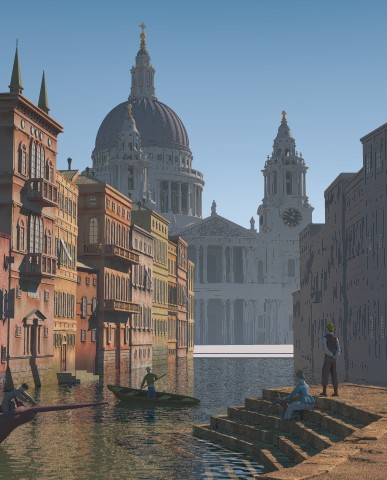
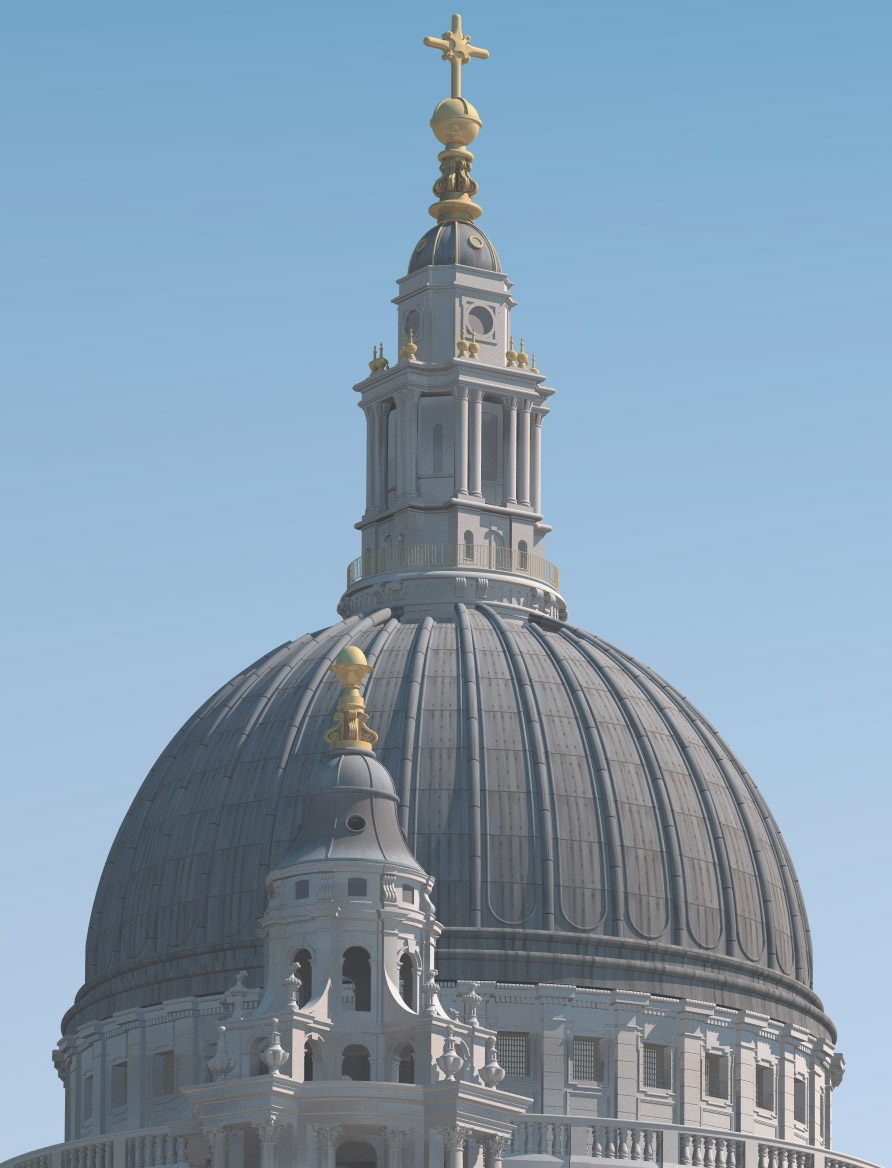
The cathedral is now finished, except for the tympanum height_field and
the texturing.

Peter Hertel is working on the height_filed, and I have put a dummy
png-file in the scene, so when Peter's hf is ready, it is just a matter
of replacing my file with his.

I am hoping that someone, who can work with assumed_gamma 1, will take
on the texturing. I have cleaned up my texture use, and placed all the
texture declares in the beginning of the stpauls.inc file, so they are
easy to locate.

I have tried to place the dome and entrance in the scene, so they match
up with the painting, but that is next to impossible. The cathedral in
the painting does not have the same proportions as the real one. The
dome is not so bad, but the entrance poses some problems. If I scale it
to the same width as in the painting it is way too tall. If I scale it
asymmetrically to the same width and height as in the painting, the
clock becomes very elliptical. I have ended up scaling it to about 10%
more on the x-axis than on the y-axis, and aligned it with the pediment.
This means that the stairs ends up under water, but I am hoping that
will not be too noticeable in the finished image, when the area in front
of the cathedral is filled up with people and stautes.

The scource is posted in p.b.scene-files as version 16b.

/Ib
Post a reply to this message
Attachments:
Download 'capriccio.jpg' (53 KB)
Preview of image 'capriccio.jpg'
|
|
| |
| |
|
|
|
|
| |
| |
|
|
Ib Rasmussen wrote:

> The cathedral is now finished, except for the tympanum height_field and
> the texturing.

Looks great!

> I am hoping that someone, who can work with assumed_gamma 1, will take
> on the texturing. I have cleaned up my texture use, and placed all the
> texture declares in the beginning of the stpauls.inc file, so they are
> easy to locate.

I'll try to do that next. If anybody else wants to join you are welcome :)
I want to use image map (spherical) for dome and just wondering - is it
possible to use a map for 8 sections of the dome and duplicate it
somehow for the rest 32 sections. It doesn't work if you use spherical
mapping you have to provide  the whole map for 32 sections. Is there
any other way ?

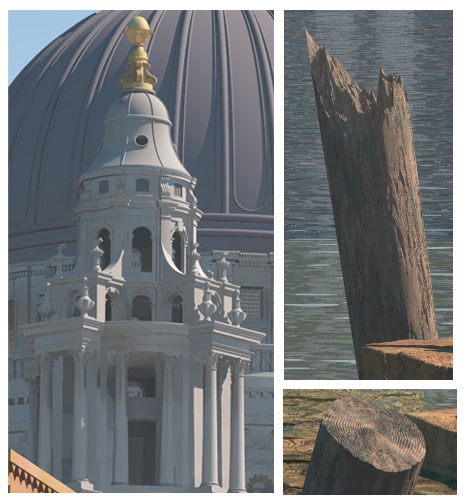
I've almost finished wooden posts (isosurfaces) in the foreground and
will post it soon.

We are pretty close to the finish :) But we still need the following objects:
- more boats/sails
- textures for boats
- textures for the buildings on the right side of the "street" (I hope to take

  care of it)
- tiles for the roofs (right now there is image/bump map which is good
  for low resolution but not so good for high res.)
- clouds. We have some clouds already in the scene but I didn't try to
  use it because it's mentioned that it will need a lot of rendering time :)
- rope for that guy in the left boat :)
- three figures staying on steps of the left building
- group of people in the background nearby the cathedral. I think we
  could use image map for that because.. there are too many people :)

Gena.
Post a reply to this message
|
|
| |
| |
|
|
|
|
| |
| |
|
|
Gena Obukhov wrote:
> Ib Rasmussen wrote:
>
>
>>The cathedral is now finished, except for the tympanum height_field and
>>the texturing.
>
>
> Looks great!
>
>

Yes it really does!

> - rope for that guy in the left boat :)
> - three figures staying on steps of the left building
> - group of people in the background nearby the cathedral. I think we
>   could use image map for that because.. there are too many people :)
>

Could you post some closeups? I can't even see these details on the
images I have.
Post a reply to this message
|
|
| |
| |
|
|
|
|
| |
| |
|
|
On Sat, 24 May 2003 10:02:00 -0700, Gena Obukhov wrote:
>
> I'll try to do that next. If anybody else wants to join you are welcome :)
> I want to use image map (spherical) for dome and just wondering - is it
> possible to use a map for 8 sections of the dome and duplicate it
> somehow for the rest 32 sections. It doesn't work if you use spherical
> mapping you have to provide  the whole map for 32 sections. Is there
> any other way ?

Off the top of my head, create your 8 segment section, texture it and
then rotate/translate, that way you'll have the same part of the image
map on all secitons.  That's if I understand the problem correctly.

--
#local i=.1;#local I=(i/i)/i;#local l=(i+i)/i;#local ll=(I/i)/l;box{<-ll,
-((I/I)+l),-ll><ll,-l,ll>pigment{checker scale l}finish{ambient((I/l)/I)+
(l/I)}}sphere{<i-i,l-l,(I/l)>l/l pigment{rgb((I/l)/I)}finish{reflection((
I/l)/I)-(l/I)specular(I/l)/I}}light_source{<I-l,I+I,(I-l)/l>l/l} // Steve
Post a reply to this message
|
|
| |
| |
|
|
|
|
| |
| |
|
|
Steve wrote:

> Off the top of my head, create your 8 segment section, texture it and
> then rotate/translate, that way you'll have the same part of the image
> map on all secitons.  That's if I understand the problem correctly.

Spherical mapping wraps the whole texture (8 sections) around the whole
object (32 sections). So using your approach you have to make texture
for 32 sections with transparent 24 sections and make layered texture
(4 layers) rotating that texture 4 times. I thought maybe there is another
way around.

Gena.
Post a reply to this message
|
|
| |
| |
|
|
|
|
| |
| |
|
|
On Mon, 26 May 2003 08:41:36 -0700, Gena Obukhov wrote:
> Steve wrote:
>
>> Off the top of my head, create your 8 segment section, texture it and
>> then rotate/translate, that way you'll have the same part of the image
>> map on all secitons. That's if I understand the problem correctly.
>
> Spherical mapping wraps the whole texture (8 sections) around the whole
> object (32 sections). So using your approach you have to make texture
> for 32 sections with transparent 24 sections and make layered texture
> (4 layers) rotating that texture 4 times. I thought maybe there is another
> way around.
>
> Gena.
>
No I don't think I understand what you're trying to do.
--
%HAV-A-NICEDAY email mailto:ste### [at] zeropps uklinuxnet
Steve web http://www.zeropps.uklinux.net/
or http://start.at/zero-pps
1:46am up 79 days, 22:14, 1 user, load average: 1.39, 1.59, 1.39 uklinuxnet
Steve web http://www.zeropps.uklinux.net/
or http://start.at/zero-pps
1:46am up 79 days, 22:14, 1 user, load average: 1.39, 1.59, 1.39
Post a reply to this message
|
|
| |
| |
|
|
|
|
| |
| |
|
|
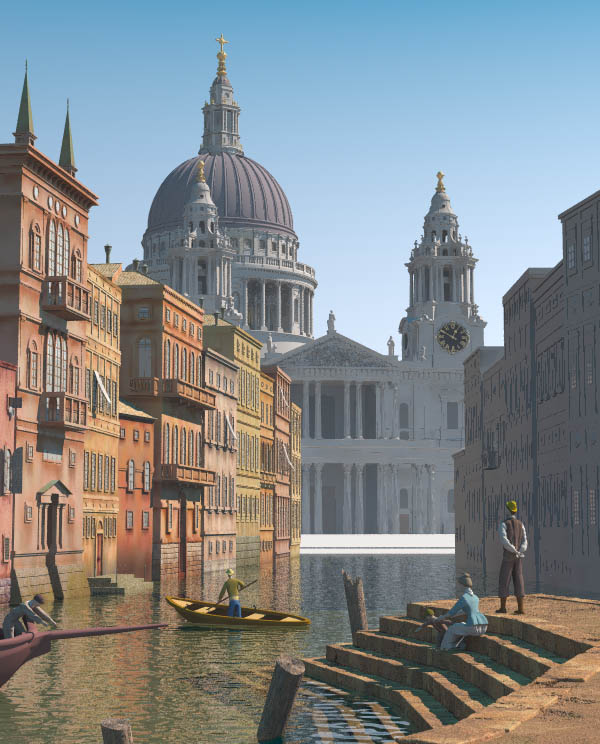
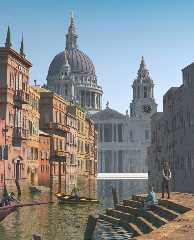
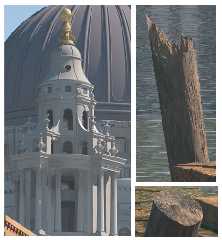
New version with some details.
Added wooden posts and changed light source position.
The source is in p.b.s.-f.

Gena.
Post a reply to this message
Attachments:
Download 'capriccio.jpg' (90 KB)
Download 'capriccio1.jpg' (56 KB)
Preview of image 'capriccio.jpg'
Preview of image 'capriccio1.jpg'
|
|
| |
| |
|
|
|
|
| |
| |
|
|
Steve wrote:

> No I don't think I understand what you're trying to do.

Here is the problem. I'm making image map for the dome
and I'll use spherical mapping. When you use spherical mapping
you have to make the image which covers the whole object.
There is no way to use 'once' keyword and cover just a part
of the object. It doesn't work for the spherical mapping.
But detailed image for the whole objects is so huge that
I have out of memory message (384 Mb RAM in my machine).
That's why I was wondering if there is any way to use just
a map for 8 sections and duplicate it somehow for the rest
24 sections (32 sections total).

Gena.
Post a reply to this message
|
|
| |
| |
|
|
|
|
| |
| |
|
|
On Mon, 26 May 2003 21:42:05 -0700, Gena Obukhov <obu### [at] mailcom> wrote:
> Here is the problem. I'm making image map for the dome
> and I'll use spherical mapping. When you use spherical mapping
> you have to make the image which covers the whole object.
> There is no way to use 'once' keyword and cover just a part
> of the object. It doesn't work for the spherical mapping.
> But detailed image for the whole objects is so huge that
> I have out of memory message (384 Mb RAM in my machine).
> That's why I was wondering if there is any way to use just
> a map for 8 sections and duplicate it somehow for the rest
> 24 sections (32 sections total).

You can use image with 'once', scale it down to fit your section unrolled into
<0,0,0>-<1,1,0> area, and then use spherical warp. Then you can duplicate
sections with layered textures. Similiar method was recently described by me in
a thread: http://news.povray.org/povray.newusers/31686/ with working example. I
hope it could work for you.

ABX
Post a reply to this message
|
|
| |
| |
|
|
|
|
| |
| |
|
|
ABX wrote:

> You can use image with 'once', scale it down to fit your section unrolled into
> <0,0,0>-<1,1,0> area, and then use spherical warp. Then you can duplicate
> sections with layered textures. Similiar method was recently described by me in
> a thread: http://news.povray.org/povray.newusers/31686/ with working example. I
> hope it could work for you.

Thanks a lot! That's exactly what I need. Does POV-Ray take memory only
for one map in this case ?:

#local DomeMap = pigment{
 image_map{jpeg "cathedral/dome1.jpg" once}
 scale<1/4, 1/2, 1/4>
 translate y*0.5
 warp{spherical}
};

sphere {
   0, 1
   texture{
     pigment{DomeMap}
     rotate y*0
   }
   texture{
     pigment{DomeMap}
     rotate y*90
   }
   texture{
     pigment{DomeMap}
     rotate y*180
   }
   texture{
     pigment{DomeMap}
     rotate y*270
   }
}

Gena.
Post a reply to this message
|
|
| |
| |
|
|
|
|
| |
| |
|
|
On Mon, 26 May 2003 23:24:08 -0700, Gena Obukhov <obu### [at] mailcom> wrote:
> Thanks a lot! That's exactly what I need.

Good. So I finally contributed Capriccio. I'm happy about that :-)

> Does POV-Ray take memory only
> for one map in this case ?:

AFAIK yes, but if you unsure you can verify it with "Memory used" section in
povray messages.

> #local DomeMap = pigment{
>  image_map{jpeg "cathedral/dome1.jpg" once}
>  scale<1/4, 1/2, 1/4>
>  translate y*0.5
>  warp{spherical}
> };

BTW: After looking into your code I know more what you do - do you know instead
using layared texture you can use repeating warp? This should be fastest
solution.

ABX
Post a reply to this message
|
|
| |
| |
|
|
|
|
| |
| |
|
|
On Tue, 27 May 2003 07:39:04 +0200, ABX <abx### [at] abxartpl> wrote:

>You can use image with 'once', scale it down to fit your section unrolled into
><0,0,0>-<1,1,0> area, and then use spherical warp. Then you can duplicate
>sections with layered textures.

Wouldn't it be faster if Gena didn't use 'once' but rather scale
<1/32,1,1> and then use the spherical warp? This would spare the
layered texture overhead (which is quite major with radiosity).


Peter Popov ICQ : 15002700
Personal e-mail : pet### [at] vipbg
TAG      e-mail : pet### [at] tagpovrayorg
Post a reply to this message
|
|
| |
| |
|
|
|
|
| |
| |
|
|
On Mon, 26 May 2003 21:32:26 -0700, Gena Obukhov <obu### [at] mailcom>
wrote:

>New version with some details.
>Added wooden posts and changed light source position.

I think the figures in the boats are not up to the same level of
detail as the other parts of the picture, even as compared to the
figures on the stairs. No offense to the contributor, just some
constructive criticism :)


Peter Popov ICQ : 15002700
Personal e-mail : pet### [at] vipbg
TAG      e-mail : pet### [at] tagpovrayorg
Post a reply to this message
|
|
| |
| |
|
|
|
|
| |
| |
|
|
On Tue, 27 May 2003 09:52:22 +0300, Peter Popov <pet### [at] vipbg> wrote:
> >You can use image with 'once', scale it down to fit your section unrolled into
> ><0,0,0>-<1,1,0> area, and then use spherical warp. Then you can duplicate
> >sections with layered textures.
>
> Wouldn't it be faster if Gena didn't use 'once' but rather scale
> <1/32,1,1> and then use the spherical warp?

If you would foollow link I posted you could read that spherical warp is
mentioned there :-). And I proposed layers since I was somehow sure he need
partial transparency for other texture under.

ABX
Post a reply to this message
|
|
| |
| |
|
|
|
|
| |
| |
|
|
Gena Obukhov wrote:
>
> New version with some details.
> Added wooden posts and changed light source position.
> The source is in p.b.s.-f.

Nice posts.  I did not yet study the code but i suppose it won't be that
easy to make their cylindrical shape a bit less uniform.

Ib's work on the building is impressive as well.  The texture should
probably be somewhat patina-like - somethinbg quite difficult to achieve
without being too slow.

I'm not sure about the change of the light position.  The left side
buildings are different from the original now but of course we have to
find a compromise because the lighting in the painting is not consistent.

Christoph

--
POV-Ray tutorials, include files, Sim-POV,
HCR-Edit and more: http://www.tu-bs.de/~y0013390/
Last updated 28 Feb. 2003 _____./\/^>_*_<^\/\.______
Post a reply to this message
|
|
| |
| |
|
|
|
|
| |
| |
|
|
ABX wrote:

> Good. So I finally contributed Capriccio. I'm happy about that :-)

Welcome to the club :)

> BTW: After looking into your code I know more what you do - do you know instead
> using layared texture you can use repeating warp? This should be fastest
> solution.

Thanks again! I'm not so familiar with 'warp'. Now I have to learn it in details :)

Gena.
Post a reply to this message
|
|
| |
| |
|
|
|
|
| |
| |
|
|
Christoph Hormann wrote:

> Nice posts.

Thanks!

> I did not yet study the code but i suppose it won't be that
> easy to make their cylindrical shape a bit less uniform.

This is intersection between isosurface and heightfield (based
on function). I tried to make difference between isosurfaces
but I couldn't avoid holes in the result object even changing
max_gradient and accuracy.
I can add spline to the posts. But that will just curve it. Anyway
feel free to change it.

> Ib's work on the building is impressive as well.  The texture should
> probably be somewhat patina-like - somethinbg quite difficult to achieve
> without being too slow.

Yep. I think image map won't be so slow here :) I would also prefer to use
procedural texture here but I know how difficult is to make such kind of
texture.

> I'm not sure about the change of the light position.  The left side
> buildings are different from the original now but of course we have to
> find a compromise because the lighting in the painting is not consistent.

I also think that those buildings are too bright now and I'm going to
change their saturation in the future.
As for light source position, I tried to make cathedral and boat in the
center more illuminated.

Gena.
Post a reply to this message
|
|
| |
| |
|
|
|
|
| |
| |
|
|
Gena wrote:
>
> [...]
>
> This is intersection between isosurface and heightfield (based
> on function). I tried to make difference between isosurfaces
> but I couldn't avoid holes in the result object even changing
> max_gradient and accuracy.

See the documentation for 'max_trace' and 'all_intersections'.  Of course
you can also intersect in the isosurface function and just use one
isosurface.

I think they look a bit like they have bark on the outer surface, a rough
and weathered but mainly plain wood surface would probably be better.  I
will see if i can work on that.

Christoph

--
POV-Ray tutorials, include files, Sim-POV,
HCR-Edit and more: http://www.tu-bs.de/~y0013390/
Last updated 28 Feb. 2003 _____./\/^>_*_<^\/\.______
Post a reply to this message
|
|
| |
| |
|
|
|
|
| |
| |
|
|
Peter Popov wrote:

> I think the figures in the boats are not up to the same level of
> detail as the other parts of the picture, even as compared to the
> figures on the stairs. No offense to the contributor, just some
> constructive criticism :)

I think evrybody agrees that human figures are always one of the
most difficult part of any image, especially when you model it
yourself from the scratch. Jim created already exceptional models
for this image. Maybe it would be also a good idea to share
Wings3D source files (if Jim don't mind of course) so that anybody
who feels that he/she can improve it could change it and show us
the result.

Regarding level of details, maybe playing with image/bump maps
will help here. Also in a high resolution image will be visible a lack
of hair in some figures. Again maybe image/bump maps could
help here or any other technique.

Anyway, I think before making the final rendering we will make
fine tuning of many objects :)

Gena.
Post a reply to this message
|
|
| |
| |
|
|
|
|
| |
| |
|
|
Gena wrote:
>
> [...]
>
> Regarding level of details, maybe playing with image/bump maps
> will help here. Also in a high resolution image will be visible a lack
> of hair in some figures. Again maybe image/bump maps could
> help here or any other technique.

I agree on that.  In the larger renders i did i can hardly find mesh
artefacts so the geometric detail is fairly good.  Of course some parts
like the hands are not perfect but this is not a big problem IMO and maybe
it can even be improved.  The textures are an important thing to work on.
It would also be good if the boats could get some uv-coordinates so they
can be covered with a wood texture without looking carved from a large
block of wood.

Christoph

--
POV-Ray tutorials, include files, Sim-POV,
HCR-Edit and more: http://www.tu-bs.de/~y0013390/
Last updated 28 Feb. 2003 _____./\/^>_*_<^\/\.______
Post a reply to this message
|
|
| |
| |
|
|
|
|
| |
| |
|
|
Gena Obukhov wrote:

> New version with some details.
> Added wooden posts and changed light source position.


Nice posts. Don't we need some more steps at the lower edge of the image?

/Ib
Post a reply to this message
|
|
| |
| |
|
|
|
|
| |
| |
|
|
Peter Popov wrote:

>
> I think the figures in the boats are not up to the same level of
> detail as the other parts of the picture, even as compared to the
> figures on the stairs. No offense to the contributor,

No offense taken.  Early on I feared that it might come to this,
especially when we started talking about rendering in poster size.
It wasn't what I'd bargained for when I took on resposibility for the
figures.  I thought originally that a fairly brief handling would suffice.
What I would like to do is slide up to the Metropolitan and take a look
at how figures are usually handled in this genre.  I don't know if they
have a Marlow but they do have a nice group of Canaletto's.  Maybe I can
see some details of clothing more clearly.
I probably should have done this already, but every time I go up there I
get drawn in by the primitive collections.  Was just up there on Friday
soaking up the Art of Ancient Cities exhibit along with the African
Masks, as usual :)  Anyway, the comment about the level of detail in the
figures is a valid one.  Just give me a little time to think about how
best to solve it.  If I don't think I can, I will gladly hand off any
sources and responsibilities to others.

-Jim
Post a reply to this message
|
|
| |
| |
|
|
|
|
| |
| |
|
|
Jim Charter wrote:

> at how figures are usually handled in this genre.  I don't know if they
> have a Marlow but they do have a nice group of Canaletto's.

BTW, I found that Marlow's painting in the book about Canaletto :)

Gena.
Post a reply to this message
|
|
| |
| |
|
|
|
|
| |
| |
|
|
Gena wrote:
> Jim Charter wrote:
>
>
>>at how figures are usually handled in this genre.  I don't know if they
>>have a Marlow but they do have a nice group of Canaletto's.
>
>
> BTW, I found that Marlow's painting in the book about Canaletto :)
>
> Gena.
>
Well I ahve to laugh at myself again.  It turns out there was only one
Canaletto and the group I thought were by him were actually by Guardi.
Never-the-less I made a couple of dozen sketches from figure groups in
the Canaletto ( View of St Mark's ) and came to a humble appreciation of
the balance he strikes between explicit and suggested detail.  This
balance is weighted much more toward the explicit in raytracing I think.
  Anyway I will take a stab at improving my figures.  It is going to
lead to heavier meshes and higher res bitmaps though.

-Jim
Post a reply to this message
|
|
| |
| |
|
|
|
|
| |
| |
|
|
Jim Charter wrote:

>   Anyway I will take a stab at improving my figures.

Maybe it makes sense to start from image/bump maps (?)
Also try to add slightly different colors to the clothes to make
it more colorful. My teacher of painting always told me that
there is no white snow :)


> It is going to lead to heavier meshes and higher res bitmaps though.

I suspect we will need very powerful machine for the final
rendering :)

Gena.
Post a reply to this message
|
|
| |
| |
|
|
|
|
| |
| |
|
|
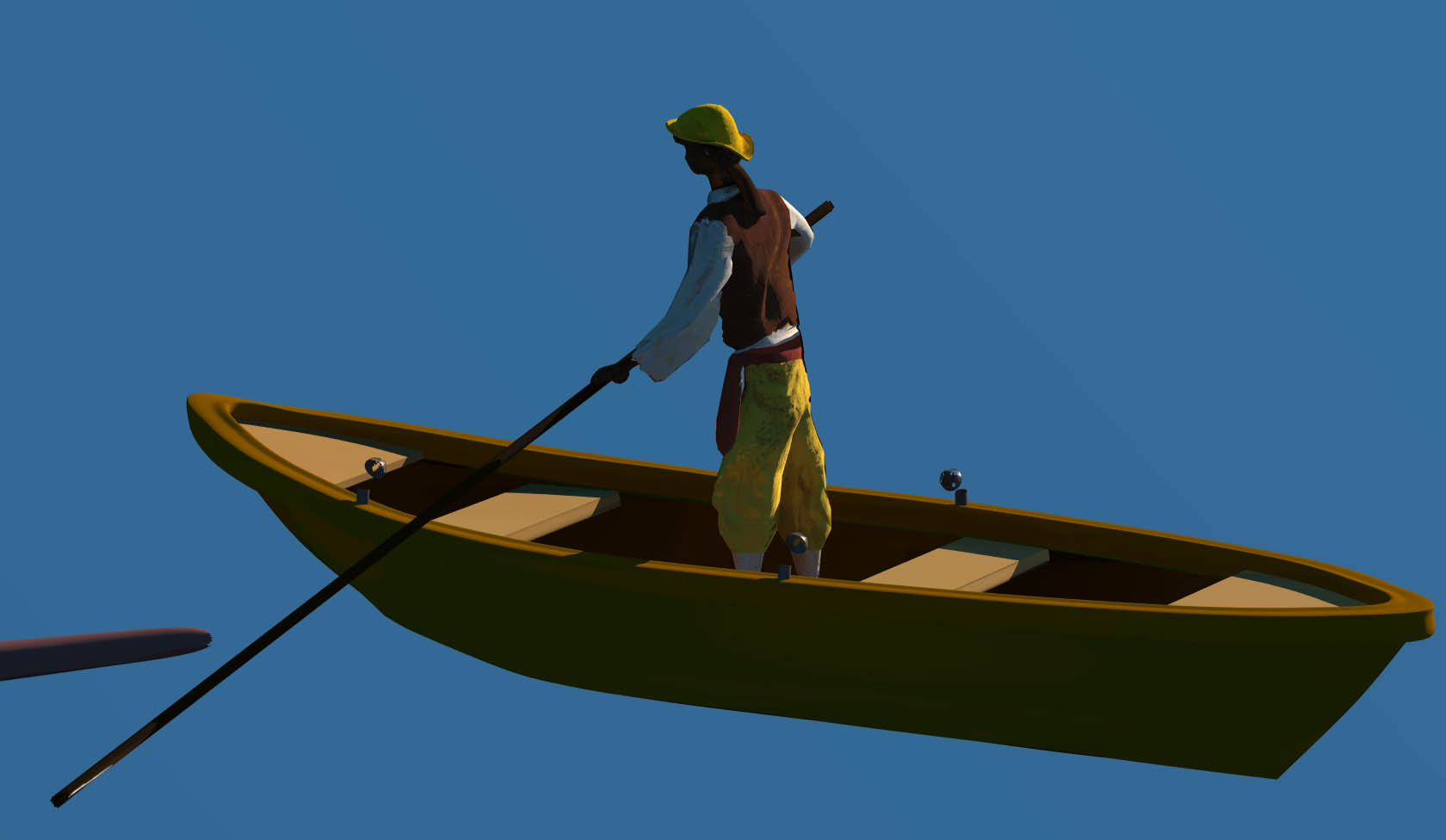
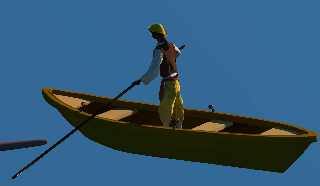
How do people feel about this level of detail in the figure?

BTW how large would this figure actually be on the hardcopy?
Post a reply to this message
Attachments:
Download 'detail.jpg' (57 KB)
Preview of image 'detail.jpg'
|
|
| |
| |
|
|
|
|
| |
| |
|
|
Jim Charter wrote:

> How do people feel about this level of detail in the figure?
>
> BTW how large would this figure actually be on the hardcopy?

It's a good level of details already. This figure will be approximately
the same size as in your image if the whole image will be 7440 in
height.

I see that you are tolerant to criticism, so let me also add some
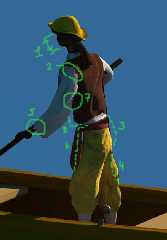
critisism, hopefully constructive :) See attached image.

My general impression is that the whole figure is a bit extended. I
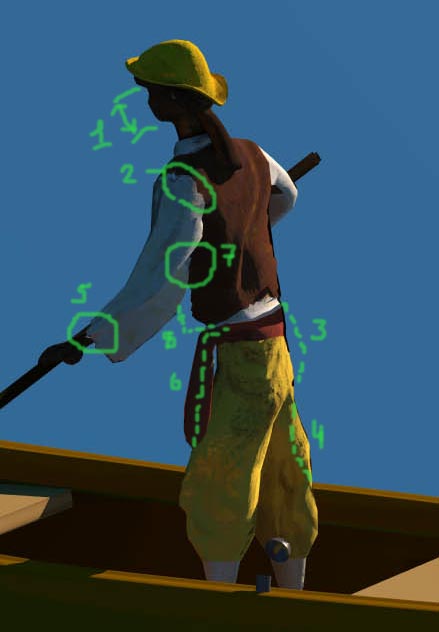
would call it El Greco style :) Your initial intention to keep head:body
proportion as 1:8 is not presented here.

1. Face size is too small. That's why it looks a bit childish to me :)
2. I think this is UV mapping artefact.
I would added a little bit in 3, 6, 8 and removed at 4.
5, 7 - These parts look a bit wrong to me.

Anyway, it'a good level of details already :)

Gena.
Post a reply to this message
Attachments:
Download 'detail1.jpg' (22 KB)
Preview of image 'detail1.jpg'
|
|
| |
| |
|
|
|
|
| |
| |
|
|
Jim Charter wrote:

> How do people feel about this level of detail in the figure?


The level of detail looks good to me. The figure as such may need some
work, as Gena has pointed out. He looks a bit too youthful and relaxed
compared to the guy in the painting.

> BTW how large would this figure actually be on the hardcopy?


Taking Zazzles colossal size as the target, which is almost 2 meters
tall, the figure in the boat would be about 10 cm. Of course the viewing
distance of a print that size would probably be more that the usual arms
length.

/Ib
Post a reply to this message
|
|
| |
| |
|
|
|
|
| |
| |
|
|
Gena Obukhov wrote:

> I see that you are tolerant to criticism, so let me also add some
> critisism, hopefully constructive :) See attached image.
>
These are the first full figures I have ever attempted*, criticism is
invaluable.
Thanks for taking the time to include the diagram, specific examples are
much more valuable than general comments. If it's alright with you I
would like to use the same critical process with the other figures too.
   Generally I think my difficulty comes with the need to envision the
figures in more detail than is given in the painting.  I am much more
mimetic than synthetic in artistic temperament. So I can use all the
help I can get.  The foreground family in particular is going to be huge
in comparison to the size of foreground figures in a Canaletto for instance.

*Today my ten year old daughter just pitched her first ever inning of
baseball.  She struck out one batter then walked in five runs.  But she
came back in the bottom of the inning and hit a homerun!
Post a reply to this message
|
|
| |
| |
|
|
|
|
| |
| |
|
|
> Taking Zazzles colossal size as the target, which is almost 2 meters
> tall, the figure in the boat would be about 10 cm.

Jeez I'm glad I asked!  The foreground family are going to be huge then.
Post a reply to this message
|
|
| |
| |
|
|
|
|
| |
| |
|
|
Jim Charter wrote:

> much more valuable than general comments. If it's alright with you I
> would like to use the same critical process with the other figures too.

No problem. I'm not an expert in this field. I just made some anatomical
drawings long time ago when I attended design studio :) Some of them you
can get here:
http://propro.ru/go/gallery/html/ru1994.html

>    Generally I think my difficulty comes with the need to envision the
> figures in more detail than is given in the painting.  I am much more
> mimetic than synthetic in artistic temperament.

I think you can use any reference painting for figures. We use original
Marlow's painting just as a reference. IMHO copying it stroke by stroke
is... too boring :) So any good improvisation will be very much appreciated :)

Gena.
Post a reply to this message
|
|
| |
| |
|
|
|
|
| |
| |
|
|
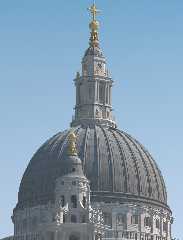
Added some textures to the cathedral. The source is in p.b.s.-f.

Gena.
Post a reply to this message
Attachments:
Download 'capriccio.jpg' (161 KB)
Preview of image 'capriccio.jpg'
|
|
| |
| |
|
|
|
|
| |
| |
|
|
Gena Obukhov wrote:
 > I just made some anatomical
> drawings long time ago when I attended design studio :) Some of them you
> can get here:
> http://propro.ru/go/gallery/html/ru1994.html
>
I have always admired your modelling ability, especially with figures.
I see now it is rooted in a sure sense of form and anatomy.
Post a reply to this message
|
|
| |
| |
|
|
|
|
| |
| |
|
|
Beautiful!
Post a reply to this message
|
|
| |
| |
|
|
|
|
| |
| |
|
|
Gena Obukhov <obu### [at] mailcom> wrote in news:3EDADCC8.82821DB8@mail.com:

> Added some textures to the cathedral. The source is in p.b.s.-f.
>
> Gena.
>
>

I just wanted to say that this project is enjoyable even for the passive
observer.  Keep up the great work everyone.
Post a reply to this message
|
|
| |
| |
|
|
|
|
| |