|
|
|
|
|
|
| |
| |
|
|
|
|
| |
| |
|
|
Does anyone have the old POV Coke Can image I downloaded in my
Compuserve days?
I'd love to sneak some of these into my scenes.

It was an image that looked like a Coke can label, but it said "POV-Ray"
instead of "Coca-Cola".
Post a reply to this message
|
|
| |
| |
|
|
|
|
| |
| |
|
|
Yeah,
compuserve was great. Got the code for the canon-camera, but nowadays such
files are somewhere on the internet and no way to find them ...
Hartmut
"Bryan Valencia" <bry### [at] 209software com> schrieb im Newsbeitrag
news:3A9D4C4C.C4CB40B9@209software.com...
> Does anyone have the old POV Coke Can image I downloaded in my
> Compuserve days?
> I'd love to sneak some of these into my scenes.
>
> It was an image that looked like a Coke can label, but it said "POV-Ray"
> instead of "Coca-Cola".
> com> schrieb im Newsbeitrag
news:3A9D4C4C.C4CB40B9@209software.com...
> Does anyone have the old POV Coke Can image I downloaded in my
> Compuserve days?
> I'd love to sneak some of these into my scenes.
>
> It was an image that looked like a Coke can label, but it said "POV-Ray"
> instead of "Coca-Cola".
>
Post a reply to this message
|
|
| |
| |
|
|
|
|
| |
| |
|
|
There was some site I stumbled accross (The POV Objects Collection or
something).... well we could always keep submitting our objects there and
make it an encyclopedia of POV Objects.... or I can open a similar site if
needed?

BR.Saadat

"Hartmut Wagener" <har### [at] arcormailde> wrote in message
news:3a9d8770@news.povray.org...
> Yeah,
> compuserve was great. Got the code for the canon-camera, but nowadays such
> files are somewhere on the internet and no way to find them ...
>
> Hartmut
>
> "Bryan Valencia" <bry### [at] 209softwarecom> schrieb im Newsbeitrag
> news:3A9D4C4C.C4CB40B9@209software.com...
> > Does anyone have the old POV Coke Can image I downloaded in my
> > Compuserve days?
> > I'd love to sneak some of these into my scenes.
> >
> > It was an image that looked like a Coke can label, but it said "POV-Ray"
> > instead of "Coca-Cola".
> >
>
>
Post a reply to this message
|
|
| |
| |
|
|
|
|
| |
| |
|
|
"Saadat Saeed" <saa### [at] hotmailcom> wrote in
<3a9ddbeb@news.povray.org>:

>There was some site I stumbled accross (The POV Objects Collection or
>something).... well we could always keep submitting our objects there
>and make it an encyclopedia of POV Objects.... or I can open a similar
>site if needed?

Just IMHO, but in general having few (ideally just one) big collections of
objects, etc. is a lot better than several. So: since POV Objects
collection exists, I don't see any need.

Yours,

 - Nikodemus
Post a reply to this message
|
|
| |
| |
|
|
|
|
| |
| |
|
|
Nice, but none of this leads me to the POV " coke can wrapper! :(
Post a reply to this message
|
|
| |
| |
|
|
|
|
| |
| |
|
|
I searched and didn't find either.
I have a coke can image map, maybe you could edit that?  Use a handwriting
font in a paint program and cover the original Coca-Cola.

Bob H.

"Bryan Valencia" <bry### [at] 209softwarecom> wrote in message
news:3A9ECC03.390062D1@209software.com...
> Nice, but none of this leads me to the POV " coke can wrapper!  :(
Post a reply to this message
|
|
| |
| |
|
|
|
|
| |
| |
|
|
I've got that buried somewhere, about 3 HDDs ago, and coupla hundred
megs of pov stuff. Incapable of throwing anything out :-/ Can't find
it sofar but will let you know.


--
Alf

http://www.peake42.freeserve.co.uk/
http://ourworld.compuserve.com/homepages/Alf_Peake/
gw3### [at] thersgbnet


"Bryan Valencia" <bry### [at] 209softwarecom> wrote in message
news:3A9D4C4C.C4CB40B9@209software.com...
> Does anyone have the old POV Coke Can image I downloaded in my
> Compuserve days?
> I'd love to sneak some of these into my scenes.
>
> It was an image that looked like a Coke can label, but it said
"POV-Ray"
> instead of "Coca-Cola".
>
Post a reply to this message
|
|
| |
| |
|
|
|
|
| |
| |
|
|
Sheesh! Seems I started hoarding pov stuff in '95! Found a
"POV-Tea(tm)" label, but looks like you're out of luck, sorry. Seems
there's a chunk of my Compuserve dloads gone AWOL. Probly turn up in a
week-or-2 :-}  I also remember a scene with a can, HF ashtray,
placemat and a photo all on a tiled surface.

Alf

"Alf Peake" <alf### [at] peake42freeservecouk> wrote in message
news:3aa11376@news.povray.org...
> I've got that buried somewhere, about 3 HDDs ago, and coupla hundred
> megs of pov stuff. Incapable of throwing anything out :-/ Can't find
> it sofar but will let you know.
Post a reply to this message
|
|
| |
| |
|
|
|
|
| |
| |
|
|
I tried a similar scene ages ago (for a product logo) and found the font
"Loki Cola".... it's even got the "~" to put across the name, I've attached
a real-quick demo....

Cheers,

Steve Tremayne


"Bob H." <omn### [at] msncom> wrote in message
news:3a9f226a$1@news.povray.org...
> I searched and didn't find either.
> I have a coke can image map, maybe you could edit that?  Use a handwriting
> font in a paint program and cover the original Coca-Cola.
>
> Bob H.
>
> "Bryan Valencia" <bry### [at] 209softwarecom> wrote in message
> news:3A9ECC03.390062D1@209software.com...
> > Nice, but none of this leads me to the POV " coke can wrapper!  :(
>
>
>
Post a reply to this message
Attachments:
Download 'PovRay Coke Logo.gif' (8 KB)
Preview of image 'PovRay Coke Logo.gif'

|
|
| |
| |
|
|
|
|
| |
| |
|
|
"Steve Tremayne" <Ste### [at] pastyidpscouk> wrote in message
news:3aa22571@news.povray.org...
> I tried a similar scene ages ago (for a product logo) and found the font
> "Loki Cola".... it's even got the "~" to put across the name, I've
attached
> a real-quick demo....

Excellent.  I searched for that and just d/l'd it from:
http://www.desktoppub.about.com/compute/desktoppub/library/fonts/hs/uc_lokic
ola.htm

Bob H.
Post a reply to this message
|
|
| |
| |
|
|
|
|
| |
| |
|
|
Bryan Valencia wrote:
> It was an image that looked like a Coke can label, but it said "POV-Ray"
> instead of "Coca-Cola".

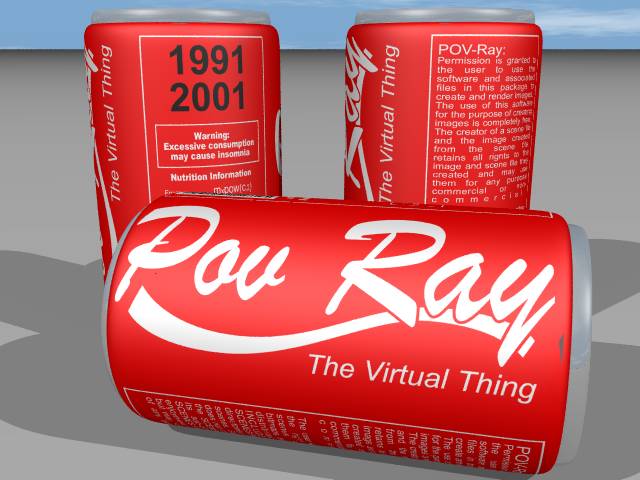
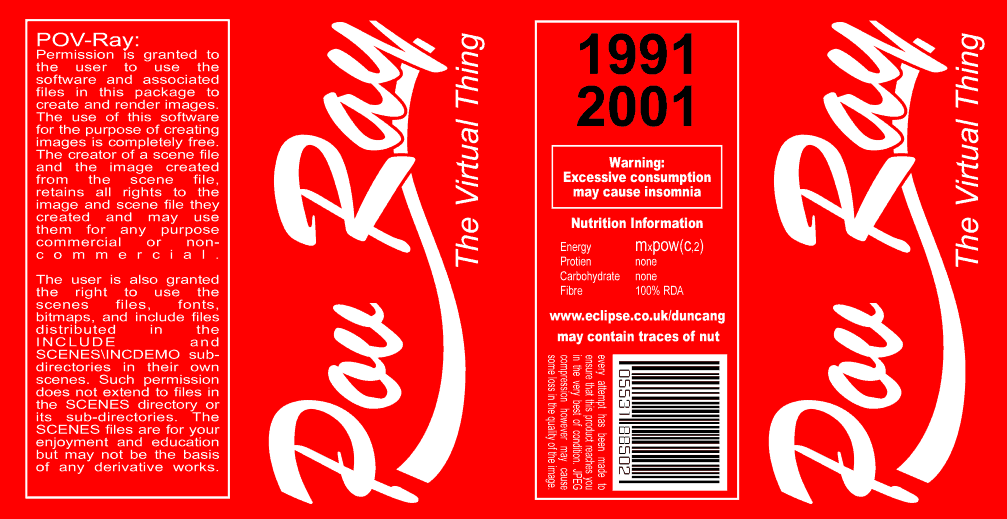
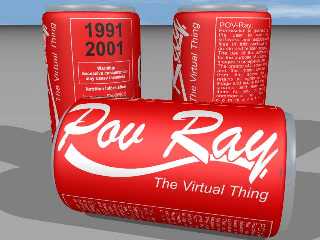
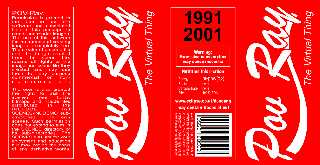
Had a quick play in Adobe Illustrator and produced this for you.
Any good ? Give me a yell if you need higher resolution.

Happy POV-ing.
--
Duncan Gray
(warning: may contain traces of nut)
Post a reply to this message
Attachments:
Download 'pov_cola.jpg' (45 KB)
Download 'coke_map.gif' (48 KB)
Preview of image 'pov_cola.jpg'
Preview of image 'coke_map.gif'
|
|
| |
| |
|
|
|
|
| |
| |
|
|
This is so very cool.  Way to go.
Steve Tremayne suggested the Loki Cola font and I gave a link to that in my
reply to him, just so everyone knows.

Bob H.
Post a reply to this message
|
|
| |
| |
|
|
|
|
| |
| |
|
|
Bob H. wrote:
> This is so very cool.  Way to go.
> Steve Tremayne suggested the Loki Cola font and I gave a link to that in
my
> reply to him, just so everyone knows.

sorry, didn't notice that.
I'll be back ...

--
Duncan Gray
(warning: may contain traces of nut)
Post a reply to this message
|
|
| |
| |
|
|
|
|
| |
| |
|
|
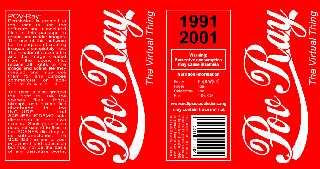
Cheers for pointing out the font again for us 'hard of reading' types - not
sure how I missed your previous post.

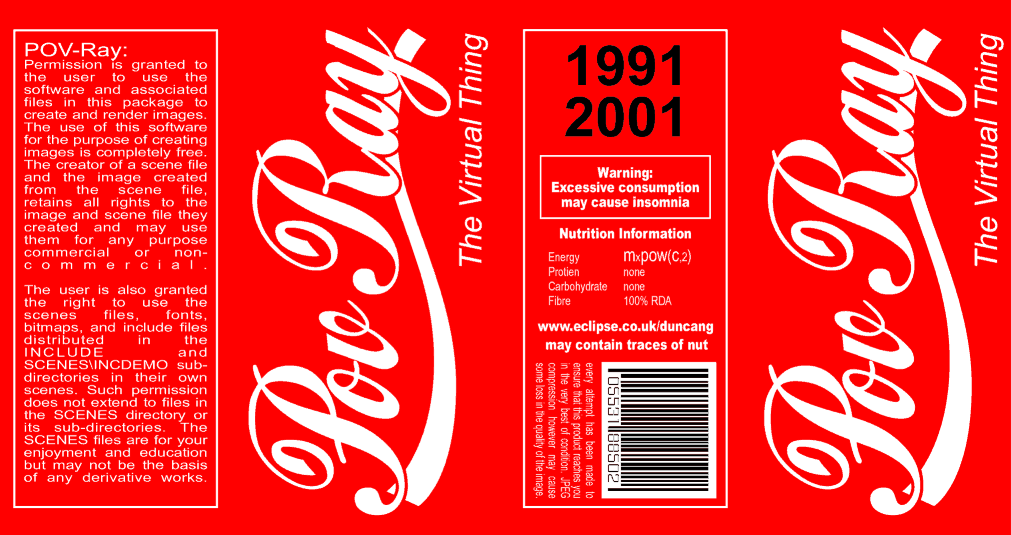
New version - correct font.
Havn't bothered uploading re-rendered version, I'm sure you can image what
it looks like by viewing earlier post.

Can post larger versoin required; the 'natural' size of this map as exported
by Illustrator is twice the size (in pixels), but even if compressed as 16
colour GIF, weighs in at 120K. JPEG can go smaller, but turns nasty when
compressed to Newsgroup acceptable size (I don't think JPEG works too well
with such strong colours).

Should be big enough for background clutter in a larger image.
--
Duncan Gray
(warning: may contain traces of nut)
Post a reply to this message
Attachments:
Download 'can_map.gif' (55 KB)
Preview of image 'can_map.gif'
|
|
| |
| |
|
|
|
|
| |
| |
|
|
Excellent (again).  I liked the first one because of the POV Logo kind of
font though.  Both these are great.
The file size is minimal and at 120K it wouldn't be large really.  Only
thing is I have to convert everything anymore to PNG if it starts off as GIF
since I use MegaPov so much.  I'm used to batch converting already  :-)

Bob H.
Post a reply to this message
|
|
| |
| |
|
|
|
|
| |
| |
|
|
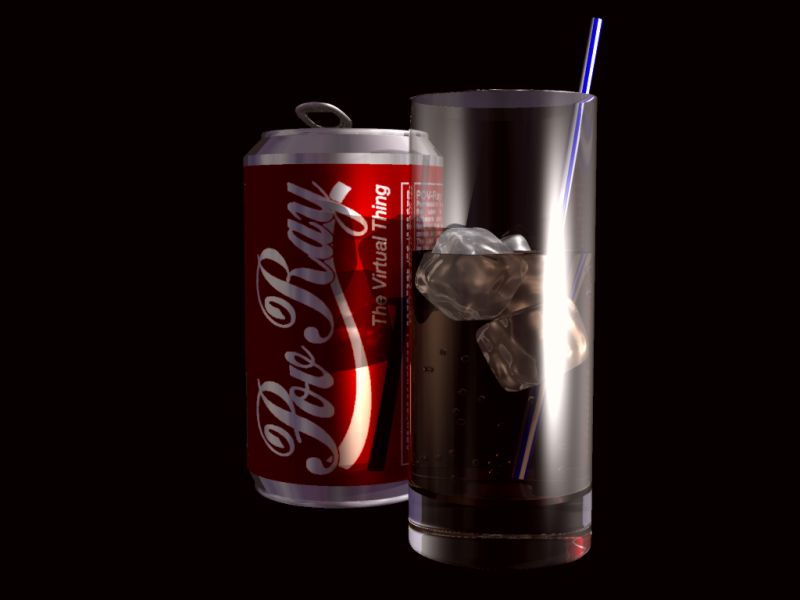
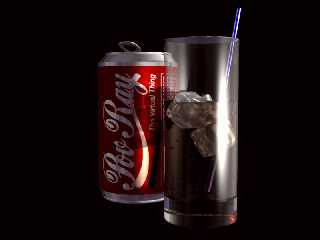
I loved the image map you created so decided to do a little scene. Hope you
like it.
(This is probably the best bit of raytracing I have done :) being a newbie
and all that.)

Dave


"Duncan Gray" <dun### [at] eclipsecouk> wrote in message
news:3aa302e9@news.povray.org...
> Cheers for pointing out the font again for us 'hard of reading' types -
not
> sure how I missed your previous post.
>
> New version - correct font.
> Havn't bothered uploading re-rendered version, I'm sure you can image what
> it looks like by viewing earlier post.
>
> Can post larger versoin required; the 'natural' size of this map as
exported
> by Illustrator is twice the size (in pixels), but even if compressed as 16
> colour GIF, weighs in at 120K. JPEG can go smaller, but turns nasty when
> compressed to Newsgroup acceptable size (I don't think JPEG works too well
> with such strong colours).
>
> Should be big enough for background clutter in a larger image.
> --
> Duncan Gray
> (warning: may contain traces of nut)
>
>
>
Post a reply to this message
Attachments:
Download 'povray_coke_can.jpg' (30 KB)
Preview of image 'povray_coke_can.jpg'
|
|
| |
| |
|
|
|
|
| |
| |
|
|
NTL wrote:
> I loved the image map you created so decided to do a little scene. Hope
> you like it.

Very much so.

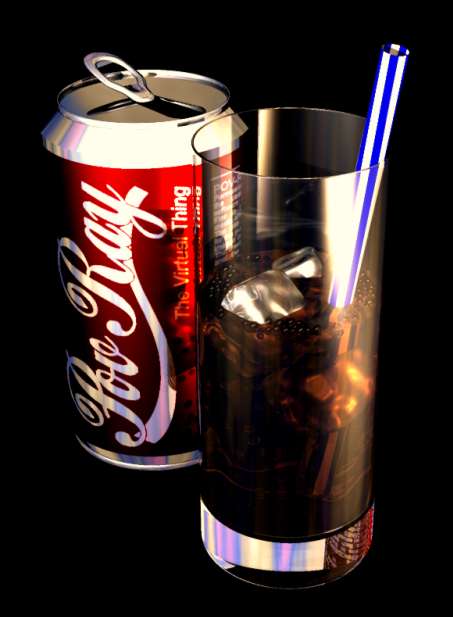
But ... is there something not quite right with the top of the glass ? The
refraction of the light is causing the straw to be not visible just below
the rim of the glass. I'd only expect this to happen if it were a solid
cylinder rather than open-topped tube.

Is the glass a basic cylinder difference, if so it might be that you have
made the inner cylinder the same height as the outer, from the wrong angle,
this can cause POV-Ray to leave a thin skin where both surfaces intersect.
If this the case, I'd suggest making the inner cylinder slightly taller than
the outer, just to make sure it protrudes through the surface.

Great picture though, the low-lighting is spot-on and I love those
ice-cubes.

It must have taken a long time to render - the drink has gone flat ;)
How about some bubbles ? (only a suggestion, this will probably slow down
the render time quite considerably - lots more reflections and refractions
for POV-Ray to trace)

--
Duncan Gray
(warning: may contain traces of nut)
Post a reply to this message
|
|
| |
| |
|
|
|
|
| |
| |
|
|
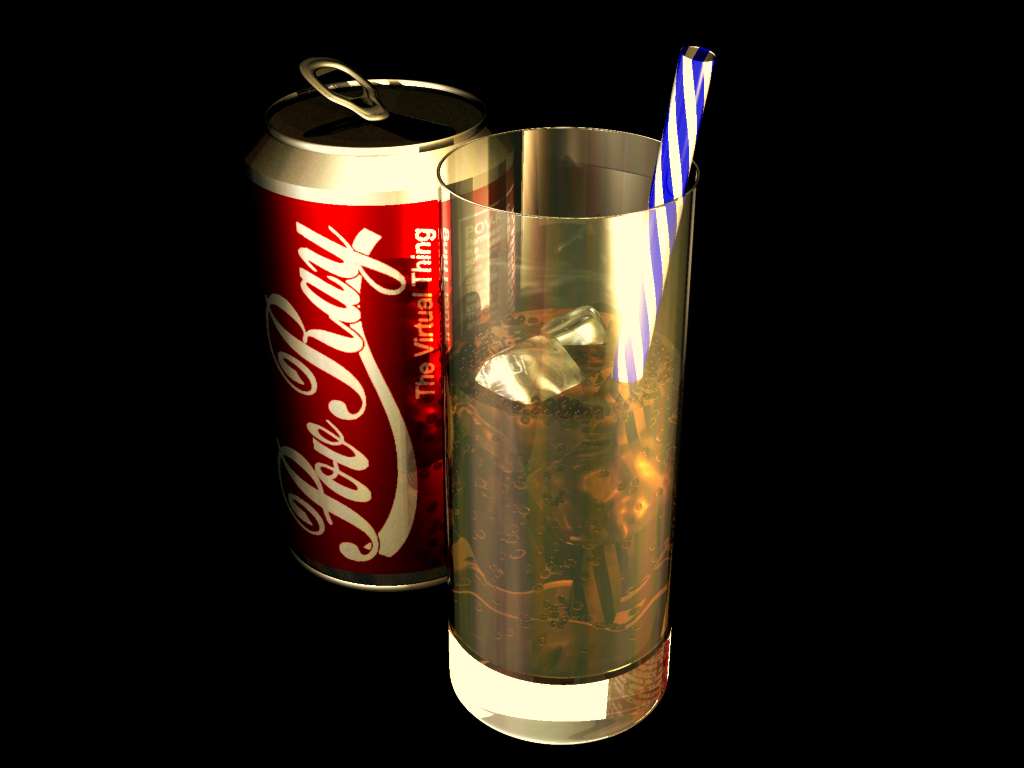
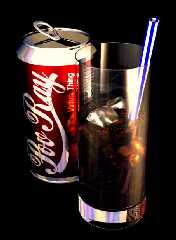
You are absolutely right about the inner cylinder that makes up the glass,
it was of equal length to the outer cylinder. I spotted it about 30 sec
after uploading *doh*.

Render time was approx 45min at 1024x768 +aa and radiosity on my athlon 850.

The bubbles were the first thing my wife noticed were missing. I have now
added them (lots of them), see attached picture.

Dave

p.s I just wondered if it is possible to actually get to the end of raytrace
and be happy with the result. Or do you always spot some tiny insignificant
problem that you have to go in and change and start the render again. If
this is the case I suppose you never really finish a scene. :)

> Very much so.
>
> But ... is there something not quite right with the top of the glass ? The
> refraction of the light is causing the straw to be not visible just below
> the rim of the glass. I'd only expect this to happen if it were a solid
> cylinder rather than open-topped tube.
>
> Is the glass a basic cylinder difference, if so it might be that you have
> made the inner cylinder the same height as the outer, from the wrong
angle,
> this can cause POV-Ray to leave a thin skin where both surfaces intersect.
> If this the case, I'd suggest making the inner cylinder slightly taller
than
> the outer, just to make sure it protrudes through the surface.
>
> Great picture though, the low-lighting is spot-on and I love those
> ice-cubes.
>
> It must have taken a long time to render - the drink has gone flat ;)
> How about some bubbles ? (only a suggestion, this will probably slow down
> the render time quite considerably - lots more reflections and refractions
> for POV-Ray to trace)
>
> --
> Duncan Gray
> (warning: may contain traces of nut)
>
>
Post a reply to this message
|
|
| |
| |
|
|
|
|
| |
| |
|
|
> see attached picture

Um... where did you say that picture was again? I think maybe the paperclip
fell off...

I'd really love to see it  =)

nekar
Post a reply to this message
|
|
| |
| |
|
|
|
|
| |
| |
|
|
Sorry about that, it must of been a dodgy paperclip.


"Nekar Xenos" <vir### [at] iconcoza> wrote in message
news:3aa9f933@news.povray.org...
> > see attached picture
>
> Um... where did you say that picture was again? I think maybe the
paperclip
> fell off...
>
> I'd really love to see it  =)
>
> nekar
>
>
Post a reply to this message
Attachments:
Download 'coke.jpg' (27 KB)
Preview of image 'coke.jpg'
|
|
| |
| |
|
|
From: Marc-Hendrik Bremer
Subject: Re: Correct Font Version (Ooops)
Date: 10 Mar 2001 07:22:08
Message: <3aaa1c70@news.povray.org>
|
|
|
| |
| |
|
|
Oh, that is again a lot better than the first one (which was already nice).
Looks like a real  advertise ;-) How about bubbles IN the coke ... äh ...
Pov-Ray ...? I get always some at the bottom and the sides of the glass.
Maybe my glasses are not clean enough?

I don't think, a scene can ever be finished. Due to the possibility to
change everything over and over (without ripping the paper apart or
something) and the fact that Pov-Ray crows and the team adds all those nifty
features, there is always something that can be done better.

Marc-Hendrik
Post a reply to this message
|
|
| |
| |
|
|
|
|
| |
| |
|
|
NTL wrote:
> p.s I just wondered if it is possible to actually get to the end of
> raytrace and be happy with the result. Or do you always spot some tiny
> insignificant problem that you have to go in and change and start the
> render again. If this is the case I suppose you never really finish a
> scene. :)

Mine are only finished when the deadline arrives! If there is no deadline,
then they are never really finished; there will always be something that can
be tweaked (Of course posting here probably doesn't help - you'll always
receive plenty of suggestions on how to spend another weekend on the scene
;)

I would think artists of all mediums - raytraced, painted, carved, whatever
have the same problem.

I've entred the IRTC ANIM comp three times now, and I have to admit, there
was a glitch in all three of them. I knew the problems were there when I
uploaded, but render time prevented me fixing them in time. (Luckily, the
judges either didn't notice, or else forgave me the oversight)

Love the new picture, but I might make another observation: Now we can see
the top of the can, it looks to me to be too reflective, and perhaps made of
rather thick metal ;)

But please, don't feel obliged to tweak it and re-render on my account!
--
Duncan Gray
(warning: may contain traces of nut)
Post a reply to this message
|
|
| |
| |
|
|
|
|
| |
| |
|
|
p.s I just wondered if it is possible to actually get to the end of raytrace
and be happy with the result. Or do you always spot some tiny insignificant
problem that you have to go in and change and start the render again. If
this is the case I suppose you never really finish a scene. :)

----------
You got it !!! . . . at least that my experience . . .
But . . . that's what keeps me comin' back. ;)
. .
Y
Post a reply to this message
|
|
| |
| |
|
|
|
|
| |
| |
|
|
Love the new picture, but I might make another observation: Now we can see
the top of the can, it looks to me to be too reflective, and perhaps made of
rather thick metal ;)

But please, don't feel obliged to tweak it and re-render on my account!

Duncan Gray
----------------------
yeah . . . and a twist in the blue stripe on the straw . . .
        . . . and some lipstick on the end . . .
        . . . and a nice wood tabletop . . .
        . . . and . . . :) hehe

Naw . . . it's great as iz . . . what'z da code fer the ice cubes look like
. . . ?
. .
Y
Post a reply to this message
|
|
| |
| |
|
|
|
|
| |
| |
|
|
now then, that is quite spectacular, nice work!


--
Rick

POV-Ray News & Resources - http://povray.co.uk
Kitty5 WebDesign - http://kitty5.com
Hi-Impact web site design & database driven e-commerce
TEL : +44 (01625) 266358 - FAX : +44 (01625) 611913 - ICQ : 15776037

PGP Public Key
http://pgpkeys.mit.edu:11371/pks/lookup?op=get&search=0x231E1CEA
Post a reply to this message
|
|
| |
| |
|
|
|
|
| |
| |
|
|
Code for Ice Cube

#declare ice_cube =
   material


      texture


         pigment
         {
            color rgbf <0.8854, 0.9375, 1.0, 0.5729>
         }
         normal
         {
            bozo , 0.5
            scale  0.5
         }
         finish
         {
            ambient 0.1007
            diffuse 0.446033
            phong 1.0
            phong_size 49.666667
            specular 1.0
            reflection 0.08
         }
      }
      interior
      {
         ior 1.4
         caustics 1.0
      }
   }

superellipsoid {
  <0.3, 0.3>
  material {
    ice_cube
  }
  scale 0.3
  rotate <-0.0, 32.836426, -38.440277>

}


Dave.


"yooper" <Out### [at] huntelnet> wrote in message
news:3aaa6867$1@news.povray.org...
> Love the new picture, but I might make another observation: Now we can see
> the top of the can, it looks to me to be too reflective, and perhaps made
of
> rather thick metal ;)
>
> But please, don't feel obliged to tweak it and re-render on my account!
>
> Duncan Gray
> ----------------------
> yeah . . . and a twist in the blue stripe on the straw . . .
>         . . . and some lipstick on the end . . .
>         . . . and a nice wood tabletop . . .
>         . . . and . . . :) hehe
>
> Naw . . . it's great as iz . . . what'z da code fer the ice cubes look
like
> . . . ?
> . .
> Y
>
>
Post a reply to this message
|
|
| |
| |
|
|
|
|
| |
| |
|
|
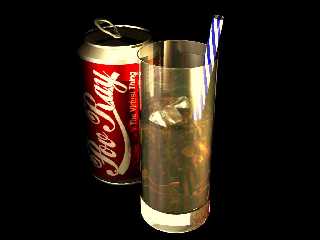
This is the final version. :)

I have sorted a couple of things that you brought up in earlier posts but I
dont think I am going to do any more. I dont think my wife would be very
impressed if I spent any more time on it either. The final render took 24
min 52 sec (not sure how it was quicker than previous render) with aa 0.1
and radiosity on.This all took place on my Athlon 850, 256mb RAM. Hope you
all like it.

My worst problem with Pov is ideas, once I have an idea I keep going and
going until I am happy (ish) with it. If anybody has any good ideas I would
love to hear them. I just want to get my teeth stuck into something new.

Happy Rendering

Dave B
"yooper" <Out### [at] huntelnet> wrote in message
news:3aaa6867$1@news.povray.org...
> Love the new picture, but I might make another observation: Now we can see
> the top of the can, it looks to me to be too reflective, and perhaps made
of
> rather thick metal ;)
>
> But please, don't feel obliged to tweak it and re-render on my account!
>
> Duncan Gray
> ----------------------
> yeah . . . and a twist in the blue stripe on the straw . . .
>         . . . and some lipstick on the end . . .
>         . . . and a nice wood tabletop . . .
>         . . . and . . . :) hehe
>
> Naw . . . it's great as iz . . . what'z da code fer the ice cubes look
like
> . . . ?
> . .
> Y
>
>
Post a reply to this message
|
|
| |
| |
|
|
|
|
| |
| |
|
|
BLOODY PAPERCLIPS!!!


"Dave B" <kry### [at] totalisecouk> wrote in message
news:3aab4d8a$1@news.povray.org...
> This is the final version. :)
>
> I have sorted a couple of things that you brought up in earlier posts but
I
> dont think I am going to do any more. I dont think my wife would be very
> impressed if I spent any more time on it either. The final render took 24
> min 52 sec (not sure how it was quicker than previous render) with aa 0.1
> and radiosity on.This all took place on my Athlon 850, 256mb RAM. Hope you
> all like it.
>
> My worst problem with Pov is ideas, once I have an idea I keep going and
> going until I am happy (ish) with it. If anybody has any good ideas I
would
> love to hear them. I just want to get my teeth stuck into something new.
>
> Happy Rendering
>
> Dave B
> "yooper" <Out### [at] huntelnet> wrote in message
> news:3aaa6867$1@news.povray.org...
> > Love the new picture, but I might make another observation: Now we can
see
> > the top of the can, it looks to me to be too reflective, and perhaps
made
> of
> > rather thick metal ;)
> >
> > But please, don't feel obliged to tweak it and re-render on my account!
> >
> > Duncan Gray
> > ----------------------
> > yeah . . . and a twist in the blue stripe on the straw . . .
> >         . . . and some lipstick on the end . . .
> >         . . . and a nice wood tabletop . . .
> >         . . . and . . . :) hehe
> >
> > Naw . . . it's great as iz . . . what'z da code fer the ice cubes look
> like
> > . . . ?
> > . .
> > Y
> >
> >
>
>
Post a reply to this message
Attachments:
Download 'coke.jpg' (42 KB)
Preview of image 'coke.jpg'
|
|
| |
| |
|
|
|
|
| |
| |
|
|
If anybody has any good ideas I
would
> love to hear them. I just want to get my teeth stuck into something new.
>
> Happy Rendering
>
> Dave B
-------------
Lookin' good . . .

Here's an idea that I haven't had much time to explore . . .
I want to use an image file to create a stained-glass window
with light shining thru it and thru some media into a dark
room . . . rays streaming thru it all.
I started but ran into trouble getting the .png format to be
transparent.  I think I have that figured out . . . changing it
to 256 colors . . . but haven't had time to get back to it.
And I know nothing about media . . .
Also . . . I suffer from the same affliction that you have . . .
I keep getting new ideas along the way and easily get diverted
in other directions.  Whata ya gonna do . . . ;)
So . . . if that's something you would like to explore . . .
have at it and enjoy. . .
Y
POVaholic
Post a reply to this message
|
|
| |
| |
|
|
|
|
| |
| |
|
|
yooper <Out### [at] huntelnet> wrote in message
news:3aabbed2$1@news.povray.org...
> If anybody has any good ideas I
> would
> > love to hear them. I just want to get my teeth stuck into something new.
> >
> > Happy Rendering
> >
> > Dave B
> -------------
> Lookin' good . . .
>
> Here's an idea that I haven't had much time to explore . . .
> I want to use an image file to create a stained-glass window
> with light shining thru it and thru some media into a dark
> room . . . rays streaming thru it all.
> I started but ran into trouble getting the .png format to be
> transparent.  I think I have that figured out . . . changing it
> to 256 colors . . . but haven't had time to get back to it.
> And I know nothing about media . . .

You have to (I believe and could be very wrong in this) manually add the
alpha channel to the png to get transparency.


--
-The "D"
    A Thunderstorm is God's way of telling you that you spend too much time
on the
computer
Email address given is a spam catcher only
Post a reply to this message
|
|
| |
| |
|
|
|
|
| |
| |
|
|
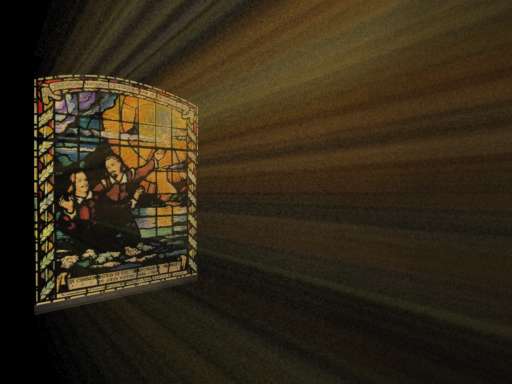
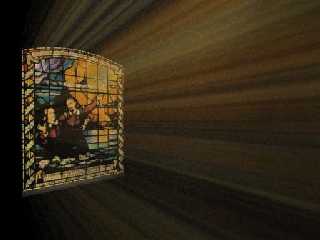
Is this what you are after.

Dave B


"yooper" <Out### [at] huntelnet> wrote in message
news:3aabbed2$1@news.povray.org...
> If anybody has any good ideas I
> would
> > love to hear them. I just want to get my teeth stuck into something new.
> >
> > Happy Rendering
> >
> > Dave B
> -------------
> Lookin' good . . .
>
> Here's an idea that I haven't had much time to explore . . .
> I want to use an image file to create a stained-glass window
> with light shining thru it and thru some media into a dark
> room . . . rays streaming thru it all.
> I started but ran into trouble getting the .png format to be
> transparent.  I think I have that figured out . . . changing it
> to 256 colors . . . but haven't had time to get back to it.
> And I know nothing about media . . .
> Also . . . I suffer from the same affliction that you have . . .
> I keep getting new ideas along the way and easily get diverted
> in other directions.  Whata ya gonna do . . . ;)
> So . . . if that's something you would like to explore . . .
> have at it and enjoy. . .
> Y
> POVaholic
>
>
Post a reply to this message
Attachments:
Download 'stain_window.jpg' (18 KB)
Preview of image 'stain_window.jpg'
|
|
| |
| |
|
|
|
|
| |
| |
|
|
Dave B wrote:
> I have sorted a couple of things that you brought up in earlier
> posts but I dont think I am going to do any more.
> <SNIP>

Oh yes, I like that very much, time to call it finished.

Dave B continued:
> <SNIP>
> If anybody has any good ideas I would love to hear them. I just
> want to get my teeth stuck into something new.
> <SNIP>

How about the IRTC Stills competition. Current theme is "Fortress".

Inspire any idea's ?

--
Duncan Gray
(warning: may contain traces of nut)
Post a reply to this message
|
|
| |
| |
|
|
|
|
| |
| |
|
|
You have to (I believe and could be very wrong in this) manually add the
alpha channel to the png to get transparency.
--------
How????  I have PSP6 but the help files don't seem to address this . . .
. .
Y
Post a reply to this message
|
|
| |
| |
|
|
|
|
| |
| |
|
|
Is this what you are after.

Dave B
----------
Yup . . . intended having it shine down onto the floor tho . . .
Got a snippet of code for the image_map portion?
Also don't understand how the .png and alpha channel thing works
so would appreciate any hints there.
TIA
. .
Y
Post a reply to this message
|
|
| |
| |
|
|
|
|
| |
| |
|
|
"yooper" <Out### [at] huntelnet> wrote in message
news:3aac5443$1@news.povray.org...
> Also don't understand how the .png and alpha channel thing works
> so would appreciate any hints there.

You output a PNG or TGA having a Alpha Channel by using +UA on the
command-line or Output_Alpha=On in the INI.  Needs to be at least a 24 bit
image (default).  Any transmit in the pigments will be part of that, and in
PSP you can see it by going to the Selections or Masks menu (I still have
PSP 5 but I'm guessing it's the same) and Load from Alpha Channel... once
the image file is open.
Be aware that MegaPov 0.7 seems to break the Alpha Channel; also that filter
is not converted to it, only transmit.  Value can be 0 to 1 so it can vary
in transparency but color doesn't matter.

Bob H.
Post a reply to this message
|
|
| |
| |
|
|
|
|
| |
| |
|
|
"yooper" <Out### [at] huntelnet> wrote in message
news:3aac5442$1@news.povray.org...
> You have to (I believe and could be very wrong in this) manually add the
> alpha channel to the png to get transparency.
> --------
> How????  I have PSP6 but the help files don't seem to address this . . .

I can't seem to do it in PSP 5.  Supposed to be able to make a selection
(could be All of image) and then Save to Alpha Channel but I never use it so
I don't know how to go about it.  If I try, all I get is a blank.

Bob H.
Post a reply to this message
|
|
| |
| |
|
|
|
|
| |
| |
|
|
"Bob H." wrote:

> I can't seem to do it in PSP 5.  Supposed to be able to make a selection
> (could be All of image) and then Save to Alpha Channel

The Gimp does this.
--
Bye,
Pabs
Post a reply to this message
|
|
| |
| |
|
|
|
|
| |
| |
|
|
Bob H. wrote in message <3aac6351@news.povray.org>...
>"yooper" <Out### [at] huntelnet> wrote in message
>news:3aac5442$1@news.povray.org...
>> You have to (I believe and could be very wrong in this) manually add the
>> alpha channel to the png to get transparency.
>> --------
>> How????  I have PSP6 but the help files don't seem to address this . . .
>
>I can't seem to do it in PSP 5.  Supposed to be able to make a selection
>(could be All of image) and then Save to Alpha Channel but I never use it
so
>I don't know how to go about it.  If I try, all I get is a blank.
>
>Bob H.


In PSP 5,6, or 7 you make a mask from the image from the image itself. You
can then save it to the alpha channel just like a selection. You'll probably
want to delete the mask afterwards, and that's ok because it'll still be in
the alpha channel. While it is still a mask though, you can choose to edit
the mask as a separate bitmap. This will let you use the various
photo-retouch tools  ( i.e. smudge, darken, lighten, etc.) to gain more
control over the transparency. When you save the image, any file format
supporting alpha channel will have it. Hope that helps.

Batronyx ^"^
bat### [at] cadronhsacom
Post a reply to this message
|
|
| |
| |
|
|
|
|
| |
| |
|
|
thanks Bob . . .
Post a reply to this message
|
|
| |
| |
|
|
|
|
| |
| |
|
|
In PSP 5,6, or 7 you make a mask from the image from the image itself.
You can then save it to the alpha channel just like a selection.
------
I be thankin' you, sir . . .
. .
Y
Post a reply to this message
|
|
| |
| |
|
|
|
|
| |
| |
|
|
yooper <Out### [at] huntelnet> wrote in message
news:3aac5442$1@news.povray.org...
> You have to (I believe and could be very wrong in this) manually add the
> alpha channel to the png to get transparency.
> --------
> How????  I have PSP6 but the help files don't seem to address this . . .
I'm not sure. I use the gimp myself.


--
-The "D"
    A Thunderstorm is God's way of telling you that you spend too much time
on the
computer
Email address given is a spam catcher only
Post a reply to this message
|
|
| |
| |
|
|
|
|
| |
| |
|
|
You're more than welcome.
Batronyx ^"^


yooper wrote in message <3aad03c9@news.povray.org>...
>In PSP 5,6, or 7 you make a mask from the image from the image itself.
>You can then save it to the alpha channel just like a selection.
>------
>I be thankin' you, sir . . .
>. .
>Y
>
>
Post a reply to this message
|
|
| |
| |
|
|
|
|
| |
| |
|
|
This is nice. I like how you have tinted lights that blend to white.

--
David Fontaine  <dav### [at] faricynet>  ICQ 55354965
My raytracing gallery:  http://davidf.faricy.net/
Post a reply to this message
|
|
| |
| |
|
|
|
|
| |