|
|
|
|
|
|
| |
| |
|
|
|
|
| |
| |
|
|
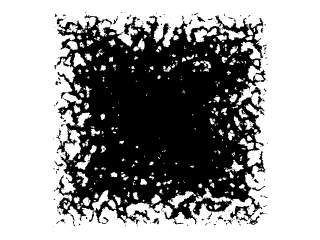
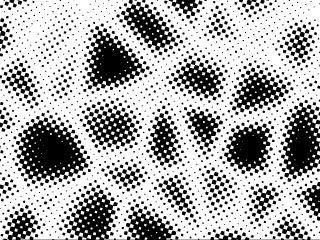
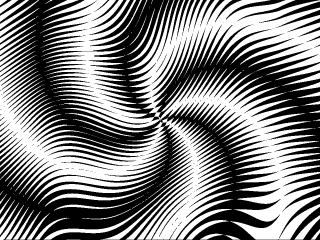
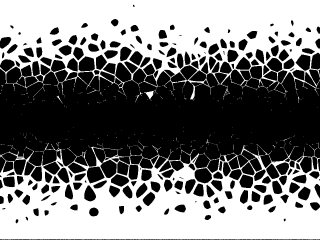
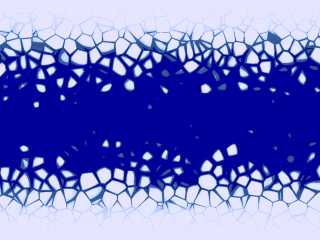
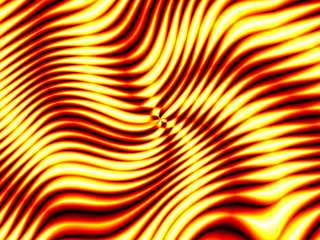
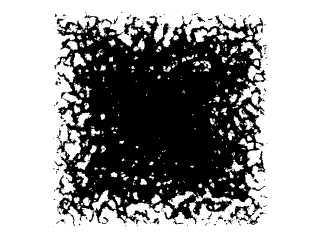
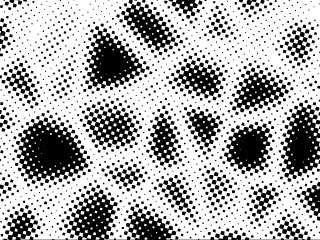
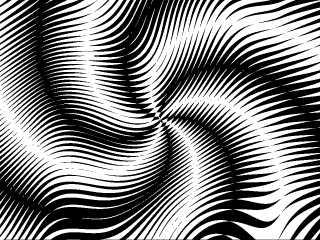
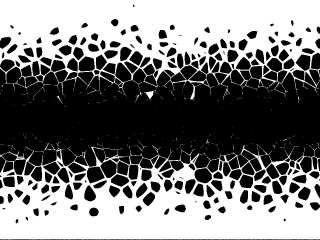
Made in official POV-Ray using regular pigment_maps.

Greetings,

Rune
--
Updated July 10: http://rsj.mobilixnet.dk
3D images, include files, stereograms, tutorials,
The POV Desktop Theme, The POV-Ray Logo Contest,
music, 350+ raytracing jokes, and much more!
Post a reply to this message
Attachments:
Download 'image4.gif' (10 KB)
Download 'image2.gif' (18 KB)
Download 'image3.gif' (19 KB)
Download 'image1.gif' (11 KB)
Preview of image 'image4.gif'
Preview of image 'image2.gif'
Preview of image 'image3.gif'
Preview of image 'image1.gif'
|
|
| |
| |
|
|
|
|
| |
| |
|
|
These are all cool. I'm pretty sure I could recreate #1 and #4, but how did
you do #2 and #3 ... ?
"Rune" <run### [at] iname com> wrote in message
news:3979c0f0@news.povray.org...
> Made in official POV-Ray using regular pigment_maps.
>
> Greetings,
>
> Rune
> --
> Updated July 10: http://rsj.mobilixnet.dk
> 3D images, include files, stereograms, tutorials,
> The POV Desktop Theme, The POV-Ray Logo Contest,
> music, 350+ raytracing jokes, and much more!
>
>
> com> wrote in message
news:3979c0f0@news.povray.org...
> Made in official POV-Ray using regular pigment_maps.
>
> Greetings,
>
> Rune
> --
> Updated July 10: http://rsj.mobilixnet.dk
> 3D images, include files, stereograms, tutorials,
> The POV Desktop Theme, The POV-Ray Logo Contest,
> music, 350+ raytracing jokes, and much more!
>
>
>
Post a reply to this message
|
|
| |
| |
|
|
|
|
| |
| |
|
|
code? please?  really neat-o.

Paul Vanukoff wrote:
>
> These are all cool. I'm pretty sure I could recreate #1 and #4, but how did
> you do #2 and #3 ... ?
>
> "Rune" <run### [at] inamecom> wrote in message
> news:3979c0f0@news.povray.org...
> > Made in official POV-Ray using regular pigment_maps.
> >
> > Greetings,
> >
> > Rune
> > --
> > Updated July 10: http://rsj.mobilixnet.dk
> > 3D images, include files, stereograms, tutorials,
> > The POV Desktop Theme, The POV-Ray Logo Contest,
> > music, 350+ raytracing jokes, and much more!
> >
> >
> >
Post a reply to this message
|
|
| |
| |
|
|
|
|
| |
| |
|
|
Rune wrote:
>
> Made in official POV-Ray using regular pigment_maps.
>
> Greetings,
>
> Rune

Looks good, some changes and the last one would be good for a ice-free line on a
frozen water...

do they use average or pigment_map ?

Christoph

--
Christoph Hormann <chr### [at] gmxde>
Homepage: http://www.schunter.etc.tu-bs.de/~chris/
Post a reply to this message
|
|
| |
| |
|
|
|
|
| |
| |
|
|
This just goes to show how powerful POV's patterns are. :) Cool stuff, Rune.
Post a reply to this message
|
|
| |
| |
|
|
|
|
| |
| |
|
|
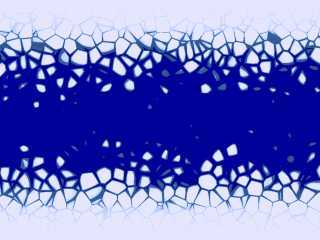
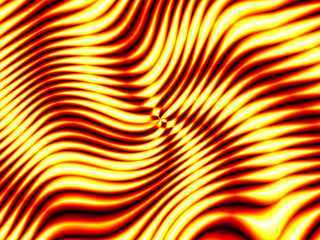
All 4 images + the 2 attached here use the same technique.

In the two images attached here I just modified the color_map (and some
minor other changes).

In each image one pigment with one pigment_map is used.

I didn't use average.

I didn't use layered textures.

I didn't use any post processing.

The technique is fairly simple, and I'm sure others have done similar things
before.

Greetings,

Rune
--
Updated July 10: http://rsj.mobilixnet.dk
3D images, include files, stereograms, tutorials,
The POV Desktop Theme, The POV-Ray Logo Contest,
music, 350+ raytracing jokes, and much more!
Post a reply to this message
Attachments:
Download 'icefloes.jpg' (12 KB)
Download 'crazyspiral.jpg' (19 KB)
Preview of image 'icefloes.jpg'
Preview of image 'crazyspiral.jpg'
|
|
| |
| |
|
|
|
|
| |
| |
|
|
All very good examples of pattern possibilities.  Any while loops used?

Bob
Post a reply to this message
|
|
| |
| |
|
|
|
|
| |
| |
|
|
Another gauntlet thrown down... and I was hoping to have a reason not to
clean out my closet... Very nice. Very challenging. Now I have to
experiment. I can see the basic patterns, but only one pattern and only
one map? I can't think of controlling turbulence that well....

Josh

Rune wrote:

> Made in official POV-Ray using regular pigment_maps.
>
> Greetings,
>
> Rune
> --
> Updated July 10: http://rsj.mobilixnet.dk
> 3D images, include files, stereograms, tutorials,
> The POV Desktop Theme, The POV-Ray Logo Contest,
> music, 350+ raytracing jokes, and much more!
>
>  [Image]
>
>  [Image]
>
>  [Image]
>
>  [Image]
Post a reply to this message
|
|
| |
| |
|
|
|
|
| |
| |
|
|
Would really like to see the code for these
<nice smile>
Please?
Post a reply to this message
|
|
| |
| |
|
|
|
|
| |
| |
|
|
"ryan constantine" wrote:
> code? please?  really neat-o.

Thanks! Have a look at:

http://rsj.mobilixnet.dk/3d/goodies/goodies.html

Greetings,

Rune
--
Updated July 10: http://rsj.mobilixnet.dk
3D images, include files, stereograms, tutorials,
The POV Desktop Theme, The POV-Ray Logo Contest,
music, 350+ raytracing jokes, and much more!
Post a reply to this message
|
|
| |
| |
|
|
|
|
| |
| |
|
|
"Paul Vanukoff" wrote:
> These are all cool.

Thanks!

> I'm pretty sure I could recreate #1 and #4, but how did
> you do #2 and #3 ... ?

The same technique is used for all the images. Only the patterns used are
different. I have now uploaded the source code to
http://rsj.mobilixnet.dk/3d/goodies/goodies.html

Greetings,

Rune
--
Updated July 10: http://rsj.mobilixnet.dk
3D images, include files, stereograms, tutorials,
The POV Desktop Theme, The POV-Ray Logo Contest,
music, 350+ raytracing jokes, and much more!
Post a reply to this message
|
|
| |
| |
|
|
|
|
| |
| |
|
|
"Christoph Hormann" wrote:
> Looks good,

Thanks!

> some changes and the last one would be good for
> a ice-free line on a frozen water...

Thanks, that comment inspired me to make the color version!

> do they use average or pigment_map ?

average no, pigment_map yes.

Source code at
http://rsj.mobilixnet.dk/3d/goodies/goodies.html

Greetings,

Rune
--
Updated July 10: http://rsj.mobilixnet.dk
3D images, include files, stereograms, tutorials,
The POV Desktop Theme, The POV-Ray Logo Contest,
music, 350+ raytracing jokes, and much more!
Post a reply to this message
|
|
| |
| |
|
|
|
|
| |
| |
|
|
"Tony[B]" wrote:
> This just goes to show how powerful POV's patterns are. :)

Yes, and that although patched versions of POV-Ray are great, there are
still lots of things to explore within official POV-Ray! :-)

> Cool stuff, Rune.

Thanks!

Rune
--
Updated July 10: http://rsj.mobilixnet.dk
3D images, include files, stereograms, tutorials,
The POV Desktop Theme, The POV-Ray Logo Contest,
music, 350+ raytracing jokes, and much more!
Post a reply to this message
|
|
| |
| |
|
|
|
|
| |
| |
|
|
"Bob Hughes" wrote:
> All very good examples of pattern possibilities.

Thanks!

> Any while loops used?

Yep!

Source code at
http://rsj.mobilixnet.dk/3d/goodies/goodies.html

Greetings,

Rune
--
Updated July 10: http://rsj.mobilixnet.dk
3D images, include files, stereograms, tutorials,
The POV Desktop Theme, The POV-Ray Logo Contest,
music, 350+ raytracing jokes, and much more!
Post a reply to this message
|
|
| |
| |
|
|
|
|
| |
| |
|
|
"Joshua English" wrote:
> Another gauntlet thrown down... and I was hoping to have
> a reason not to clean out my closet... Very nice. Very
> challenging.

Ok, *don't* look at the web page where the source code is!
- that will just ruin your fun I suppose. ;-)

> Now I have to experiment. I can see the basic patterns,
> but only one pattern and only one map? I can't think of
> controlling turbulence that well....

Turbulence is not the trick. Pigment_map is. And a while loop inside it...

I've said too much already... Just don't look at that page...!

Greetings,

Rune
--
Updated July 10: http://rsj.mobilixnet.dk
3D images, include files, stereograms, tutorials,
The POV Desktop Theme, The POV-Ray Logo Contest,
music, 350+ raytracing jokes, and much more!
Post a reply to this message
|
|
| |
| |
|
|
|
|
| |
| |
|
|
The first one looks like a partially frozen river.

--
David Fontaine     <dav### [at] faricynet>     ICQ 55354965
Please visit my website: http://www.faricy.net/~davidf/
Post a reply to this message
|
|
| |
| |
|
|
|
|
| |
| |
|
|
Perhaps a future version will allow us to write the `icy river' effect
like this:

	pigment
		{
		marble
		pigment_map
			{
			[ 0	Blue ]
			[crackle Blue]
			[crackle White]
			[ 1	White]
			}
		}

i.e. Blue if marble<crackle, White otherwise.

--
Anton Sherwood  --  br0### [at] p0b0xcom  --  http://ogre.nu/
Post a reply to this message
|
|
| |
| |
|
|
|
|
| |
| |
|
|
In article <3982560A.DA0A96EA@pobox.com>, Anton Sherwood
<bro### [at] poboxcom> wrote:

> Perhaps a future version will allow us to write the `icy river' effect
> like this:
>
> 	pigment
> 		{
> 		marble
> 		pigment_map
> 			{
> 			[ 0	Blue ]
> 			[crackle Blue]
> 			[crackle White]
> 			[ 1	White]
> 			}
> 		}

Using a pattern as a value in a blend map? Hmm...interesting idea, but I
think it would be more useful to specify a min and max range for the
pattern, something like this:
pigment {marble
    pigment_map {
        [0 Blue]
        [pattern {crackle range 0.5, 0.8} Blue]
        [pattern {crackle range 0.8, 1} White]
        [1 White]
    }
}

This might be possible to do, but I don't know how easy it would
be...and it would make blend maps dependant on position, so the values
would have to be recalculated for every evaluation.

BTW, I think this pattern {} syntax would also be useful in other
places, it should be allowed anywhere patterns are used. For one thing,
it would fix the problem of scaling a normal pattern without scaling the
normal in the new normal calculation method used in MegaPOV. And it
would also be useful if patterns could be declared...

--
Christopher James Huff - Personal e-mail: chr### [at] maccom
TAG(Technical Assistance Group) e-mail: chr### [at] tagpovrayorg
Personal Web page: http://homepage.mac.com/chrishuff/
TAG Web page: http://tag.povray.org/
Post a reply to this message
|
|
| |
| |
|
|
|
|
| |