|
|
|
|
|
|
| |
| |
|
|
From: Greg M Johnson
Subject: No pointlight-atmospheric media interaction here. (43kb)
Date: 8 Oct 1999 20:08:11
Message: <37fe876b@news.povray.org>
|
|
|
| |
| |
|
|
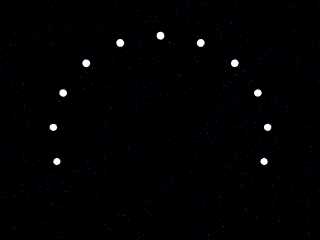
So what am I doing wrong?

#include "colors.inc"
#include "textures.inc"
#include "stones.inc"
#include "metals.inc"

//global_settings { max_trace_level 12 }


//background {Black+Blue/5}

sphere {<0,400,0>,13
        rotate<0,0,0>
        pigment {White}
        }
sphere {<0,400,0>,13
        rotate<0,0,20>
        pigment {White}
        }
sphere {<0,400,0>,13
        rotate<0,0,-20>
        pigment {White}
        }
sphere {<0,400,0>,13
        rotate<0,0,40>
        pigment {White}
        }
sphere {<0,400,0>,13
        rotate<0,0,-40>
        pigment {White}
        }
sphere {<0,400,0>,13
        rotate<0,0,60>
        pigment {White}
        }
sphere {<0,400,0>,13
        rotate<0,0,-60>
        pigment {White}
        }
sphere {<0,400,0>,13
        rotate<0,0,80>
        pigment {White}
        }
sphere {<0,400,0>,13
        rotate<0,0,-80>
        pigment {White}
        }

sphere {<0,400,0>,13
        rotate<0,0,100>
        pigment {White}
        }
sphere {<0,400,0>,13
        rotate<0,0,-100>
        pigment {White}
        }


#declare f=.084;    // was 0.08
#declare R=399;


#declare funk=

isosurface {          function
          {noise3d(x*f,y*f,z*f)}

         accuracy 0.01
         threshold 0.0

         bounded_by {
         sphere{0,500*(.40+clock)}
                    }
        rotate <0,0,90>


//pigment{functionabs((noise3d(x*2,y*4,z*4)*.875)&(noise3d(x*4,y*2,z*4)*.875)&(noise3d(x*4,y*4,z*2)*.875))
poly_wave}
        pigment{Green}
        finish{ambient 0.20 reflection .0}
        normal {crackle}
        }

//object {funk }

camera {
  location <0,170,-400>*3.1
  look_at <0,100,0>
  angle 48
}


light_source{<0.005,0.00081,0.00081>  color White*14
media_interaction on}

  /*
  light_source {  <0,0,0>
    color White*14
    spotlight
    radius 90
    falloff 89//28
    tightness 1
    point_at x

  }
    */
#declare j=10;


media {                         //media scattering
  intervals 10
  scattering { 2, red 0.05 blue 0.001 green 0.02}
  samples 1, 10
  confidence 0.9999
  variance 1/1000
  ratio 0.9
}
Post a reply to this message
Attachments:
Download 'junk.jpg' (43 KB)
Preview of image 'junk.jpg'
|
|
| |
| |
|
|
From: Jerome M BERGER
Subject: Re: No pointlight-atmospheric media interaction here. (43kb)
Date: 8 Oct 1999 20:40:20
Message: <37FE8EE5.986C97BC@enst.fr>
|
|
|
| |
| |
|
|
"Greg M. Johnson" wrote:
>
> So what am I doing wrong?
>
> #include "colors.inc"
> #include "textures.inc"
> #include "stones.inc"
> #include "metals.inc"
>
> //global_settings { max_trace_level 12 }
>
> //background {Black+Blue/5}
>
> sphere {<0,400,0>,13
> rotate<0,0,0>
> pigment {White}
> }
> sphere {<0,400,0>,13
> rotate<0,0,20>
> pigment {White}
> }
> sphere {<0,400,0>,13
> rotate<0,0,-20>
> pigment {White}
> }
> sphere {<0,400,0>,13
> rotate<0,0,40>
> pigment {White}
> }
> sphere {<0,400,0>,13
> rotate<0,0,-40>
> pigment {White}
> }
> sphere {<0,400,0>,13
> rotate<0,0,60>
> pigment {White}
> }
> sphere {<0,400,0>,13
> rotate<0,0,-60>
> pigment {White}
> }
> sphere {<0,400,0>,13
> rotate<0,0,80>
> pigment {White}
> }
> sphere {<0,400,0>,13
> rotate<0,0,-80>
> pigment {White}
> }
>
> sphere {<0,400,0>,13
> rotate<0,0,100>
> pigment {White}
> }
> sphere {<0,400,0>,13
> rotate<0,0,-100>
> pigment {White}
> }
>
> #declare f=.084; // was 0.08
> #declare R=399;
>
> #declare funk=
>
> isosurface { function
> {noise3d(x*f,y*f,z*f)}
>
> accuracy 0.01
> threshold 0.0
>
> bounded_by {
> sphere{0,500*(.40+clock)}
> }
> rotate <0,0,90>
>
>
//pigment{functionabs((noise3d(x*2,y*4,z*4)*.875)&(noise3d(x*4,y*2,z*4)*.875)&(noise3d(x*4,y*4,z*2)*.875))
> poly_wave}
> pigment{Green}
> finish{ambient 0.20 reflection .0}
> normal {crackle}
> }
>
> //object {funk }
>
> camera {
> location <0,170,-400>*3.1
> look_at <0,100,0>
> angle 48
> }
>
> light_source{<0.005,0.00081,0.00081> color White*14
> media_interaction on}
>
> /*
> light_source { <0,0,0>
> color White*14
> spotlight
> radius 90
> falloff 89//28
> tightness 1
> point_at x
>
> }
> */
> #declare j=10;
>
> media { //media scattering
> intervals 10
> scattering { 2, red 0.05 blue 0.001 green 0.02}
> samples 1, 10
> confidence 0.9999
> variance 1/1000
> ratio 0.9
> }
>
> ------------------------------------------------------------------------
> [Image]
There is, but it doesn't appear because there's nothing to stop the
rays (except for the spheres, but the media here is white anyway).
If you add a plane { -z, -100 pigment { rgbt 1 } hollow } the media
appears...
Jerome
PS: if you render at higher res, you'll see the media appear for a few
pixels in the pic...
--
*******************************
* Always listen to experts, * Jérôme M. BERGER
* they'll tell you what can't * mailto:ber### [at] iname com
* be done and why... * http://www.enst.fr/~jberger
* Then do it. *
******************************* com
* be done and why... * http://www.enst.fr/~jberger
* Then do it. *
*******************************
Post a reply to this message
|
|
| |
| |
|
|
From: Jerome M BERGER
Subject: Re: No pointlight-atmospheric media interaction here. (43kb)
Date: 8 Oct 1999 20:48:24
Message: <37FE90C9.A95DEA68@enst.fr>
|
|
|
| |
| |
|
|
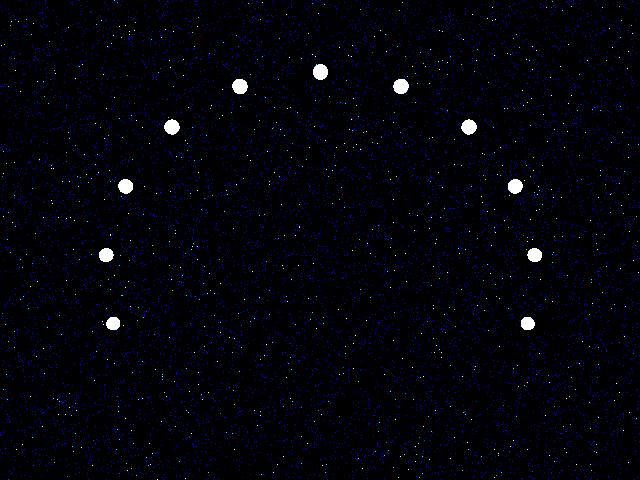
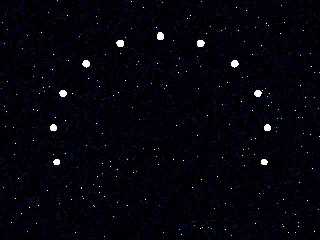
Attached is a render with your parameters at 640x480. One of the sphere
has a blue pigment, one is red and one is green, the other are still
white  but the media effect washes them out completely and all appear
white...

		Jerome

PS: jpeg played havoc with most of the blue dots from the media but some
still remain to show it's here...

--
*******************************
* Always listen to experts,   * Jérôme M. BERGER
* they'll tell you what can't * mailto:ber### [at] inamecom
* be done and why...          * http://www.enst.fr/~jberger
* Then do it.                 *
*******************************
Post a reply to this message
Attachments:
Download 'test.jpg' (45 KB)
Preview of image 'test.jpg'
|
|
| |
| |
|
|
From: Jerome M BERGER
Subject: Re: No pointlight-atmospheric media interaction here. (43kb)
Date: 8 Oct 1999 21:39:46
Message: <37FE9CD3.311984AD@enst.fr>
|
|
|
| |
| |
|
|
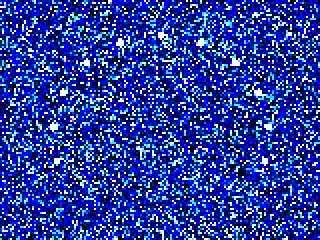
If you up the quality settings, you can make the media appear, but it
will cost you a lot of time... This one rendered at 10PPS on a PII 266

media {                         //media scattering
  intervals 100
  scattering { 2, red 0.05 blue 0.001 green 0.02}
  samples 10, 100
  confidence 0.999999
  variance 1/100000
  ratio 0.9
}

		Jerome

--
*******************************
* Always listen to experts,   * Jérôme M. BERGER
* they'll tell you what can't * mailto:ber### [at] inamecom
* be done and why...          * http://www.enst.fr/~jberger
* Then do it.                 *
*******************************
Post a reply to this message
Attachments:
Download 'test.jpg' (14 KB)
Preview of image 'test.jpg'
|
|
| |
| |
|
|
From: GrimDude
Subject: Re: No pointlight-atmospheric media interaction here. (43kb)
Date: 9 Oct 1999 01:18:46
Message: <37fed036@news.povray.org>
|
|
|
| |
| |
|
|
grumble

--
GrimDude
gri### [at] netzerocom
Post a reply to this message
|
|
| |
| |
|
|
From: Greg M Johnson
Subject: Re: No pointlight-atmospheric media interaction here. (43kb)
Date: 9 Oct 1999 10:20:03
Message: <37ff4f13@news.povray.org>
|
|
|
| |
| |
|
|
Thanks for the effort.  What I eventually am trying to get is a "christmas bulb in
a wiffle ball in the fog," except my wiffle ball is an isosurface.

This whole effect renders quickly, is intuitively set up, and only requires a
White*14 intensity SPOTLIGHT.

When i go to POINTLIGHT, I have to put that plane in there and raise the intensity
several orders of magnitude to get it to work. And as you said, requires a long
render time.

What's the difference between spot & point lights???  Is this "intentional"??

"Jerome M. BERGER" wrote:

>         Attached is a render with your parameters at 640x480. One of the sphere
> has a blue pigment, one is red and one is green, the other are still
> white  but the media effect washes them out completely and all appear
> white...
>
>                 Jerome
>
> PS: jpeg played havoc with most of the blue dots from the media but some
> still remain to show it's here...
>
> --
> *******************************
> * Always listen to experts,   * Jérôme M. BERGER
> * they'll tell you what can't * mailto:ber### [at] inamecom
> * be done and why...          * http://www.enst.fr/~jberger
> * Then do it.                 *
> *******************************
>
>   ------------------------------------------------------------------------
>  [Image]
Post a reply to this message
|
|
| |
| |
|
|
From: GrimDude
Subject: Re: No pointlight-atmospheric media interaction here. (43kb)
Date: 9 Oct 1999 15:21:48
Message: <37ff95cc@news.povray.org>
|
|
|
| |
| |
|
|
Greg M. Johnson <"gregj;-)56590"@aol.c;-)om> wrote in message > What's the
difference between spot & point lights???  Is this "intentional"??
>

Spotlight works like a spotlight, er search light if you will. :)

Assuming, of course, that you define it properly.

If you are using Pov 4 Windows, just click on the area indicated in the
included image, while your Pov F.E. is up and running. ;)
--
GrimDude
gri### [at] netzerocom
Post a reply to this message
Attachments:
Download 'Start.jpg' (2 KB)
Preview of image 'Start.jpg'

|
|
| |
| |
|
|
From: Simen Kvaal
Subject: Re: No pointlight-atmospheric media interaction here. (43kb)
Date: 9 Oct 1999 18:36:33
Message: <37ffc371@news.povray.org>
|
|
|
| |
| |
|
|
>If you are using Pov 4 Windows, just click on the area indicated in the
>included image, while your Pov F.E. is up and running. ;)
>--


Haha! I almost got a heart-attack there! Have I missed something, I thought.
;o)

Simen.
Post a reply to this message
|
|
| |
| |
|
|
From: GrimDude
Subject: Re: No pointlight-atmospheric media interaction here. (43kb)
Date: 9 Oct 1999 20:54:05
Message: <37ffe3ad@news.povray.org>
|
|
|
| |
| |
|
|
heh

--
GrimDude
gri### [at] netzerocom
Post a reply to this message
|
|
| |
| |
|
|
From: Buckaroo Bill
Subject: Re: No pointlight-atmospheric media interaction here. (43kb)
Date: 9 Oct 1999 23:20:22
Message: <380005f6@news.povray.org>
|
|
|
| |
| |
|
|
huh
Post a reply to this message
|
|
| |
| |
|
|
From: Jerome M BERGER
Subject: Re: No pointlight-atmospheric media interaction here. (43kb)
Date: 11 Oct 1999 12:50:49
Message: <3802155A.C026CAAD@enst.fr>
|
|
|
| |
| |
|
|
"Greg M. Johnson" wrote:
>
> Thanks for the effort.  What I eventually am trying to get is a "christmas bulb in
> a wiffle ball in the fog," except my wiffle ball is an isosurface.
>
> This whole effect renders quickly, is intuitively set up, and only requires a
> White*14 intensity SPOTLIGHT.
>
> When i go to POINTLIGHT, I have to put that plane in there and raise the intensity
> several orders of magnitude to get it to work. And as you said, requires a long
> render time.
>
> What's the difference between spot & point lights???  Is this "intentional"??
>
	The difference is explained in the help with the "ratio" keyword. In
short, when you use a spotlight, PoV will divide the media into "lit"
and "unlit" areas and take more samples in the lit areas (with the
default settings, it will take almost no samples in the unlit area).
With the pointlight there is no "unlit" area and POV takes samples along
the whole ray. When you have an atmospheric media it means that a lot of
samples will be very far away and won't appear... Adding the plane cuts
the media in two (and therefore doubles the render time) wich forces
enough samples to be taken in front of the plane to make the media
appear (I've used a similar trick in my last irtc entry to make the mast
lamp visible: http://www.enst.fr/~jberger/images/jbhome.jpg )

		Jerome

--
*******************************
* Always listen to experts,   * Jérôme M. BERGER
* they'll tell you what can't * mailto:ber### [at] inamecom
* be done and why...          * http://www.enst.fr/~jberger
* Then do it.                 *
*******************************
Post a reply to this message
|
|
| |
| |
|
|
|
|
| |
|
|