|
|
|
|
|
|
| |
| |
|
|
|
|
| |
| |
|
|
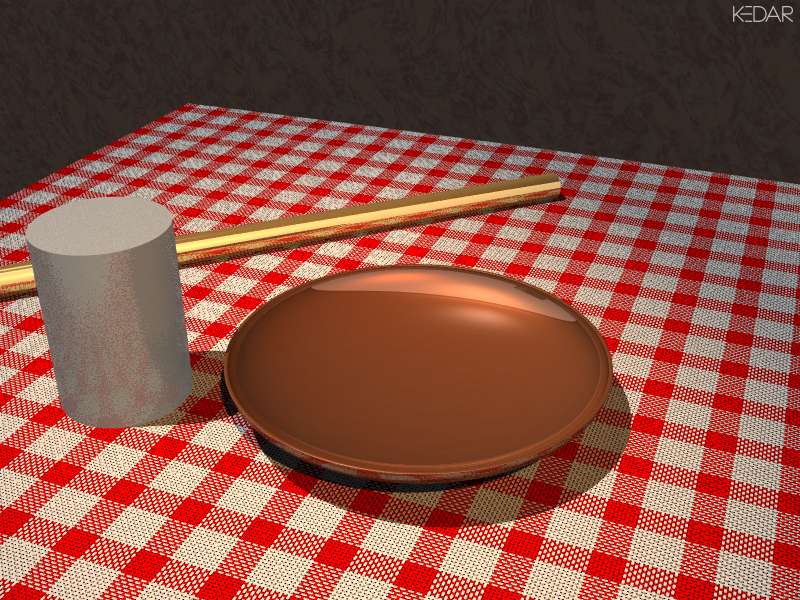
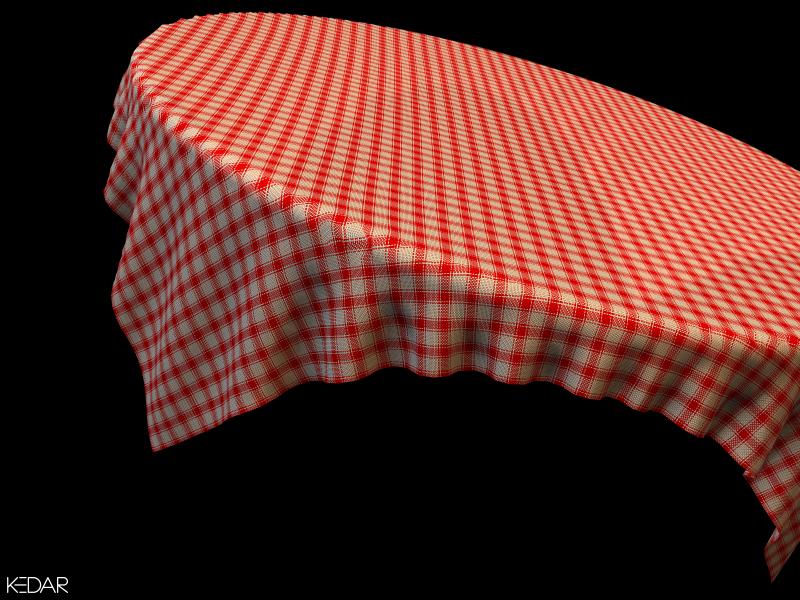
Here is another test render using the procedural cloth texture
macros I am working on.  Any comments, criticisms, suggestions
for improvement?

I am posting a zip file (macro include file + sample scene) in
povray.binaries.scene-files for those who are interested.

Could somebody please provide me with a 'uv_mapping'-able model
of wrinkled cloth for testing purposes?  I have no 3D modeller
right now and hand-coding bicubic patches is giving me headaches
:(

-Kedar
Post a reply to this message
Attachments:
Download 'clothdemo.jpg' (106 KB)
Preview of image 'clothdemo.jpg'
|
|
| |
| |
|
|
|
|
| |
| |
|
|
On Mon, 16 Sep 2002 20:14:35 +0530, Kedar Patil
<ked### [at] patilkedar com> wrote:
> Could somebody please provide me with a 'uv_mapping'-able model
> of wrinkled cloth for testing purposes?
c:\POVRAY35\scenes\advanced\balcony\cloth.inc
ABX com> wrote:
> Could somebody please provide me with a 'uv_mapping'-able model
> of wrinkled cloth for testing purposes?
c:\POVRAY35\scenes\advanced\balcony\cloth.inc
ABX
Post a reply to this message
|
|
| |
| |
|
|
|
|
| |
| |
|
|
On Mon, 16 Sep 2002 20:14:35 +0530, Kedar Patil
<ked### [at] patilkedarcom> wrote:
> Here is another test render using the procedural cloth texture
> macros I am working on.  Any comments, criticisms, suggestions
> for improvement?

BTW:
http://thunder.prohosting.com/~bennett/chkrsdemo.jpg
http://thunder.prohosting.com/~bennett/checkers.zip

ABX
Post a reply to this message
|
|
| |
| |
|
|
|
|
| |
| |
|
|
> c:\POVRAY35\scenes\advanced\balcony\cloth.inc
>
> ABX

Oops!  Forgot to check in that demo scenes directory :)

Thanks.

-Kedar
Post a reply to this message
|
|
| |
| |
|
|
|
|
| |
| |
|
|
> BTW:
> http://thunder.prohosting.com/~bennett/chkrsdemo.jpg
> http://thunder.prohosting.com/~bennett/checkers.zip
>
> ABX

Nice patterns for printed cloth.  Unfortunately I get a "file not
found" error with the second link.  Any alternative?  The Xoom
link mentioned on the homepage is also giving 404.

-Kedar
Post a reply to this message
|
|
| |
| |
|
|
|
|
| |
| |
|
|
Kedar Patil wrote:
>
> > c:\POVRAY35\scenes\advanced\balcony\cloth.inc
> >
> > ABX
>
> Oops!  Forgot to check in that demo scenes directory :)
>

Actually that cloth is fairly low quality because it had to be kept small
for filesize reasons.  It was made with clothray:

http://tofbouf.free.fr/clothray/index_en.html

BTW, have you seen:

http://www.koganet.ne.jp/~sylow/pov/checkpat.htm


Christoph

--
POV-Ray tutorials, IsoWood include,
TransSkin and more: http://www.tu-bs.de/~y0013390/
Last updated 13 Aug. 2002 _____./\/^>_*_<^\/\.______
Post a reply to this message
|
|
| |
| |
|
|
|
|
| |
| |
|
|
On Mon, 16 Sep 2002 20:36:57 +0530, Kedar Patil
<ked### [at] patilkedarcom> wrote:
> Nice patterns for printed cloth.  Unfortunately I get a "file not
> found" error with the second link.  Any alternative?

http://news.povray.org/povray.binaries.scene-files/14633/

ABX
Post a reply to this message
|
|
| |
| |
|
|
|
|
| |
| |
|
|
> Any comments, criticisms, suggestions for improvement?

Just that I think this looks great!
Do you use bump-mapping?
Have you planned any randomness?
Render speed?

Regards,
Hugo
Post a reply to this message
|
|
| |
| |
|
|
|
|
| |
| |
|
|
On Mon, 16 Sep 2002 17:29:44 +0200 "Hugo" <hua### [at] post3teledk>
wrote:

> Do you use bump-mapping?

No.  Just slope_map.

> Have you planned any randomness?

Not yet.  Well, thinking of it, I have no idea.  What could be
randomized?  The texture is made up of 'color_map'ped pigments
for thread color and 'slope_map'ped normals to show the threads
going up and down.

> Render speed?

About six and a half minutes on P-III 997MHz 128MB RAM.

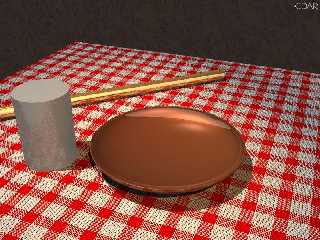
+A0.3 +W800 +H600  Two lights, one pointlight and one spotlight.
The cloth is a bicubic patch.  Other objects are simple cylinders
and a simple CSG.  Object textures are straight from metals.inc,
The silver cylinder has crackle normal.  There is a barely
visible T_Stone3 textured wall behind.

-Kedar
Post a reply to this message
|
|
| |
| |
|
|
|
|
| |
| |
|
|
This is very clever.  You might want to try and introduce some
sort of variation in the pattern, though.  Even machine-made materials would
not have a weave that is this consistent.

On the other hand, the viewer might not notice if you put it on
something out of ClothRay that looks like more realistic fabric.

Aaron

Aaron Gillies
New York City
x3rxes[^]yahoo.com
Post a reply to this message
|
|
| |
| |
|
|
|
|
| |
| |
|
|
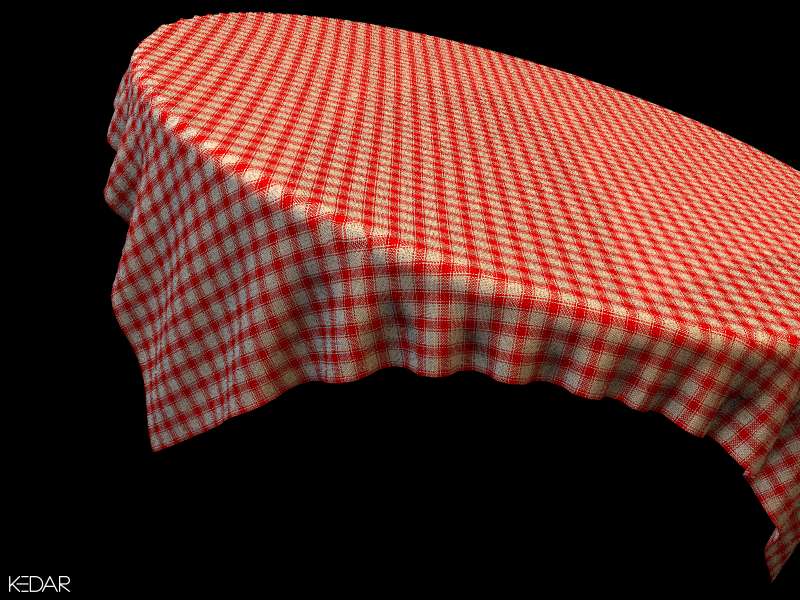
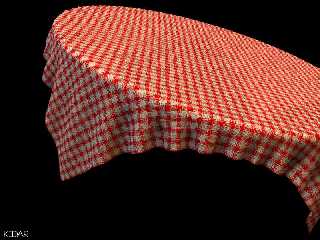
Similar red-white texture on a table cloth.  Cloth mesh is from
the balcony scene, as suggested by ABX.

+A0.3 +W800 +H600 on P-III 997 Mhz 128MB RAM.  It was 4 minutes
with 3.5 MB peak memory usage.  Not bad, I guess.

Thanks to Aaron, ABX, Christoph and Hugo.  I will see what I can
do with your sugggestions.  But that will be tomorrow; I've got
to sleep now.

-Kedar
Post a reply to this message
Attachments:
Download 'clothdemo2.jpg' (77 KB)
Preview of image 'clothdemo2.jpg'
|
|
| |
| |
|
|
From: Aaron Gillies
Subject: Re: Cloth Textures v0.11 (on Table Cloth)
Date: 16 Sep 2002 12:57:29
Message: <3d860d79@news.povray.org>
|
|
|
| |
| |
|
|
Congratulations ...

Amazing.  I take back what I said before about needing something
else.  This looks great when applied to the right object.

Aaron

Aaron Gillies
New York City
x3rxes[%]yahoo.com
Post a reply to this message
|
|
| |
| |
|
|
|
|
| |
| |
|
|
Kedar Patil wrote:
> Similar red-white texture on a table cloth.  Cloth mesh is from
> the balcony scene, as suggested by ABX.
>
> +A0.3 +W800 +H600 on P-III 997 Mhz 128MB RAM.  It was 4 minutes
> with 3.5 MB peak memory usage.  Not bad, I guess.

That is downright wicked. I applaud your efforts!

--
-Jide
Post a reply to this message
|
|
| |
| |
|
|
|
|
| |
| |
|
|
On Mon, 16 Sep 2002 12:57:27 -0400 "Aaron Gillies" <no### [at] spamcom>
wrote:

> Congratulations ...

Thank you.

> Amazing.  I take back what I said before about needing
> something else.  This looks great when applied to the right
> object.

Thanks again.  That's what I hoped and hence I had asked for a uv
mesh to test it :)

But no need to take your words back.  I gave it a thought last
night and I think some randomness should help when the textures
are used at larger scale.  As of now the slopes and normals are
crude and uniform.  Large scale textures (thick threads) would
look bad; for example an easy-chair which Batronyx wanted to do.

-Kedar
Post a reply to this message
|
|
| |
| |
|
|
|
|
| |
| |
|
|
On Mon, 16 Sep 2002 23:08:17 +0300 "Jide" wrote:

> That is downright wicked. I applaud your efforts!

Thank you!

-Kedar
Post a reply to this message
|
|
| |
| |
|
|
|
|
| |
| |
|
|
Very nice! I'd like to see it without moiré patterns.
You could try a rendering with:

+AM2 +A0.0 +R2 -J

Does the slopemap work alright when it's UV mapped?
It doesn't look wrong, I'm just curious..

Keep us posted,
Hugo
Post a reply to this message
|
|
| |
| |
|
|
|
|
| |
| |
|
|
On Tue, 17 Sep 2002 09:22:12 +0200 "Hugo" wrote:

> Very nice! I'd like to see it without moiré patterns.
> You could try a rendering with:
>
> +AM2 +A0.0 +R2 -J

OK.  In a couple of hours, I will post it.  By the way, I can't
see the moire patterns you are talking about.  (Maybe I am not a
good obeserver.)

> Does the slopemap work alright when it's UV mapped?
> It doesn't look wrong, I'm just curious..

Yes, it works fine.  In fact I got this idea of making cloth
textures when I discovered that while playing around with slope
maps.

-Kedar
Post a reply to this message
|
|
| |
| |
|
|
|
|
| |
| |
|
|
> In a couple of hours, I will post it. By the way, I can't
> see the moire patterns you are talking about.  (Maybe
> I am not a good obeserver.)

Thanks. Well, the moire is not too ugly in this case, but it's definitely
there (when something is small, like those threads) and it gives a bit of a
false impression of the texture. I'd like to see 'the real look' of the
texture by removing the moire. Probably it will look less random...

;o)

Regards,
Hugo
Post a reply to this message
|
|
| |
| |
|
|
|
|
| |
| |
|
|
On Tue, 17 Sep 2002 10:03:27 +0200 "Hugo" wrote:

> Well, the moire is not too ugly in this case, but it's
> definitely there (when something is small, like those threads)
> and it gives a bit of a false impression of the texture. I'd
> like to see 'the real look' of the texture by removing the
> moire.

Now I understand your previous comments better :)

> Probably it will look less random...

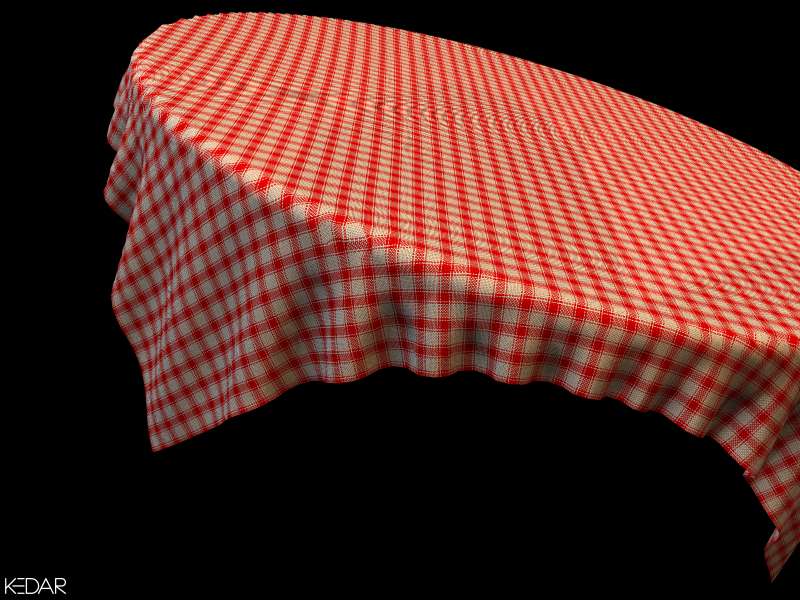
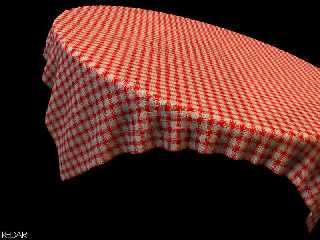
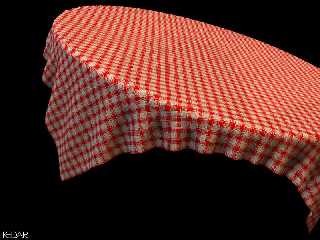
Yes, it looks less random and smoothed out with the settings you
suggested.  But with -J there is an ugly moire pattern visible on
top.  See the attached images (both 800 x 600) --
 cloth1.jpg with +AM2 +A0.0 +R2 -J
 cloth2.jpg with +AM2 +A0.0 +R2

Both took about 8 minutes each to render. (The second one took
about 20 seconds less than the first one)

-Kedar
Post a reply to this message
Attachments:
Download 'cloth1.jpg' (67 KB)
Download 'cloth2.jpg' (68 KB)
Preview of image 'cloth1.jpg'
Preview of image 'cloth2.jpg'
|
|
| |
| |
|
|
|
|
| |
| |
|
|
On Tue, 17 Sep 2002 16:55:49 +0530, Kedar Patil
<ked### [at] patilkedarcom> wrote:
> cloth1.jpg with +AM2 +A0.0 +R2 -J

have you tried higher recursion ?

> Both took about 8 minutes each to render. (The second one took
> about 20 seconds less than the first one)

btw: what is this strange artifact near center of image, on bend ?

ABX
Post a reply to this message
|
|
| |
| |
|
|
From: Jaime Vives Piqueres
Subject: Re: Cloth Textures v0.11 (on Table Cloth)
Date: 17 Sep 2002 08:57:04
Message: <3d8726a0@news.povray.org>
|
|
|
| |
| |
|
|
ABX wrote:

> On Tue, 17 Sep 2002 16:55:49 +0530, Kedar Patil
> <ked### [at] patilkedarcom> wrote:
>> cloth1.jpg with +AM2 +A0.0 +R2 -J
>
> have you tried higher recursion ?

  Or focal_blur with little aperture and high samples? :)

> btw: what is this strange artifact near center of image, on bend ?

  Yes, I also noticed it. I think it's the uv mapping showing the low res
of the mesh. I'm currently (and casually :), doing this kind of stuff for a
cloth on my apples scene, and I had a similar problem.

  Oh! ...and to Kedar: impressive! I will try this slope_map thing on my
current WIP. Thanks for the idea!


--
Jaime Vives Piqueres

La Persistencia de la Ignorancia
http://www.ignorancia.org
Post a reply to this message
|
|
| |
| |
|
|
|
|
| |
| |
|
|
Oops, my settings were supposed to remove the moiré, not amplify it!  :o)
But it was ... somewhat an improvement. Maybe you'll have to use the jitter,
or maybe R3 or R4 will reduce the artifacts. Jaime's idea with focal_blur
was probably a joke.

Regards,
Hugo
Post a reply to this message
|
|
| |
| |
|
|
|
|
| |
| |
|
|
On Tue, 17 Sep 2002 15:20:38 +0200, "Hugo" <hua### [at] post3teledk> wrote:

>Jaime's idea with focal_blur was probably a joke.

Actually, no. Using focal_blur to eliminate moire is a good, though
sometimes slow, way of doing it. With the proper amount of focal blur
(read: a little), high samples and fine tuning the variance and
confidence, it can even be faster than the super-high AA settings
sometimes needed to eliminate moire.


Peter Popov ICQ : 15002700
Personal e-mail : pet### [at] vipbg
TAG      e-mail : pet### [at] tagpovrayorg
Post a reply to this message
|
|
| |
| |
|
|
From: Jaime Vives Piqueres
Subject: Re: Cloth Textures v0.11 (on Table Cloth)
Date: 17 Sep 2002 15:38:33
Message: <3d8784b9@news.povray.org>
|
|
|
| |
| |
|
|
Peter Popov wrote:
> Actually, no. Using focal_blur to eliminate moire is a good, though
> sometimes slow, way of doing it. With the proper amount of focal blur
> (read: a little), high samples and fine tuning the variance and
> confidence, it can even be faster than the super-high AA settings
> sometimes needed to eliminate moire.

  Thanks: it's a good and concise explanation of what I think. In fact,
I've not used much AA recently... :)

--
Jaime Vives Piqueres

La Persistencia de la Ignorancia
http://www.ignorancia.org
Post a reply to this message
|
|
| |
| |
|
|
|
|
| |
| |
|
|
Looks nice... too bad jpeg doesn't like it :(

-tgq
Post a reply to this message
|
|
| |
| |
|
|
|
|
| |
| |
|
|
Hi,

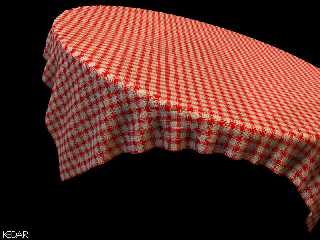
I want to thank you all again for your comments and suggestions
and quick pointers.

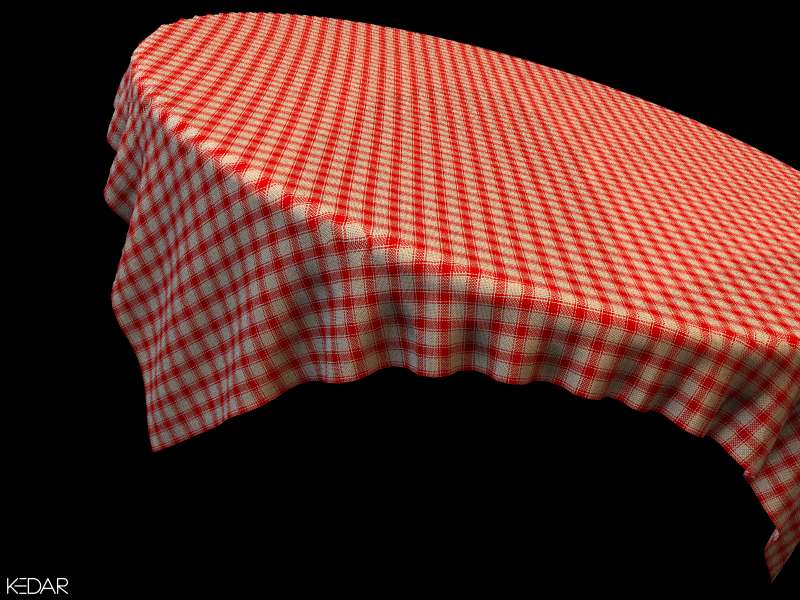
Here is a final render (for the time being).  I won't be posting
any more images until I improve my macros further.  Unfortunately
I cannot put much time into this on weekdays.

Anyways, see the attached image.  I feel that the cloth is more
smooth and that the "real" texture shows up now (as Hugo said it
would).  There is still a bit of moire at the center of the image
on top of the (non-existant) table.  But that is not very bad,
IMO.

I have used +R4, so render time shot to 1 hour and 58 minutes.
Maybe 4 was an overkill, 3 might do it as well.

Next time I will try other suggestions including the focal blur
instead of AA.  And to Jaime:  It was your work that got me
started in textures.  I looked at your apples and instantly got
inspired (read jealous)!  I am pleased that you liked my idea.

-Kedar

PS  BTW, don't mind the "manufacturing" defects in cloth at the
table edges.  Actually, I have started *liking* them.  Something
away from the usual "rendered perfection" :)
Post a reply to this message
Attachments:
Download 'cloth3.jpg' (87 KB)
Preview of image 'cloth3.jpg'
|
|
| |
| |
|
|
|
|
| |
| |
|
|
On Tue, 17 Sep 2002 17:39:06 -0400 "TinCanMan" wrote:

> Looks nice...

Thanks.

> too bad jpeg doesn't like it :(

If you are referring to the "roughness" of the cloth, then it is
due to poor AA.  The jpeg and rendered tga look almost identical,
IMO.  You may want to see the new render I just posted in this
thread.

-Kedar
Post a reply to this message
|
|
| |
| |
|
|
|
|
| |
| |
|
|
Looks a LOT better now, with HQ AA.. Was nice to get rid of the noise.  :o)

-Hugo
Post a reply to this message
|
|
| |
| |
|
|
|
|
| |
| |
|
|
[snip]
> But no need to take your words back.  I gave it a thought last
> night and I think some randomness should help when the textures
> are used at larger scale.  As of now the slopes and normals are
> crude and uniform.  Large scale textures (thick threads) would
> look bad; for example an easy-chair which Batronyx wanted to do.
>

Well, your textures look good enough to make me want to try
anyway. Since you make these as separate pigment and normal
components rather than whole textures, I can probably add some
small turbulence to get the extra randomness if I need to.

--
light_source{0,1}#macro c(J,a)sphere{0,1pigment{rgb z}scale a translate J+O}
#end#macro B(R,V,O)c(0,4)intersection{c(V,R)difference{c(-z*4x+10)c(-z*4.1x+
10)c(0<7.5,45,5>)}}#end B(12,0z*25)B(8y*4<0,12,50>)          // Batronyx ^"^
Post a reply to this message
|
|
| |
| |
|
|
|
|
| |