|
|
|
|
|
|
| |
| |
|
|
|
|
| |
| |
|
|
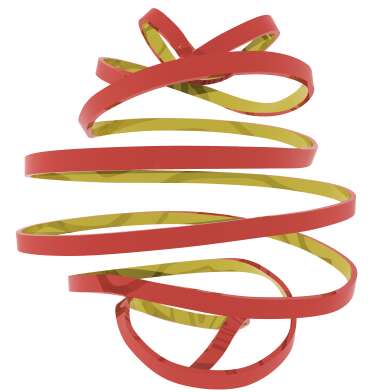
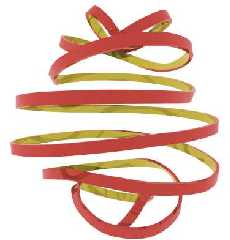
I think it was JRG who mentioned something about flat wire in pov.general. I
though I would give it a try. Here is a test.

 -Shay
Post a reply to this message
Attachments:
Download 'Flat_WireJPG.jpg' (14 KB)
Preview of image 'Flat_WireJPG.jpg'
|
|
| |
| |
|
|
|
|
| |
| |
|
|
Is this something that looks at all useful? Would spline extrusions of other
primitives be useful to any of you?
-Shay
Shay <sah### [at] simcoparts com> wrote in message news:3ca8aa38@news.povray.org... com> wrote in message news:3ca8aa38@news.povray.org...
Post a reply to this message
|
|
| |
| |
|
|
|
|
| |
| |
|
|
Me likes!  :o)  Looks like tape that you use for a present. :o)

I have a macro that takes a user defined object and sweeps it along a path,
but it was made for Y sweeps and I don't think it works in all directions..
I thought maybe you would like to see it, so I attached it to this mail..
The macro is some years old, made for me by a guy named Thomas -
unfortunately I forgot his full name, but I still use this macro.

Regards,
Hugo
Post a reply to this message
Attachments:
Download 'Segment.inc.txt' (3 KB)
|
|
| |
| |
|
|
|
|
| |
| |
|
|
Hugo <hua### [at] post3teledk> wrote in message news:3ca8b396@news.povray.org...

> Me likes!  :o)  Looks like tape that you use for a present. :o)
>

Thank you.

> I have a macro that takes a user defined object and sweeps it along a
path,
> but it was made for Y sweeps and I don't think it works in all
directions..

What input is needed for this macro?
A quick look gives me the impression that this macro functions by creating
multiple copies of an object. If this is the case, I'll bet the render time
is Hell!

What I did for the ribbon is just make a mesh approximation of a tall,
skinny box extruded along a spline. The same could easily be done for any
primitive or prism. I'm sure that there are some really useful applications
for this, but I'm using my work brain and cannot think of any at the moment.

 -Shay
Post a reply to this message
|
|
| |
| |
|
|
|
|
| |
| |
|
|
> What input is needed for this macro?

A declared object, where the Y size does not exceed  -1*y  to  1*y  and a
stream of numbers defining the path to travel. The object will be scaled in
the Y direction to fit the distance between steps in the path.

> A quick look gives me the impression that this macro functions by creating
> multiple copies of an object. If this is the case, I'll bet the render
time
> is Hell!

It copies the object once for each segment, yes, but the render time is
actually very fast (at least if the object is made of primitives)

> I'm sure that there are some really useful applications for this

Yeah, it seems to output a perfect mesh, and I must say you've won over
sphere_sweeps!  :o)


Regards,
Hugo
Post a reply to this message
|
|
| |
| |
|
|
|
|
| |
| |
|
|
Shay wrote:
>
> Is this something that looks at all useful? Would spline extrusions of > other
primitives be useful to any of you?

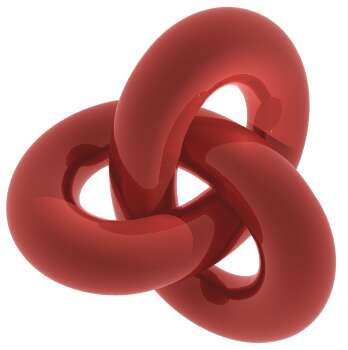
Well, yes. I was trying to recreate this:
http://www.imagenetion3.hpg.ig.com.br/jjbinks/mcescher/pages/Knots.jpg

If you're interested, see also
http://www.unca.edu/~mcmcclur/java/LiveMathematica/trefoil.html .

Regards,
Ville Koskinen
Post a reply to this message
|
|
| |
| |
|
|
|
|
| |
| |
|
|
Ville Koskinen <v_k_o_s_k_i_n_e_@mappi.helsinki.fi> wrote in message
news:3CA94381.2DE1D5BC@mappi.helsinki.fi...
>
> Well, yes. I was trying to recreate this:
> http://www.imagenetion3.hpg.ig.com.br/jjbinks/mcescher/pages/Knots.jpg
>
Any of those three would be very simple to create and take only a few
seconds to render. The largest would be easiest with my Partial_Mesh macro,
which I unfortunately have not yet written. The smallest could be coded in
just a few seconds with my Cheap_Sweep macro.

I don't have any code to post for the extrusion macro yet, because I just
made the example by taking apart and mis-using some of my other macros. I
will work on putting it together after I clean up and post my Cheap_Sweep
code.


> If you're interested, see also
> http://www.unca.edu/~mcmcclur/java/LiveMathematica/trefoil.html .
>

Thanks for posting the math. I'm going to try this shape sometime this week,
and knowing the formula beforehand will save me a lot of work.

 -Shay
Post a reply to this message
|
|
| |
| |
|
|
|
|
| |
| |
|
|
Shay <sah### [at] simcopartscom> wrote in message news:3ca9c302@news.povray.org...
> >
> The smallest could be coded in
> just a few seconds with my Cheap_Sweep macro.
>

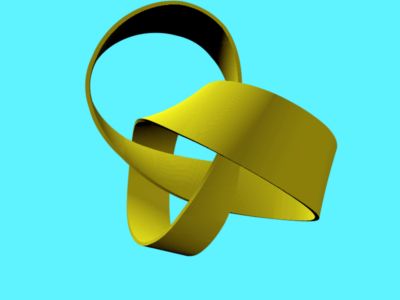
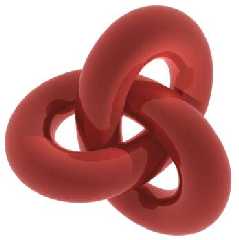
Well, maybe just over a few seconds. I timed myself at 1:06, but in defense
of my earlier time estimate, I was on the telephone and am a slow typist.
Anyway, this does not take away from the fact that the macro is VERY easy to
use.

p.s. 1:26 does not include going back and rotating the shape y*90 to
face -z.

 -Shay
Post a reply to this message
Attachments:
Download 'Cheap_KnotJPG.jpg' (8 KB)
Preview of image 'Cheap_KnotJPG.jpg'
|
|
| |
| |
|
|
|
|
| |
| |
|
|
I like it a lot. Perhaps giving the lace a "fabric" texture would add more
realism?

Congratulations,

Fernando.

"Shay" <sah### [at] simcopartscom> wrote in message
news:3ca8aa38@news.povray.org...
> I think it was JRG who mentioned something about flat wire in pov.general.
I
> though I would give it a try. Here is a test.
>
>  -Shay
>
>
>
Post a reply to this message
|
|
| |
| |
|
|
|
|
| |
| |
|
|
Very nice. Looks like the skin of some fruit.
You used cylinders, didn't you?

--
Jonathan.

Home: http://digilander.iol.it/jrgpov

"Shay" <sah### [at] simcopartscom> ha scritto nel messaggio news:3ca8aa38@news.povray.org...
> I think it was JRG who mentioned something about flat wire in pov.general. I
> though I would give it a try. Here is a test.
>
>  -Shay
>
>
>
Post a reply to this message
|
|
| |
| |
|
|
|
|
| |
| |
|
|
JRG <jrg### [at] hotmailcom> wrote in message news:3ca9f8fe@news.povray.org...
> Very nice. Looks like the skin of some fruit.

Thank you.

> You used cylinders, didn't you?
>

No, it's a mesh. Traces in < 5 seconds.

 -Shay
Post a reply to this message
|
|
| |
| |
|
|
|
|
| |
| |
|
|
"Shay" wrote:
>
> JRG <jrg### [at] hotmailcom> wrote in message news:3ca9f8fe@news.povray.org...
> > Very nice. Looks like the skin of some fruit.
>
> Thank you.
>
> > You used cylinders, didn't you?
> >
>
> No, it's a mesh. Traces in < 5 seconds.
>

Oh. I saw your previous post and thought you changed the torii with "differenced"
cylinders.
Nice anyway. Could you revolve it along the path?


--
Jonathan.

Home: http://digilander.iol.it/jrgpov
Post a reply to this message
|
|
| |
| |
|
|
|
|
| |
| |
|
|
JRG <jrg### [at] hotmailcom> wrote in message
news:3ca9fe5c$1@news.povray.org...
>
> Nice anyway. Could you revolve it along the path?
>
>

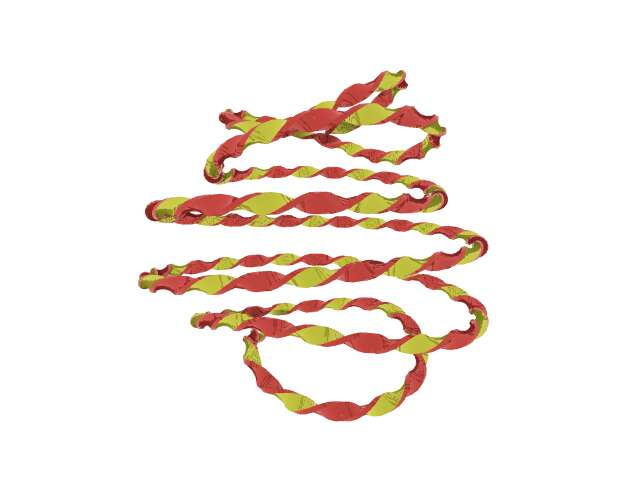
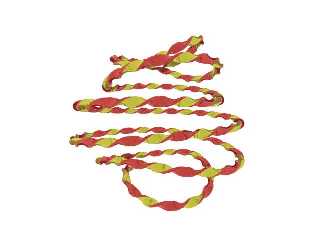
Sure, but it doesn't look as nice. I designed my code so that the wire would
bend appropriately, meaning on the thinnest side.
Here is the twisting result.
Post a reply to this message
Attachments:
Download 'Flat_Wire2JPG.jpg' (19 KB)
Preview of image 'Flat_Wire2JPG.jpg'
|
|
| |
| |
|
|
|
|
| |
| |
|
|
"Ville Koskinen" <v_k_o_s_k_i_n_e_@mappi.helsinki.fi> wrote in message
news:3CA94381.2DE1D5BC@mappi.helsinki.fi...
> Shay wrote:
> >
> > Is this something that looks at all useful? Would spline extrusions of > other
primitives be useful to any of you?
>
> Well, yes. I was trying to recreate this:
> http://www.imagenetion3.hpg.ig.com.br/jjbinks/mcescher/pages/Knots.jpg
>
> If you're interested, see also
> http://www.unca.edu/~mcmcclur/java/LiveMathematica/trefoil.html .

     I like. But isn't it known/also known as the 'Triquetra' Knot?

       I'm interested to know where 'Tre *foil*' originates from?

       ~Steve~


>
> Regards,
> Ville Koskinen
Post a reply to this message
|
|
| |
| |
|
|
|
|
| |
| |
|
|
"Ville Koskinen" <v_k_o_s_k_i_n_e_@mappi.helsinki.fi> wrote in message
news:3CA94381.2DE1D5BC@mappi.helsinki.fi...
> Well, yes. I was trying to recreate this:
> http://www.imagenetion3.hpg.ig.com.br/jjbinks/mcescher/pages/Knots.jpg

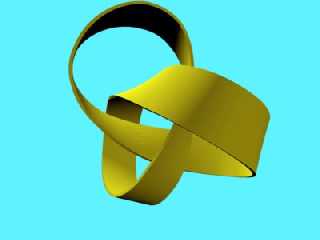
Same knot with 24-points spline.

Regards,

Gleb
Post a reply to this message
Attachments:
Download 'knot.jpg' (10 KB)
Preview of image 'knot.jpg'
|
|
| |
| |
|
|
|
|
| |
| |
|
|
Uh, I have a use for this! :)

When defining pathways of aircraft in explaining manuevers, this ribbon effect you
have come up with aptly demonstrates axial
transitions. I can't wait to see you finish it!

Grim
Post a reply to this message
|
|
| |
| |
|
|
|
|
| |
| |
|
|
Shay wrote:

> Well, maybe just over a few seconds. I timed myself at 1:06, but in defense
> of my earlier time estimate, I was on the telephone and am a slow typist.
> Anyway, this does not take away from the fact that the macro is VERY easy to
> use.

That's a nice image. I'm looking forward for your macros.

Regards,
Ville Koskinen
Post a reply to this message
|
|
| |
| |
|
|
|
|
| |
| |
|
|
Ville Koskinen <v_k_o_s_k_i_n_e_@mappi.helsinki.fi> wrote in message
news:3CAAAD90.3C18E77F@mappi.helsinki.fi...
>
> That's a nice image. I'm looking forward for your macros.
>

Thank you. I will have some pov time tonight, so I will finish cleaning up
the macro and post it tomorrow. I will include the trefoil function as an
example file.

 -Shay
Post a reply to this message
|
|
| |
| |
|
|
|
|
| |
| |
|
|
Gleb <gk1### [at] sotonacuk> wrote in message news:3caa3e26$1@news.povray.org...
>
> Same knot with 24-points spline.
>

Nice looking render. Cylinders? How many?

 -Shay
Post a reply to this message
|
|
| |
| |
|
|
|
|
| |
| |
|
|
"Shay" <sah### [at] simcopartscom> wrote in message
news:3cab0edc@news.povray.org...
> Nice looking render. Cylinders? How many?

Thanks! Yes, about 10000
Post a reply to this message
|
|
| |
| |
|
|
|
|
| |