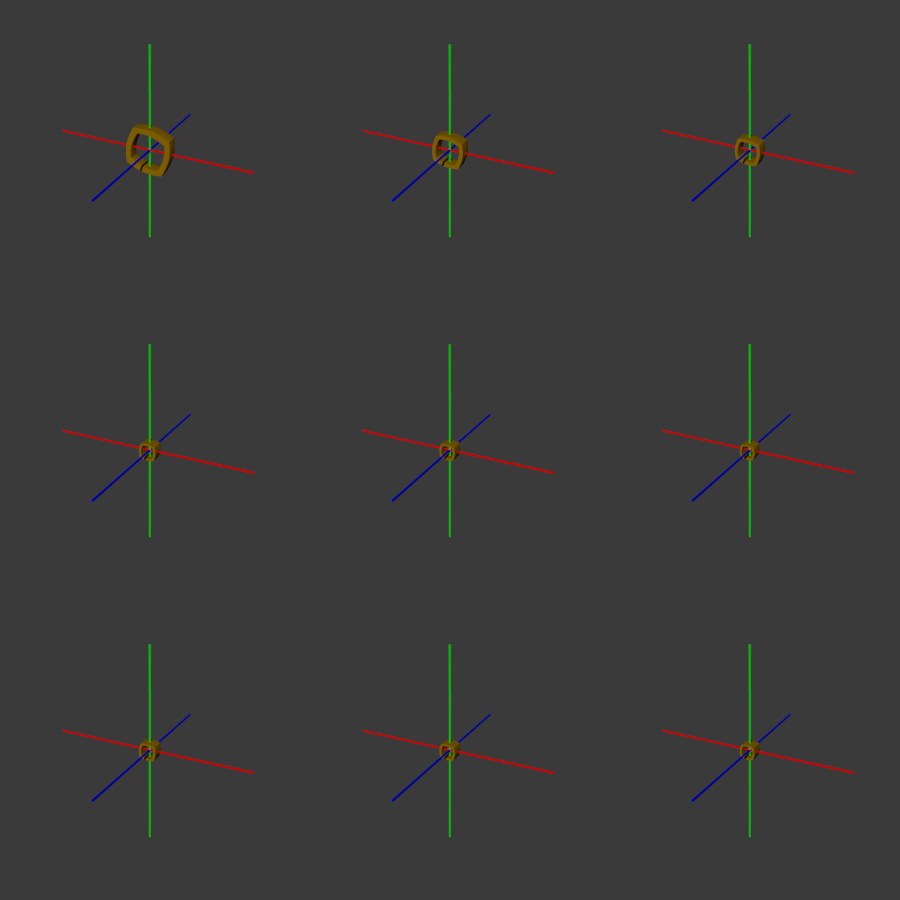
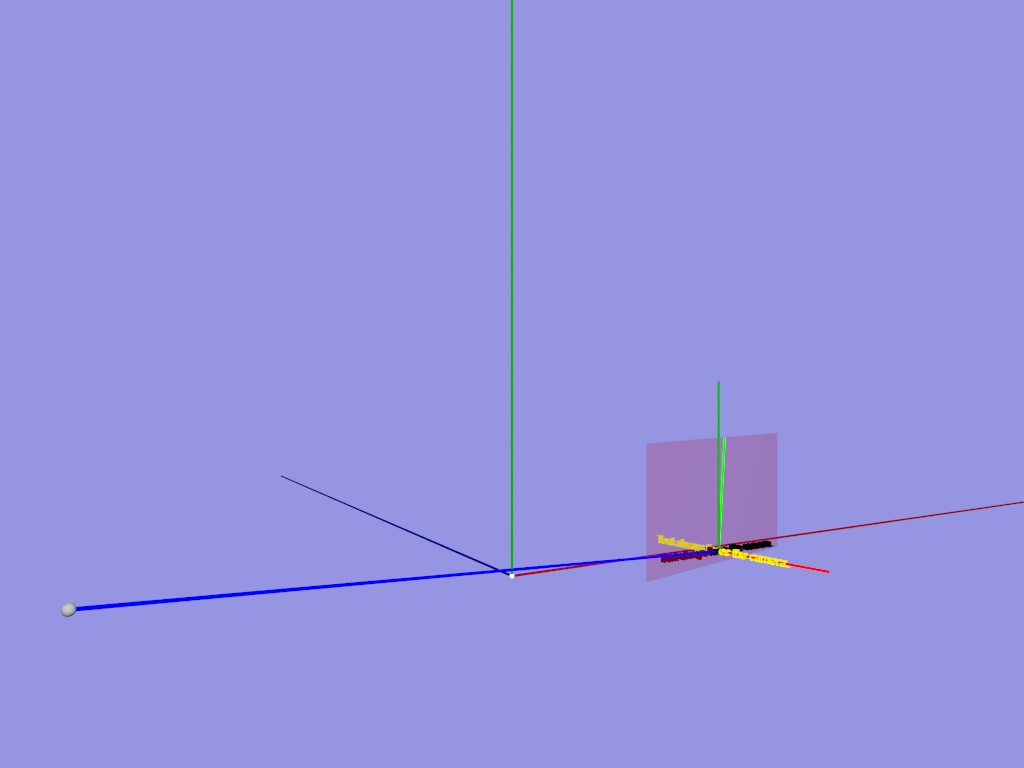
|
|
|
|
|
|
| |
| |
|
|
|
|
| |
| |
|
|
Ref:

https://news.povray.org/povray.binaries.images/thread/%3C678b9010%40news.povray.org%3E/

Playing more with matrix transforms mixing shears (and by side effect
rotation) led to the attached animation.

The entire animation part of the set up was:

     matrix <
         1.0, (frame_number-1)/60, 0.0,
        -(frame_number-1)/60, 1.0, 0.0,
         0.0, 0.0, 1.0,
         0.0, 0.0, 0.0>

Then using +kff480 on the command line to render 480 frames.

There is a 'scale 1/6' of the checker pattern following the matrix
transform in the base scene - which is slowly countered as the frame
number increases.

I don't 'really' understand what's happening in total. In any case, it's
cool, though, not as trippy as Josh's earlier post. :-)

Bill P.
Post a reply to this message
Attachments:
Download 'matrixfun.mp4.dat' (747 KB)
|
|
| |
| |
|
|
|
|
| |
| |
|
|
On 1/19/2025 12:33 PM, William F Pokorny wrote:
> Ref:
>
> https://news.povray.org/povray.binaries.images/thread/
> %3C678b9010%40news.povray.org%3E/
>
> Playing more with matrix transforms mixing shears (and by side effect
> rotation) led to the attached animation.
>
> The entire animation part of the set up was:
>
>      matrix <
>          1.0, (frame_number-1)/60, 0.0,
>         -(frame_number-1)/60, 1.0, 0.0,
>          0.0, 0.0, 1.0,
>          0.0, 0.0, 0.0>
>
> Then using +kff480 on the command line to render 480 frames.
>
> There is a 'scale 1/6' of the checker pattern following the matrix
> transform in the base scene - which is slowly countered as the frame
> number increases.
>
> I don't 'really' understand what's happening in total. In any case, it's
> cool, though, not as trippy as Josh's earlier post. :-)
>
> Bill P.

Very cool. I'm very rusty on matrices. My guess is the smooth rotation
(I'm assuming the camera is not rotating at all here, or the plane,
other than what the matrix is doing) comes from the fact that the first
two groups of the transform matrix are orthogonal, so it rotates instead
of shears. The scaling happens because the first two "vectors" aren't
constrained to the unit vector.

Or did I misunderstand what you meant by "I don't 'really' understand
what's happening...' and just talk down to you by accident?

I had thought about shearing my meshes in the camera, so I will have
work on that sooner rather than later.

Josh
Post a reply to this message
|
|
| |
| |
|
|
|
|
| |
| |
|
|
On 1/20/25 15:44, Josh English wrote:
> Very cool. I'm very rusty on matrices. My guess is the smooth rotation
> (I'm assuming the camera is not rotating at all here, or the plane,
> other than what the matrix is doing) comes from the fact that the first
> two groups of the transform matrix are orthogonal, so it rotates instead
> of shears. The scaling happens because the first two "vectors" aren't
> constrained to the unit vector.
>
> Or did I misunderstand what you meant by "I don't 'really' understand
> what's happening...' and just talk down to you by accident?

No worries. I'm a life long "never polished on matrices" guy - who, due
aging, is rusting badly in all respects at this point! :-) Thank you for
thinking about it and offering your view of how it is working. What you
wrote is not too far off my guess. Differing only that I think we are
both rotating and shearing with the matrices as I'm specifying them here.

You understand correctly that all that is happening is changing matrix
transforms of the checker pattern on a fixed x,y plane at z==0 as seen
by a fixed orthogonal camera.

I'd only ever used the matrix, direct specification feature for simple
shears (to lean things). I vaguely understand what pure rotation,
scaling and translation matrices looked like internally - and our
documentation gives equations at:

   https://wiki.povray.org/content/Reference:Transformations#Matrix

I'm fuzzy about the rotation and shearing occurring together - and that
both effects start with some speed before crawling toward some limit.
Some thinking aloud.

If we do some left handed, positive rotations about the z axis the
internal matrices would look like:

v00 v01 v02 v03
v10 v11 v12 v13
v20 v21 v22 v23
v30 v31 v32 v33

+1.000 +0.000 0.0 0.0 // rotate z*+0.0
-0.000 +1.000 0.0 0.0
+0.000 +0.000 1.0 0.0 // Bottom rows dropped hereafter
+0.000 +0.000 0.0 1.0

+0.996 +0.087 0.0 0.0 // rotate z*+5.0
-0.087 +0.996 0.0 0.0

+0.707 +0.707 0.0 0.0 // rotate z*+45.0
-0.707 +0.707 0.0 0.0

+0.000 +1.000 0.0 0.0 // rotate z*+90.0
-1.000 +0.000 0.0 0.0

-0.087 +0.996 0.0 0.0 // rotate z*+95.0
-0.996 -0.087 0.0 0.0

-0.707 +0.707 0.0 0.0 // rotate z*+135.0
-0.707 -0.707 0.0 0.0

-1.000 +0.000 0.0 0.0 // rotate z*+180.0
-0.000 -1.000 0.0 0.0

-0.996 -0.087 0.0 0.0 // rotate z*+185.0
+0.087 -0.996 0.0 0.0

So, with normal positive z rotations through 180 we have -v10 and +v01
value polarities. The v00 and v11 values are adjusted throughout to
counter the shear contribution (preventing a scaling effect).

In my scene I'm holding v00 and v11 at 1.0 while the magnitudes of -v10
and +v01 are always increasing. Meaning there is no counter compensation
for the shearing adder - and we effectively scale up on frame_number.

Each frame step represents a smaller an smaller delta relative to the
prior 'magnitudes' and both rotation and scaling slow. The rotation
itself can never quite reach +180 degrees; The scaling never quite
infinity.

I'll also guess at this point, the initial rotation and scale speed is
made faster because my scene has that 'scale 1/6'. I believe this means
the starting v00 and v11 matrix values are 1/6 rather than 1.0 internally.

Reasonable thinking?

Attached another animation where I applied the matrix rotate+shear
calculations being played with here to an isosurface where the 'shear'
values are (+-) f_hypot(x,y)*(frame_number-1)/5.

Bill P.
Post a reply to this message
Attachments:
Download 'matrixplayasiso.mp4.dat' (32 KB)
|
|
| |
| |
|
|
|
|
| |
| |
|
|
"Easiest" and fastest thing to do is stop speculating and crank out some
numbers.

Have one shear matrix and another and apply them individually to a VECTOR, and
spit out the result to #debug with vstr.

Then have POV-Ray sequentially apply the matrices and spit out the result.

Apply your matrix transforms to a "matrix" by matrix transforming your basic
vectors x-hat, y-hat, and z-hat and stack the transform output in the #debug
stream to see what matrix you're actually applying in both individual cases and
your compound matrix transform case.

You can use the result vectors to plot spheres in a scene.
Match them up with the corners of the checkerboard pattern.

If anything is mis-matched, it's probably not POV-Ray, but some matrix
construction error.

Run all of the calculations with POV-Ray matrix transforms and vectors to check
and verify your calculations in the above post.

- BW
Post a reply to this message
|
|
| |
| |
|
|
From: William F Pokorny
Subject: Re: Playing with matrix transforms
Date: 21 Jan 2025 13:49:01
Message: <678fec1d@news.povray.org>
|
|
|
| |
| |
|
|
On 1/21/25 06:39, Bald Eagle wrote:
>
> "Easiest" and fastest thing to do is stop speculating and crank out some
> numbers.
>
> Have one shear matrix and another and apply them individually to a VECTOR, and
> spit out the result to #debug with vstr.
>
> Then have POV-Ray sequentially apply the matrices and spit out the result.
>
> Apply your matrix transforms to a "matrix" by matrix transforming your basic
> vectors x-hat, y-hat, and z-hat and stack the transform output in the #debug
> stream to see what matrix you're actually applying in both individual cases and
> your compound matrix transform case.
>
> You can use the result vectors to plot spheres in a scene.
> Match them up with the corners of the checkerboard pattern.
>
> If anything is mis-matched, it's probably not POV-Ray, but some matrix
> construction error.
>
> Run all of the calculations with POV-Ray matrix transforms and vectors to check
> and verify your calculations in the above post.
>
> - BW
>

Hi Bill,

Your suggestions are reasonable ways we might better see what's
happening. I suspect I've mislead you into thinking I believe something
is amiss with how matrix transforms are working or with what I expect
for a result.

My original surprise at the result in the lower right image over in pbi
came from setting up a matrix I knew was out of bounds for typical use.
I didn't expect things to work like two separate shear matrices; I
didn't know what would happen, but the result surprised me due how
dramatically it whacked the checker pattern.

I started to wonder what other useful direct matrix transformations
there might be. The 'matrix form' posted about in this thread looks
useful too, but I fully admit I'm just poking the matrix with a stick to
see what happens. To some extent, I wonder about why it does what it
does, but I care more about whether what it does might be useful.

The isosurface animation was itself another way to verify behavior.
There is the usual pattern space to function space inversion. I
un-inverted the rotation so it looked like the checker rotation. I left
the scaling as is because scaling up of the function's coordinate space
shrinks the isosurface result here - keeping the results in a fixed
view/frame, so to speak.

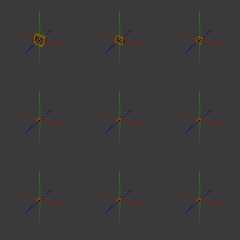
I ran the animation out only to frame 50, but I did spot checks at
frame_numbers 100 through 900 stepping by 100. An image of those renders
is attached.

Bill P.
Post a reply to this message
Attachments:
Download 'matrixplayasiso_frm100__900.png' (33 KB)
Preview of image 'matrixplayasiso_frm100__900.png'
|
|
| |
| |
|
|
|
|
| |
| |
|
|
William F Pokorny <ano### [at] anonymous org> wrote:
> My original surprise at the result in the lower right image over in pbi
> came from setting up a matrix I knew was out of bounds for typical use.
> I didn't expect things to work like two separate shear matrices; I
> didn't know what would happen, but the result surprised me due how
> dramatically it whacked the checker pattern.
Now that I've reviewed it all, your initial result was due to making x-hat and
y-hat the same vector. <1, 1, 0> Essentially collapsing 3d space into a plane.
Attempting to apply the inverse and getting a parse error therefore makes sense.
> The isosurface animation was itself another way to verify behavior.
> There is the usual pattern space to function space inversion. I
> un-inverted the rotation so it looked like the checker rotation. I left
> the scaling as is because scaling up of the function's coordinate space
> shrinks the isosurface result here - keeping the results in a fixed
> view/frame, so to speak.
The isosurface looks like a strange, but interesting result to me, because
you're getting distortion of the square instead of the simple rotation like you
do in the checker.
It sort of looks like a camera iris - something to be pursued, I think. org> wrote:
> My original surprise at the result in the lower right image over in pbi
> came from setting up a matrix I knew was out of bounds for typical use.
> I didn't expect things to work like two separate shear matrices; I
> didn't know what would happen, but the result surprised me due how
> dramatically it whacked the checker pattern.
Now that I've reviewed it all, your initial result was due to making x-hat and
y-hat the same vector. <1, 1, 0> Essentially collapsing 3d space into a plane.
Attempting to apply the inverse and getting a parse error therefore makes sense.
> The isosurface animation was itself another way to verify behavior.
> There is the usual pattern space to function space inversion. I
> un-inverted the rotation so it looked like the checker rotation. I left
> the scaling as is because scaling up of the function's coordinate space
> shrinks the isosurface result here - keeping the results in a fixed
> view/frame, so to speak.
The isosurface looks like a strange, but interesting result to me, because
you're getting distortion of the square instead of the simple rotation like you
do in the checker.
It sort of looks like a camera iris - something to be pursued, I think.
Post a reply to this message
|
|
| |
| |
|
|
|
|
| |
| |
|
|
On 1/21/25 15:30, Bald Eagle wrote:
> The isosurface looks like a strange, but interesting result to me, because
> you're getting distortion of the square instead of the simple rotation like you
> do in the checker.
> It sort of looks like a camera iris - something to be pursued, I think.

Yes, I added a f_hypot(x,y) multiplier to the two 'rotation/shear terms'
to create something more interesting than the square-frame rotating and
shrinking.

Attaching two more mp4s. The one with the _BW.mp4 suffix removes that
f_hypot() multiplier.

The one with the _SinCosHyp.mp4 suffix adds a sin() then cos() wrap of
the f_hypot() multipliers. Done with the thought it might be
interesting. :-)

Bill P.
Post a reply to this message
Attachments:
Download 'matrixplayasiso_bw.mp4.dat' (37 KB)
Download 'matrixplayasiso_sincoshyp.mp4.dat' (30 KB)
|
|
| |
| |
|
|
|
|
| |
| |
|
|
William F Pokorny <ano### [at] anonymousorg> wrote:
>
> but I fully admit I'm just poking the matrix with a stick to
> see what happens. To some extent, I wonder about why it does what it
> does, but I care more about whether what it does might be useful.
>

That is also my usual method of playing with matrices, ha-- because I still have
a hard time understanding how they work and how to use them. I like your video
though; I need to experiment with your code example to see how I can break it!

------------
[In Windows 10]  I thought I should mention something: In the newsgroups'
standard web portal that I use, the Firefox 'previews' of your .mp4 videos do
not play -- with the message "Video cannot be played because the file is
corrupt." (which is not the case!) As a comparison: Josh's .mp4 animation in his
recent post  "Go home, RSOCP, yer drunk" plays fine in the Firefox preview.

So I downloaded your video-- and it plays fine in *most* of my Windows 10 media
players: VLC Media Player, SM Player, and even my old VirtualDub2. But it does
not play in Windows' own Media Player (a black screen)-- and actually breaks
Irfanview (the app hangs and has to be terminated via Windows Task Manager.)
Irfanview will usually play just about any video that I throw at it, so its
behavior in this case is very weird.

In VLC Media Player, I took a look at your first posted video's encoding
statistics:

Codec: H264-MPEG-4 AVC (part 10) (avc1)
Video Resolution: 450 X 450
Buffer Dimensions: 464 X 482
Decoded Format: Planar 4:4:4 YUV
Color Primaries: ITU-R BT.709

I did some research (yet again!) about video encoding and codecs, because it is
all so complicated to remember. Your video's stats are fairly standard stuff
AFAIU-- except for the 4:4:4 chroma subsampling.  4:2:0 is the typical scheme
for h.264; I use that myself. Take a look at Wikipedia's "h.264" page,
particularly the subsection "Feature support in particular profiles". It appears
that 4:4:4 is only supported in a particular high-end 'flavor' of h.264; perhaps
that presents a problem for Firefox, and/or for Windows 10's built-in video
codecs.

Or maybe you encoded the videos using 10-bit colors rather than the more
standard 8-bit?

I also did a search for possible Firefox problems regarding playback of
h.264 .mp4 files, but found nothing that would be helpful-- except for this
possibility:

"Yes, Firefox can play 4:4:4 videos, but only if your hardware and system
settings support it; this is because the capability to play 4:4:4 video depends
on your graphics card and the video codec used, not solely on the browser
itself."

(By the way: I had the same video-playback problems with your December 2024
post,
 "New f_dnoise(), modified f_dturbulence(). yuqk R17"
but forgot to mention it at the time.)
Post a reply to this message
|
|
| |
| |
|
|
|
|
| |
| |
|
|
For those of you that want to be able to do matrix calculations within POV-Ray,
I have made a library that can do some of that.

It can be found here:

https://github.com/t-o-k/POV-Ray-matrices
(NB: Some of the descriptions and examples are not finished yet.)

Below are some examples with this library that may be relevant to this thread.

--
Tor Olav
http://subcube.com
https://github.com/t-o-k


// ===== 1 ======= 2 ======= 3 ======= 4 ======= 5 ======= 6 ======= 7

#version 3.7;  // Should also work in version 3.8

global_settings { assumed_gamma 1.0 }

#include "matrices.inc"

// ===== 1 ======= 2 ======= 3 ======= 4 ======= 5 ======= 6 ======= 7

#declare No_Change_Transform = transform { }

#declare Rotate_Transform = transform { rotate 60*x }

#declare Shear_Transform =
    transform {
        matrix <
            1, 1, 0,
            0, 1, 0,
            0, 0, 1,
            0, 0, 0
        >
    }

#declare Translate_Transform = transform { translate <3, 1, 2> }

#declare Composite_Transform =
    transform {
        No_Change_Transform
        Rotate_Transform
        Shear_Transform
        Translate_Transform
    }

#debug "\nNo Change Transform:\n"
M_Print(M_FromTransform(No_Change_Transform))

#debug "\nRotate Transform:\n"
M_Print(M_FromTransform(Rotate_Transform))

#debug "\nShear Transform:\n"
M_Print(M_FromTransform(Shear_Transform))

#debug "\nTranslate Transform:\n"
M_Print(M_FromTransform(Translate_Transform))

#debug "\nComposite Transform:\n"
M_Print(M_FromTransform(Composite_Transform))

#debug "\n\n"

// ===== 1 ======= 2 ======= 3 ======= 4 ======= 5 ======= 6 ======= 7

#declare No_Change_Matrix = M_Identity(4);

#declare Rotate_Matrix = M_Rotate3D_AroundX(radians(60));

#declare Shear_Matrix =
    array[4][4] {
        {  1.0,  1.0,  0.0,  0.0 },
        {  0.0,  1.0,  0.0,  0.0 },
        {  0.0,  0.0,  1.0,  0.0 },
        {  0.0,  0.0,  0.0,  1.0 }
    }
;

#declare Translate_Matrix = M_Translate3D(<3, 1, 2>);

#declare Composite_Matrix =
    M_Mult(
        M_Mult(
            M_Mult(
                No_Change_Matrix,
                Rotate_Matrix
            ),
            Shear_Matrix
        ),
        Translate_Matrix
    )
;

#debug "\nNo Change Matrix:\n"
M_Print(No_Change_Matrix)

#debug "\nRotate Matrix:\n"
M_Print(Rotate_Matrix)

#debug "\nShear Matrix:\n"
M_Print(Shear_Matrix)

#debug "\nTranslate Matrix:\n"
M_Print(Translate_Matrix)

#debug "\nComposite Matrix:\n"
M_Print(Composite_Matrix)

// ===== 1 ======= 2 ======= 3 ======= 4 ======= 5 ======= 6 ======= 7

#debug "\n"
#error "No error, just finished"

// ===== 1 ======= 2 ======= 3 ======= 4 ======= 5 ======= 6 ======= 7
Post a reply to this message
|
|
| |
| |
|
|
|
|
| |
| |
|
|
"Kenneth" <kdw### [at] gmailcom> wrote:

> That is also my usual method of playing with matrices, ha-- because I still have
> a hard time understanding how they work and how to use them.

A matrix is nothing more than a statement of the end position of each basis
vector after the transformation.

For instance, when I do a shear along x, what I do is take "y" (<0, 1, 0>) and
shit it along the x-axis.  Maybe make it become <0.5, 1, 0>.

So matrix {
1, 0, 0,
0, 1, 0,
0, 0, 1,
0, 0, 0
}

becomes

matrix {
1, 0, 0,
0.5, 1, 0,
0, 0, 1,
0, 0, 0
}

Just think of the matrix operator as

matrix {
x,
y,
z,
translate <a, b, c>
}

and your matrix transform is

matrix {
new_x,
new_y,
new_z,
translate <a, b, c>
}

https://www.youtube.com/watch?v=kYB8IZa5AuE


https://www.f-lohmueller.de/pov_tut/trans/trans_000e.htm
Post a reply to this message
|
|
| |
| |
|
|
|
|
| |
| |
|
|
On 1/25/25 09:47, Kenneth wrote:
> I did some research (yet again!) about video encoding and codecs, because it is
> all so complicated to remember. Your video's stats are fairly standard stuff
> AFAIU-- except for the 4:4:4 chroma subsampling.  4:2:0 is the typical scheme
> for h.264; I use that myself. Take a look at Wikipedia's "h.264" page,
> particularly the subsection "Feature support in particular profiles". It appears
> that 4:4:4 is only supported in a particular high-end 'flavor' of h.264; perhaps
> that presents a problem for Firefox, and/or for Windows 10's built-in video
> codecs.
>
> Or maybe you encoded the videos using 10-bit colors rather than the more
> standard 8-bit?

Hi Kenneth,

Excepting - maybe - the noise video where output grayscale and I
remember trying the flag '-vf format=gray' to get a smaller mp4 file
(made no difference), everything should be 8 bits because the png output
is defaulting to 8 bits per channel.

Thank you for taking the time to investigate the problem you've seen
with my ffmpeg encoded videos! I'm an amateur having encoded very few
animations over the years - and I've posted fewer still.

I'd captured recommendations Dick Balaska made years ago for options
(which included a '-pix_fmt yuv420p' setting), however, when I tried the
command line late last year I kept getting errors I didn't understand.

Being lazy, I dropped back to a very simple command with a flag for
frame rate, the input pattern for saved image frames and the output file
name... Things seemed to work, so I went with ffmpeg's defaulting. :-)


Next time I create an animation with ffmpeg, I'll try to get the 4:2:0
chroma sub-sampling.

Bill P.
Post a reply to this message
|
|
| |
| |
|
|
|
|
| |
| |
|
|
"Bald Eagle" <cre### [at] netscapenet> wrote:
> "Kenneth" <kdw### [at] gmailcom> wrote:
>
> > That is also my usual method of playing with matrices, ha-- because I
> > still have a hard time understanding how they work and how to use them.
>
> A matrix is nothing more than a statement of the end position of each basis
> vector after the transformation.
> [clip]

Thanks for the useful info. Actually, the shearing ability of a matrix is one of
the (few) things that I do grasp. And William P's checkerboard rotation trick
has also been informative. But there are other more complex matrix transforms
that I have seen in newsgroup posts and include files that really baffle me, as
to how the 'magical' results are obtained. (Rune's old 'illusion.inc' file is a
prime example; I use it a lot, but its workings are a mystery to me.)

What I *need* to do is devote the time solely to learning the fundamentals-- and
without other POV-ray distractions. But that's difficult! Because there are
many *other* features that I only understand at a basic level...like
sophisticated functions! To truly learn all that I need to know, I could spend
25 hrs a day.

But every now and then, I have the urge to actually *render* something. ;-)
Post a reply to this message
|
|
| |
| |
|
|
|
|
| |
| |
|
|
On 1/25/25 19:22, Tor Olav Kristensen wrote:
> For those of you that want to be able to do matrix calculations within POV-Ray,
> I have made a library that can do some of that.
>
> It can be found here:
>
> https://github.com/t-o-k/POV-Ray-matrices

Thank you for the reminder. I'd looked at what you have there before -
but my memory failed me in moment.

While I was "thinking aloud" about what was happening with the checker
rotation/shear 'stick poking' play, your package would have saved me a
chunk of time.

I've added a link to your page from my yuqk matrix documentation text
file - which I hope will help me remember.

Bill P.
Post a reply to this message
|
|
| |
| |
|
|
|
|
| |
| |
|
|
"Kenneth" <kdw### [at] gmailcom> wrote:
(Rune's old 'illusion.inc' file is a
> prime example; I use it a lot, but its workings are a mystery to me.)

I have never used it, and the instructions puzzle me.
Perhaps if you could post a scene using it, and the intermediate render, then
maybe I can have some idea how to use it and see how it works.

Also, this seems like the sort of perspective correction that Francois LE COAT
would know all about.

- BW
Post a reply to this message
|
|
| |
| |
|
|
From: William F Pokorny
Subject: Re: Playing with matrix transforms
Date: 27 Jan 2025 08:40:57
Message: <67978ce9@news.povray.org>
|
|
|
| |
| |
|
|
On 1/25/25 19:58, William F Pokorny wrote:
> Next time I create an animation with ffmpeg, I'll try to get the 4:2:0
> chroma sub-sampling.

Alright. Found myself playing again today with a direct matrix transform
  against yuqk's updated wrinkle pattern. The attached animation uses
the sampling you suggested. Does it work in programs where failing before?

Bill P.

             matrix <
                 1.0, (frame_number-1)/60, 0.0,
                -(frame_number-1)/60, 1.0, 0.0,
                 0.0, 0.0, 1.0,
                 (frame_number-1)/57, (frame_number-1)/37, 0.0>
Post a reply to this message
Attachments:
Download 'wrinkles.mp4.dat' (922 KB)
|
|
| |
| |
|
|
|
|
| |
| |
|
|
William F Pokorny <ano### [at] anonymousorg> wrote:
> On 1/25/25 19:58, William F Pokorny wrote:
>
> > Next time I create an animation with ffmpeg, I'll try to get the 4:2:0
> > chroma sub-sampling.
>
> Alright. Found myself playing again today with a direct matrix transform
>  against yuqk's updated wrinkle pattern. The attached animation uses
> the sampling you suggested. Does it work in programs where failing before?
>

YES, this animation plays in all of my Windows media players, including
Irfanview. AND, it also plays in Firefox's 'preview'. Great work! Thanks for
taking the time to dig down into your settings for ffmpeg; very much
appreciated.

For this animation, my VLC Media Player does not report the particular 'chroma
subsampling' scheme that you used... but that seems to be its usual behavior
when encountering the 'typical' 4:2:0. So I guess the switch from 4:4:4 to 4:2:0
has solved the problem. That is interesting news! :-)
Post a reply to this message
|
|
| |
| |
|
|
From: William F Pokorny
Subject: Re: Playing with matrix transforms
Date: 31 Jan 2025 07:57:31
Message: <679cc8bb@news.povray.org>
|
|
|
| |
| |
|
|
On 1/19/25 15:33, William F Pokorny wrote:
> Playing more with matrix transforms

Recently the idea of splines as interpolations was touched upon in the
thread:

https://news.povray.org/povray.advanced-users/thread/%3Cweb.6797e39ce9acc1774cc51b5c25979125%40news.povray.org%3E/

Perhaps obvious the matrix play in this thread can act as a rotational
interpolation.

Attached an animation and full scene file for the animation (for jr). It
should run in v3.8 beta 2 too.

Bill P.
Post a reply to this message
Attachments:
Download 'interpolatematrix.mp4.dat' (391 KB)
Download 'interpolatematrix.pov.txt' (4 KB)
|
|
| |
| |
|
|
|
|
| |
| |
|
|
William F Pokorny <ano### [at] anonymousorg> wrote:

> Perhaps obvious the matrix play in this thread can act as a rotational
> interpolation.

Well now that we're going there - Bezier and other splines can all be
represented as matrix multiplications.

https://blog.demofox.org/2016/03/05/matrix-form-of-bezier-curves/

https://observablehq.com/@danburzo/the-matrix-form-of-some-common-cubic-splines

I know that clipka was talking about trying to find as much common ground for
all of the primitives as possible, so that we could have as few specialized
objects/data structures as possible, so perhaps it would good to look at a lot
of the spline/interpolation code as matrix-based.

We ought to have robust and versatile matrix methods available anyway.

Also, rotational matrices tie directly into complex numbers - so maybe there's a
way to roll that in there too.

- Bald "I want it all" Eagle
Post a reply to this message
|
|
| |
| |
|
|
|
|
| |
| |
|
|
"Bald Eagle" <cre### [at] netscapenet> wrote:

> I know that clipka was talking about trying to find as much common ground for
> all of the primitives as possible, so that we could have as few specialized
> objects/data structures as possible, so perhaps it would good to look at a lot
> of the spline/interpolation code as matrix-based.

There are a few fun things one can do with the matrix based spline calculations.
One can blend two spline matrices to a new spline, or over time morph from one
spline to an other spline type. But one needs access to POV-Ray's internals
then.

The whole spline matrices thing is covered here:

http://web.archive.org/web/20151002232205/http://home.comcast.net/~k9dci/site/?/page/Piecewise_Polynomial_Interpolation
/

Download the book PDF and the separate appendix.

ingo
Post a reply to this message
|
|
| |
| |
|
|
|
|
| |
| |
|
|
"Bald Eagle" <cre### [at] netscapenet> wrote:
> "Kenneth" <kdw### [at] gmailcom> wrote:
> > Rune's old 'illusion.inc' file is a prime example [of a complex matrix];
> > I use it a lot, but its workings are a mystery to me.
>
> I have never used it, and the instructions puzzle me.
> Perhaps if you could post a scene using it, and the intermediate render, then
> maybe I can have some idea how to use it and see how it works.
>

(Sorry for the delay, I was updating my own notes about illusion.inc and running
more test renders.)

Yeah, it was confusing to me as well when I first tried to use it-- mainly
because it is set up as a demonstration file rather than a basic include. And
the demonstration results are a bit confusing, IMO. It is basically a different
way of applying an image_map to objects-- but from the camera's viewpoint, and
with a rather magical matrix manipulation that alters the 'depth perspective' of
the applied image.

It is still available at
https://runevision.com/3d/include/

(Rune mentions that the download has a 2010 update by Sam Benge, which is
apparently no longer part of it; I checked recently.)

Back in 2013, I posted some preliminary info about how the include file works:
https://news.povray.org/povray.binaries.images/thread/%3Cweb.5106f53bd9b7ab13c2d977c20%40news.povray.org%3E/

I also posted a kind of explanatory animation at the time, but it is in
an older .avi video format:
https://news.povray.org/povray.binaries.animations/thread/%3Cweb.5106fb628df1613ec2d977c20%40news.povray.org%3E/?ttop=4
44658&toff=150

I should mention have been using my own simplified and slightly updated version
of the include file for years. I've had thoughts of posting it-- along with my
own set of instructions and a different demo-- but was worried that it might
infringe on Rune's original copyright notice from 2003. Although, I now see that
an update would probably be OK to post.

Rune's matrix transform is quite mysterious (to me) because it uses the
*camera's* settings, along with some math manipulations that are presently way
over my head.
Post a reply to this message
|
|
| |
| |
|
|
|
|
| |
| |
|
|
"Kenneth" <kdw### [at] gmailcom> wrote:
>
> {Illusion.inc] is basically a different
> way of applying an image_map to objects-- but from the camera's viewpoint, and
> with a rather magical matrix manipulation that alters the 'depth perspective'
> of the applied image.
>

It essentially applies the image_map as an 'orthographic' projection onto scene
objects, devoid of perspective... which is quite different from a typical
map_type 0 projection.
Post a reply to this message
|
|
| |
| |
|
|
|
|
| |
| |
|
|
"Kenneth" <kdw### [at] gmailcom> wrote:
> It is basically a different
> way of applying an image_map to objects-- but from the camera's viewpoint, and
> with a rather magical matrix manipulation that alters the 'depth perspective' of
> the applied image.

Yes, I get that part.


> Rune's matrix transform is quite mysterious (to me) because it uses the
> *camera's* settings, along with some math manipulations that are presently way
> over my head.

So, as best I can tell, he's simply done the kind of thing that's done in the
"make this object/text always face the camera"... with the matrix.

but the image_map is converted to a function that incorporates x/z and y/z which
also corrects for the projection matrix so that everything lines up no matter
how near or far.

I just haven;t had the time to figure out how to start applying his include to a
scene, so that I can reverse-engineer it enough to provide a didactic diagram
and explanation.

So if you have working code....   ;)

- BW
Post a reply to this message
|
|
| |
| |
|
|
|
|
| |
| |
|
|
"Kenneth" <kdw### [at] gmailcom> wrote:
> "Kenneth" <kdw### [at] gmailcom> wrote:
> >
> > {Illusion.inc] is basically a different
> > way of applying an image_map to objects-- but from the camera's viewpoint, and
> > with a rather magical matrix manipulation that alters the 'depth perspective'
> > of the applied image.
> >
>
> It essentially applies the image_map as an 'orthographic' projection onto scene
> objects, devoid of perspective... which is quite different from a typical
> map_type 0 projection.

So, I spent a bit of time working out how to do the "this object always faces
the camera" thing, and it's essentially what gets done in screen.inc, minus the
final translation.

Compare that to Rune's "rather magical matrix manipulation" and you'll see that
it's basically the same thing.

So it looks to me that what's going on is, the image gets oriented to be
perpendicular to the camera / parallel to the image plane, and the divisions by
z in the image function are there to provide the appropriate scaling of the
image depending upon where it gets mapped to.

- BW
Post a reply to this message
Attachments:
Download 'facecamera.pov.txt' (2 KB)
|
|
| |
| |
|
|
|
|
| |
| |
|
|
"Bald Eagle" <cre### [at] netscapenet> wrote:

> So, I spent a bit of time working out how to do the "this object always faces
> the camera" thing,

And here's a bit more commentary to better explain how that works, and provide a
useful bit of code for future reference.

#macro FaceCamera (Object, CL)
 #local Min = min_extent (Object);
 #local Max = max_extent (Object);
 #local OL = Min + (Max-Min)/2;

 #declare CamL = CameraLocation;   // wherever you're putting it
 #declare CamD = vnormalize (OL-CamL);  // direction of camera view
  // One can alternately look at this as -Caml, translated to the object's
  // location by adding OL.  -CamL+OL = (OL-CamL)
 #declare CamR = vnormalize (vcross(y,CamD)); // to the right
  // The vector cross product gives a vector that is perpendicular to the two
  // given vectors.  If we're at the vertex (camera location) and we cross the
  // direction of view and the y-axis, we get a vector pointing out to the right
  // CamD and y are likely not perpendicular, so the resulting vcross is some
  // size != 1, so we normalize the size.
 #declare CamU = vnormalize (vcross(CamD,CamR)); // camera up
  // So now we have a view direction and a right vector, which are perpendicular
  // So we do another vector cross product, and get the new "up" vector
  // Which completes our new "frame of reference".
  // The tangent, normal, and binormal unit vectors, often called T, N, and B,
  // or collectively the Frenet–Serret frame (TNB frame or TNB basis)

  // So now when we take the old x, y, and z basis vectors or normal POV-space
  // and move them to align with the new TNB vectors, your object whose
  // orientation was based upon x, y, and z is now based upon the new
  // T, N, and B vectors.
  // Since default camera points at z, and default orientation of most objects
  // is in the xy plane, the object is now in the same relative orientation
  // to the camera in the new TNB frame, and so always faces the camera.
 #declare Object_Transform =
 transform {
  matrix <
  CamR.x, CamR.y, CamR.z,
  CamU.x, CamU.y, CamU.z,
  CamD.x, CamD.y, CamD.z,
      0,      0,      0
  >
 }

 object {
  Object
  transform {Object_Transform}
 }
#end // end macro FaceCamera
Post a reply to this message
Attachments:
Download 'always facing the camera.txt' (2 KB)
|
|
| |
| |
|
|
|
|
| |
| |
|
|
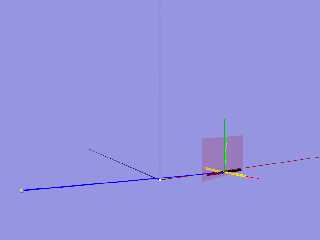
OK, so I was diagramming this all out, and that got me to focus on the fact that
the text not only gets rotated, but MOVED.

That's because it's not rotating the text around the origin.
Just apply the following fix:


 object {
  Object
  translate -OL
  transform {Object_Transform}
  translate OL
 }
#end // end macro FaceCamera
Post a reply to this message
Attachments:
Download 'howfacethecameraworks.png' (26 KB)
Preview of image 'howfacethecameraworks.png'
|
|
| |
| |
|
|
|
|
| |
| |
|
|
On 1/25/2025 6:47 AM, Kenneth wrote:
>
> So I downloaded your video-- and it plays fine in*most* of my Windows 10 media
> players: VLC Media Player, SM Player, and even my old VirtualDub2. But it does
> not play in Windows' own Media Player (a black screen)-- and actually breaks
> Irfanview (the app hangs and has to be terminated via Windows Task Manager.)
> Irfanview will usually play just about any video that I throw at it, so its
> behavior in this case is very weird.
>
> In VLC Media Player, I took a look at your first posted video's encoding
> statistics:
>
> Codec: H264-MPEG-4 AVC (part 10) (avc1)
> Video Resolution: 450 X 450
> Buffer Dimensions: 464 X 482
> Decoded Format: Planar 4:4:4 YUV
> Color Primaries: ITU-R BT.709
>
> I did some research (yet again!) about video encoding and codecs, because it is
> all so complicated to remember. Your video's stats are fairly standard stuff
> AFAIU-- except for the 4:4:4 chroma subsampling.  4:2:0 is the typical scheme
> for h.264; I use that myself. Take a look at Wikipedia's "h.264" page,
> particularly the subsection "Feature support in particular profiles". It appears
> that 4:4:4 is only supported in a particular high-end 'flavor' of h.264; perhaps
> that presents a problem for Firefox, and/or for Windows 10's built-in video
> codecs.

I'm late to reviewing this thread. I use ffmpeg on Windows 10 to make my
animations.

ffmpeg -i <file_pattern> -c:v libx264 -strict -2 -preset slow -pix_fmt
yuv420p -vf "scale=trunc(iw/2)*2:trunc(ih/2)*2" -f mp4 candle2.mp4

I think it's the -pix_fmt yuv420p that makes Windows Media Player like
the file. It might by the -c:v libx264 that's doing it though. It's been
a while and I don't remember.

Josh
Post a reply to this message
|
|
| |
| |
|
|
|
|
| |
|
|