|
|
|
|
|
|
| |
| |
|
|
|
|
| |
| |
|
|
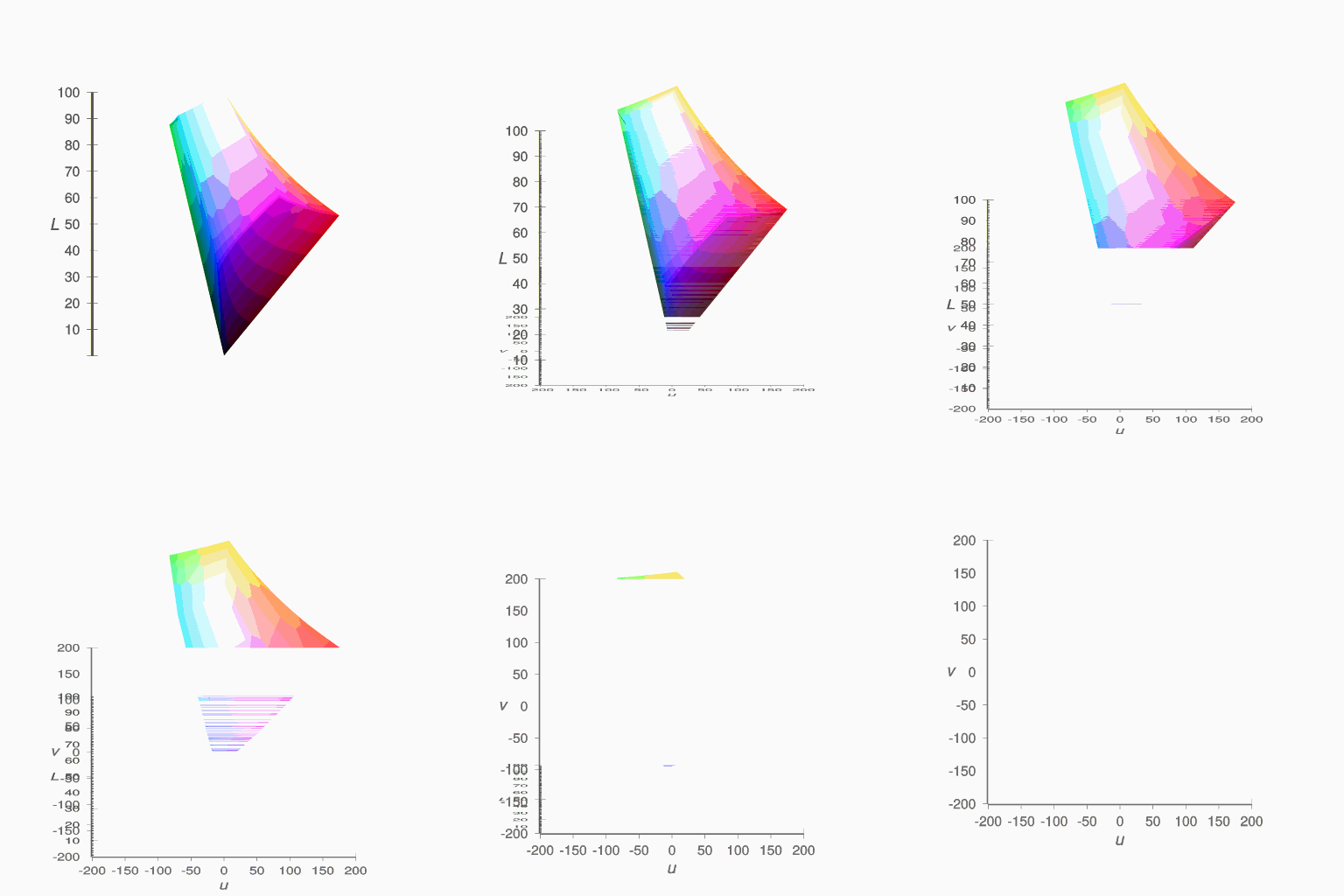
If I rotate the camera 90 degrees around the x axis, the isosurface
disappears.

Mike
Post a reply to this message
Attachments:
Download 'cieluv_cube.mp4.mpg' (240 KB)
Download 'cieluv_cube_disappear_01.gif' (97 KB)
Preview of image 'cieluv_cube_disappear_01.gif'
|
|
| |
| |
|
|
|
|
| |
| |
|
|
Am 09.12.2016 um 03:36 schrieb Mike Horvath:
> If I rotate the camera 90 degrees around the x axis, the isosurface
> disappears.

My guess would be that on the "bottom" side of the shape, the function
has a much stronger gradient, so that when POV-Ray starts searching the
contained_by volume for intersection points starting from that side, it
finds incredibly huge values and thinks, "oh, I must still be VERY far
from the surface" -- advances a good deal, _skipping_ over the actual
body of the shape, and finds itself still outside, concluding that there
is no shape at all.

You must either increase max_gradient to fit even that portion of the
shape, or somehow find a way to get a nicer gradient down there.
Post a reply to this message
|
|
| |
| |
|
|
|
|
| |
| |
|
|
On 12/9/2016 12:02 AM, clipka wrote:
> Am 09.12.2016 um 03:36 schrieb Mike Horvath:
>> If I rotate the camera 90 degrees around the x axis, the isosurface
>> disappears.
>
> My guess would be that on the "bottom" side of the shape, the function
> has a much stronger gradient, so that when POV-Ray starts searching the
> contained_by volume for intersection points starting from that side, it
> finds incredibly huge values and thinks, "oh, I must still be VERY far
> from the surface" -- advances a good deal, _skipping_ over the actual
> body of the shape, and finds itself still outside, concluding that there
> is no shape at all.
>
> You must either increase max_gradient to fit even that portion of the
> shape, or somehow find a way to get a nicer gradient down there.
>

Is there any "adaptive" form of max_gradient, so the setting is only
high where needed?

Mike
Post a reply to this message
|
|
| |
| |
|
|
|
|
| |
| |
|
|
Am 09.12.2016 um 06:09 schrieb Mike Horvath:
> On 12/9/2016 12:02 AM, clipka wrote:
>> Am 09.12.2016 um 03:36 schrieb Mike Horvath:
>>> If I rotate the camera 90 degrees around the x axis, the isosurface
>>> disappears.
>>
>> My guess would be that on the "bottom" side of the shape, the function
>> has a much stronger gradient, so that when POV-Ray starts searching the
>> contained_by volume for intersection points starting from that side, it
>> finds incredibly huge values and thinks, "oh, I must still be VERY far
>> from the surface" -- advances a good deal, _skipping_ over the actual
>> body of the shape, and finds itself still outside, concluding that there
>> is no shape at all.
>>
>> You must either increase max_gradient to fit even that portion of the
>> shape, or somehow find a way to get a nicer gradient down there.
>>
>
> Is there any "adaptive" form of max_gradient, so the setting is only
> high where needed?

There's that `evaluate` mechanism; but I have no idea how it even works.
Post a reply to this message
|
|
| |
| |
|
|
|
|
| |
| |
|
|
On 12/9/2016 12:02 AM, clipka wrote:
> Am 09.12.2016 um 03:36 schrieb Mike Horvath:
>> If I rotate the camera 90 degrees around the x axis, the isosurface
>> disappears.
>
> My guess would be that on the "bottom" side of the shape, the function
> has a much stronger gradient, so that when POV-Ray starts searching the
> contained_by volume for intersection points starting from that side, it
> finds incredibly huge values and thinks, "oh, I must still be VERY far
> from the surface" -- advances a good deal, _skipping_ over the actual
> body of the shape, and finds itself still outside, concluding that there
> is no shape at all.
>
> You must either increase max_gradient to fit even that portion of the
> shape, or somehow find a way to get a nicer gradient down there.
>

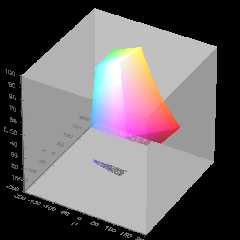
What's weird is that the "missing" area perfectly fits the dimensions of
the bottom face of the cube used in the contained_by clause.

Anyway, I tried max_gradient 1000, and am now trying 10000. Not usre how
long it will take however.

:(

Mike
Post a reply to this message
Attachments:
Download 'cieluv_color_solid_cube_isosurface_05.png' (50 KB)
Preview of image 'cieluv_color_solid_cube_isosurface_05.png'
|
|
| |
| |
|
|
|
|
| |
| |
|
|
On 12/9/2016 1:25 PM, Mike Horvath wrote:
> Anyway, I tried max_gradient 1000, and am now trying 10000. Not usre how
> long it will take however.


If you are only interested in a part of an image. You can render that
(in Windows) by Shift + RMB click and drag.

--

Regards
     Stephen
Post a reply to this message
|
|
| |
| |
|
|
|
|
| |
| |
|
|
clipka <ano### [at] anonymous org> wrote:
> There's that `evaluate` mechanism; but I have no idea how it even works.
POV-Ray can also dynamically adapt the used max_gradient. To activate this
technique you have to specify the evaluate keyword followed by three parameters:
P0: the minimum max_gradient in the estimation process,
P1: an over-estimating factor. This means that the max_gradient is multiplied
by the P1 parameter.
P2: an attenuation parameter (1 or less)
In this case POV-Ray starts with the max_gradient value P0 and dynamically
changes it during the render using P1 and P2. In the evaluation process, the P1
and P2 parameters are used in quadratic functions. This means that
over-estimation increases more rapidly with higher values and attenuation more
rapidly with lower values. Also with dynamic max_gradient, there can be
artefacts and holes.
If you are unsure what values to use, start a render without evaluate to get a
value for max_gradient. Now you can use it with evaluate like this:
P0 : found max_gradient * min_factor
'min_factor' being a float between 0 and 1 to reduce the max_gradient to a
'minimum max_gradient'. The ideal value for P0 would be the average of the found
max_gradients, but we do not have access to that information.
A good starting point is 0.6 for the min_factor
P1 : sqrt(found max_gradient/(found max_gradient * min_factor))
'min_factor' being the same as used in P0 this will give an over-estimation
factor of more than 1, based on your minimum max_gradient and the found
max_gradient.
P2 : 1 or less
0.7 is a good starting point.
When there are artifacts / holes in the isosurface, increase the min_factor and
/ or P2 a bit. Example: when the first run gives a found max_gradient of 356,
start with
#declare Min_factor= 0.6;
isosurface {
...
evaluate 356*Min_factor, sqrt(356/(356*Min_factor)), 0.7
//evaluate 213.6, 1.29, 0.7
...
}
This method is only an approximation of what happens internally, but it gives
faster rendering speeds with the majority of isosurfaces. org> wrote:
> There's that `evaluate` mechanism; but I have no idea how it even works.
POV-Ray can also dynamically adapt the used max_gradient. To activate this
technique you have to specify the evaluate keyword followed by three parameters:
P0: the minimum max_gradient in the estimation process,
P1: an over-estimating factor. This means that the max_gradient is multiplied
by the P1 parameter.
P2: an attenuation parameter (1 or less)
In this case POV-Ray starts with the max_gradient value P0 and dynamically
changes it during the render using P1 and P2. In the evaluation process, the P1
and P2 parameters are used in quadratic functions. This means that
over-estimation increases more rapidly with higher values and attenuation more
rapidly with lower values. Also with dynamic max_gradient, there can be
artefacts and holes.
If you are unsure what values to use, start a render without evaluate to get a
value for max_gradient. Now you can use it with evaluate like this:
P0 : found max_gradient * min_factor
'min_factor' being a float between 0 and 1 to reduce the max_gradient to a
'minimum max_gradient'. The ideal value for P0 would be the average of the found
max_gradients, but we do not have access to that information.
A good starting point is 0.6 for the min_factor
P1 : sqrt(found max_gradient/(found max_gradient * min_factor))
'min_factor' being the same as used in P0 this will give an over-estimation
factor of more than 1, based on your minimum max_gradient and the found
max_gradient.
P2 : 1 or less
0.7 is a good starting point.
When there are artifacts / holes in the isosurface, increase the min_factor and
/ or P2 a bit. Example: when the first run gives a found max_gradient of 356,
start with
#declare Min_factor= 0.6;
isosurface {
...
evaluate 356*Min_factor, sqrt(356/(356*Min_factor)), 0.7
//evaluate 213.6, 1.29, 0.7
...
}
This method is only an approximation of what happens internally, but it gives
faster rendering speeds with the majority of isosurfaces.
Post a reply to this message
|
|
| |
| |
|
|
|
|
| |
| |
|
|
On 12/08/2016 09:36 PM, Mike Horvath wrote:
> If I rotate the camera 90 degrees around the x axis, the isosurface
> disappears.
>
> Mike

Is there any chance the camera is ending up inside the contained_by
shape for the isosurface?

Bill P.
Post a reply to this message
|
|
| |
| |
|
|
|
|
| |
| |
|
|
On 12/9/2016 12:55 PM, William F Pokorny wrote:
> On 12/08/2016 09:36 PM, Mike Horvath wrote:
>> If I rotate the camera 90 degrees around the x axis, the isosurface
>> disappears.
>>
>> Mike
>
> Is there any chance the camera is ending up inside the contained_by
> shape for the isosurface?
>
> Bill P.

I don't think so. My camera is 17 units away from the origin, and the
contained_by area is only 1 unit wide.

(These values then get scaled by 200000.)

Mike
Post a reply to this message
|
|
| |
| |
|
|
|
|
| |
| |
|
|
On 12/8/2016 9:36 PM, Mike Horvath wrote:
> If I rotate the camera 90 degrees around the x axis, the isosurface
> disappears.
>
> Mike

I increased the max_gradient to 10000, and there seems to be no improvement.

Mike
Post a reply to this message
|
|
| |
| |
|
|
|
|
| |
| |
|
|
On 12/10/2016 07:50 AM, Mike Horvath wrote:
> On 12/9/2016 12:55 PM, William F Pokorny wrote:
>> On 12/08/2016 09:36 PM, Mike Horvath wrote:
>>> If I rotate the camera 90 degrees around the x axis, the isosurface
>>> disappears.
>>>
>>> Mike
>>
>> Is there any chance the camera is ending up inside the contained_by
>> shape for the isosurface?
>>
>> Bill P.
>
> I don't think so. My camera is 17 units away from the origin, and the
> contained_by area is only 1 unit wide.
>
> (These values then get scaled by 200000.)
>
> Mike

OK - it was a shot in the dark. I've not followed your color space
function() development.

A suggesting is trying the isosurface coded in your scene at a rotations
around where it is breaking up, at a low resolution, no aa+, area light,
etc., as

isosurface {
}

not used by reference (github #114 (#113 is related)), so you get some
idea what the max gradient really is and how it is changing.

Bill P.
Post a reply to this message
|
|
| |
| |
|
|
|
|
| |
| |
|
|
Am 11.12.2016 um 15:09 schrieb William F Pokorny:

> A suggesting is trying the isosurface coded in your scene at a rotations
> around where it is breaking up, at a low resolution, no aa+, area light,
> etc., as
>
> isosurface {
> }
>
> not used by reference (github #114 (#113 is related)), so you get some
> idea what the max gradient really is and how it is changing.

Thanks for bringing this report and analysis up again; I had wondered
recently why my own toying-around with Mike's isosurfaces didn't prompt
any max gradient warnings, but didn't take the time to investigate.

I've just published a new version that supersedes the offending
mechanism with something smarter, and should again report the max
gradient as expected, for each and every isosurface actually rendered,
yet aggregating the results for any clones.

https://github.com/POV-Ray/povray/releases/tag/v3.7.1-alpha.8913469
Post a reply to this message
|
|
| |
| |
|
|
|
|
| |
| |
|
|
On 12/11/2016 9:09 AM, William F Pokorny wrote:
> On 12/10/2016 07:50 AM, Mike Horvath wrote:
>> On 12/9/2016 12:55 PM, William F Pokorny wrote:
>>> On 12/08/2016 09:36 PM, Mike Horvath wrote:
>>>> If I rotate the camera 90 degrees around the x axis, the isosurface
>>>> disappears.
>>>>
>>>> Mike
>>>
>>> Is there any chance the camera is ending up inside the contained_by
>>> shape for the isosurface?
>>>
>>> Bill P.
>>
>> I don't think so. My camera is 17 units away from the origin, and the
>> contained_by area is only 1 unit wide.
>>
>> (These values then get scaled by 200000.)
>>
>> Mike
>
> OK - it was a shot in the dark. I've not followed your color space
> function() development.
>
> A suggesting is trying the isosurface coded in your scene at a rotations
> around where it is breaking up, at a low resolution, no aa+, area light,
> etc., as
>
> isosurface {
> }
>
> not used by reference (github #114 (#113 is related)), so you get some
> idea what the max gradient really is and how it is changing.
>
> Bill P.

I don't understand. What are you saying?

Mike
Post a reply to this message
|
|
| |
| |
|
|
|
|
| |
| |
|
|
Am 12.12.2016 um 00:51 schrieb Mike Horvath:

>> A suggesting is trying the isosurface coded in your scene at a rotations
>> around where it is breaking up, at a low resolution, no aa+, area light,
>> etc., as
>>
>> isosurface {
>> }
>>
>> not used by reference (github #114 (#113 is related)), so you get some
>> idea what the max gradient really is and how it is changing.
>>
>> Bill P.
>
> I don't understand. What are you saying?

He's suggesting that rather than

    #declare Whatever = isosurface {...}
    ...
    object { Whatever }

you should use (at least temporarily)

    isosurface {...}

as this will allow POV-Ray to give you a warning if it thinks your
max_gradient is a poor choice (whether unnecessarily high or too low).


Alternatively, use the brand-new development release I posted about a
couple of minutes ago, which should be able to do the same stunt without
any changes to your scene file.
Post a reply to this message
|
|
| |
| |
|
|
|
|
| |
| |
|
|
On 12/11/2016 7:08 PM, clipka wrote:
> Am 12.12.2016 um 00:51 schrieb Mike Horvath:
>
>>> A suggesting is trying the isosurface coded in your scene at a rotations
>>> around where it is breaking up, at a low resolution, no aa+, area light,
>>> etc., as
>>>
>>> isosurface {
>>> }
>>>
>>> not used by reference (github #114 (#113 is related)), so you get some
>>> idea what the max gradient really is and how it is changing.
>>>
>>> Bill P.
>>
>> I don't understand. What are you saying?
>
> He's suggesting that rather than
>
>     #declare Whatever = isosurface {...}
>     ...
>     object { Whatever }
>
> you should use (at least temporarily)
>
>     isosurface {...}
>
> as this will allow POV-Ray to give you a warning if it thinks your
> max_gradient is a poor choice (whether unnecessarily high or too low).
>
>
> Alternatively, use the brand-new development release I posted about a
> couple of minutes ago, which should be able to do the same stunt without
> any changes to your scene file.
>


"Shutdown Warning: The maximum gradient found was 32.504, but
max_gradient of the isosurface was set to 100.000. Adjust max_gradient
to get a faster rendering of the isosurface."

According to this, max_gradient setting is not the problem, right?

Mike
Post a reply to this message
|
|
| |
| |
|
|
|
|
| |
| |
|
|
On 12/8/2016 9:36 PM, Mike Horvath wrote:
> If I rotate the camera 90 degrees around the x axis, the isosurface
> disappears.
>
> Mike

I'm not sure why, but increasing the contained_by box fixed the problem.
I used:

	contained_by
	{
		box {-1,1}
	}

instead of:

	contained_by
	{
		box {0,1}
	}


Mike
Post a reply to this message
|
|
| |
| |
|
|
|
|
| |
| |
|
|
Am 12.12.2016 um 03:11 schrieb Mike Horvath:

> "Shutdown Warning: The maximum gradient found was 32.504, but
> max_gradient of the isosurface was set to 100.000. Adjust max_gradient
> to get a faster rendering of the isosurface."
>
> According to this, max_gradient setting is not the problem, right?

Right.
Post a reply to this message
|
|
| |
| |
|
|
|
|
| |
| |
|
|
Am 12.12.2016 um 04:09 schrieb Mike Horvath:
> On 12/8/2016 9:36 PM, Mike Horvath wrote:
>> If I rotate the camera 90 degrees around the x axis, the isosurface
>> disappears.
>>
>> Mike
>
> I'm not sure why, but increasing the contained_by box fixed the problem.
> I used:
>
>     contained_by
>     {
>         box {-1,1}
>     }
>
> instead of:
>
>     contained_by
>     {
>         box {0,1}
>     }

Maybe your functions have numeric instabilities near x=0, y=0 or z=0;
choosing a bounding box that does not coincide with these values would
drastically reduce the chance of the isosurface alhorithm hitting those
locations exactly, and it might now just skip over that ditch.
Post a reply to this message
|
|
| |
| |
|
|
|
|
| |
| |
|
|
On 12/11/2016 05:35 PM, clipka wrote:
> Am 11.12.2016 um 15:09 schrieb William F Pokorny:
>
>> A suggesting is trying the isosurface coded in your scene at a rotations
>> around where it is breaking up, at a low resolution, no aa+, area light,
>> etc., as
>>
>> isosurface {
>> }
>>
>> not used by reference (github #114 (#113 is related)), so you get some
>> idea what the max gradient really is and how it is changing.
>
> Thanks for bringing this report and analysis up again; I had wondered
> recently why my own toying-around with Mike's isosurfaces didn't prompt
> any max gradient warnings, but didn't take the time to investigate.
>
> I've just published a new version that supersedes the offending
> mechanism with something smarter, and should again report the max
> gradient as expected, for each and every isosurface actually rendered,
> yet aggregating the results for any clones.
>
> https://github.com/POV-Ray/povray/releases/tag/v3.7.1-alpha.8913469
>
This update will be very useful to me. Thanks much! :-)

Bill P.
Post a reply to this message
|
|
| |
| |
|
|
|
|
| |
|
|