|
|
|
|
|
|
| |
| |
|
|
|
|
| |
| |
|
|
Re:
http://news.povray.org/povray.newusers/thread/%3C56d9d7a3%241%40news.povray.org%3E/
Post a reply to this message
Attachments:
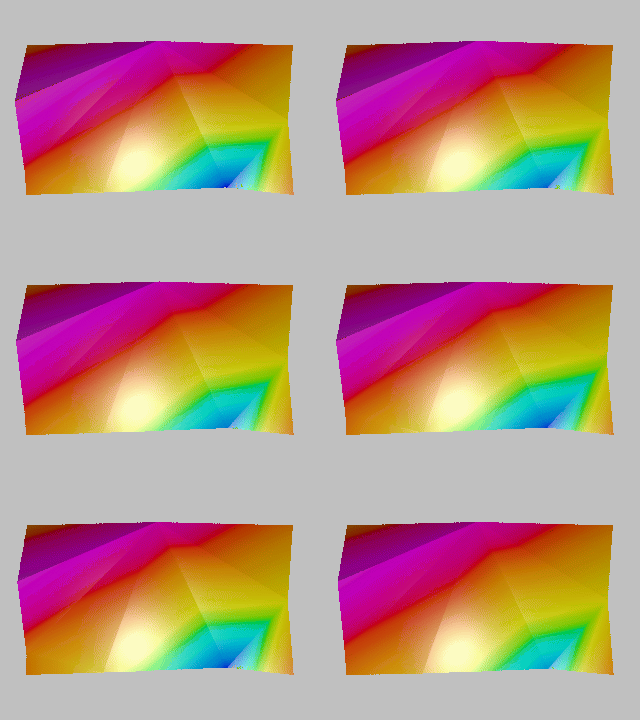
Download 'smallplate.gif' (2021 KB)
Preview of image 'smallplate.gif'
|
|
| |
| |
|
|
|
|
| |
| |
|
|
"Bald Eagle" <cre### [at] netscape net> wrote:
> Re:
> http://news.povray.org/povray.newusers/thread/%3C56d9d7a3%241%40news.povray.org%3E/
This is beautiful. net> wrote:
> Re:
> http://news.povray.org/povray.newusers/thread/%3C56d9d7a3%241%40news.povray.org%3E/
This is beautiful.
Post a reply to this message
|
|
| |
| |
|
|
|
|
| |
| |
|
|
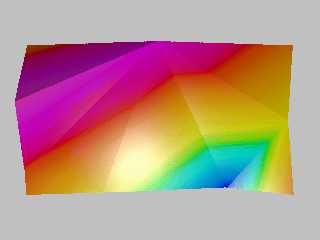
On 3/4/2016 9:19 PM, Bald Eagle wrote:
> Re:
> http://news.povray.org/povray.newusers/thread/%3C56d9d7a3%241%40news.povray.org%3E/
>

Nice and that is using bicubic patches?

I processed the data (deviation from the average) and used triangles to
make the plate.


--

Regards
     Stephen
Post a reply to this message
Attachments:
Download 'vib3.mp4.mpg' (1199 KB)
|
|
| |
| |
|
|
|
|
| |
| |
|
|
On 3/6/2016 11:20 AM, Stephen wrote:
>
> I processed the data (deviation from the average) and used triangles to
> make the plate.
>
>
>

Oh! the Sphere is hiding one of the data points. :-(

--

Regards
     Stephen
Post a reply to this message
Attachments:
Download 'vib0_4b_02.mp4.mpg' (1234 KB)
|
|
| |
| |
|
|
|
|
| |
| |
|
|
Stephen <mca### [at] aolcom> wrote:

> Nice and that is using bicubic patches?

No sir.  Still too ignorant and unskilled to make that happen, but had a number
of breakthroughs yesterday, and hopefully will get some bicubic patch code
cobbled together as a proof-of-concept.  Then it ought to be much smoother and
prettier.

> I processed the data (deviation from the average) and used triangles to
> make the plate.

I used the raw data, since there was no information indicating that the plate
was flat, and so it looks like it's vibrations in a stressed plate.

I'm going to give some thought to finding vibrational nodes and have the edges
flex freely using those as the true stationary points.

Given time, talent, inspiration, freedom from interruption, plenty of coffee,
and tips and helpful feedback from the helpful folks here in POV-Land.
Post a reply to this message
|
|
| |
| |
|
|
|
|
| |
| |
|
|
So, I'm trying to work through in my head what the best way to model this is,
with the amplitudes and the times, and the measurement points, and the
intermediate control points of the patch.

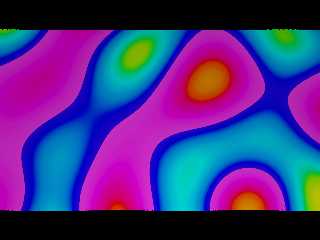
I started to model the plate as an isosurface of interfering cosine waves, which
was humming along as smoothly as I could have hoped, and then my function
started throwing errors.

Once I commented out the additional parameters, it was fine.
Is there some upper limit to how much stuff you can stuff into a function?

############################################################################

#version 3.7;
global_settings { assumed_gamma 1.0 }

//------------------------------------------
// SDL for
// Bill Walker - 2016
//------------------------------------------

#include "colors.inc"
#include "debug.inc"
 Set_Debug (true)
#include "math.inc"
#include "TempGradient.inc"

light_source { <0, 50, -50>  color rgb <1, 1, 1>}


#declare Camera_Front = camera {
                            location  <0, 75, -1>
                            //right    x*image_width/image_height
                            look_at   <0, 0, 0>}


camera {Camera_Front}

#declare Y = 0;
#declare PW = 56.378/2;
#declare r=125;

// amplitudes based on 1st 150 points, max-min
#declare A4 = 0.007;
#declare A6 = 0.015;
#declare A2 = 0.006;
#declare A7 = 0.009;
#declare A10 = 0.009;
#declare A9 =  0.011;

#declare Point2  = <-00.9,   -0.106,  PW>;
#declare P2 = Point2.x;
#declare Point4  = < 50.0,   -0.037,  0>;
#declare P4 = Point4.x;
#declare Point6  = < 28.0,   0.048,  -PW>;
#declare P6 = Point6.x;
#declare Point7  = <-22.0,   -0.033,  -PW>;
#declare P7 = Point7.x;
#declare Point9  = <-50.0,   0.01,  -19.8>;
#declare P7 = Point9.x;
#declare Point10 = <-50.0,   0.075,  PW-21.9>;
#declare Z10 = PW - 21.9;
#declare P7 = Point10.x;

#declare Freq = 0.05;

isosurface{ //------------------------- "sombrero"
  function{ y -
   A2 * cos(sqrt(pow(x, 2) - (2*P2*x)  + pow(P2, 2)  + pow(z, 2) - (2*PW*z)  +
pow(PW, 2))*Freq*pi) +
   A4 * cos(sqrt(pow(x, 2) - (2*P4*x)  + pow(P4, 2)  + pow(z, 2) - (2*0*z)   +
pow(0, 2)) *Freq*pi) +
   A6 * cos(sqrt(pow(x, 2) - (2*P6*x)  + pow(P6, 2)  + pow(z, 2) - (2*-PW*z) +
pow(PW, 2))*Freq*pi) +
   A7 * cos(sqrt(pow(x, 2) - (2*P7*x)  + pow(P7, 2)  + pow(z, 2) - (2*-PW*z) +
pow(PW, 2))*Freq*pi) //+
  //A9 * cos(sqrt(pow(x, 2) - (2*P9*x)  + pow(P9, 2)  + pow(z, 2) + (2*19.8*z) +
pow(19.8, 2))*Freq*pi) +
  //A10 * cos(sqrt(pow(x, 2) - (2*P10*x) + pow(P10, 2) + pow(z, 2) - (2*Z10*z) +
pow(Z10, 2))*Freq*pi)
  }

  threshold 0
  contained_by{box{<-50, -1, -PW>, <50, 1, PW>}}

  texture{
    pigment{ TempGradient scale <1, 0.08, 1>}
    //normal { ripples 0.5 scale 0.125}
    //finish { phong 1}
  } // end of texture
  scale <1, 10, 1>
  rotate <0,0,0>
  translate <0,0,0>
} // end of isosurface ----------------
Post a reply to this message
Attachments:
Download 'overlappingsinewaves.png' (133 KB)
Preview of image 'overlappingsinewaves.png'
|
|
| |
| |
|
|
|
|
| |
| |
|
|
Am 07.03.2016 um 05:11 schrieb Bald Eagle:

> I started to model the plate as an isosurface of interfering cosine waves, which
> was humming along as smoothly as I could have hoped, and then my function
> started throwing errors.

Can you elaborate? "throwing errors" is not a very precise description
of symptoms ;)

> Once I commented out the additional parameters, it was fine.
> Is there some upper limit to how much stuff you can stuff into a function?

There shouldn't be any.
Post a reply to this message
|
|
| |
| |
|
|
|
|
| |
| |
|
|
clipka <ano### [at] anonymousorg> wrote:

> Can you elaborate? "throwing errors" is not a very precise description
> of symptoms ;)

I tracked it down to a malfunction between the auditory sensors of the organic
keyboard operating device.  Somehow, it wasn't properly coupled to the LCD
output and was dropping data packets.   :|
Anyway, I got it to work, and it's interesting to see what a nice job the
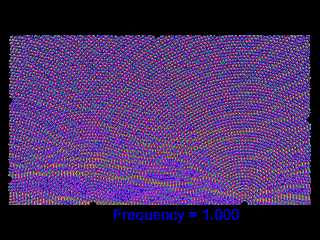
isosurface does in showing the interference patterns of the vibrations, assuming
that the vibrations are simple harmonic oscillators.

Still need to think on how to "raise" the y-axis level of each vibrational
source to better model it, and then how to offset the phase according to the
frame_number.

Not sure how the real vibrational data ought to be propagated into the plate
aside from that - maybe run it through a fast Fourier transform and somehow
alter the changes in frequency and amplitude based on that....

yikes.  :O
Post a reply to this message
Attachments:
Download 'overlappingsinewaves.png' (631 KB)
Preview of image 'overlappingsinewaves.png'
|
|
| |
| |
|
|
|
|
| |
| |
|
|
On 3/7/2016 7:56 PM, Bald Eagle wrote:
> clipka <ano### [at] anonymousorg> wrote:
>
>> Can you elaborate? "throwing errors" is not a very precise description
>> of symptoms ;)
>
> I tracked it down to a malfunction between the auditory sensors of the organic
> keyboard operating device.  Somehow, it wasn't properly coupled to the LCD
> output and was dropping data packets.   :|

Cotton buds, work wonders. ;-)


> Anyway, I got it to work, and it's interesting to see what a nice job the
> isosurface does in showing the interference patterns of the vibrations, assuming
> that the vibrations are simple harmonic oscillators.
>
> Still need to think on how to "raise" the y-axis level of each vibrational
> source to better model it,

Am I missing something here?
I has a similar problem as the Modeller I use (Bishop3D this time not
blender) only uses 3 decimal places. So I multiplied the data by a
thousand and reduced the scale of the plane appropriately.

> and then how to offset the phase according to the
> frame_number.
>

You have lost me there.

> Not sure how the real vibrational data ought to be propagated into the plate
> aside from that - maybe run it through a fast Fourier transform and somehow
> alter the changes in frequency and amplitude based on that....
>

Can you trust the data enough to extrapolate?

> yikes.  :O
>

Double yikes and a "Jinges and Crivens." thrown in.


--

Regards
     Stephen
Post a reply to this message
|
|
| |
| |
|
|
|
|
| |
| |
|
|
Stephen <mca### [at] aolcom> wrote:

> > Still need to think on how to "raise" the y-axis level of each vibrational
> > source to better model it,
>
> Am I missing something here?
> I has a similar problem as the Modeller I use (Bishop3D this time not
> blender) only uses 3 decimal places. So I multiplied the data by a
> thousand and reduced the scale of the plane appropriately.

I mean in the isosurface formula.  When I plot out all the data in Excel, I see
that the mean y-values for all the different points vary.   I'm not sure how to
include the height differences of the points in my function.

> > and then how to offset the phase according to the
> > frame_number.
> >
>
> You have lost me there.

The isosurface is at present static.  I want to change the phase of my cosine
waves in the function, based on frame_number.   That way the waves ripple
outwards from the data points.

> > Not sure how the real vibrational data ought to be propagated into the plate
> > aside from that - maybe run it through a fast Fourier transform and somehow
> > alter the changes in frequency and amplitude based on that....
> >
>
> Can you trust the data enough to extrapolate?

I haven't really thought it that far out.
This is, after all, a problem posed by the OP.   It just caught my interest.

OK - back to interpolating the control points for my 3x3 bicubic patch model.
16 data points, 128 interpolated control points, 144 control points altogether.
 :D
Post a reply to this message
|
|
| |
| |
|
|
|
|
| |
| |
|
|
Am 07.03.2016 um 20:56 schrieb Bald Eagle:
> clipka <ano### [at] anonymousorg> wrote:
>
>> Can you elaborate? "throwing errors" is not a very precise description
>> of symptoms ;)
>
> I tracked it down to a malfunction between the auditory sensors of the organic
> keyboard operating device.  Somehow, it wasn't properly coupled to the LCD
> output and was dropping data packets.   :|

Normally it's the visual sensors that you couple to the LCD, not the
auditory ones. Anoter OKOD malfunction?
But yeah, accidental OKOD disconnects can be a real pain in the rear
orifice ;)
Post a reply to this message
|
|
| |
| |
|
|
|
|
| |
| |
|
|
On 3/8/2016 12:28 AM, Bald Eagle wrote:
> Stephen <mca### [at] aolcom> wrote:
>
>>> Still need to think on how to "raise" the y-axis level of each vibrational
>>> source to better model it,
>>
>> Am I missing something here?
>> I has a similar problem as the Modeller I use (Bishop3D this time not
>> blender) only uses 3 decimal places. So I multiplied the data by a
>> thousand and reduced the scale of the plane appropriately.
>
> I mean in the isosurface formula.  When I plot out all the data in Excel, I see
> that the mean y-values for all the different points vary.   I'm not sure how to
> include the height differences of the points in my function.
>
>>> and then how to offset the phase according to the
>>> frame_number.
>>>
>>
>> You have lost me there.
>
> The isosurface is at present static.  I want to change the phase of my cosine
> waves in the function, based on frame_number.   That way the waves ripple
> outwards from the data points.
>

It slipped my mind that you were using isosurfaces at this point.
Would it not be something like:
Cos(Θ + 2*pi * {[final_frame - initial_frame]/ frame_number})

>>> Not sure how the real vibrational data ought to be propagated into the plate
>>> aside from that - maybe run it through a fast Fourier transform and somehow
>>> alter the changes in frequency and amplitude based on that....
>>>
>>
>> Can you trust the data enough to extrapolate?
>
> I haven't really thought it that far out.

It was the first thing I did. :-)

> This is, after all, a problem posed by the OP.   It just caught my interest.
>

It caught mine too.

> OK - back to interpolating the control points for my 3x3 bicubic patch model.
> 16 data points, 128 interpolated control points, 144 control points altogether.
>   :D

Good luck. :-)
IIRC Moray had a way of joining bicubic patchs.
I just downloaded Moray and had a look. The joining control points are
all calculated internally and the patches are bound in a union. It looks
like Lutz just used a simple function, possibly the average of the
points on either side.


--

Regards
     Stephen
Post a reply to this message
|
|
| |
| |
|
|
|
|
| |
| |
|
|
On 3/8/2016 11:17 AM, Stephen wrote:
>> OK - back to interpolating the control points for my 3x3 bicubic patch
>> model.
>> 16 data points, 128 interpolated control points, 144 control points
>> altogether.
>>   :D
>
> Good luck. :-)
> IIRC Moray had a way of joining bicubic patchs.

I don't know if this will help you. This is a couple of bicubic patches
that make a cylinder of radius 1. Note that the Y value is 4/3 and in
Moray, Z is up. (Please don't restart the Maths Vs Engineering, flame
war. ;-) )


union { // BezPtch001
   object {
     bicubic_patch { type 1 flatness 0.0100 u_steps 3 v_steps 3,
       <-1.000000, 0.000000, 0.000000>, <-1.000000, -1.333333,
0.000000>, <1.000000, -1.333333, 0.000000>, <1.000000, 0.000000, 0.000000>,
       <-1.000000, 0.000000, 2.000000>, <-1.000000, -1.333333,
2.000000>, <1.000000, -1.333333, 2.000000>, <1.000000, 0.000000, 2.000000>,
       <-1.000000, 0.000000, 4.000000>, <-1.000000, -1.333333,
4.000000>, <1.000000, -1.333333, 4.000000>, <1.000000, 0.000000, 4.000000>,
       <-1.000000, 0.000000, 6.000000>, <-1.000000, -1.333333,
6.000000>, <1.000000, -1.333333, 6.000000>, <1.000000, 0.000000, 6.000000>
     }
   }
   object {
     bicubic_patch { type 1 flatness 0.0100 u_steps 3 v_steps 3,
       <1.000000, 0.000000, 0.000000>, <1.000000, 1.333333, 0.000000>,
<-1.000000, 1.333330, 0.000000>, <-1.000000, 0.000000, 0.000000>,
       <1.000000, 0.000000, 2.000000>, <1.000000, 1.333333, 2.000000>,
<-1.000000, 1.333330, 2.000000>, <-1.000000, 0.000000, 2.000000>,
       <1.000000, 0.000000, 4.000000>, <1.000000, 1.333333, 4.000000>,
<-1.000000, 1.333330, 4.000000>, <-1.000000, 0.000000, 4.000000>,
       <1.000000, 0.000000, 6.000000>, <1.000000, 1.333333, 6.000000>,
<-1.000000, 1.333330, 6.000000>, <-1.000000, 0.000000, 6.000000>
     }
   }

}


--

Regards
     Stephen
Post a reply to this message
|
|
| |
| |
|
|
|
|
| |
| |
|
|
On 8-3-2016 13:12, Stephen wrote:
> I don't know if this will help you. This is a couple of bicubic patches
> that make a cylinder of radius 1. Note that the Y value is 4/3 and in
> Moray, Z is up. (Please don't restart the Maths Vs Engineering, flame
> war. ;-) )

scale <1,1,-1>
rotate 90*x

:-)


--
Thomas
Post a reply to this message
|
|
| |
| |
|
|
|
|
| |
| |
|
|
clipka <ano### [at] anonymousorg> wrote:


Parse error.
Expected actual Statement but found misinterpretation instead.
:D  ;)

The auditory sensors were not the location of the malfunction.
Therefore, they need not be coupled to the LCD.
It was a malfunction BETWEEN the auditory sensors.

I'm sure that a fatigued RAID array of optical drives didn't help things.
Post a reply to this message
|
|
| |
| |
|
|
|
|
| |
| |
|
|
The problem I have / had was not joining the patches together - I worked that
out last week with the 4 bicubic patches.

What I'm trying to do now is essentially take the corners of the patches, set
those as the data points, and interpolate the first and last rows to get the 2
intermediate control points of those rows, then run through all of the columns
to set all of the control points in rows 2 and 3.

I got the interpolation all worked out (so I thought), put together 9 patches,
linked all the corners and edges, and coded the whole interpolation of the grid.

Somehow, somewhere, the interpolation doesn't like the data.
I think it's the negative numbers, since my 9 patches are centered on the
origin.
The original javascript outputs, and inputs from SVG - so there aren't any
negative screen coordinates.

Looks like today I might be debugging THAT today to see where it goes
fundamentally wrong.

I can post in scene-files if anyone would like to look and help pick it apart.

or, actually,
Original javascript is embedded in an SVG here:
https://www.particleincell.com/wp-content/uploads/2012/06/circles.svg
Post a reply to this message
|
|
| |
| |
|
|
|
|
| |
| |
|
|
On 3/8/2016 12:18 PM, Thomas de Groot wrote:
> On 8-3-2016 13:12, Stephen wrote:
>> I don't know if this will help you. This is a couple of bicubic patches
>> that make a cylinder of radius 1. Note that the Y value is 4/3 and in
>> Moray, Z is up. (Please don't restart the Maths Vs Engineering, flame
>> war. ;-) )
>
> scale <1,1,-1>
> rotate 90*x
>
> :-)
>
>
You've got a long memory. ;-)

It was strange looking at Pov 3.1 again. It must be 10 years since I
last used it regularly.

Then I thought about running the benchmark on 3.1
There is none but I came across this:

http://www.verycomputer.com/10_7d4a92f29cb0df5d_1.htm

+A +Ifish13.pov +Ofish.tga +W720 +H486
It took the author 70 hours to run it.
On my i7 machine it took 13 seconds with 3.1g and 3 seconds with 3.7

:-D

--

Regards
     Stephen
Post a reply to this message
|
|
| |
| |
|
|
|
|
| |
| |
|
|
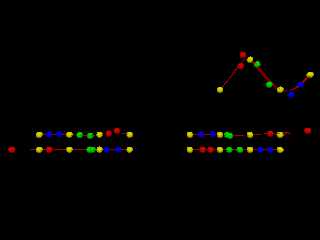
OK, upon further investigation, the interpolation is seriously cracked.

Initially I played around with the starting data set in the SVG,
and then when the interpolated patches started wigging out, I went back and
moved the data points around a bit and moved the camera to look at the spline in
z, y, and z.   It _looked_ ok.

The following are interpolated splines for:

#declare DataSet = array [5]{
array[10]{<-40, 0, 0>, <0,0,0>, <0,0,0>, <-30, 0, 0>, <0,0,0>, <0,0,0>, <-20, 0,
0>, <0,0,0>, <0,0,0>, <-10, 0, 0>},
array[10]{<10, 0, 0>, <0,0,0>, <0,0,0>, <20, 0, 0>, <0,0,0>, <0,0,0>, <30, 0,
0>, <0,0,0>, <0,0,0>, <40, 0, 0>},

array[10]{<20, 20, 0>, <0,0,0>, <0,0,0>, <30, 30, 0>, <0,0,0>, <0,0,0>, <40, 20,
0>, <0,0,0>, <0,0,0>, <50, 25, 0>}

array[10]{<-10, 5, 0>, <0,0,0>, <0,0,0>, <-20, 5, 0>, <0,0,0>, <0,0,0>, <-30, 5,
0>, <0,0,0>, <0,0,0>, <-40, 5, 0>},
array[10]{<40, 5, 0>, <0,0,0>, <0,0,0>, <30, 5, 0>, <0,0,0>, <0,0,0>, <20, 5,
0>, <0,0,0>, <0,0,0>, <10, 5, 0>}
};

As you can see, I took the top 2 splines and just reordered the data from
beginning to end (and shifted y by 5).   Not looking good.
Someone please page Jerome.  LeForgeron is needed with his mathematical / c++
cape, to bend this Bezier back in line!  Er, I mean curve!  No, wait - line.
:|
Post a reply to this message
Attachments:
Download 'retrobeziernegativeproblem.png' (20 KB)
Preview of image 'retrobeziernegativeproblem.png'
|
|
| |
| |
|
|
|
|
| |
| |
|
|
On 3/8/2016 1:44 PM, Bald Eagle wrote:
> Someone please page Jerome.  LeForgeron is needed

You are not asking me?
<Rolls on the floor hysterically.>

;-)

--

Regards
     Stephen
Post a reply to this message
|
|
| |
| |
|
|
|
|
| |
| |
|
|
Just had a thought. Put aside the original data and use some made up
data that you know the curve. Then come back to the original data when
you are happy with your curves.

But before that. Take a raw egg and using a sharp implement pierce both
ends of the egg. Place the large end in your mouth and inhale. ;-)


--

Regards
     Stephen
Post a reply to this message
|
|
| |
| |
|
|
|
|
| |
| |
|
|
Stephen <mca### [at] aolcom> wrote:

> You are not asking me?
> <Rolls on the floor hysterically.>
>
> ;-)

Knowing your love of math, I considered it.
I have a sense of humor like that.
{highfive}

Sometimes I think about what Christoph must wade through when he actually has to
code the engine that has to handle the SDL that I write to do the math and the
CSG and the render....

_"We bow before you, O Mighty Clipka, and beseech you to hear the praises of
your faithful followers, and bestow upon us the Inner Sslt, and the blessings of
your most exalted C++ subroutines.  Hear us, Oh Clipka, and trace us with the
doubly-illuminating rays of your most holy light_source, that we might reflect
upon your SDL and know that it is Good."


{Damn, this is good coffee!}
Post a reply to this message
|
|
| |
| |
|
|
|
|
| |
| |
|
|
On 3/8/2016 2:26 PM, Bald Eagle wrote:
> Knowing your love of math, I considered it.
> I have a sense of humor like that.
> {highfive}
>

High(2.2361)^2

{Fist bump}

> Sometimes I think about what Christoph must wade through when he actually has to
> code the engine that has to handle the SDL that I write to do the math and the
> CSG and the render....
>

That is funny. I never think of it. :-P


> _"We bow before you, O Mighty Clipka, and beseech you to hear the praises of
> your faithful followers, and bestow upon us the Inner Sslt, and the blessings of
> your most exalted C++ subroutines.  Hear us, Oh Clipka, and trace us with the
> doubly-illuminating rays of your most holy light_source, that we might reflect
> upon your SDL and know that it is Good."
>
>

Do you really want a mainland European changing your wetware?
We will end up driving on the wrong side of the road.

> {Damn, this is good coffee!}

Envy! Must use the last of my Blue Mountain.

Ah! Life is good.

--

Regards
     Stephen
Post a reply to this message
|
|
| |
| |
|
|
|
|
| |
| |
|
|
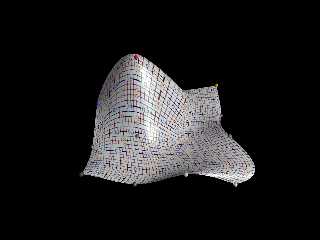
So, the interpolation is still flailing wildly, for some reason, and it will
likely be some time before I get a real feel for what this whole Thomas
Algorithm _does_, and why it's spazzing out.

It was mentioned that a condition for it stability is to stay away from 0, and
have |b| > |a| + |c|.   Still pondering that, but I flipped my column
interpolations upside down and it's a tiny bit better.

Might try to tone it down a bit and see about doing some animation on it, just
to see how it looks.
Post a reply to this message
Attachments:
Download '9smoothbicubicpatches_revised_columnsl2h.png' (301 KB)
Preview of image '9smoothbicubicpatches_revised_columnsl2h.png'
|
|
| |
| |
|
|
|
|
| |
| |
|
|
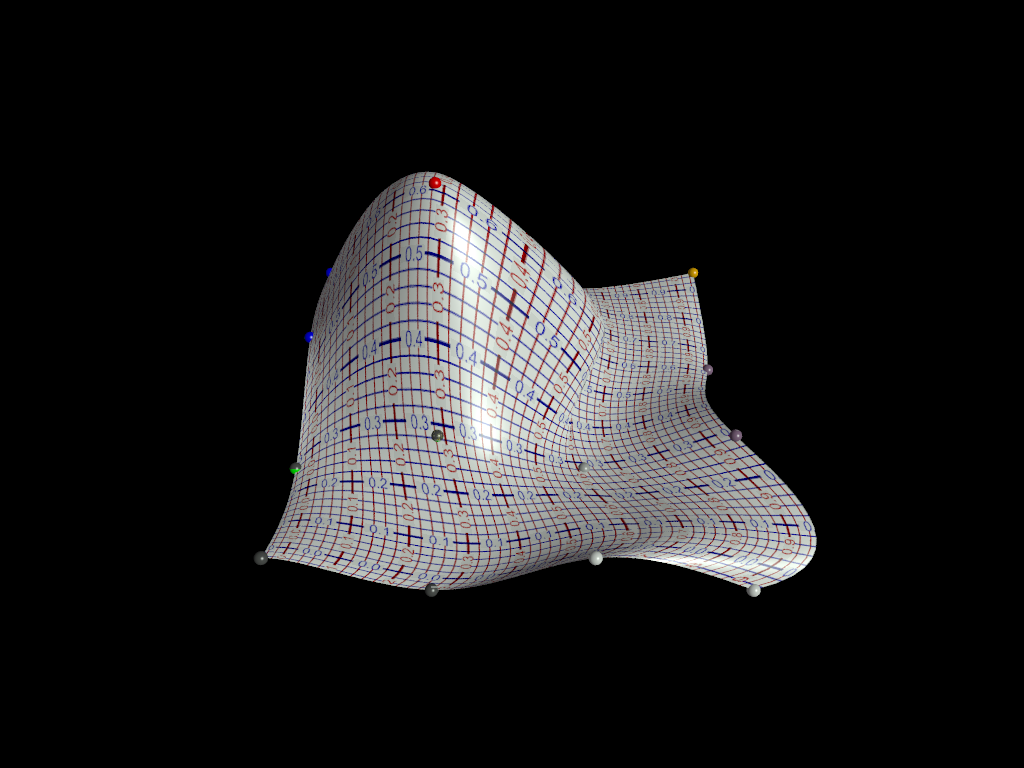
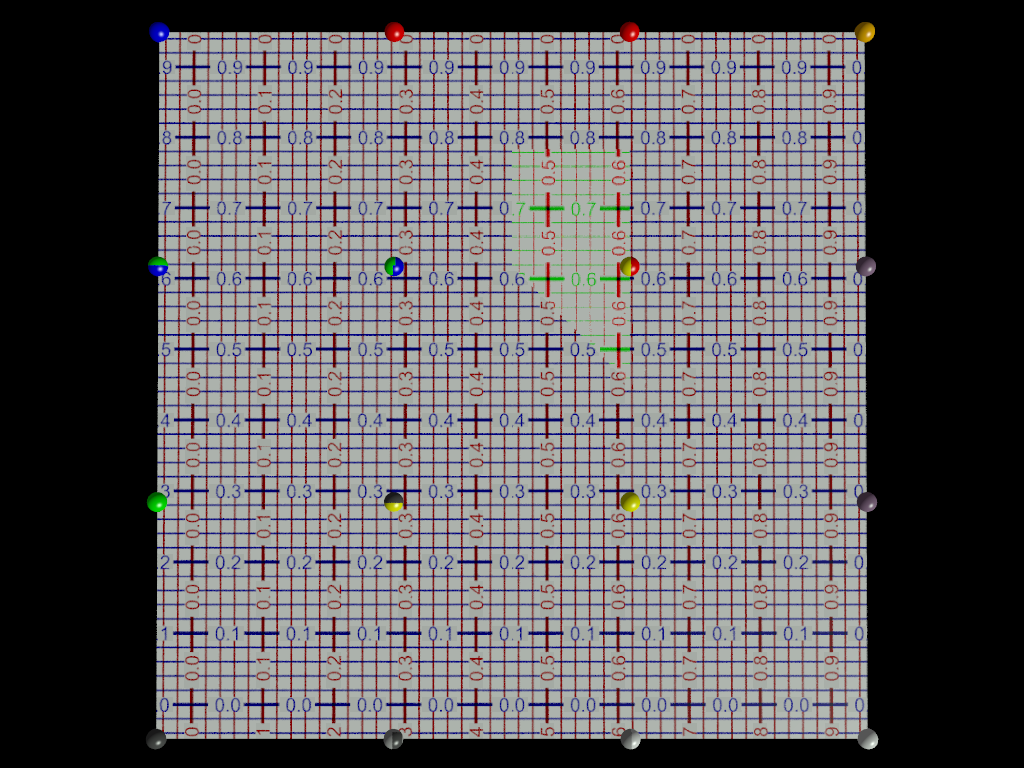
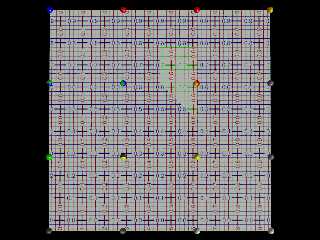
OK, the disproportionate bulge was due to a stray holdover number.
Now I can't for the life of me figure out what that flaw in the uv-mapping is
due to.   I've been over it all a dozen times.  Replaced patches B and E with
code copied directly from the other unflawed patches.
It's always _something_.

Still not sure exactly why my interior and exterior textures are reversed.
(The blue & red grid is the interior)
Tried reversing my uv vectors so they went counterclockwise, and that just
turned the map, didn't invert inside/outside.

Getting close, though.   Getting very very close.
Post a reply to this message
Attachments:
Download '9smoothbicubicpatches_revised.png' (570 KB)
Preview of image '9smoothbicubicpatches_revised.png'
|
|
| |
| |
|
|
|
|
| |
| |
|
|
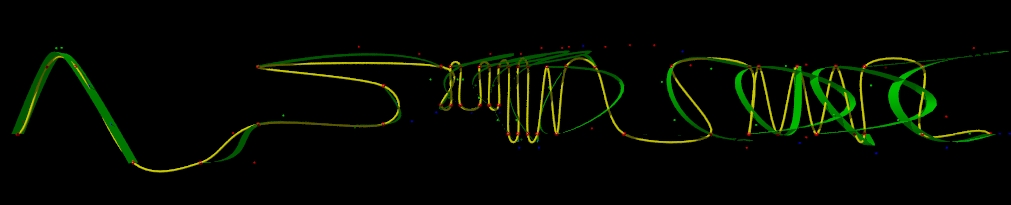
"Bald Eagle" <cre### [at] netscapenet> wrote:
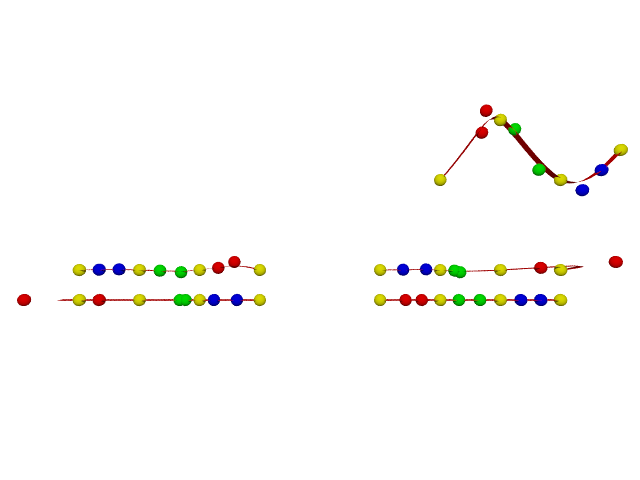
I also made a rough copy of the spline points that LeForgeron uses to run his
splines around and through, and ran the interpolation macro over it - 0 to 48
points, step 4.
Kiiiiinda wild.
Post a reply to this message
Attachments:
Download 'leforgeron_spline_cropped.jpg' (63 KB)
Preview of image 'leforgeron_spline_cropped.jpg'

|
|
| |
| |
|
|
|
|
| |
| |
|
|
On 3/10/2016 9:07 PM, Bald Eagle wrote:
> "Bald Eagle" <cre### [at] netscapenet> wrote:
> I also made a rough copy of the spline points that LeForgeron uses to run his
> splines around and through, and ran the interpolation macro over it - 0 to 48
> points, step 4.
> Kiiiiinda wild.
>

He was playing dominoes and chapped the table? :-)

What do the colours represent?


--

Regards
     Stephen
Post a reply to this message
|
|
| |
| |
|
|
|
|
| |
| |
|
|
Stephen <mca### [at] aolcom> wrote:

> What do the colours represent?


The Larger red points are the point array, the yellow spline is pov's cubic
spline & my sphere+cylinder sweep.
The green spline is a series of bicubic_patch ribbons generated from the data
points and my interpolated control points. The control points are color coded by
segment red-1 green-2 blue-3 - yellow-data.
Post a reply to this message
|
|
| |
| |
|
|
|
|
| |
| |
|
|
On 3/10/2016 11:16 PM, Bald Eagle wrote:
> Stephen <mca### [at] aolcom> wrote:
>
>> What do the colours represent?
>
>
> The Larger red points are the point array, the yellow spline is pov's cubic
> spline & my sphere+cylinder sweep.
> The green spline is a series of bicubic_patch ribbons generated from the data
> points and my interpolated control points. The control points are color coded by
> segment red-1 green-2 blue-3 - yellow-data.
>
>
>
>
It looks "interesting". A stunt plane's path and the pennant it's towing.
I know, I know. "Take more water with it." :)

--

Regards
     Stephen
Post a reply to this message
|
|
| |
| |
|
|
|
|
| |
| |
|
|
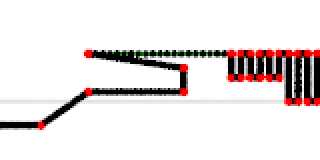
Le 10/03/2016 22:07, Bald Eagle a écrit :
> "Bald Eagle" <cre### [at] netscapenet> wrote:
> I also made a rough copy of the spline points that LeForgeron uses to run his
> splines around and through, and ran the interpolation macro over it - 0 to 48
> points, step 4.
> Kiiiiinda wild.
>

The end should be a closed loop.... at least the yellow does not loop...

you seems to have problem with high frequency alternated position (center)

And it's hard to check/see the green part with a perspective camera (I used
orthographic)
Post a reply to this message
Attachments:
Download 'leforgeronspline09.png' (7 KB)
Preview of image 'leforgeronspline09.png'
|
|
| |
| |
|
|
|
|
| |
| |
|
|
Le_Forgeron <jgr### [at] freefr> wrote:

> The end should be a closed loop....

How does it close?
Do you go up from the base, then around clockwise to the same point, then out to
that tail, or
over and around counterclockwise, like a cursive "e" ?

> you seems to have problem with high frequency alternated position (center)

There's some sort of anomaly in my my interpolation macro that I haven't figured
out yet.  That first segment of the Bezier curve goes berserk.

> And it's hard to check/see the green part with a perspective camera (I used
orthographic)

It's a thin Bezier patch, so it would probably disappear completely if I used
orthographic.   I haven't written a macro to plot out the Bezier-type spline
using the control points, so in order to get the "right" curvature, I used
POV-Ray's bicubic patch.   It does the job well enough to show that the control
points are OFF.   :D
Post a reply to this message
|
|
| |
| |
|
|
|
|
| |
| |
|
|
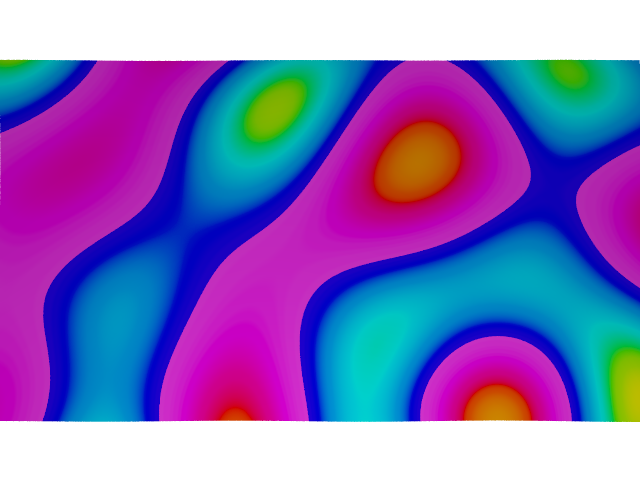
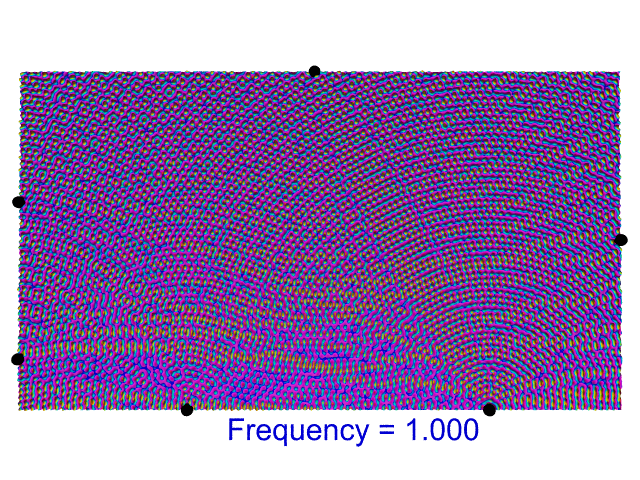
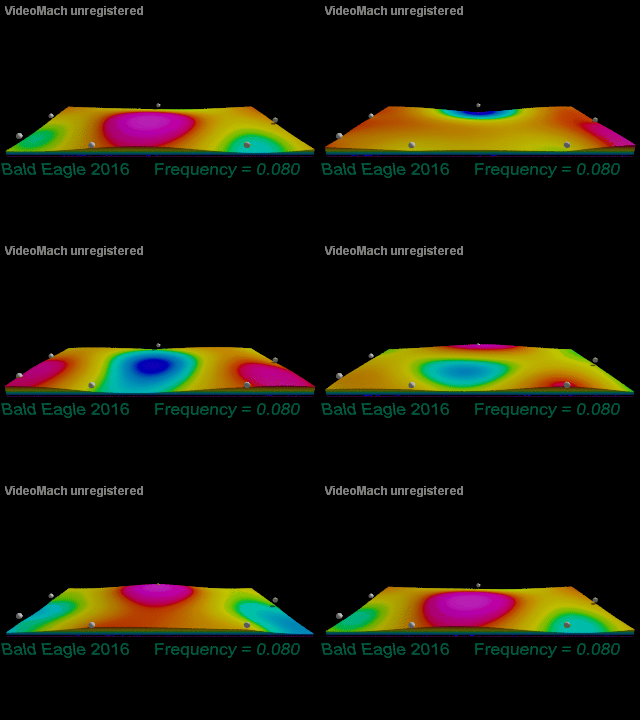
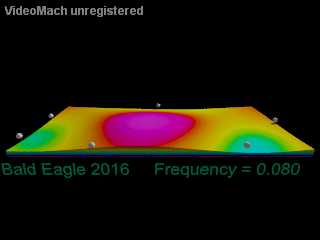
So here's the latest development in the visualization of the plate.
Surfing around Paul Nylander's pages helped me stretch my brain and get me back
on the proper track.

The "data" is all cosine waves that are ballparked to simulate the actual
vibration data, since the isosurface needs the whole wave to plot out the
interference patterns.

100 frames, the height of the flexing ranges from blue to purple.
Took about 40 min to render all the frames.


I'll leave it like for now until I get a few other things worked out - like the
discombobulated Bezier patches and the spline interpolation.
Post a reply to this message
Attachments:
Download 'side_view.gif' (992 KB)
Preview of image 'side_view.gif'
|
|
| |
| |
|
|
|
|
| |
| |
|
|
Although this looks ripe for experimentation:
http://www.f-lohmueller.de/pov_tut/all_shapes/shapes710e.htm
Post a reply to this message
|
|
| |
| |
|
|
|
|
| |
|
|