|
 |
[in response to BE's "post something...]
For several weeks, I've been playing around with making anaglyph images, as well
as animations. I was inspired by Maete's recent post about his star-field
animations...
https://news.povray.org/povray.binaries.animations/thread/%3Cweb.697f16a4993dccb938e9762c7597fb06%40news.povray.org%3E/
I had made anaglyphs before from POV-ray scenes in the distant past, but always
used an external image app to color and combine them as the final step. I wanted
to see if I could accomplish the same result completely within POV-ray. (It's a
two step process: running the grayscale left/right views in the 'main' scene,
then using another scene to simply copy them 1:1 while coloring and combining
them-- plus shifting each view horizontally to get the 3-D effect I want, either
into the 'screen plane' or out of it.)
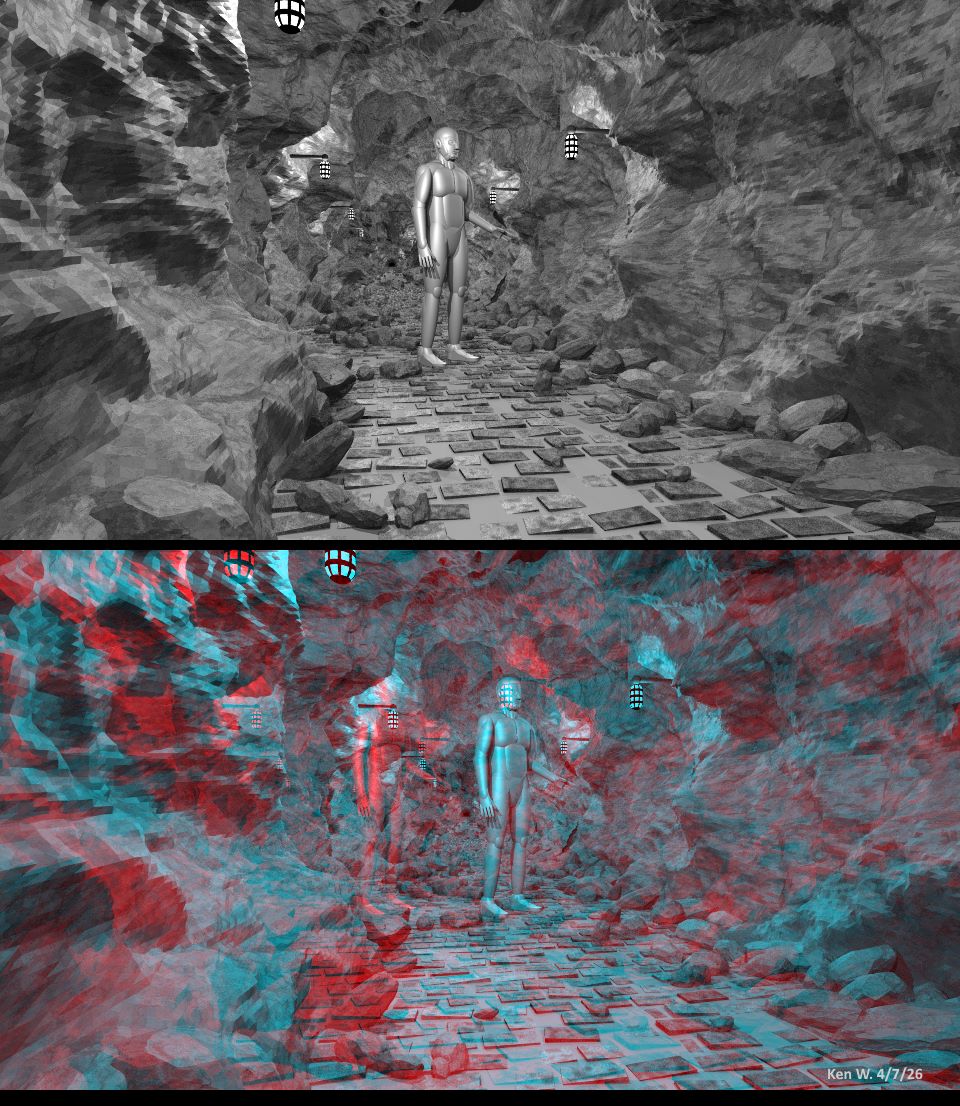
So far, mine are only grayscale versions, not 'full-color' anaglyphs. I first
had to work out the proper camera set-up for getting the left/right views, to
avoid what I call '3D distortion'-- where some of the scene elements in each
view do not line up perfectly horizontally when viewed as red/cyan stereo. (This
causes an uncomfortable viewing experience, where you have to tilt your head to
see the non-aligned parts.)
For the attached image, I used an old scene-- a cave, made using the HF_Cylinder
macro in shapes.inc (along with some functions to give it the craggy 'rock'
look.)
I also made an animation of the scene, that I will post separately.
I'm having WAY too much fun with this!
Post a reply to this message
Attachments:
Download 'anaglyph_of_cave_4_7_26_ken_w.jpg' (241 KB)
Preview of image 'anaglyph_of_cave_4_7_26_ken_w.jpg'
|
|