|
|
|
|
|
|
| |
| |
|
|
|
|
| |
| |
|
|
On 10/10/2025 13:22, Kenneth wrote:
> I *just* noticed something odd about your online STL-to-mesh2 conversion
> process. (I should have mentioned it before now, but was too busy working on my
> own converter; my apologies.)
> ...
It's interesting, thank you for detailed feedback, I will check it and
post the results here. Testing is highly appreciated at this state of
the project.
--
YB
Post a reply to this message
|
|
| |
| |
|
|
|
|
| |
| |
|
|
"Kenneth" <kdw### [at] gmail com> wrote:
> However, this is NOT a fault of your conversion process: I noticed the same
> behavior while working on my own POV-ray STL-to-mesh converter. The 3 vertices
> in each STL triangle are apparently written the opposite way 'around the clock'
> -- opposite chirality-- according to how *POV-ray* expects them. I had to fix
> this in my own code, simply by swapping the triangles' 3rd point for the 1st.
> Like:
>
> an original STL triangle:
> triangle{<1,2,3>, <4,5,6>, <7,8,9>}
>
> for correct POV-ray rendering:
> triangle{<7,8,9>, <4,5,6>, <1,2,3>}
>
> STL files (and 3D printers) are apparently standardized for a 3-vertex chirality
> that is opposite to POV-ray's own triangle-rendering scheme.
Yes, our left-handed coordinate system can drive people crazy at times.
It's also why things are best coded to be adjustable.
If you put your triangle vertices into an array and referenced them by index,
then it's something that can be adjusted - and even used as data apart from the
mesh2 definition. Hard-coding the structure makes it inaccessible from SDL,
which has been a long-standing complaint in POV-Ray development.
Loading the data into an array makes it available to the user to post-process
after loading.
<-1, 0, 1> * 1 + 1 = array indices <0, 1, 2>
<-1, 0, 1> * -1 + 1 = array indices <2, 1, 0>
So everything is easily flipped with a simple pre-multiplier
It also allows mesh deformation (similar to what Josh English wanted to do)
because you have direct access to modify the data.
It also allows you to compute the normals differently.
Not saying that Sergei has to do it that way, but it definitely is something to
think about, and perhaps experiment with implementing in your own converter.
- BW com> wrote:
> However, this is NOT a fault of your conversion process: I noticed the same
> behavior while working on my own POV-ray STL-to-mesh converter. The 3 vertices
> in each STL triangle are apparently written the opposite way 'around the clock'
> -- opposite chirality-- according to how *POV-ray* expects them. I had to fix
> this in my own code, simply by swapping the triangles' 3rd point for the 1st.
> Like:
>
> an original STL triangle:
> triangle{<1,2,3>, <4,5,6>, <7,8,9>}
>
> for correct POV-ray rendering:
> triangle{<7,8,9>, <4,5,6>, <1,2,3>}
>
> STL files (and 3D printers) are apparently standardized for a 3-vertex chirality
> that is opposite to POV-ray's own triangle-rendering scheme.
Yes, our left-handed coordinate system can drive people crazy at times.
It's also why things are best coded to be adjustable.
If you put your triangle vertices into an array and referenced them by index,
then it's something that can be adjusted - and even used as data apart from the
mesh2 definition. Hard-coding the structure makes it inaccessible from SDL,
which has been a long-standing complaint in POV-Ray development.
Loading the data into an array makes it available to the user to post-process
after loading.
<-1, 0, 1> * 1 + 1 = array indices <0, 1, 2>
<-1, 0, 1> * -1 + 1 = array indices <2, 1, 0>
So everything is easily flipped with a simple pre-multiplier
It also allows mesh deformation (similar to what Josh English wanted to do)
because you have direct access to modify the data.
It also allows you to compute the normals differently.
Not saying that Sergei has to do it that way, but it definitely is something to
think about, and perhaps experiment with implementing in your own converter.
- BW
Post a reply to this message
|
|
| |
| |
|
|
|
|
| |
| |
|
|
"Bald Eagle" <cre### [at] netscapenet> wrote:
>
> Yes, our left-handed coordinate system can drive people crazy at times.
>
Yeah, *that* topic probably needs a fresh-discussion thread of its own, just as
a 'refresher course.'
But as it impacts STL conversion: All of the STL files I've worked with recently
follow the 'right-hand rule'-- the +x direction faces LEFT rather than to the
right as in POV-ray. (Another 3D-printing standard, apparently.) So STL-to-mesh
conversions have to be mirror-flipped in x to render correctly for us. In my own
code, I simply scaled the final mesh by <-1,1,1>.
Post a reply to this message
|
|
| |
| |
|
|
|
|
| |
| |
|
|
On 10/10/2025 14:02, Bald Eagle wrote:
> Yes, our left-handed coordinate system can drive people crazy at times.
> It's also why things are best coded to be adjustable.
> ...
Thanks, Bill, using arrays is a very good idea, I will think about
details of implementation to make this feature useful and flexible,
then include in next release.
I can also imagine a set of switchable options to control desired
format, including orientation of coordinate system - any proposals are
are welcome.
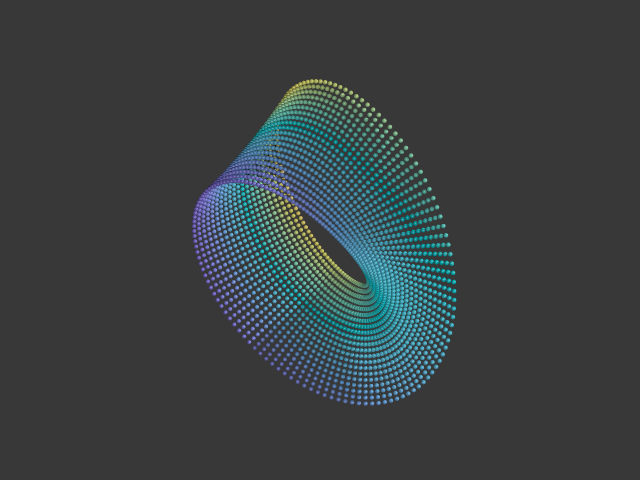
Besides controlling the mesh itself, arrays will allow decoration by
additional elements, positioned at the vertices, achieving different
interesting effects, like on attached image.
--
YB
Post a reply to this message
Attachments:
Download 'beads.png' (160 KB)
Preview of image 'beads.png'
|
|
| |
| |
|
|
|
|
| |
| |
|
|
On 09/10/2025 13:54, Mr wrote:
> I sent you an email.
Replied to you yesterday.
Everything is ready for integration with Blender.
--
YB
Post a reply to this message
|
|
| |
| |
|
|
|
|
| |
| |
|
|
On 10/10/2025 14:02, Bald Eagle wrote:
> If you put your triangle vertices into an array and referenced them by index,
> then it's something that can be adjusted - and even used as data apart from the
> mesh2 definition. Hard-coding the structure makes it inaccessible from SDL,
> which has been a long-standing complaint in POV-Ray development.
It's done: just select 'Export arrays' checkbox at low-left corner:
https://povlab.yesbird.online/studio/
Hope it will be useful.
--
YB
Post a reply to this message
|
|
| |
| |
|
|
|
|
| |
| |
|
|
On 10/10/2025 13:22, Kenneth wrote:
> It seems that the resulting mesh2 triangles are facing 'inside out'-- the
> insides face outside and vice versa. See my attached render of an STL (binary)
> file that I uploaded to your page and converted tonight.
> ...
Thanks you for this bug report, I have just tried to reproduce this
behavior and didn't found any difference between images with forward and
backward faces order. Could you please send me a simple example,
illustrating this issue ? For simplicity, please find a 'cube.fbx'
in attachment - you can use it with my converter.
--
YB
Post a reply to this message
Attachments:
Download 'cube.fbx.dat' (18 KB)
|
|
| |
| |
|
|
|
|
| |
| |
|
|
yesbird wrote:
> On 10/10/2025 13:22, Kenneth wrote:
> > It seems that the resulting mesh2 triangles are facing 'inside out'...
> > ...
>
> Thanks you for this bug report, I have just tried to reproduce this
> behavior and didn't found any difference between images with forward and
> backward faces order. Could you please send me a simple example,
> illustrating this issue ? For simplicity, please find a 'cube.fbx'
> in attachment - you can use it with my converter.
> --
I just tried uploading 'cube.fbx' to your converter, but it does not load there.
This *might* be because it showed up as 'cube.fbx.dat' for me when I initially
downloaded it here. (This is typical behavior of the Pov-ray newsgroup website
that I use, regarding downloads; a .dat container is appended to all files.
Unfortunately, I cannot strip that addition from the file, for re-uploading to
your converter.) But I don't know if this is the actual cause of the problem; it
is just my guess.
I have attached one of my recent STL-to-mesh2 conversions from your site
as an .inc file-- a model originally from Thingiverse-- to illustrate the
inside-out triangle result. When rendered in POV-ray, it needs both a texture
and an interior_texture, so that the latter will show the problem. (When using
just a typical texture alone, the triangles' insides and outsides look the
SAME...which gives a false impression of the situation.)
Post a reply to this message
Attachments:
Download 'test_model_stl_to_mesh2_conversion.inc.txt' (701 KB)
|
|
| |
| |
|
|
|
|
| |
| |
|
|
On 13/10/2025 14:03, Kenneth wrote:
> I just tried uploading 'cube.fbx' to your converter, but it does not load there.
> ...
Thanks for testing, could you please take file from here
and try again ?
https://drive.google.com/file/d/19i3tetZYJzlKQcOPR_rUEI1n-m2LCwtS/view?usp=drive_link
>
> I have attached one of my recent STL-to-mesh2 conversions from your site
> ...
Sorry, but without complete scene with textures I can't reproduce it -
still confused. But now you can export model with arrays and make
desired perturbations as Bill suggested - just select 'Export arrays'
at low-left corner.
--
YB
Post a reply to this message
|
|
| |
| |
|
|
|
|
| |
| |
|
|
yesbird wrote:
> On 13/10/2025 14:03, Kenneth wrote:
> > I just tried uploading 'cube.fbx' to your converter, but it does not load there.
> > ...
>
> Thanks for testing, could you please take file from here
> and try again ?
>
YES, that worked; and thanks for that cube object, because I was able to
discover what is causing the inside-out-triangles problem...and the confusion
for both you and me! I made two conversion tests (deleting your 'material' and
substituting a texture plus an interior texture.)
When I convert it to SMOOTH triangles (the default at your conversion site), the
cube appears CORRECT as to inside/outside colors. That surprised me.
When I convert it to FLAT triangles, the inside/outside is *reversed*. (This is
how I have been converting objects there, and I did not know until now that the
two schemes produced different results.)
I have attached a POV-ray scene file to show both of the examples side by side.
The green cube is the smooth-triangle version; the red one is flat triangles.
From examining both of the mesh2 code examples, it is not clear to me why the
two results should be different-- although I am not very knowledgeable about
mesh2 syntax.
Anyway, at least *part* of the mystery has been cleared up :-D
-----------
In my opinion, the 'union' at the end of the converted file(s) is not really
necessary, nor is the 'part1' object there. The converted .inc file by itself
would be easier to render in one of our scenes, just by #including it there.
Post a reply to this message
Attachments:
Download 'cube as smooth vs flat triangles.pov.txt' (4 KB)
|
|
| |
| |
|
|
|
|
| |
|
|