|
|
|
|
|
|
| |
| |
|
|
|
|
| |
| |
|
|
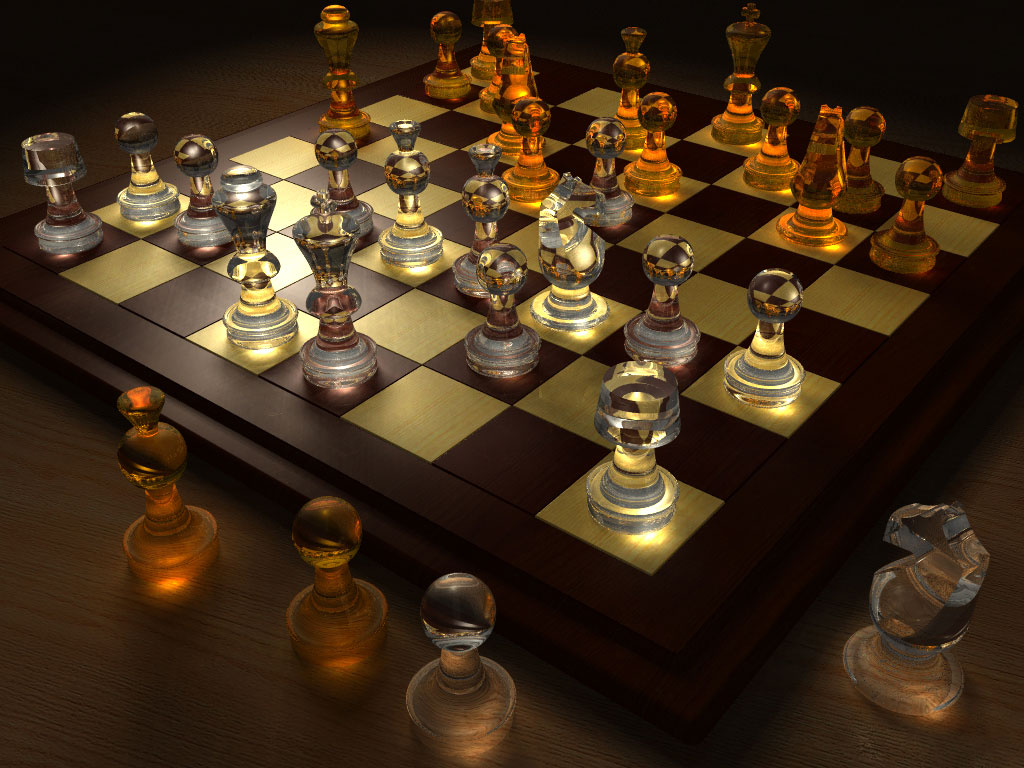
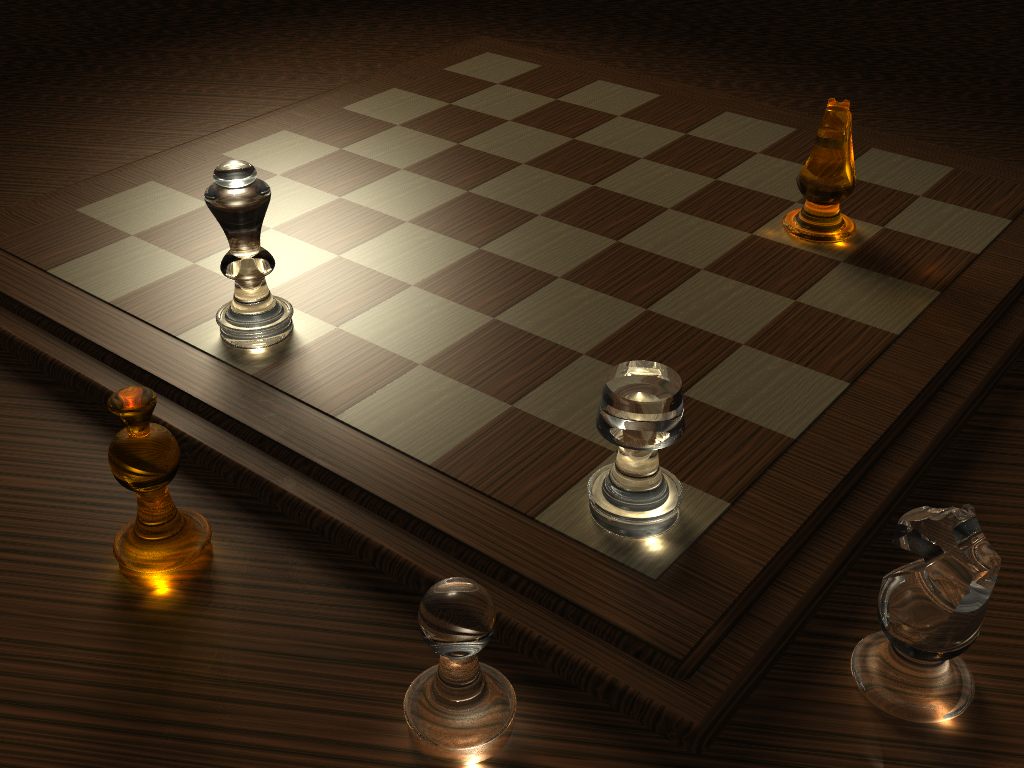
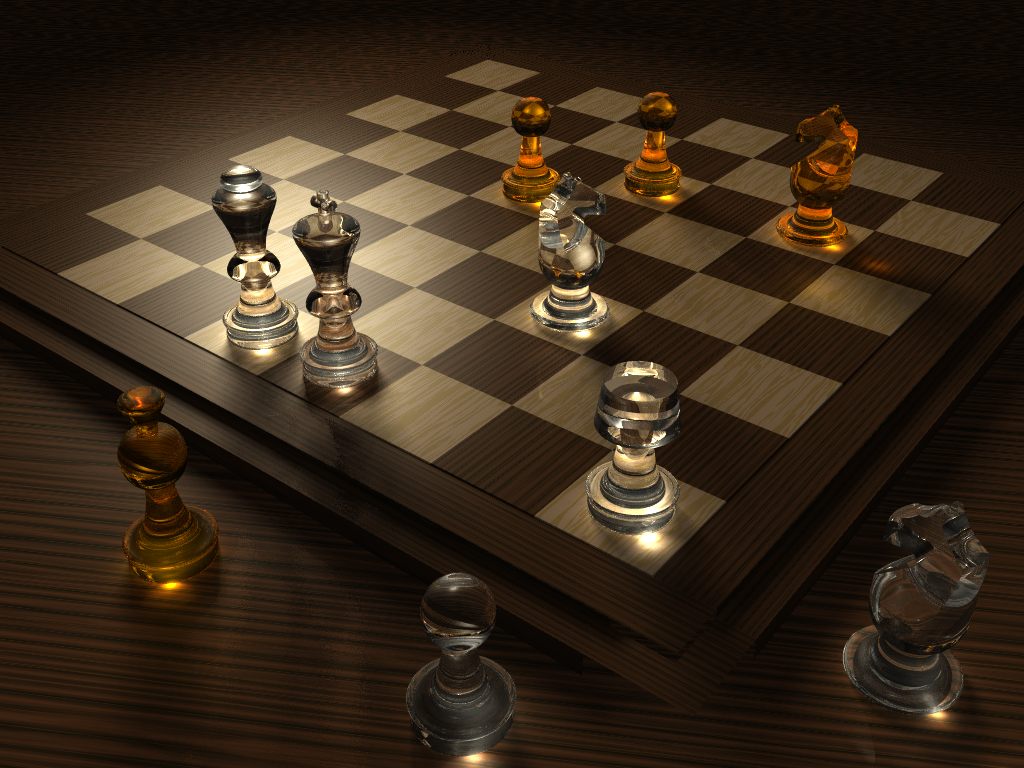
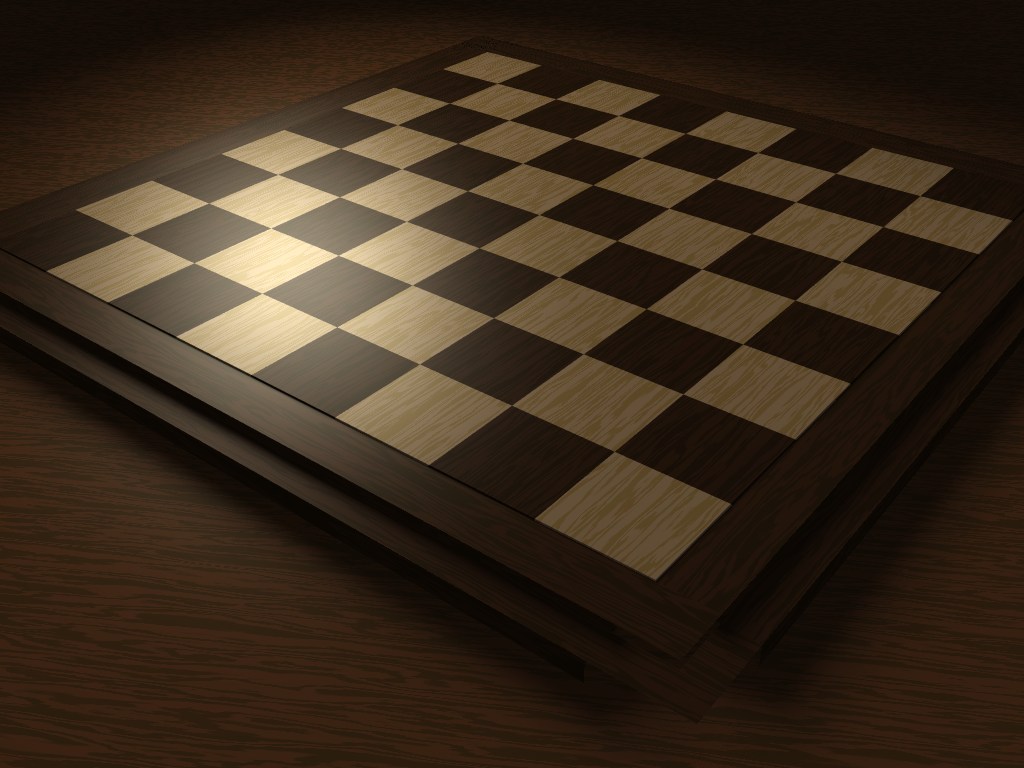
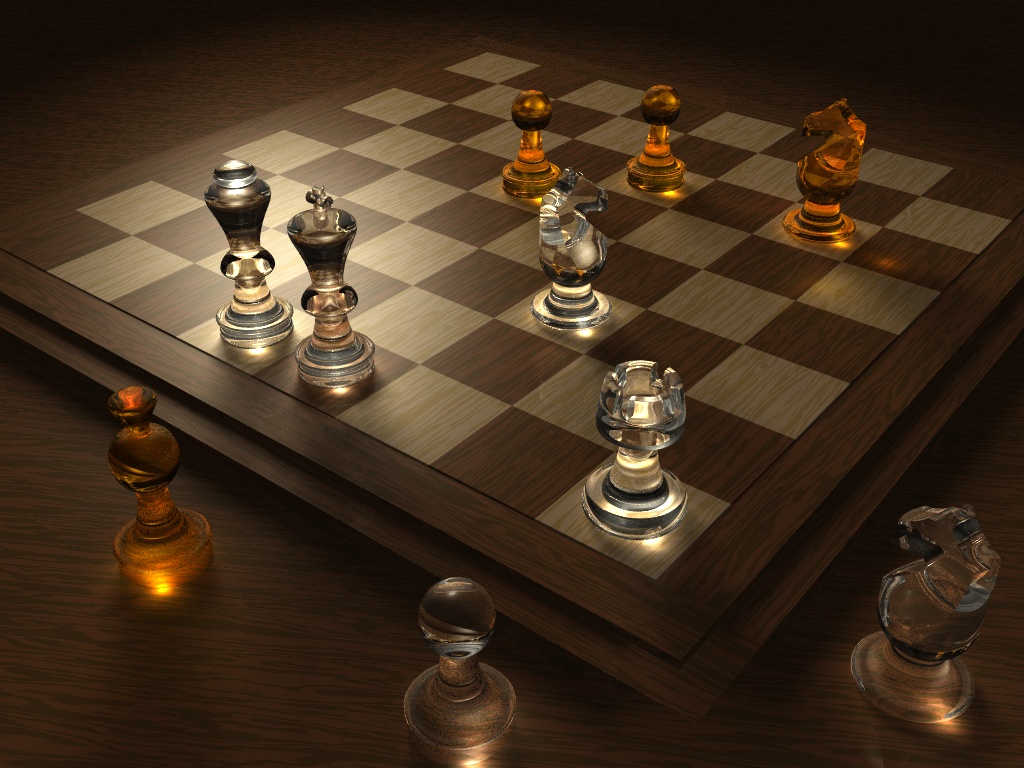
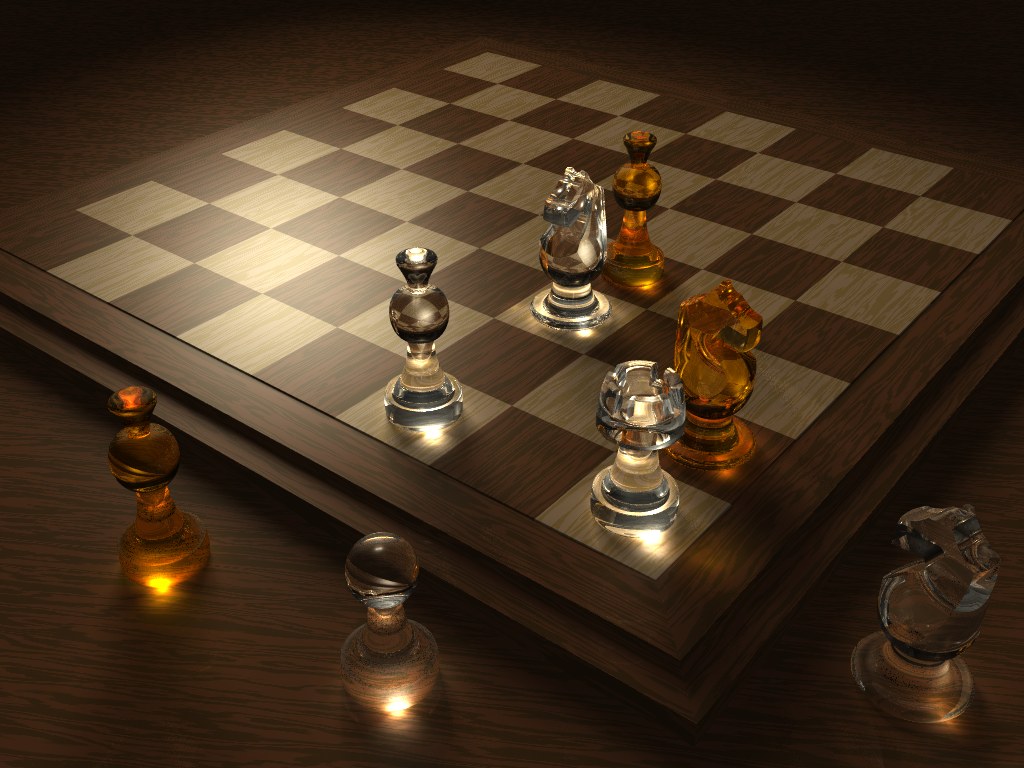
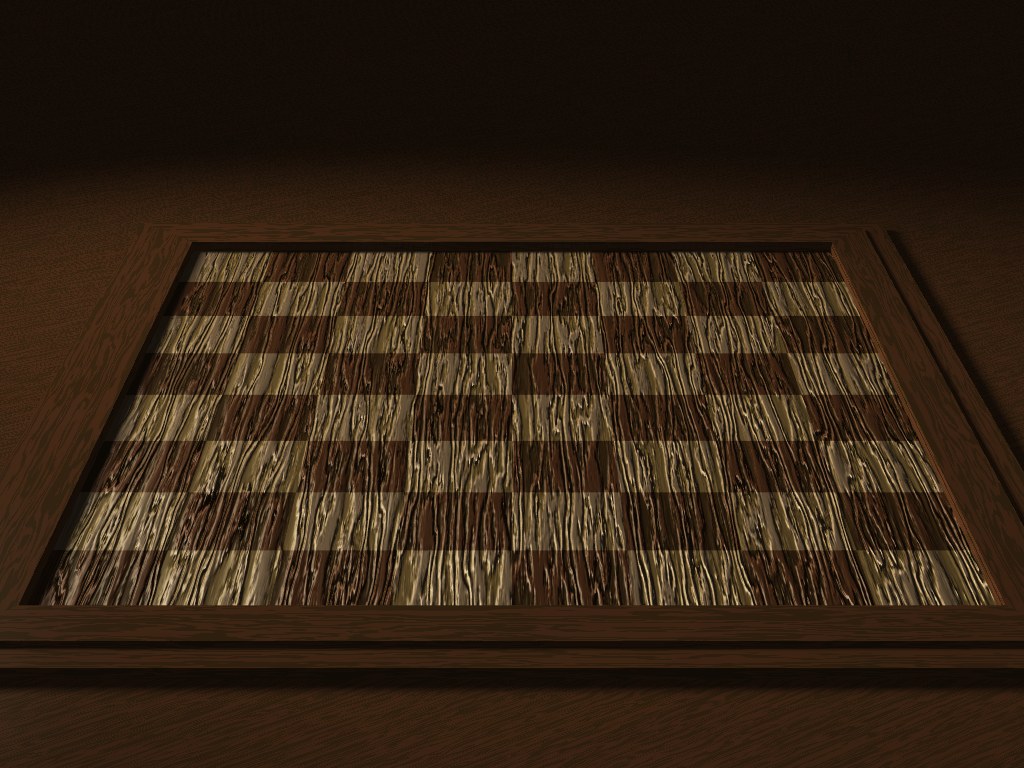
Hi! This is my first finished work with the POV-Ray. Render time: 8h 25min...

Gaf
Post a reply to this message
Attachments:
Download 'gaf_chess_final.jpg' (169 KB)
Preview of image 'gaf_chess_final.jpg'
|
|
| |
| |
|
|
|
|
| |
| |
|
|
Gaf wrote:
> Hi! This is my first finished work with the POV-Ray. Render time: 8h 25min...

Sweeeeeet!

--
Darren New / San Diego, CA, USA (PST)
  Ever notice how people in a zombie movie never already know how to
  kill zombies? Ask 100 random people in America how to kill someone
  who has reanimated from the dead in a secret viral weapons lab,
  and how many do you think already know you need a head-shot?
Post a reply to this message
|
|
| |
| |
|
|
|
|
| |
| |
|
|
Gaf wrote:

> Hi! This is my first finished work with the POV-Ray. Render time: 8h
> 25min...
> Gaf

Very nice :)

i would only add more AA, there is some aliasing in the far away table wood
texture

--
Rafał Maj
Software developer
Post a reply to this message
|
|
| |
| |
|
|
|
|
| |
| |
|
|
I think this image has one of the best texturing and lighting I have seen
done with POV-Ray in a long time.

  I actually went and tried to replicate the same effect, but was unable to.
My hat goes off to your achievement.

--
                                                          - Warp
Post a reply to this message
|
|
| |
| |
|
|
|
|
| |
| |
|
|
On Wed, 13 Aug 2008 14:00:12 -0400, Gaf wrote:

> Hi! This is my first finished work with the POV-Ray. Render time: 8h
> 25min...
>
> Gaf

Nice!

Jim
Post a reply to this message
|
|
| |
| |
|
|
|
|
| |
| |
|
|
"Gaf" <nomail@nomail> wrote:
> Hi! This is my first finished work with the POV-Ray.

You have made a very nice render! This sort of thing is why some of us were
attracted to using raytracers like POV-Ray in the first place.

> Render time: 8h 25min...

Ouch. Compositing techniques could be used for a scene like this, effectively
speeding up the whole render. If done right, there would be no noticeable
difference from a traditional render. I really should write up a tut about
that...

Sam
Post a reply to this message
|
|
| |
| |
|
|
|
|
| |
| |
|
|
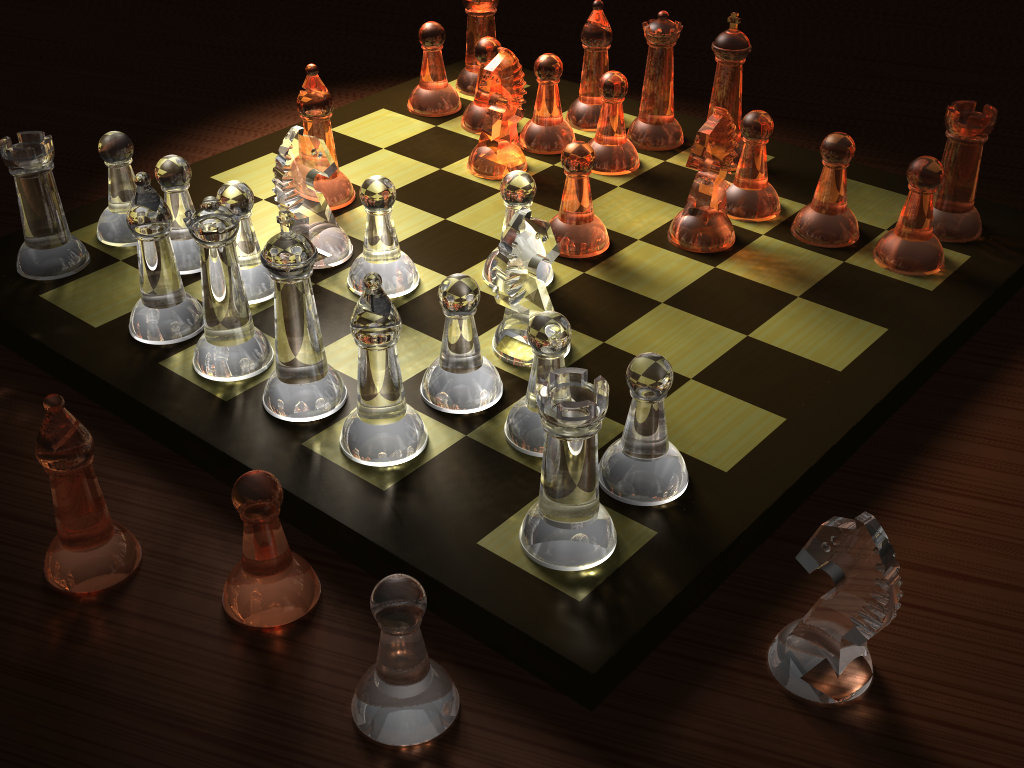
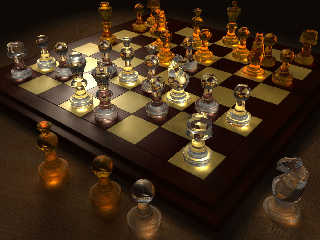
I tried to shamelessly copy your design with my own chess set, but
I couldn't get even close...
Post a reply to this message
Attachments:
Download 'glasschess.jpg' (160 KB)
Preview of image 'glasschess.jpg'
|
|
| |
| |
|
|
|
|
| |
| |
|
|
"Warp" <war### [at] tag povrayorg> wrote in message
news:48a9a22c@news.povray.org...
> I tried to shamelessly copy your design with my own chess set, but
> I couldn't get even close...
I'm not putting the OP down here, but when I first looked at the
original image, I thought that there might be some kind of light-source
under selected pieces. It's that good.
Good image Warp, I really like your version too.
~Steve~
> --
> - Warp povrayorg> wrote in message
news:48a9a22c@news.povray.org...
> I tried to shamelessly copy your design with my own chess set, but
> I couldn't get even close...
I'm not putting the OP down here, but when I first looked at the
original image, I thought that there might be some kind of light-source
under selected pieces. It's that good.
Good image Warp, I really like your version too.
~Steve~
> --
> - Warp
Post a reply to this message
|
|
| |
| |
|
|
|
|
| |
| |
|
|
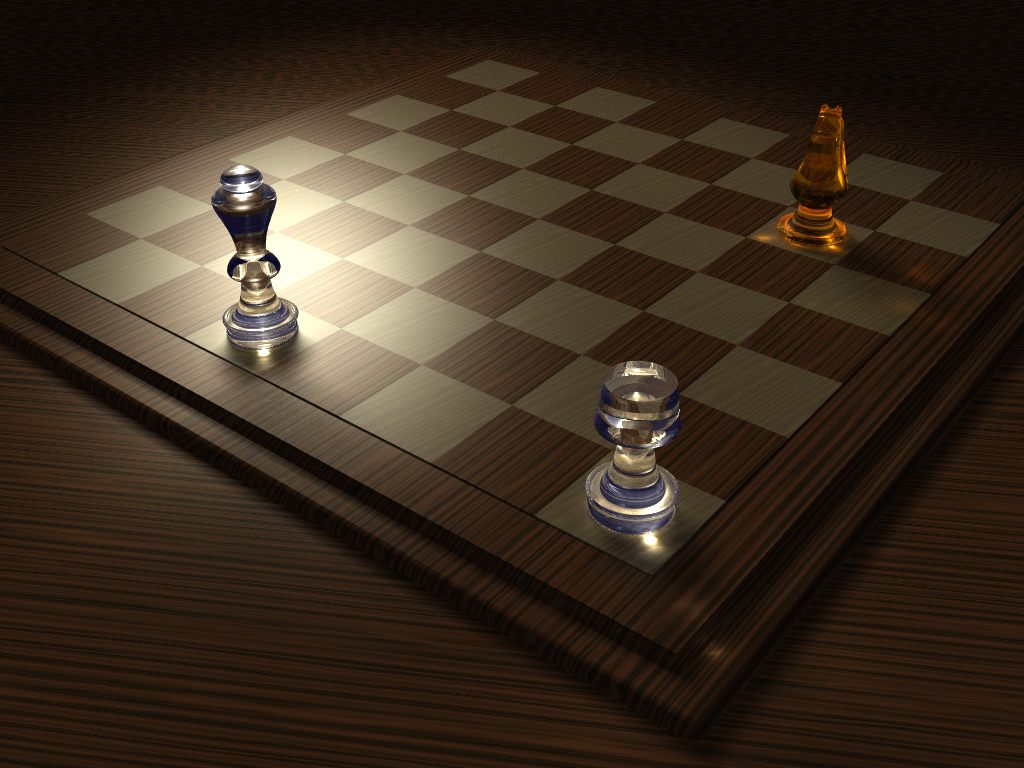
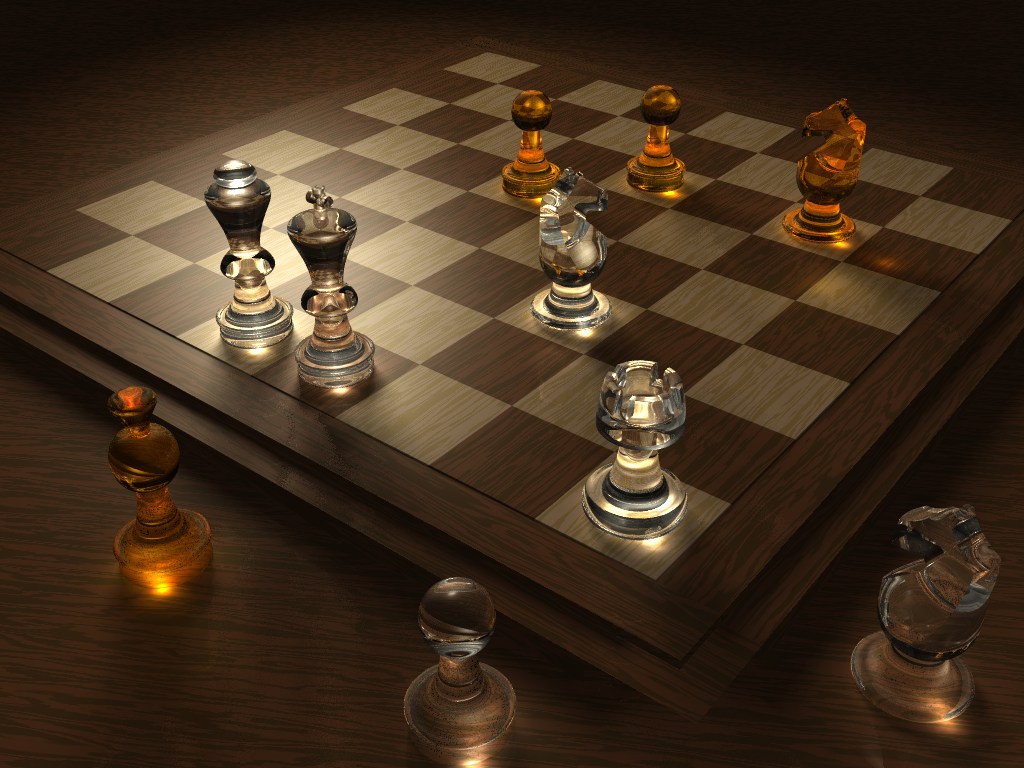
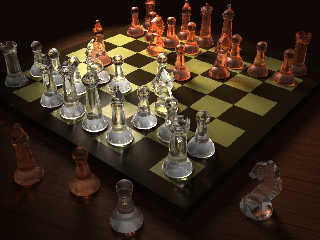
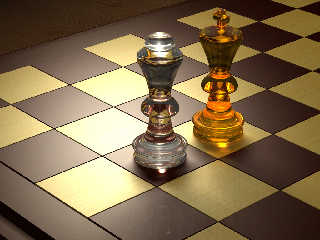
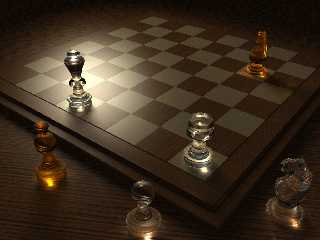
Thank you very much for all the motivating comments. I’ve tried to correct some
mistakes and put focal blur since the first version. I’ve uploaded a mid-phase
image of a close render, but when the rendering is over I’ll show you the whole
finished image.

The original image was made to a speed contest with a 1 week deadline, so I
didnn’t have enough time (and still don’t have the necessary technical
knowledge) to make all the details perfect. On the chessboard you can see a
Peter Lékó vs. Vladimir Kramnik match from 2004.

You can find the source code below (with Hungarian comments):

www.raytracer.hu/temp/chess.pov

I’m a beginner in POV-Ray, so the source code is pretty simple, but despite of
it I hope it can be interesting for someone.

Warp, congratulations for your chess-image, very nice work.

Gaf
Post a reply to this message
Attachments:
Download 'gaf_chess-macro.jpg' (253 KB)
Preview of image 'gaf_chess-macro.jpg'
|
|
| |
| |
|
|
|
|
| |
| |
|
|
"Gaf" <nomail@nomail> schreef in bericht
news:web.48aa783873b1f4593a6325dd0@news.povray.org...
>
> I'm a beginner in POV-Ray, so the source code is pretty simple, but
> despite of
> it I hope it can be interesting for someone.
>

A beginner??
You achieve way better than me after more than 10 years!!! I am going to
hide inside a deep hole in the ground and never come up again....  :-)

Thomas
Post a reply to this message
|
|
| |
| |
|
|
|
|
| |
| |
|
|
"Thomas de Groot" <t.d### [at] internlDOTnet> wrote in message
news:48aa8585@news.povray.org...
> A beginner??
> You achieve way better than me after more than 10 years!!! I am going to
> hide inside a deep hole in the ground and never come up again....  :-)
>
> Thomas

haha ..... can i join you? i've been at for sometime as well and have NEVER
gotten the lighting as good as this in any of my work. A very nice example
of what pov can do indeed! I had a photographer in my shop a couple of days
ago. He was photographing some antique pottery (crocks and jugs) for a book.
He was a very nice chap and was willing to put up with me looking over his
shoulder. He had a very bright single light, and used a couple of mirrors to
reflect light to the darker spots not hit by the 1000W light he was using.
The light had two dampers (little flaps) that took away some of the
harshness. He also did something I found really interesting .... slowed down
the shutter speed and moved the mirror from side to side to paint the light
across a the bottom edge of a piece that had a hard to see potters mark. I
really enjoyed watching him as lighting is a very difficult technique to
master (for me)

Jim
Post a reply to this message
|
|
| |
| |
|
|
|
|
| |
| |
|
|
"Jim Holsenback" <jho### [at] hotmailcom> schreef in bericht
news:48aaa400$1@news.povray.org...
>
> haha ..... can i join you? i've been at for sometime as well and have
> NEVER gotten the lighting as good as this in any of my work. A very nice
> example of what pov can do indeed! I had a photographer in my shop a
> couple of days ago. He was photographing some antique pottery (crocks and
> jugs) for a book. He was a very nice chap and was willing to put up with
> me looking over his shoulder. He had a very bright single light, and used
> a couple of mirrors to reflect light to the darker spots not hit by the
> 1000W light he was using. The light had two dampers (little flaps) that
> took away some of the harshness. He also did something I found really
> interesting .... slowed down the shutter speed and moved the mirror from
> side to side to paint the light across a the bottom edge of a piece that
> had a hard to see potters mark. I really enjoyed watching him as lighting
> is a very difficult technique to master (for me)
>

You are welcome to join me, Jim :-)
Interesting what you tell about that photographer, especially the trick with
the moving light source! Never thought about doing that.

Thomas
Post a reply to this message
|
|
| |
| |
|
|
|
|
| |
| |
|
|
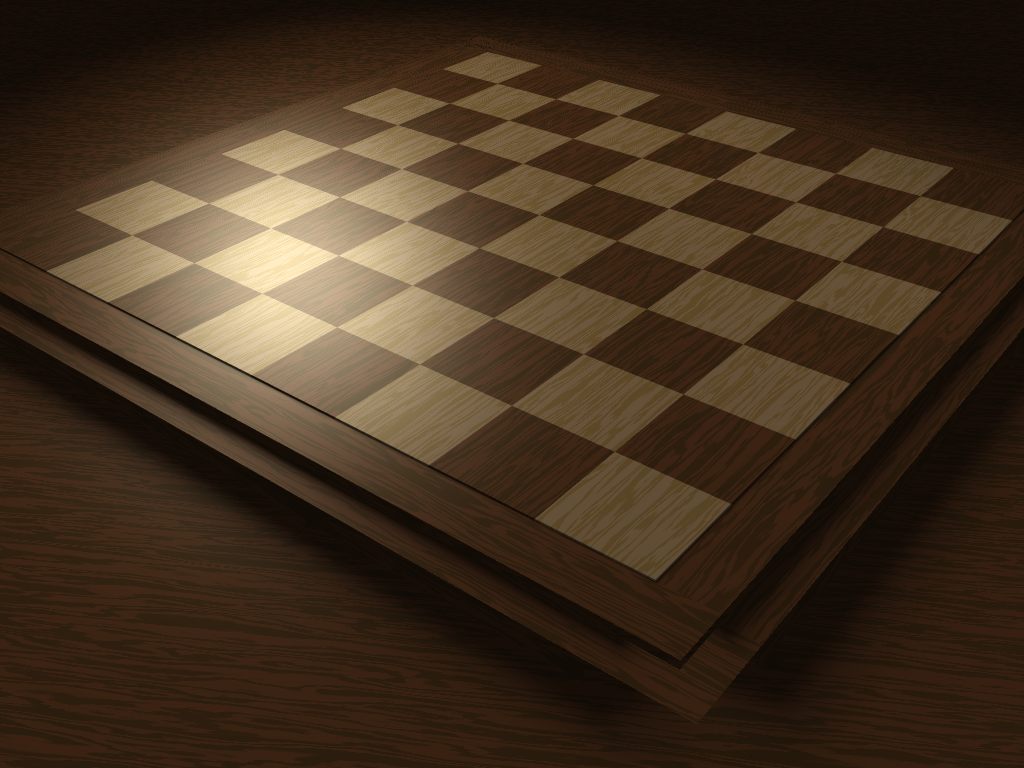
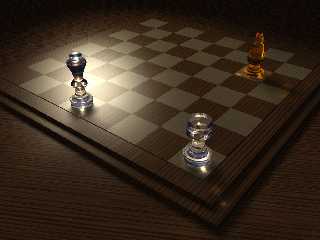
Nice glass lesson.
1st rule, make sure you have lots of time or power. 2 hrs for 3 pieces.

pong to the script:
(no board maps)

#include "woods.inc"

#declare darkwood = texture
     {
     T_Wood8
     pigment { turbulence 0.1 }
     finish { ambient .2 diffuse .6 phong .85 phong_size 50 reflection 0.025 }
     scale 2
     }
#declare lightwood = texture
     {
     T_Wood3
     pigment {turbulence 0.1}
     finish { ambient .2 diffuse .6 phong .85 phong_size 50 reflection 0.025 }
     scale .5
     }
#macro board_sq(i,p)
  #if (i)
     object { Round_Box_Union(<-1,-0.01,-1>, < 0,-.25,0>, .01)
      texture { lightwood } translate p}
  #else
     object { Round_Box_Union(<-1,-0.01,-1>, < 0,-.25,0>, .01)
      texture { darkwood } translate p}
  #end
#end
#macro board()
   #local i=0;#local j=0;
   #while (i<8)
      #local j=0;
      #while (j<8)
         board_sq(mod(i+j,2),<-3+j,0,-3+i>)
         #local j=j+1;
      #end
   #local i=i+1;
   #end
#end
board()
Post a reply to this message
Attachments:
Download 'chess2.jpg' (101 KB)
Preview of image 'chess2.jpg'
|
|
| |
| |
|
|
|
|
| |
| |
|
|
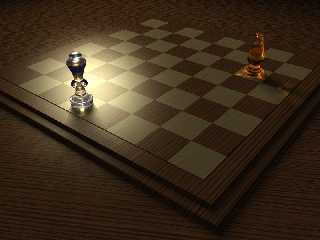
"Gaf" <nomail@nomail> wrote:
> Hi! This is my first finished work with the POV-Ray. Render time: 8h 25min...
>
> Gaf

Your light is one thing giving you so much render time. A 320x240 test (with no
AA) went from 4 minutes to 40 seconds (length of 1, and 1 Knight) with a light
fix: squares the light vectors to direction of travel, plus extra light in
array, wider falloff. (Is it just all those pieces lighting the board or some
other change?)


//vlen = 22.2
#declare _z_ = <3, 0, -3>-<-17, 10.4, 10.4>;
#declare _x_ = vnormalize(vcross(y,_z_))*15;
#declare _y_ = vnormalize(vcross(_z_,_x_))*15;

light_source { <-17, 10.4, 10.4> color rgb <1, 1, .8>
    adaptive 50
    spotlight
    radius 7
    falloff 40
    point_at <3, 0, -3>
  area_light _x_,_y_, 13,13 adaptive 0 jitter orient circular
    photons{
       reflection on
       refraction on
    }
}


Array length of 15 (same as orig) for another 20 seconds: total 1 minute versus
4 minutes.

This light gives 5-10 minutes per piece depending on the resolution and power
you have. Expect around 1/3 the render time or two thirds less.

Looks to me like, if you look at the Queen shadows in previous 2 imgs, a skewed
array = skewed shadows.

There is starting to appear more rays from the Knight hitting the board in this
lower res img (corner H5).

aQ


#declare original_light =
light_source {
 <-17, 10.4, 10.4>
 color rgb <1, 1, .8>
 adaptive 50
 spotlight
 radius 7
 falloff 40
 point_at <3, 0, -3>
 area_light <15, 0, 0>, <0, 0, 15>, 12, 12
 photons{
  reflection on
  refraction on }}
Post a reply to this message
Attachments:
Download 'chess4.jpg' (68 KB)
Preview of image 'chess4.jpg'
|
|
| |
| |
|
|
|
|
| |
| |
|
|
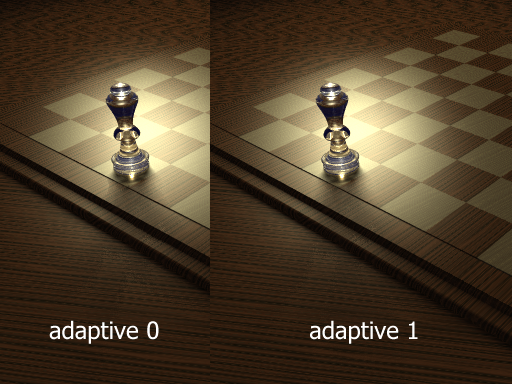
now I see adaptive, 0 must have shut it off, so thats where all the render time
is hiding!

The adaptive command is used to enable adaptive sampling of the light source. By
default POV-Ray calculates the amount of light that reaches a surface from an
area light by shooting a test ray at every point light within the array. As you
can imagine this is very slow. Adaptive sampling on the other hand attempts to
approximate the same calculation by using a minimum number of test rays. The
number specified after the keyword controls how much adaptive sampling is used.
The higher the number the more accurate your shadows will be but the longer they
will take to render. If you are not sure what value to use a good starting point
is adaptive 1. The adaptive keyword only accepts integer values and cannot be
set lower than 0.

now to test what visible difference if any.
Post a reply to this message
|
|
| |
| |
|
|
|
|
| |
| |
|
|
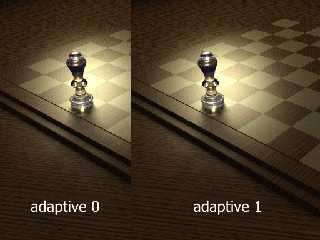
"alphaQuad" <alp### [at] earthlinknet> wrote:
>
> now to test what visible difference if any.

Adaptive 1 took 20% more time than 0,
and rendered smoother shadow.

Adaptive 10 took same amount of time to do only the Queen's crown, gave up.

go easy on adaptive


//vlen = 22.2
#declare _z_ = <3, 0, -3>-<-17, 10.4, 10.4>;
#declare _x_ = vnormalize(vcross(y,_z_))*15;
#declare _y_ = vnormalize(vcross(_z_,_x_))*15;

light_source { <-17, 10.4, 10.4> color rgb <1, 1, .8>
    spotlight
    radius 7
    falloff 40
    point_at <3, 0, -3>
  area_light _x_,_y_, 13,13 adaptive 1 jitter orient circular
    photons{
       reflection on
       refraction on
    }
}
Post a reply to this message
Attachments:
Download 'chess6.png' (251 KB)
Preview of image 'chess6.png'
|
|
| |
| |
|
|
|
|
| |
| |
|
|
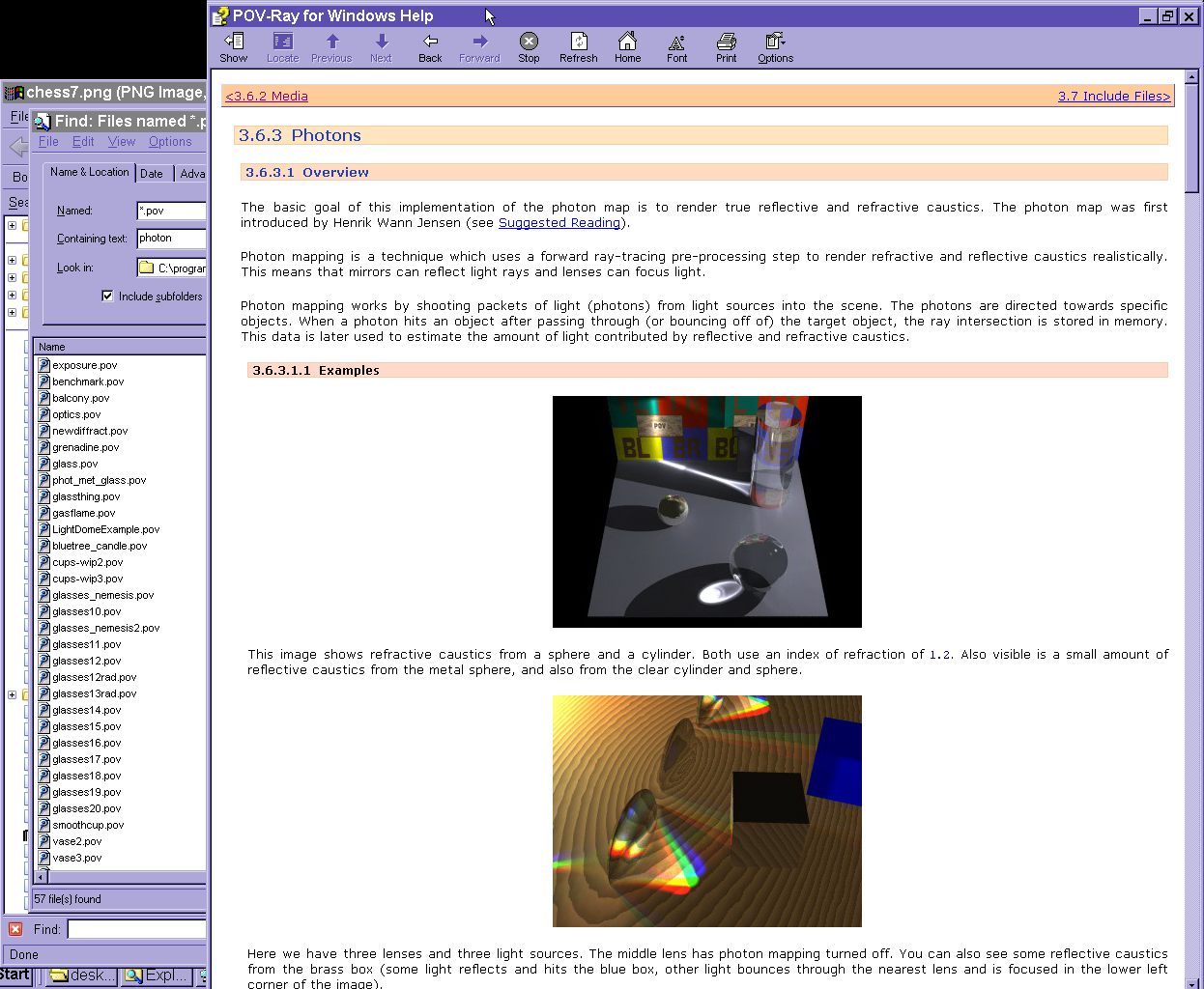
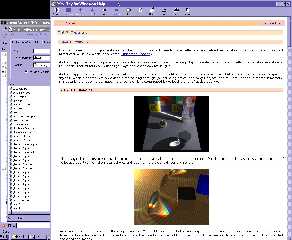
so which files are these? hmmm?
Post a reply to this message
Attachments:
Download 'helpfile.jpg' (207 KB)
Preview of image 'helpfile.jpg'
|
|
| |
| |
|
|
|
|
| |
| |
|
|
what is

*** ASZTALLAP ***
*** HÁTTÉR ***
babelfish.yahoo.com doesnt do Hungarian

2 mapped cylinders r= 20 and 100 are assisting in creating the lighting?
HÁTTÉR with hollow on

what am I missing
Post a reply to this message
Attachments:
Download 'chess9.jpg' (101 KB)
Preview of image 'chess9.jpg'
|
|
| |
| |
|
|
|
|
| |
| |
|
|
Wasn't it alphaQuad who wrote:
>what is
>
>*** ASZTALLAP ***
>*** HÁTTÉR ***

ASZTALLAP is the table on which the chess board is standing. I thought
you had that figured out since you've given it a sensible wood texture.

HÁTTÉR is the sky. Although you're not looking at the sky, you get some
reflections of it inside some of the pieces, particularly the white
pawns.

--
Mike Williams
Gentleman of Leisure
Post a reply to this message
|
|
| |
| |
|
|
|
|
| |
| |
|
|
Mike Williams <nos### [at] econymdemoncouk> wrote:
> Wasn't it alphaQuad who wrote:
> >what is
> >
> >*** ASZTALLAP ***
> >*** HÁTTÉR ***
>
> ASZTALLAP is the table on which the chess board is standing. I thought
> you had that figured out since you've given it a sensible wood texture.
>
> HÁTTÉR is the sky. Although you're not looking at the sky, you get some
> reflections of it inside some of the pieces, particularly the white
> pawns.
>
> --
> Mike Williams
> Gentleman of Leisure

cool thanx, just a simple 1.5 language puter user here.

I did notice first board I posted was repeating texture, fixed it like this:


#macro board_sq(p)
     object { Round_Box_Union(<-1.01,-0.01,-1.01>, < 0.01,-.25,0.01>, .01)
      translate p }
#end
#macro boardwhite()
   #local i=0;#local j=0;
   #while (i<8)
      #local j=0;
      #while (j<8)
         #if (mod(i+j,2)) board_sq(<-3+j,0,-3+i>) #end
         #local j=j+1;
      #end
   #local i=i+1;
   #end
#end

#macro boardblack()
   #local i=0;#local j=0;
   #while (i<8)
      #local j=0;
      #while (j<8)
         #if (!mod(i+j,2)) board_sq(<-3+j,0,-3+i>) #end
         #local j=j+1;
      #end
   #local i=i+1;
   #end
#end
union {
  boardwhite()
  texture { lightwood }
}
union {
  boardblack()
  texture { darkwood }
}

no pic, waiting for a better one @ adaptive 0 but looks like adaptive 50
Post a reply to this message
|
|
| |
| |
|
|
|
|
| |
| |
|
|
alphaQuad wrote:
> no pic, waiting for a better one @ adaptive 0 but looks like adaptive 50

  adaptive 50 would only make a difference if your area light has more
than 1125899906842625 x 1125899906842625 points in it. We can assume it
doesn't.

  Adaptive 0 makes a difference if your area light has more then 2x2
points in it. For adaptive 1 it has to have more than 3x3 points, for
adaptive 2 it has to have more than 5x5 points, for adaptive 3 it has to
have more than 9x9 points, for adaptive 4 it has to have more than 17x17
points. In general, "adaptive n" will make a difference only if your
area light has more than (2^n+1) x (2^n+1) points. For adaptive 50
that's 1125899906842625 x 1125899906842625.

  If your adaptive value is too large, POV-Ray will simply ignore it and
use the area light without any adaptive supersampling.
Post a reply to this message
|
|
| |
| |
|
|
|
|
| |
| |
|
|
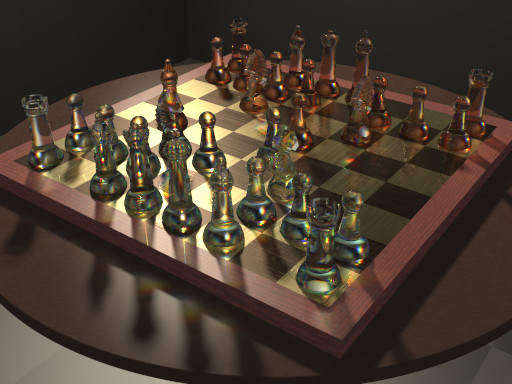
"Gaf" <nomail@nomail> wrote:
> Hi! This is my first finished work with the POV-Ray. Render time: 8h 25min...

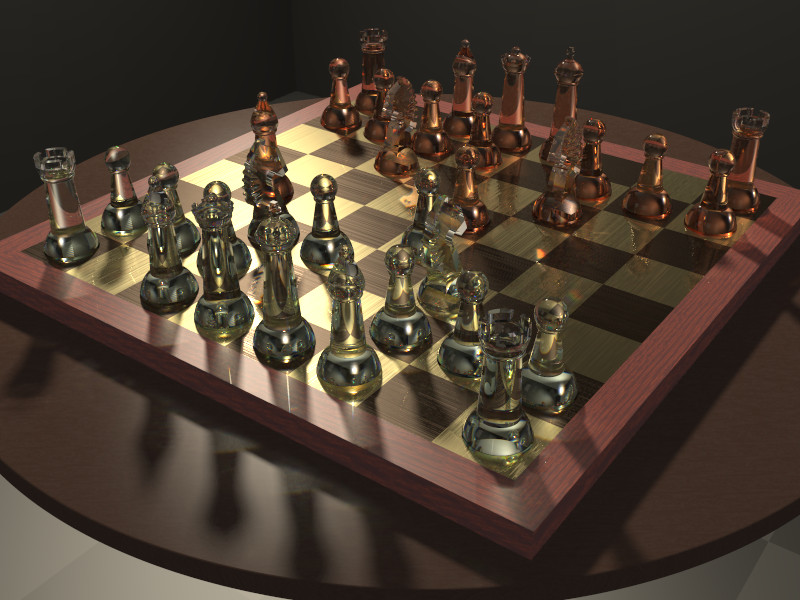
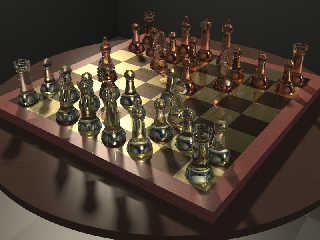
Decided to join the fun.  Modeling by WarpChess.  Area light 9x9 adaptive 1.

I added some dispersion to liven things up a bit.  Woo hoo was that costly!

________________________________________________________________________

Smallest Alloc:                  17 bytes
Largest  Alloc:              327696 bytes
Peak memory used:         424108216 bytes
Total Scene Processing Times
  Parse Time:    0 hours  0 minutes  1 seconds (1 seconds)
  Photon Time:   0 hours 10 minutes 59 seconds (659 seconds)
  Render Time:  10 hours  2 minutes 37 seconds (36157 seconds)
  Total Time:   10 hours 13 minutes 37 seconds (36817 seconds)
CPU time used: kernel 10.25 seconds, user 34984.88 seconds, total 34995.13
seconds
Render averaged 13.72 PPS over 480000 pixels
________________________________________________________________________


I can't play chess to save my life, so i shamelessly copied Warp's opening
moves.  Unfortunately, there are no captures in that sequence, so i have no
pieces off-board on the table.
Post a reply to this message
Attachments:
Download 'chess_caustics.jpg' (133 KB)
Preview of image 'chess_caustics.jpg'
|
|
| |
| |
|
|
|
|
| |
| |
|
|
Warp <war### [at] tagpovrayorg> wrote:
> alphaQuad wrote:
> > no pic, waiting for a better one @ adaptive 0 but looks like adaptive 50
>
>   adaptive 50 would only make a difference if your area light has more
> than 1125899906842625 x 1125899906842625 points in it. We can assume it
> doesn't.
>
>   Adaptive 0 makes a difference if your area light has more then 2x2
> points in it. For adaptive 1 it has to have more than 3x3 points, for
> adaptive 2 it has to have more than 5x5 points, for adaptive 3 it has to
> have more than 9x9 points, for adaptive 4 it has to have more than 17x17
> points. In general, "adaptive n" will make a difference only if your
> area light has more than (2^n+1) x (2^n+1) points. For adaptive 50
> that's 1125899906842625 x 1125899906842625.
>
>   If your adaptive value is too large, POV-Ray will simply ignore it and
> use the area light without any adaptive supersampling.

ya that makes sense, I have to read stuff 2-3 times before it sinks in.

Between king and queen shadows could not fixed at adaptive 0, gave up and bumped
to 1. Still quick by my standard.

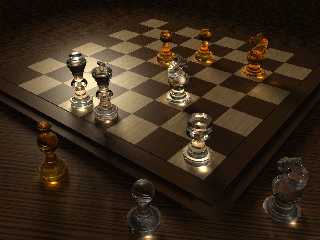
New white wood brightens scene
Area light diameter from 15 to 12
Probably a bad choice = lost captured piece light,
complicated by table finish changes.

fixed phong haze/burnout that was in previous image.

I can show a statement in the help file somewhat inaccurate:
(Or that I have no memory)
"Area light only affects shadows" (from memory)

area_light diameter greater than light distance is like setting phong intensity
lower as it's diameter goes up..
less than light distance seems to have little change.
Post a reply to this message
Attachments:
Download 'chess9_a.jpg' (118 KB)
Preview of image 'chess9_a.jpg'
|
|
| |
| |
|
|
|
|
| |
| |
|
|
alphaQuad nous illumina en ce 2008-08-22 12:36 -->
> Warp <war### [at] tagpovrayorg> wrote:
>> alphaQuad wrote:
>>> no pic, waiting for a better one @ adaptive 0 but looks like adaptive 50
>>   adaptive 50 would only make a difference if your area light has more
>> than 1125899906842625 x 1125899906842625 points in it. We can assume it
>> doesn't.
>>
>>   Adaptive 0 makes a difference if your area light has more then 2x2
>> points in it. For adaptive 1 it has to have more than 3x3 points, for
>> adaptive 2 it has to have more than 5x5 points, for adaptive 3 it has to
>> have more than 9x9 points, for adaptive 4 it has to have more than 17x17
>> points. In general, "adaptive n" will make a difference only if your
>> area light has more than (2^n+1) x (2^n+1) points. For adaptive 50
>> that's 1125899906842625 x 1125899906842625.
>>
>>   If your adaptive value is too large, POV-Ray will simply ignore it and
>> use the area light without any adaptive supersampling.
>
> ya that makes sense, I have to read stuff 2-3 times before it sinks in.
>
> Between king and queen shadows could not fixed at adaptive 0, gave up and bumped
> to 1. Still quick by my standard.
>
> New white wood brightens scene
> Area light diameter from 15 to 12
> Probably a bad choice = lost captured piece light,
> complicated by table finish changes.
>
> fixed phong haze/burnout that was in previous image.
>
> I can show a statement in the help file somewhat inaccurate:
> (Or that I have no memory)
> "Area light only affects shadows" (from memory)
>
> area_light diameter greater than light distance is like setting phong intensity
> lower as it's diameter goes up..
> less than light distance seems to have little change.
>
>
> ------------------------------------------------------------------------
>
Unless you use version 3.7 with area illumination on, phong and specular are
rendered as if the area_light was a point_light.
But, if you also use photons with area_light in the photons block, the photons
calculations will take the area_light into account.
When you have somewhat complex transparent objects, with an ior and reflections,
what you see as an highlight may not be one but a reflection of a bright spot.
The bright spot on the top of the rock is realy a reflection of the caustic at
it's base.

--
Alain
-------------------------------------------------
I can read your mind, and you should be ashamed of yourself.
Post a reply to this message
|
|
| |
| |
|
|
|
|
| |
| |
|
|
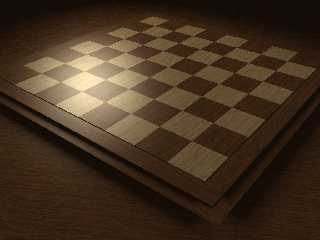
lightwood colored to darkwood

table with default finish
(looks like that is diffuse 0.6)

T_Wood8 was rgbt.
Post a reply to this message
Attachments:
Download 'chess9_b.jpg' (84 KB)
Preview of image 'chess9_b.jpg'
|
|
| |
| |
|
|
|
|
| |
| |
|
|
Thank you for your contributions and the technical tricks you shared me, it’s
really honorific. Fortunately I can use a distant server for the rendering, so
the time spent with it is not lost for me. For the further trifling I uploaded
the original textures here (I transformed them into JPG only because of their
size):

www.raytracer.hu/temp/chess_textures.zip

Although I can write you scarcely, I look at the site several times a day and I
always read with great enthusiasm your new ideas. I am deeply grateful to you.
The DOF version of the picture is already under rendering, I let to count it in
a resolution of 1280X1024. It’s at 31 % now, and I am satisfied with it till
now.

I will return soon... :-)
Post a reply to this message
|
|
| |
| |
|
|
|
|
| |
| |
|
|
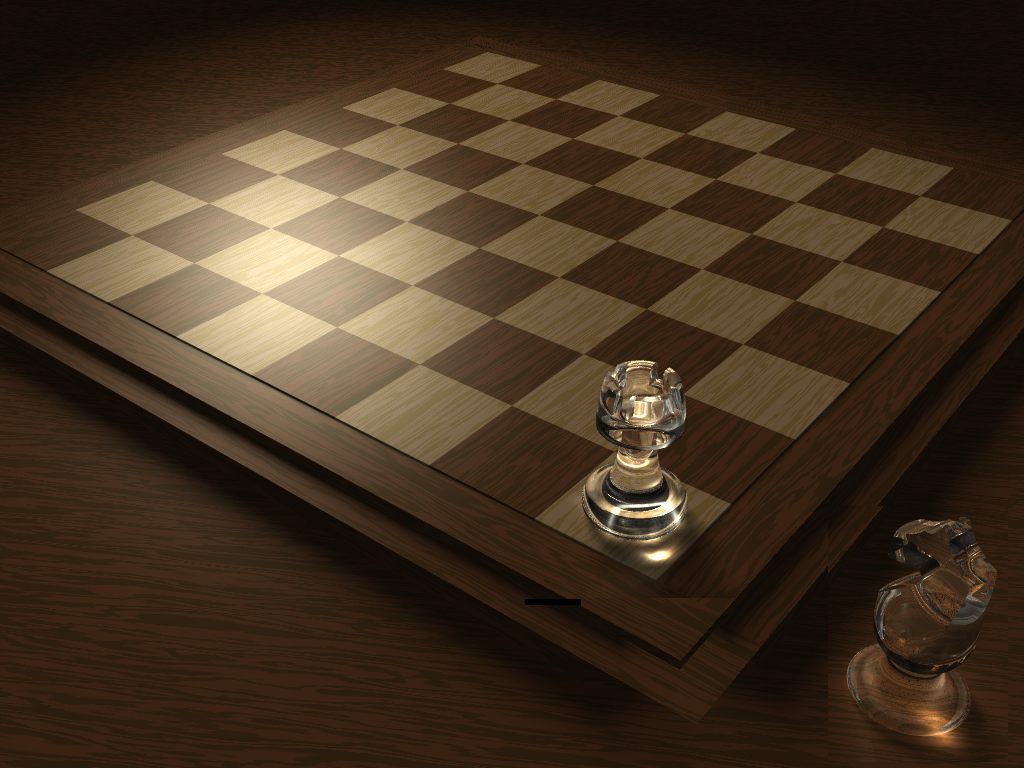
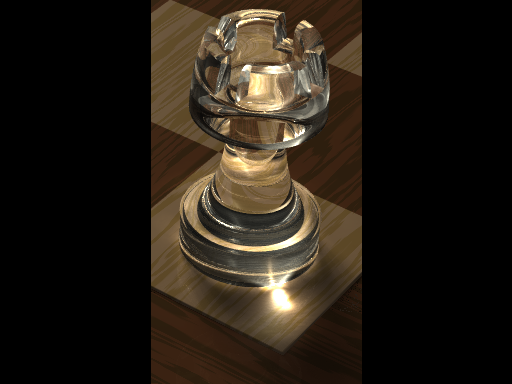
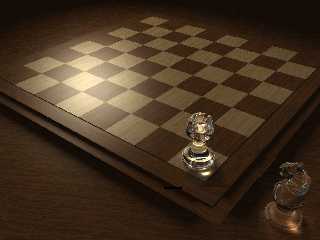
Cut a new rook.
The Knight looks difficult to improve.
Should make a new set now.
Post a reply to this message
Attachments:
Download 'newrook.jpg' (93 KB)
Preview of image 'newrook.jpg'
|
|
| |
| |
|
|
|
|
| |
| |
|
|
"Gaf" <nomail@nomail> wrote:
> Thank you for your contributions and the technical tricks you shared me, it’s
> really honorific. Fortunately I can use a distant server for the rendering, so
> the time spent with it is not lost for me. For the further trifling I uploaded
> the original textures here (I transformed them into JPG only because of their
> size):
>
> www.raytracer.hu/temp/chess_textures.zip
>
> Although I can write you scarcely, I look at the site several times a day and I
> always read with great enthusiasm your new ideas. I am deeply grateful to you.
> The DOF version of the picture is already under rendering, I let to count it in
> a resolution of 1280X1024. It’s at 31 % now, and I am satisfied with it till
> now.
>
> I will return soon... :-)

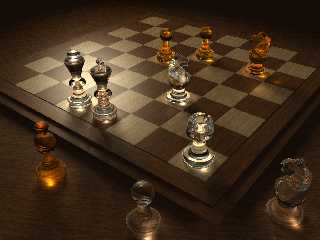
Yes indeed you're welcome. This is fun, thanks to ... YOU!

Area light diameter 15
Faster dark wood
The king is staring at you. Look closely.
Rook halo not as visible with other pieces on the board
Lighter wood now needs adaptive 2 or higher, (see shadow behind king and queen).
Rook also demands higher adaptive level with other pieces present.
Area light diameter seems critical to lighting.
Post a reply to this message
Attachments:
Download 'chess9_c.jpg' (156 KB)
Preview of image 'chess9_c.jpg'
|
|
| |
| |
|
|
|
|
| |
| |
|
|
"Gaf" <nomail@nomail> wrote:

> I look at the site several times a day and I
> always read with great enthusiasm your new ideas.

Then I should make sure you can see what made these images.
Been Fun!
aQ
Post a reply to this message
Attachments:
Download 'chess9_d_post.pov.txt' (13 KB)
|
|
| |
| |
|
|
|
|
| |
| |
|
|
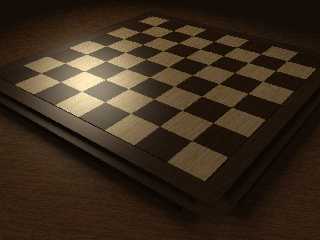
There are so many things right with your image I don’t know where to begin,
everyone who's anybody loved it.

Chocolate darkwood:

#declare p_darkwood =
  pigment
  { wood color_map
    { [.4 rgb <0.45, 0.30, 0.15>*.6]
      [.6 rgb <0.60, 0.35, 0.20>*.6]
    }
    turbulence .5
    scale <1, 1, 10>*.5
  }
#declare darkwood =
texture {
     pigment { p_darkwood }
     //finish { boardfinish }
     finish { ambient .1 diffuse .6 phong .5 phong_size 50 reflection 0.025 }
     scale 0.3
}
Post a reply to this message
Attachments:
Download 'chess9_d.jpg' (119 KB)
Preview of image 'chess9_d.jpg'
|
|
| |
| |
|
|
|
|
| |
| |
|
|
Alain <ele### [at] netscapenet> wrote:

> Unless you use version 3.7 with area illumination on, phong and specular are
> rendered as if the area_light was a point_light.
> But, if you also use photons with area_light in the photons block, the photons
> calculations will take the area_light into account.
> When you have somewhat complex transparent objects, with an ior and reflections,
> what you see as an highlight may not be one but a reflection of a bright spot.
> The bright spot on the top of the rock is realy a reflection of the caustic at
> it's base.
>
> --
> Alain
> -------------------------------------------------
> I can read your mind, and you should be ashamed of yourself.

Again with the making of total sense. "Alain" such a nice sound, just try it,
"Alain" conjures images of angels ...
Post a reply to this message
|
|
| |
| |
|
|
|
|
| |
| |
|
|
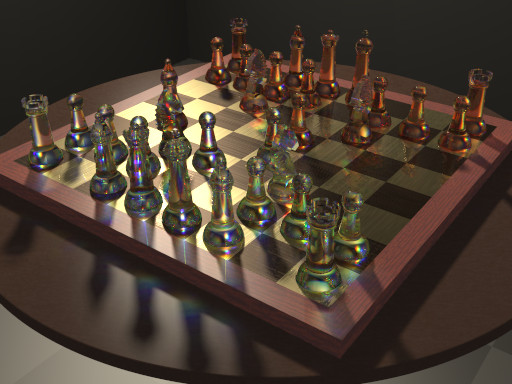
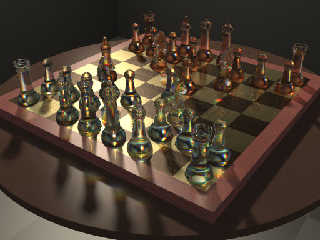
On Fri, 22 Aug 2008 08:32:49 -0400, Cousin Ricky <ric### [at] yahoocom>
wrote:
> I added some dispersion to liven things up a bit.  Woo hoo was that
> costly!

More fun with dispersion.  The first image has quartz glass dispersion
(according to consts.inc) exaggerated 40 times.  The second is exaggerated
40 times with the wavelengths reversed--AFAIK, physically impossible, but
pretty nonetheless.

--
Using Opera's revolutionary e-mail client: http://www.opera.com/mail/
Post a reply to this message
Attachments:
Download 'chess_caustics+40.jpg' (66 KB)
Download 'chess_caustics-40.jpg' (67 KB)
Preview of image 'chess_caustics+40.jpg'
Preview of image 'chess_caustics-40.jpg'
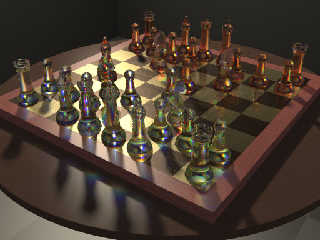
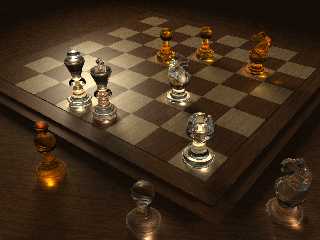
|
|
| |
| |
|
|
|
|
| |
| |
|
|
"Gaf" <nomail@nomail> wrote:
> ... Fortunately I can use a distant server for the rendering, so
> the time spent with it is not lost for me.

That's so cool you have access to puterPower. 8+ hrs, that seems like 4 or more
times what I can do here.

Previous image was adaptive level 1.

Here was added 2.5 hrs render time for level 2 and didn’t improve it as much as
I hoped.

You must have been using level 50 for a couple of reasons, because you *can* and
because it seems to need it.

Autostop: now there's a mindbender
Something about objects with holes.
One of those, "test to see if it saves time or does what you want it to do"
features.
Post a reply to this message
Attachments:
Download 'chess9_adapt2.jpg' (253 KB)
Preview of image 'chess9_adapt2.jpg'
|
|
| |
| |
|
|
|
|
| |
| |
|
|
"alphaQuad" <alp### [at] earthlinknet> wrote:
> Autostop: now there's a mindbender
> Something about objects with holes.
> One of those, "test to see if it saves time or does what you want it to do"
> features.

I always use autostop.  A hole in the middle of an object won't cause autostop
to err because autostop doesn't kick in until the first hit.  A disjointed
union will not be a problem because it is treated as separate objects--unless
split_union off is set for that object, and i don't set split_union off for
disjointed unions.

Disjointed differences, isosurfaces and polynomials could cause autostop to err.

Now, split_union off is definitely a "test to see if it saves time" feature.  My
experience has seen this double the rendering speed or slow it down 10 times,
depending on how it was applied.  My tentative recommendation: apply it to
Round_Box_Union(), Round_Cylinder_Union(), and unions of similar complexity,
but don't apply it to anything more complex than those.
Post a reply to this message
|
|
| |
| |
|
|
|
|
| |
| |
|
|
Some board loading code, and new Knight-shaped bases for the other 5 characters.

#macro place(O,Str,r)
  #local T = <asc(strupr(substr(Str,1,1)))-68.5,0,
    val(substr(Str,2,1))-4.5>;
  object { O rotate r translate T }
#end
#macro loadpawns()
   #local i=0;
   #while (i<8)
       object { Light_Pawn translate <i-3.5, 0, -2.5> }
       object { Dark_Pawn translate <i-3.5, 0, 2.5>  }
   #local i=i+1;
   #end
#end
/*
8
7
6
5
4
3
2
1
 A B C D E F G H */
#if (10)
  loadpawns()
  place(Light_Rook,"a1",0)
  place(Light_Knight,"b1",y*-110)
  place(Light_Bishop,"c1",0)
  place(Light_Queen,"d1",0)
  place(Light_King,"e1",0)
  place(Light_Bishop,"f1",0)
  place(Light_Knight,"g1",y*110)
  place(Light_Rook,"h1",0)

  place(Dark_Rook,"a8",0)
  place(Dark_Knight,"b8",y*-110)
  place(Dark_Bishop,"c8",0)
  place(Dark_Queen,"d8",0)
  place(Dark_King,"e8",0)
  place(Dark_Bishop,"f8",0)
  place(Dark_Knight,"g8",y*110)
  place(Dark_Rook,"h8",0)
#end
Post a reply to this message
Attachments:
Download 'chess_set.pov.txt' (3 KB)
|
|
| |
| |
|
|
|
|
| |
| |
|
|
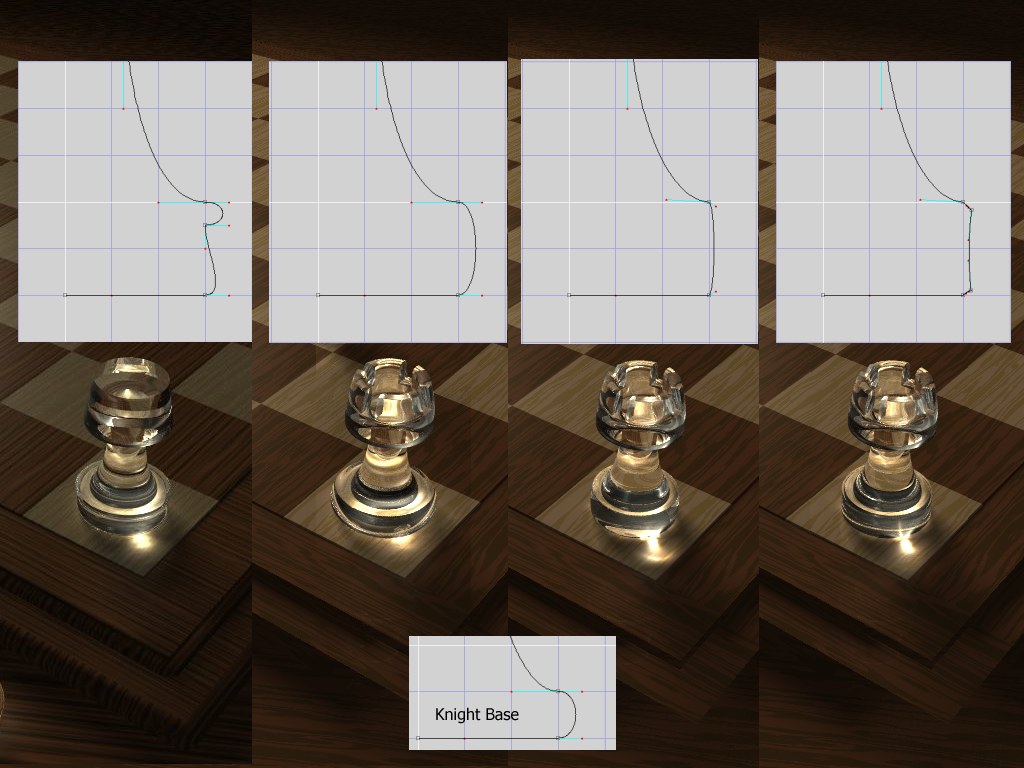
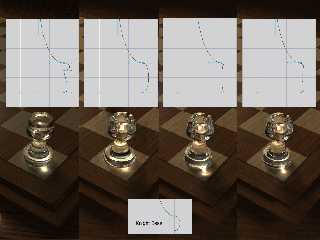
several base styles for different effect
Post a reply to this message
Attachments:
Download 'showchessbase.jpg' (126 KB)
Preview of image 'showchessbase.jpg'
|
|
| |
| |
|
|
|
|
| |
| |
|
|
alphaQuad wrote:
> Nice glass lesson.
> 1st rule, make sure you have lots of time or power. 2 hrs for 3 pieces.
>
> pong to the script:
> (no board maps)
>
Quite nice! Excellent wood texture, too.
Post a reply to this message
|
|
| |
| |
|
|
|
|
| |
| |
|
|
Mike Raiford <mra### [at] hotmailcom> wrote:
> alphaQuad wrote:
> > Nice glass lesson.
> > 1st rule, make sure you have lots of time or power. 2 hrs for 3 pieces.
> >
> > pong to the script:
> > (no board maps)
> >
> Quite nice! Excellent wood texture, too.

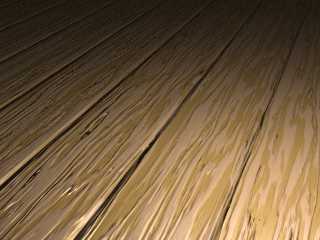
And the normals

camera { location <0, 5, -10> look_at 0 angle 35 }
light_source
{ <100, 200, -150>/50, 1
  fade_distance 6 fade_power 2
  area_light x*3, y*3, 12, 12 circular orient adaptive 0
}

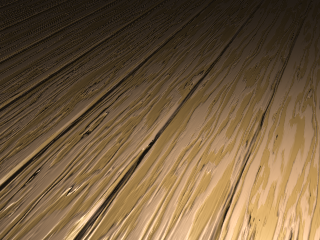
#declare PlankNormal =
  normal
  { gradient x 2 slope_map { [0 <0,1>][.05 <1,0>][.95 <1,0>][1 <0,-1>] }
    scale 2
  };

plane
{ y, -.25
  pigment
  { wood color_map
    { [.4 rgb <.9, .7, .4>]
      [.6 rgb <1, .8, .6>]
    }
    turbulence .5
    scale <1, 1, 10>*.5
    rotate y*20
  }
  normal
  { average normal_map
    { [1 PlankNormal]
      [1 wood .5 slope_map { [0 <0,0>][.5 <.5,1>][1 <1,0>] }
         turbulence .5 scale <1, 1, 10>*.5]
    }
    rotate y*20
  }
  finish { specular .5 reflection .2 }
}
Post a reply to this message
Attachments:
Download 'planks.png' (149 KB)
Preview of image 'planks.png'
|
|
| |
| |
|
|
|
|
| |
| |
|
|
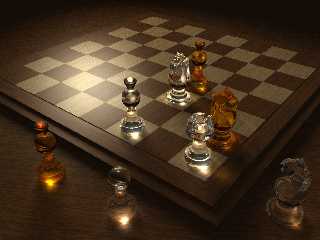
This one was the shallow-curve convex base set. Looked better with one piece on
the board.
Post a reply to this message
Attachments:
Download 'chessboard04.jpg' (143 KB)
Preview of image 'chessboard04.jpg'
|
|
| |
| |
|
|
|
|
| |
| |
|
|
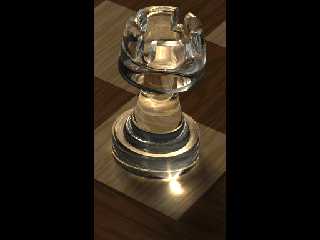
enlarged bevel set
adaptive 1
+a0.3
1+hrs, mostly the top cuts
Post a reply to this message
Attachments:
Download 'rookbeveled.png' (128 KB)
Preview of image 'rookbeveled.png'
|
|
| |
| |
|
|
|
|
| |
| |
|
|
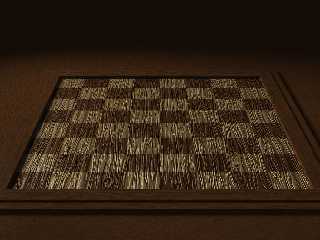
Gnarly Board
Post a reply to this message
Attachments:
Download 'gnarlyboard.jpg' (169 KB)
Preview of image 'gnarlyboard.jpg'
|
|
| |
| |
|
|
|
|
| |
| |
|
|
While your wood texture is nice, there is one major problem: The wood nerves
continue from dark to light square etc, as if it were one piece of wood and
not a mozaic of wooden square.

Thomas
Post a reply to this message
|
|
| |
| |
|
|
|
|
| |
| |
|
|
alphaQuad wrote:
> And the normals
>
> camera { location <0, 5, -10> look_at 0 angle 35 }
> light_source
> { <100, 200, -150>/50, 1
>   fade_distance 6 fade_power 2
>   area_light x*3, y*3, 12, 12 circular orient adaptive 0
> }
>
> #declare PlankNormal =
>   normal
>   { gradient x 2 slope_map { [0 <0,1>][.05 <1,0>][.95 <1,0>][1 <0,-1>] }
>     scale 2
>   };
>
> plane
> { y, -.25
>   pigment
>   { wood color_map
>     { [.4 rgb <.9, .7, .4>]
>       [.6 rgb <1, .8, .6>]
>     }
>     turbulence .5
>     scale <1, 1, 10>*.5
>     rotate y*20
>   }
>   normal
>   { average normal_map
>     { [1 PlankNormal]
>       [1 wood .5 slope_map { [0 <0,0>][.5 <.5,1>][1 <1,0>] }
>          turbulence .5 scale <1, 1, 10>*.5]
>     }
>     rotate y*20
>   }
>   finish { specular .5 reflection .2 }
> }

  It would be nice (and polite) if you mentioned where you got that code
from.
Post a reply to this message
|
|
| |
| |
|
|
|
|
| |
| |
|
|
Warp <war### [at] tagpovrayorg> wrote:
> alphaQuad wrote:
> > And the normals

>
>   It would be nice (and polite) if you mentioned where you got that code
> from.

I always do when I know where it came from. I know you have perfect memory and
can remember where you first saw every snip you ever saw.

I would have if I could remember where. Took me half hour to find it where I
couldnt remember where I left it on this puter.

Maybe you recognize it and can tell us all since it seems so important to you.

Any warp code layin' around here? I dont recall seeing any.

there is a word for this, or several, I leave that to the readers.
Post a reply to this message
|
|
| |
| |
|
|
|
|
| |
| |
|
|
"Thomas de Groot" <t.d### [at] internlDOTnet> wrote:
> While your wood texture is nice, there is one major problem: The wood nerves
> continue from dark to light square etc, as if it were one piece of wood and
> not a mozaic of wooden square.
>
> Thomas

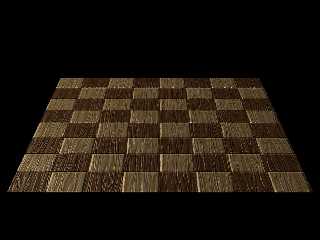
ah the wonder of computers, I silk screened it on to a single piece of wood, we
can imagine. I did some bevel jobs but so far always with white spots.

aQ
Post a reply to this message
Attachments:
Download 'squarebevel.jpg' (104 KB)
Preview of image 'squarebevel.jpg'
|
|
| |
| |
|
|
|
|
| |
| |
|
|
Warp <war### [at] tagpovrayorg> wrote:
> alphaQuad wrote:
> > And the normals
>
>   It would be nice (and polite) if you mentioned where you got that code
> from.

itchy fingers today ... lets try that again ...

I should have mentioned that I dont recall where I found it, when I posted it,
sorry I'm not perfect.

Warp you might have, in that case, asked me if I recall where I found it, and
I'd would say something like, no do you? (recognize it I mean)

if we only cared,
aQ
Post a reply to this message
|
|
| |
| |
|
|
|
|
| |
| |
|
|
alphaQuad wrote:
> I know you have perfect memory and
> can remember where you first saw every snip you ever saw.

  I know this specific piece of SDL because it was written by me.
Post a reply to this message
|
|
| |
| |
|
|
|
|
| |
| |
|
|
"Cousin Ricky" <ric### [at] yahoocom> wrote:
> On Fri, 22 Aug 2008 08:32:49 -0400, Cousin Ricky <ric### [at] yahoocom>
> wrote:
> > I added some dispersion to liven things up a bit.  Woo hoo was that
> > costly!
>
> More fun with dispersion.  The first image has quartz glass dispersion
> (according to consts.inc) exaggerated 40 times.  The second is exaggerated
> 40 times with the wavelengths reversed--AFAIK, physically impossible, but
> pretty nonetheless.
>
> --
> Using Opera's revolutionary e-mail client: http://www.opera.com/mail/

Glory be. Is that a rainbow cast on D5, zoom in and render the one piece that is
doing it and enlarge.

glass dispersion ... according to consts.inc  ... 40 times with the wavelengths
reversed
got it. thank you. must be time to look at dispersion.

you rock.
Post a reply to this message
|
|
| |
| |
|
|
|
|
| |
| |
|
|
Warp <war### [at] tagpovrayorg> wrote:
> alphaQuad wrote:
> > I know you have perfect memory and
> > can remember where you first saw every snip you ever saw.
>
>   I know this specific piece of SDL because it was written by me.

so commented, I just know good code when I see it. so you got this web site
where I must have seen it. so many possibilities, so little time, on to
dispersion.
Post a reply to this message
|
|
| |
| |
|
|
|
|
| |
| |
|
|
"alphaQuad" <alp### [at] earthlinknet> wrote:
> I always do when I know where it came from. I know you have perfect memory and
> can remember where you first saw every snip you ever saw.
>
> I would have if I could remember where. Took me half hour to find it where I
> couldnt remember where I left it on this puter.

My memory stinks.  That's why i write things down.  Specifically, whenever i
lift an algorithm or segment of code, i comment directly into the code where it
came from.  Whenever i download code off povray.org, i make sure
that--somehow--the source of the code is noted.

> Any warp code layin' around here? I dont recall seeing any.

Whether or not you recall is not the issue.
Post a reply to this message
|
|
| |
| |
|
|
|
|
| |